HackTricks

Hacktricks logos & motion design by @ppieranacho.
Run HackTricks Locally
# Download latest version of hacktricks
git clone https://github.com/HackTricks-wiki/hacktricks

# Select the language you want to use
export HT_LANG="master" # Leave master for English
# "af" for Afrikaans
# "de" for German
# "el" for Greek
# "es" for Spanish
# "fr" for French
# "hi" for HindiP
# "it" for Italian
# "ja" for Japanese
# "ko" for Korean
# "pl" for Polish
# "pt" for Portuguese
# "sr" for Serbian
# "sw" for Swahili
# "tr" for Turkish
# "uk" for Ukrainian
# "zh" for Chinese

# Run the docker container indicating the path to the hacktricks folder
docker run -d --rm --platform linux/amd64 -p 3337:3000 --name hacktricks -v $(pwd)/hacktricks:/app ghcr.io/hacktricks-wiki/hacktricks-cloud/translator-image bash -c "mkdir -p ~/.ssh && ssh-keyscan -H github.com >> ~/.ssh/known_hosts && cd /app && git config --global --add safe.directory /app && git checkout $HT_LANG && git pull && MDBOOK_PREPROCESSOR__HACKTRICKS__ENV=dev mdbook serve --hostname 0.0.0.0"
Your local copy of HackTricks will be available at http://localhost:3337 after <5 minutes (it needs to build the book, be patient).
Alternatively, if you have Docker Compose you can just run the following from the repo root:
docker compose up
This uses the bundled docker-compose.yml to serve the branch currently checked out on the host at http://localhost:3337 with live reload. To change languages when using Compose, check out the desired language branch before starting the service.
HackTricks Partners
HackTricks Friends
.png)
STM Cyber provides penetration testing, security audits, exploit and research work, tools, and security-awareness services. Its site describes a team of penetration testers, programmers, and security researchers with more than a decade of experience.[1]
You can check their blog at https://blog.stmcyber.com.
STM Cyber also support cybersecurity open source projects like HackTricks :)
.png)
Intigriti is a crowdsourced security provider offering bug bounty and penetration-testing services through a global researcher community. Its platform combines continuous bug bounty coverage with on-demand PTaaS and managed vulnerability disclosure programs.[2]
Bug bounty tip: Join Intigriti through https://go.intigriti.com/hacktricks and explore its bug bounty programs.

Modern Security offers self-paced, hands-on AI security training for security engineers, AppSec professionals, and developers. Its AI Security Certification covers LLM and agent fundamentals, RAG and vector databases, threat modeling, prompt-injection and MCP attacks, and defensive architecture.[3]
👉 More details on the AI Security course:
https://www.modernsecurity.io/courses/ai-security-certification
.png)
SerpApi provides APIs for Google and other search engines, returning structured SERP data with features such as location-aware results, Maps, Shopping, and Knowledge Graph results.[4]
For more information, check out their blog, try an example in their playground, or create a free account.
.png)
8kSec Academy offers self-paced mobile and AI-security courses. Its catalog covers mobile application auditing and reversing with tools such as Ghidra, Frida, and LLDB, along with AI/LLM attack and defense labs.[5][6]
Browse the 8kSec Academy course catalog.

Naxus markets an offensive-AI platform that maps code and infrastructure, then uses static and dynamic agents to find and validate exploitable weaknesses with proof-of-concept evidence and remediation guidance.[7]
Code security tip: Explore Naxus for code- and infrastructure-focused vulnerability discovery.
.svg)
WebSec provides penetration testing, security subscriptions, staffing, and vulnerability-assessment services. Its site says it operates internationally and covers offensive security, defensive security, and governance, risk, and compliance work.[8]
For more information, visit their website or blog.
In addition to the above WebSec is also a committed supporter of HackTricks.

Built for the field. Built around you.
Cyber Helmets provides expert-led cybersecurity training with custom-built content and labs grounded in real infrastructures. Its programs are tailored to organizational needs and span assessment through implementation.[9] For custom training inquiries, reach out here.
What sets their training apart:
- Custom-built content and labs
- Backed by top-tier tools and platforms
- Designed and taught by practitioners

Last Tower Solutions focuses on cybersecurity consulting for Education and FinTech, including cloud assessments, internal and external penetration tests, vulnerability assessments, and compliance support.[10]
Stay informed and up to date with the latest in cybersecurity by visiting our blog.

K8Studio is a desktop Kubernetes IDE with CloudMaps visualization, multi-cluster navigation, RBAC, Helm, logs, YAML, and terminal views. The vendor says it connects through kubeconfig without installing agents and supports macOS, Windows, Linux, and air-gapped clusters.[11]
License & Disclaimer
See the HackTricks Values & FAQ entry in References below.
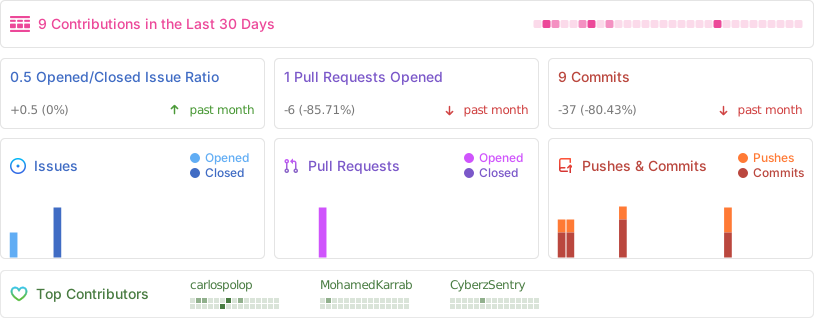
Github Stats
References
{{#include banners/hacktricks-training.md}}

 一个免费开源的黑客技巧与技术 Wiki——收录了作者从 CTF 比赛、真实应用和安全研究中学到的一切,整理成一份可浏览的参考资料,在 GitHub 上已有 12.5k+ 星标。