
.png)
.png)

.png)
.png)

.svg)


12.6K ·GitHub
What is this?
 A free, open wiki of hacking tricks and techniques — everything the author has learnt from CTFs, real-world apps and security research, organized into a browsable reference with 12.5k+ GitHub stars.
A free, open wiki of hacking tricks and techniques — everything the author has learnt from CTFs, real-world apps and security research, organized into a browsable reference with 12.5k+ GitHub stars.Is this a tool I run, or something I read?It's a wiki you read rather than software you run against targets — a large tree of technique pages served as a website. The repo holds the content plus the build and server setup for running your own copy.
It's a wiki you read rather than software you run against targets — a large tree of technique pages served as a website. The repo holds the content plus the build and server setup for running your own copy.Can I run my own copy of it, or is it online-only?Read it online for free, or self-host: the README has a 'Run HackTricks Locally' section, and the repo ships Docker and Docker Compose files to serve your own copy.
Read it online for free, or self-host: the README has a 'Run HackTricks Locally' section, and the repo ships Docker and Docker Compose files to serve your own copy.What do I need installed to self-host it?Docker is all you need — the repo includes a Dockerfile and a docker-compose file. Reading it online needs nothing but a browser; no database or API keys are involved.
Docker is all you need — the repo includes a Dockerfile and a docker-compose file. Reading it online needs nothing but a browser; no database or API keys are involved.I'm a developer, not a hacker — is this even for me?It's written for people doing offensive security — CTF players and working pentesters who want a quick reference during engagements and competitions.
It's written for people doing offensive security — CTF players and working pentesters who want a quick reference during engagements and competitions.Does it matter what OS I'm on?Not really — it's a website that works in any browser, and a self-hosted copy runs anywhere Docker does.
Not really — it's a website that works in any browser, and a self-hosted copy runs anywhere Docker does.Is the content under a standard open-source license?No standard license is declared in the repo metadata. The README points to its 'HackTricks Values & FAQ' page for licensing and disclaimer terms — check that before reusing content.
No standard license is declared in the repo metadata. The README points to its 'HackTricks Values & FAQ' page for licensing and disclaimer terms — check that before reusing content.Why does the README list so many security companies?They're the project's sponsors and supporters — vendors like STM Cyber, Intigriti, SerpApi, 8kSec Academy and WebSec back HackTricks, and the README thanks them explicitly.
They're the project's sponsors and supporters — vendors like STM Cyber, Intigriti, SerpApi, 8kSec Academy and WebSec back HackTricks, and the README thanks them explicitly.What is PEASS?It's in the repo's own topic list: PEASS is the author's Privilege Escalation Awesome Scripts SUite — enumeration scripts for spotting local privilege escalation paths on Linux and Windows, closely tied to the wiki's privilege escalation sections.
It's in the repo's own topic list: PEASS is the author's Privilege Escalation Awesome Scripts SUite — enumeration scripts for spotting local privilege escalation paths on Linux and Windows, closely tied to the wiki's privilege escalation sections.Is the wiki still actively maintained?Yes — 12.5k+ GitHub stars, and a CI pipeline that rebuilds the site, syncs translations and even auto-merges approved pull requests, so content updates land continuously.
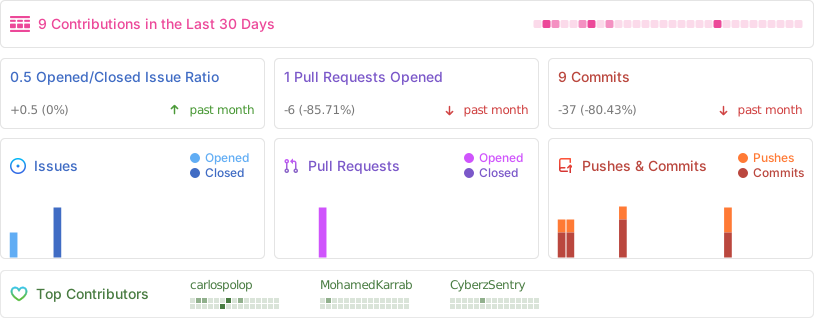
Yes — 12.5k+ GitHub stars, and a CI pipeline that rebuilds the site, syncs translations and even auto-merges approved pull requests, so content updates land continuously.What are similar projects?Claude-Red, PayloadsAllTheThings, hacker-roadmap, redamon, bug-bounty-hunting-prompts, Claude-BugHunter, Sn1per, awesome-web-security
Claude-Red, PayloadsAllTheThings, hacker-roadmap, redamon, bug-bounty-hunting-prompts, Claude-BugHunter, Sn1per, awesome-web-securityWhich topics is it in?pentesting-tools, exploitation, recon, privilege-escalation, appsec, bugbounty, ethical-hacking, pentest, web-security, wiki, ctf, vulnerability
pentesting-tools, exploitation, recon, privilege-escalation, appsec, bugbounty, ethical-hacking, pentest, web-security, wiki, ctf, vulnerability