Awesome Reverse Engineering 
Featured: REA — Agent-oriented reverse-engineering tools, from application behavior to native binaries. By the creators of awesome-reverse-engineering.
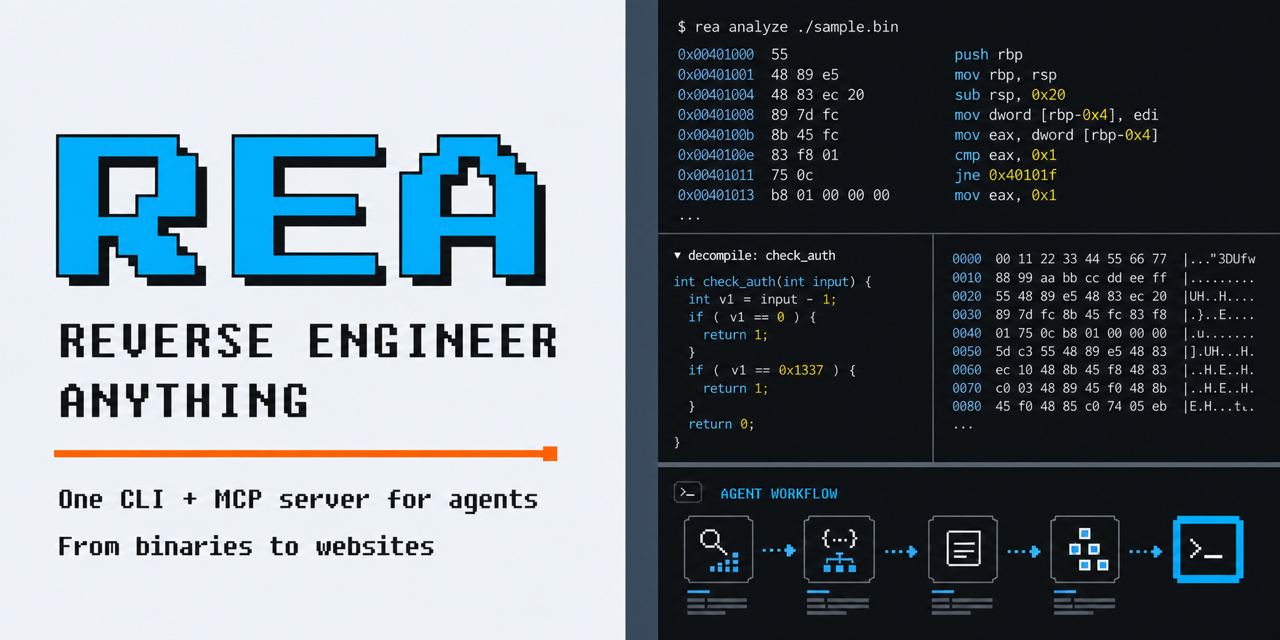
A curated starting point for understanding binaries, applications, firmware, file formats, and protocols.
Find a tool by the work you need to do. Each entry describes its purpose; commercial tools are marked commercial. This is an initial selection, open to additions and corrections.
Start here
| Your task |
Start with |
| Learn assembly and reversing fundamentals |
Learning |
| Identify an executable and its capabilities |
File identification and triage |
| Read native code or step through it |
Native analysis and Debuggers |
| Trace calls or instrument a running program |
Dynamic instrumentation and tracing |
| Examine a suspicious file, process, or memory image |
Malware analysis |
| Inspect an APK, .NET assembly, or Java program |
Android and managed code |
| Inspect an iOS app, macOS binary, or Apple firmware |
iOS and macOS |
| Unpack a Python, Go, Unity, Godot, or obfuscated .NET program |
Language runtimes and packagers |
| Understand browser behavior or an undocumented protocol |
Web and protocols |
| Extract firmware or inspect a binary format |
Firmware and hardware and File formats |
| Compare builds or automate an investigation |
Diffing and analysis frameworks and AI-assisted analysis |
Contents
Learning
- Azeria Labs - ARM assembly tutorials with exercises for learning registers, memory, and calling conventions.
- Compiler Explorer - Compiles code in the browser with many compilers and shows the generated assembly, for seeing how source constructs and optimization levels translate to machine code.
- Corkami - Visual references and posters explaining binary formats and file structures, including executable-format layouts.
- Nightmare - Course built from annotated CTF challenges, progressing from assembly and reversing basics to binary exploitation.
- OpenSecurityTraining2 - Structured courses in assembly, architecture, debugging, and reverse engineering.
- pwn.college - Free courses with hands-on challenges in Linux, assembly, reverse engineering, and binary exploitation, run in a browser-accessible environment.
- Reverse Engineering for Beginners - Free book connecting compiled C and C++ examples to assembly across several architectures.
- RPISEC Modern Binary Exploitation - Course materials and labs covering reverse engineering, memory corruption, and exploitation; no commits since December 2021, so labs may need older toolchains.
Books
- Hacking the Xbox - Introduction to hardware reverse engineering through the original Xbox's security design; free PDF edition released by the author.
- Practical Binary Analysis - Covers ELF and PE internals, disassembly, binary instrumentation, taint analysis, and symbolic execution, with tools built in the exercises.
- Practical Malware Analysis - Hands-on introduction to static and dynamic Windows malware analysis with lab exercises; published in 2012, so some tooling chapters are dated.
- The Ghidra Book - Guide to Ghidra's disassembler, decompiler, scripting, and extension APIs; the 2026 second edition covers BSim and PyGhidra.
File identification and triage
- capa - Identifies capabilities in executable files using rules over static or dynamic analysis results.
- checksec - Checks ELF security properties such as PIE, RELRO, stack canaries, and non-executable stacks; mitigation flags are not a vulnerability verdict.
- Detect It Easy - Identifies executable formats, compilers, packers, and other file characteristics.
- FLOSS - Recovers obfuscated strings, including strings constructed on the stack.
- LIEF - Parses and modifies executable formats such as PE, ELF, and Mach-O from code.
- Malcat - Hex editor and disassembler for triaging unknown files, with 50+ format parsers, embedded-file extraction, YARA scanning, and Python scripting. Commercial, with a free Lite edition for non-professional use.
- PE-bear - Graphical PE viewer and editor for a quick first look at headers, sections, imports, and resources, including malformed files.
- pestudio - Flags suspicious imports, strings, resources, and other indicators in Windows executables for initial assessment. Commercial, with a free basic edition for private use.
Native analysis
- Binary Ninja - Interactive disassembler and decompiler with intermediate representations and scripting APIs. Commercial, with a free edition.
- Cutter - Graphical reverse-engineering interface built on Rizin.
- Decompiler Explorer - Web service that runs an uploaded binary through several decompilers and shows their output side by side.
- Ghidra - Disassembly, decompilation, scripting, and headless analysis for native binaries.
- IDA - Interactive disassembler and decompiler with processor modules and a plugin ecosystem. Commercial, with a free edition.
- radare2 - Command-line toolkit for disassembly, binary inspection, debugging, and scripting.
- RetDec - Retargetable LLVM-based decompiler for ELF, PE, Mach-O, and other formats; in limited maintenance mode, with little new development.
- Rizin - Reverse-engineering framework with command-line analysis and reusable libraries.
- Rubber Room - Browser PE workbench with x86-64 disassembly, partial Win32 API emulation and experimental C-like pseudocode that may omit program logic; alpha.
Debuggers
- Cheat Engine - Memory scanner, debugger, and disassembler for finding and changing values in running processes, mainly used for game and application modding.
- GDB - Native debugger with scripting and remote-debugging support.
- GEF - Single-file GDB extension that adds context views, heap inspection, and commands for exploit development and binary analysis.
- LLDB - LLVM debugger for native programs, including macOS and iOS development workflows.
- pwndbg - Debugger extensions for inspecting memory, assembly, and runtime state during binary analysis.
- rr - Records and replays Linux process execution for repeatable debugging.
- WinDbg - Microsoft debugger for Windows user-mode and kernel debugging, crash dump analysis, and Time Travel Debugging; version 1.2610.1001.0 and later include the official WinDbg MCP server.
- x64dbg - Windows user-mode debugger for inspecting native executables and libraries.
Dynamic instrumentation and tracing
- DynamoRIO - Dynamic binary instrumentation platform for building tools that observe or modify instructions at runtime, with bundled tracing and memory-checking tools.
- Frida - Injects scripts into running processes to trace calls, inspect data, and change behavior.
- Intel Pin - Dynamic binary instrumentation framework for writing analysis tools for x86 and x86-64 programs on Linux and Windows; closed source, free for any use.
- QBDI - LLVM-based dynamic binary instrumentation framework for x86, x86-64, ARM, and AArch64, with C, C++, and Python APIs and Frida integration.
- strace - Linux system-call tracer for inspecting process I/O, signals, syscall arguments, and return values.
- Sysinternals Suite - Microsoft utilities, including Process Monitor, Process Explorer, and Autoruns, for observing process, file, registry, and network activity on Windows.
Malware analysis
Run samples only in isolated, disposable environments, and follow your organization's handling procedures.
- CAPE Sandbox - Automated sandbox derived from Cuckoo that runs samples in virtual machines and records behavior, unpacked payloads, and malware configurations.
- FLARE-VM - Installation scripts that turn a Windows virtual machine into a malware-analysis and reverse-engineering workstation.
- oletools - Python tools for inspecting Office, OLE, and RTF files and extracting macros, embedded objects, and other document artifacts.
- PE-sieve - Scans a running process for injected or modified code, such as hollowed modules, hooks, and shellcode, and dumps what it finds.
- REMnux - Linux toolkit for analyzing malicious executables, documents, scripts, and network traffic, available as a virtual machine, container, or installer.
- Speakeasy - Windows emulation framework for PE files, drivers, and shellcode that produces API reports within a modeled runtime.
- Volatility 3 - Memory forensics framework for extracting processes, modules, network connections, and other artifacts from memory images.
- YARA - Identifies and classifies files with rules over strings, byte patterns, and file properties; in maintenance mode, with YARA-X as its successor.
- YARA-X - Rust-based rule-scanning engine with CLI and language bindings; check its documented differences before migrating YARA rules.
Android and managed code
- Androguard - Python tooling for analyzing Android applications, bytecode, and call relationships.
- Apktool - Decodes Android resources and Smali code, and rebuilds APKs after edits.
- AsmResolver - Library for reading, modifying, and rebuilding native and managed PE files, including .NET metadata and application bundles.
- dnSpyEx - .NET debugger and assembly editor maintained as a continuation of dnSpy.
- ILSpy - .NET assembly browser and decompiler with GUI and command-line interfaces.
- JADX - Android DEX decompiler with code navigation and search in a graphical interface or CLI.
- JEB - Android decompiler and analysis platform with edition-dependent native analysis and official MCP capabilities that vary by version; commercial.
- MobSF - Automated static and dynamic analysis of Android, iOS, and Windows mobile apps, with a web interface and REST API.
- OWASP MASTG - Mobile security testing guidance with Android and iOS reverse-engineering techniques.
- Recaf - Java bytecode analysis and editing environment.
- Vineflower - Java decompiler focused on modern language features and readable output; requires Java 17 or newer to run current releases.
iOS and macOS
- class-dump - Generates Objective-C headers from Mach-O binaries; unmaintained since 2019 and without Swift support, so
ipsw class-dump is a maintained alternative.
- Hopper - macOS disassembler and decompiler with Objective-C and Swift support, LLDB and GDB debugging, and scripting. Commercial, with a free demo.
- ipsw - Command-line toolkit for downloading and examining iOS and macOS firmware, dyld shared caches, kernelcaches, and Mach-O binaries.
- objection - Frida-based toolkit for exploring iOS and Android apps at runtime, including class inspection, method hooking, and certificate-pinning bypass.
- pymobiledevice3 - CLI and Python API for iOS device services, including logs, crash reports, packet capture, and developer tooling with version-dependent tunnel requirements.
Language runtimes and packagers
- AssetRipper - Unity asset-analysis and export tool with version-dependent support and additional paid Premium features.
- Blutter - Flutter AOT analysis tool for recent Android arm64 libapp.so files, producing annotated assembly, object-pool dumps, and Frida templates.
- Cpp2IL - Recovers types, methods, and IL from Unity IL2CPP builds into .NET assemblies and other outputs; described by its author as work in progress.
- de4dot - .NET deobfuscator and unpacker for assemblies protected by common obfuscators; archived in 2020 and no longer updated.
- GDRE Tools - Recovers Godot projects from exported games, including PCK extraction, GDScript decompilation, and resource conversion.
- GoReSym - Recovers function names, types, and build metadata from Go binaries, including stripped ones.
- Hermit - Interactive toolkit for inspecting, disassembling, decompiling, and structurally patching React Native Hermes bytecode; supports HBC 94, 95, and 96, with HBC 98 unsupported.
- Il2CppDumper - Restores Unity IL2CPP type and method metadata for use in IDA, Ghidra, and other tools; no commits since July 2024, with Cpp2IL as a maintained alternative.
- pycdc - Disassembles and decompiles Python bytecode from
.pyc files; decompilation of recent Python versions can be incomplete.
- pyinstxtractor - Extracts the contents of PyInstaller executables, including the bytecode needed for decompilation; the pyinstxtractor-ng fork uses xdis so the host Python need not match the build version and supports PyInstaller archive decryption when the embedded key can be recovered, but neither tool decompiles bytecode.
Web and protocols
- Burp Suite - Intercepting proxy and toolkit for inspecting, replaying, and modifying HTTP and WebSocket traffic. Commercial, with a free Community Edition.
- Chrome DevTools - Browser tools for stepping through JavaScript, inspecting network requests, and examining runtime state.
- HTTP Toolkit - Intercepts and inspects HTTP(S) traffic from browsers, desktop applications, Android devices, and containers with automated interception setup. Commercial, with a free open-source edition.
- mitmproxy - Intercepts, inspects, and modifies HTTP traffic with interactive tools and Python scripts.
- Protobuf Decoder - Web application that decodes Protobuf messages without a schema and shows field numbers, wire types, and possible value interpretations.
- Scapy - Python packet framework for dissecting and constructing protocols, reading PCAPs, and scripting network experiments.
- WABT - WebAssembly utilities for converting, inspecting, validating, and decompiling modules.
- wasm-tools - Bytecode Alliance tools for inspecting, validating, and transforming WebAssembly modules, components, and WIT interfaces.
- webcrack - Deobfuscates JavaScript and unpacks common bundler output to make code easier to inspect.
- Wireshark - Captures and dissects network traffic for protocol investigation.
Firmware and hardware
- Binwalk - Identifies embedded files and extracts content from firmware images.
- EMBA - Firmware security analyzer that extracts images, runs static and emulation-based checks, and produces reports and SBOMs.
- Facedancer - Python USB device-emulation and proxy framework for compatible hardware on GNU/Linux; 3.x does not support legacy scripts and backend capabilities vary.
- FirmAE - Emulates Linux-based router and IP camera firmware for dynamic analysis, using heuristics that make full-system emulation succeed more often.
- flashrom - Reads, writes, and verifies flash chips through supported programmers, for dumping or restoring firmware from hardware.
- Glasgow Interface Explorer - Programmable hardware interface explorer with applets for probing and interacting with digital buses; requires Glasgow hardware.
- OFRAK - Framework for unpacking, analyzing, modifying, and repacking binary artifacts.
- OpenOCD - Connects to hardware debug interfaces for on-chip debugging and flash access.
- Packetry - USB 2.0 protocol analyzer for Cynthion captures and offline PCAP files using the LINKTYPE_USB_2_0 format.
- QEMU - Machine emulator for running firmware and programs built for other architectures, with a GDB stub for debugging.
- Renode - Embedded-system simulator with scriptable platform and peripheral models for repeatable firmware debugging and observation.
- sigrok - Signal analysis tools and protocol decoders for logic analyzers and related hardware.
- UEFITool - Parses UEFI firmware structures and extracts or replaces modules.
- unblob - Extracts nested archives, compressed data, and filesystem images from firmware and other files.
- 010 Editor - Hex editor with binary templates for inspecting structured files. Commercial.
- Construct - Declarative Python library for parsing and building binary formats with composable schemas and validation.
- CyberChef - Browser-based workbench for decoding, decompressing, and transforming data with exportable recipes.
- Hex Harbinger - Browser hex editor that overlays structure templates for PE, ELF, Mach-O and ZIP files and highlights the parsed fields; alpha.
- ImHex - Hex editor with a pattern language for describing and exploring binary structures.
- Kaitai Struct - Describes binary formats declaratively and generates parsers in multiple languages.
- Struct Smith - Browser editor for Spec binary-format schemas, with a live parse tree, byte highlighting and diagnostics; alpha, with a 64 MiB input limit.
Diffing and analysis frameworks
- angr - Python framework for symbolic execution and program analysis; angr-management is its official GUI front end, not a separate analysis engine.
- BinDiff - Compares disassembled binaries to identify similar functions and changes between builds; inputs come from the BinExport exporters for IDA Pro, Ghidra, and Binary Ninja; the current IDA plugin source requires IDA Pro 9.4+, while the 2024 release documents IDA SDK 8.0+ for building that plugin.
- Capstone - Multi-architecture disassembly library for building analysis tools.
- Diaphora - Binary diffing plugin for comparing functions and transferring analysis in IDA.
- ghidriff - Ghidra-based command-line binary diffing engine with JSON, Markdown, and optional HTML reports; requires compatible Ghidra, PyGhidra, and JDK versions.
- Miasm - Python reverse-engineering framework with an intermediate representation, emulation, symbolic execution, and assemblers and disassemblers for several architectures.
- Qiling - Emulates binaries with operating-system services for scripted runtime analysis.
- Triton - Dynamic binary analysis library with symbolic execution, taint analysis, and AST representations of instruction semantics, usable from C++ or Python.
- Unicorn - CPU emulation library for executing and instrumenting machine code across architectures.
AI-assisted analysis
Agent integrations expose existing analysis tools or coordinate an investigation. Check the upstream documentation for required software and supported clients; confirm conclusions against the underlying code and runtime evidence.
- Binary Ninja MCP Server - Built-in Binary Ninja server that exposes functions, symbols, strings, disassembly, IL, and decompiled code to MCP clients; the headless variant requires a Commercial or Ultimate license.
- Chrome DevTools MCP - Official MCP server for inspecting Chrome network activity, runtime state, console output, and performance traces; requires Node.js LTS and Chrome.
- Gepetto - IDA plugin that asks language models to explain decompiled functions and rename their variables; requires IDA 7.6 or later and access to a supported model provider.
- Ghidra MCP Server - Connects AI clients to Ghidra analysis through MCP.
- GhidraMCP - Ghidra plugin and MCP server for decompiling, listing, and renaming functions and data; the original project from which Ghidra MCP Server was derived.
- Hex-Rays IDA MCP - Official IDA MCP server for agent access to binary analysis; requires IDA 9.4+ with idalib, Python 3.11+, and uv, with IDA licensing separate from the server.
- IDA Pro MCP - Exposes IDA analysis and scripting capabilities to MCP clients; requires a compatible IDA installation.
- JADX-AI-MCP - Connects AI clients to JADX for Android application analysis.
- radare2 MCP - Provides an MCP interface to radare2 for agent-driven binary analysis.
- WinDbg MCP - Official MCP server built into WinDbg 1.2610.1001.0 and later; supported clients are VS Code with GitHub Copilot and GitHub Copilot CLI, with one active MCP client per WinDbg session.
Practice and communities

- crackmes.one - Practice binaries organized by platform, architecture, and difficulty.
- FLARE-On - Annual reverse-engineering challenge series with previous challenges and solutions.
- Microcorruption - Browser-based embedded security CTF in which you reverse and exploit firmware for simulated MSP430 lock devices with a built-in debugger.
- OALabs - Video tutorials on malware reverse engineering, unpacking, and analysis tooling.
- picoCTF - Free CTF platform from Carnegie Mellon University with beginner-friendly reversing, forensics, and binary exploitation challenges, plus a year-round practice gym.
- r/ReverseEngineering - Subreddit for sharing reverse-engineering articles, tools, and research.
- Reverse Engineering Stack Exchange - Questions and answers about tools, assembly, executable formats, and analysis techniques.
- Root Me - Challenge platform whose categories include binary cracking, app-system exploitation, and forensics.
See the list structure and maintenance review for a dated comparison of 21 general and specialist collections. Recent activity and popularity are assessed separately there.
- Awesome AI Reverse Engineering - AI integrations organized by analysis ecosystem, with English and Chinese editions.
- Awesome Embedded Security - Firmware and hardware tools, learning resources, and repository-health workflows.
- Awesome Game File Format Reversing - Game formats, engines, asset tools, and specialist references.
- Awesome REA - Independent directory of open-source reconstructions, reimplementations, compatibility projects, and REA resources, with dated source reviews, license notes, and known limits.
- Awesome Reverse Engineering and Malware Analysis - Topic pages spanning reversing, malware analysis, and related research.
- Awesome Reversing by Reversing.ID - Separate catalogs for software, hardware, formats, and databases.
- Awesome Web Reversing - Web investigation workflows and a machine-readable tool catalog.
Contributing and maintenance
Read CONTRIBUTING.md to suggest a resource or fix an entry. Prefer canonical project links and descriptions that explain when a resource is useful.
The priority-candidate source review records dated support claims, required environments, and four reproducible examples; documented support and reproduced behavior are recorded separately.
Links are checked on pull requests, pushes to the default branch, and weekly by GitHub Actions. A passing link check confirms availability, not tool quality or maintenance; review archived projects, compatibility changes, and replacements when updating entries.
License

CC0 1.0. Listed projects retain their own licenses.

 A curated list of reverse-engineering tools and learning resources covering binaries, applications, firmware, file formats, and protocols, organized by the task you need to do rather than alphabetically.