CARLA Simulator


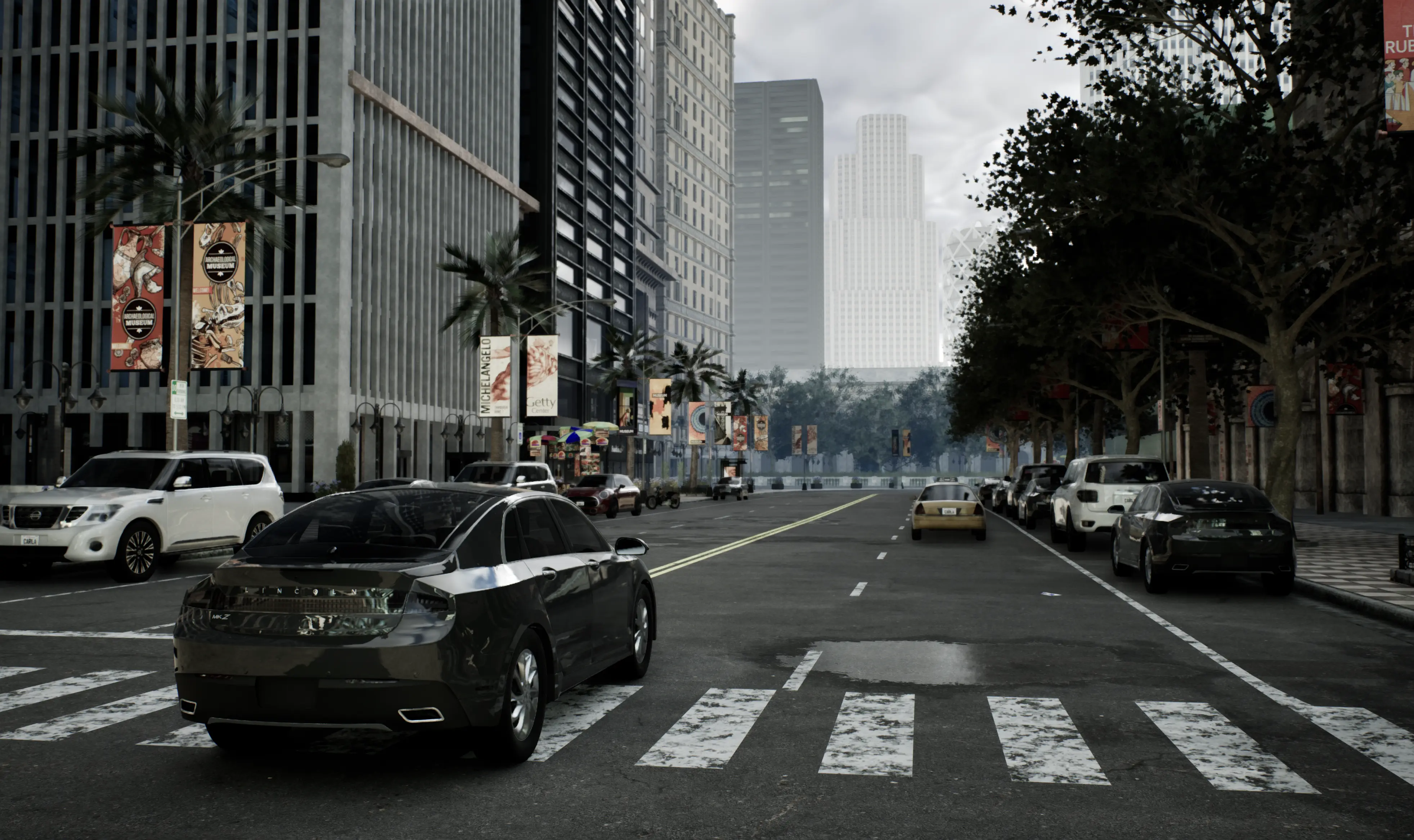
CARLA is an open-source simulator for autonomous driving research. CARLA has been developed from the ground up to support development, training, and
validation of autonomous driving systems. In addition to open-source code and protocols, CARLA provides open digital assets (urban layouts, buildings,
vehicles) that were created for this purpose and can be used freely. The simulation platform supports flexible specification of sensor suites and
environmental conditions.
[!NOTE]
This is the development branch ue5-dev for the Unreal Engine 5.5 version of CARLA. This branch exists in parallel with the Unreal Engine 4.26 version of CARLA, in the ue4-dev branch. Please be sure that this version of CARLA is suitable for your needs as there are significant differences between the UE 5.5 and UE 4.26 versions of CARLA.
Recommended system
- Intel i7 gen 9th - 11th / Intel i9 gen 9th - 11th / AMD Ryzen 7 / AMD Ryzen 9
- +32 Gb RAM memory
- NVIDIA RTX 3070/3080/3090 / NVIDIA RTX 4090 / NVIDIA RTX 5090 or better
- 16 Gb or more VRAM
- Ubuntu 22.04 or 24.04, or Windows 11
[!NOTE]
You must use either Ubuntu 22.04 or 24.04, or Windows 11. The Unreal Engine 5.5 version of CARLA will not work on Ubuntu 20.04 or Windows 10 or lower.
Documentation
The CARLA documentation is hosted on ReadTheDocs. Please see the following key links:
CARLA Ecosystem
Repositories associated with the CARLA simulation platform:
Like what you see? Star us on GitHub to support the project!
Paper
If you use CARLA, please cite our CoRL’17 paper.
CARLA: An Open Urban Driving Simulator
Alexey Dosovitskiy, German Ros,
Felipe Codevilla, Antonio Lopez, Vladlen Koltun; PMLR 78:1-16
[PDF]
[talk]
@inproceedings{Dosovitskiy17,
  title = {{CARLA}: {An} Open Urban Driving Simulator},
  author = {Alexey Dosovitskiy and German Ros and Felipe Codevilla and Antonio Lopez and Vladlen Koltun},
  booktitle = {Proceedings of the 1st Annual Conference on Robot Learning},
  pages = {1--16},
  year = {2017}
}
Building CARLA with Unreal Engine 5.5
Clone this repository locally from GitHub, specifying the ue5-dev branch:
git clone -b ue5-dev https://github.com/carla-simulator/carla.git CarlaUE5
In order to build CARLA, you need access to the CARLA fork of Unreal Engine 5.5. In order to access this repository, you must first link your GitHub account to Epic Games by following this guide. You then also need to use your git credentials to authorise the download of the Unreal Engine 5.5 repository.
Building in Linux:
Run the setup script from a terminal open in the CARLA root directory:
cd CarlaUE5
./CarlaSetup.sh --interactive
The setup script will prompt you for your sudo password, in order to install the prerequisites. It will then prompt you for your GitHub credentials in order to authorise the download of the Unreal Engine repository.
The setup script will install by default Python 3 using apt. If you want to target an existing Python installation, you should use the --python-root=PATH_TO_PYTHON argument with the relevant Python installation path. You can use whereis python3 in your chosen environment and strip the /python3 suffix from the path.
Building in Linux unattended:
If you want to run the setup script unattended, your git credentials need to be stored in an environment variable. Add your github credentials to your .bashrc file:
export GIT_LOCAL_CREDENTIALS=username@github_token
Then run the setup script using the following command:
cd CarlaUE5
sudo -E ./CarlaSetup.sh
This will download and install Unreal Engine 5.5, install the prerequisites and build CARLA. It may take some time to complete and use a significant amount of disk space.
If you prefer to add the git credentials in the terminal, use the following command:
cd CarlaUE5
sudo -E env GIT_LOCAL_CREDENTIALS=github_username@github_token ./CarlaSetup.sh
Building in Windows:
To build in Windows, run the batch script:
cd CarlaUE5
CarlaSetup.bat
Unattended mode is currently unavailable in Windows, you will need to enter GitHub credentials or administrator privileges when prompted.
Rebuilding CARLA
Once the setup is complete, you can execute subsequent builds with the following commands in a terminal open in the CARLA root directory. In Linux, run these commands in a standard terminal. In Windows, open the x64 Native Tools Command Prompt for Visual Studio 2022.
Configure:
Linux:
cmake -G Ninja -S . -B Build --toolchain=$PWD/CMake/Toolchain.cmake -DCMAKE_BUILD_TYPE=Release -DENABLE_ROS2=ON
Windows:
cmake -G Ninja -S . -B Build --toolchain=$PWD/CMake/Toolchain.cmake -DCMAKE_BUILD_TYPE=Release
[!NOTE]
If you intend to target a specific Python installation, you should add both these arguments to the above cmake command: -DPython_ROOT_DIR=PATH and -DPython3_ROOT_DIR=PATH.
Build:
Linux and Windows:
cmake --build Build
Build and install the Python API:
Linux and Windows:
cmake --build Build --target carla-python-api-install
Launch the editor:
cmake --build Build --target launch
For more instructions on building CARLA UE5, please consult the build documentation for Linux or Windows.
Contributing
Please take a look at our Contribution guidelines.
Licenses
CARLA licenses
CARLA specific code is distributed under the MIT License.
CARLA specific assets are distributed under the CC-BY License.
CARLA Dependency and Integration licenses
Unreal Engine 5 follows its own license terms.
CARLA uses some dependencies related to 3rd party integrations:
CARLA uses the Autodesk FBX SDK for converting FBX to OBJ in the import process of maps. This step is optional, and the SDK is located here
This software contains Autodesk® FBX® code developed by Autodesk, Inc. Copyright 2020 Autodesk, Inc. All rights, reserved. Such code is provided "as is" and Autodesk, Inc. disclaims any and all warranties, whether express or implied, including without limitation the implied warranties of merchantability, fitness for a particular purpose or non-infringement of third party rights. In no event shall Autodesk, Inc. be liable for any direct, indirect, incidental, special, exemplary, or consequential damages (including, but not limited to, procurement of substitute goods or services; loss of use, data, or profits; or business interruption) however caused and on any theory of liability, whether in contract, strict liability, or tort (including negligence or otherwise) arising in any way out of such code."

 CARLA 是一款开源的自动驾驶研究仿真器,从零开始构建,用于支持自动驾驶系统的开发、训练和验证,提供开放的城市道路布局、建筑和车辆资源。