



Overview
Kimodo is a kinematic motion diffusion model trained on a large-scale (700 hours) commercially-friendly optical motion capture dataset. The model generates high-quality 3D human and robot motions, and is controlled through text prompts and an extensive set of constraints such as full-body pose keyframes, end-effector positions/rotations, 2D paths, and 2D waypoints. Full details of the model architecture and training are available in the technical report.
This repository provides:
- Inference: code and CLI to generate motions on both human and robot skeletons
- Interactive Demo: easily author motions with a timeline interface of text prompts and kinematic controls
- Benchmark: test cases and evaluation code built on the BONES-SEED dataset to evaluate motion generation models based on text and constraint-following abilities
- Annotations: fine-grained temporal text descriptions created for the Kimodo project are included in the BONES-SEED dataset. For more information on these labels, see our separate Hugging Face repo.
News
See the full changelog for a detailed list of all changes.
- [2026-07-10] Released the ARDY project -- a real-time motion generation model with all the controllability of Kimodo!
- [2026-05-03] FIX: fixed a bug causing incorrect calculation of averaged metrics for constraint test cases in the benchmark
- [2026-04-24] NEW: improved multi-prompt generation and better support for small VRAM GPUs via
TEXT_ENCODER_DEVICE=cpu env var
- [2026-04-10] Released the Kimodo Motion Generation Benchmark alongside new v1.1 Kimodo-SOMA models
- [2026-03-19] Breaking: Model inputs/outputs now use the SOMA 77-joint skeleton (
somaskel77).
- [2026-03-16] Initial open-source release of Kimodo with five model variants (SOMA, G1, SMPL-X), CLI, interactive demo, and timeline annotations for BONES-SEED.
Kimodo Models
Several variations of Kimodo are available trained on various skeletons and datasets. All models support text-to-motion and kinematic controls.
Note: models will be downloaded automatically when attempting to generate from the CLI or Interactive Demo, so there is no need to download them manually
By default, we recommend using the models trained on the full Bones Rigplay 1 dataset (700 hours of mocap) for your motion generation needs.
The models trained on BONES-SEED use 288 hours of publicly available mocap data so are less capable, but are useful for comparing to other models trained on BONES-SEED. To easily compare motion generation models to Kimodo, check out our Motion Generation Benchmark.
Changes in v1.1
The latest v1.1 Kimodo-SOMA models were released primarily for compatibility with our new Motion Generation Benchmark, but also contain minor quality improvements over v1. For details on these improvements, please see the Hugging Face pages for Kimodo-SOMA-RP-v1.1 and Kimodo-SOMA-SEED-v1.1.
Getting Started
Please see the full documentation for detailed installation instructions, how to use the CLI and Interactive Demo, and other practical tips for generating motions with Kimodo:
Full Documentation
Before getting started with motion generation, please review the best practices and be aware of model limitations.
Some notes on installation environment:
- Kimodo requires ~17GB of VRAM to generate locally entirely on GPU, primarily due to the text embedding model. If you have a smaller card, set
TEXT_ENCODER_DEVICE=cpu when running Kimodo commands to force text encoding to the CPU. This is slightly slower but reduces VRAM usage to <3 GB.
- The model has been most extensively tested on GeForce RTX 3090, GeForce RTX 4090, and NVIDIA A100 GPUs, but should work on other recent cards with sufficient VRAM
- This repo was developed on Linux, though Windows should work especially if using Docker
Interactive Motion Authoring Demo
Demo Documentation and Tutorial
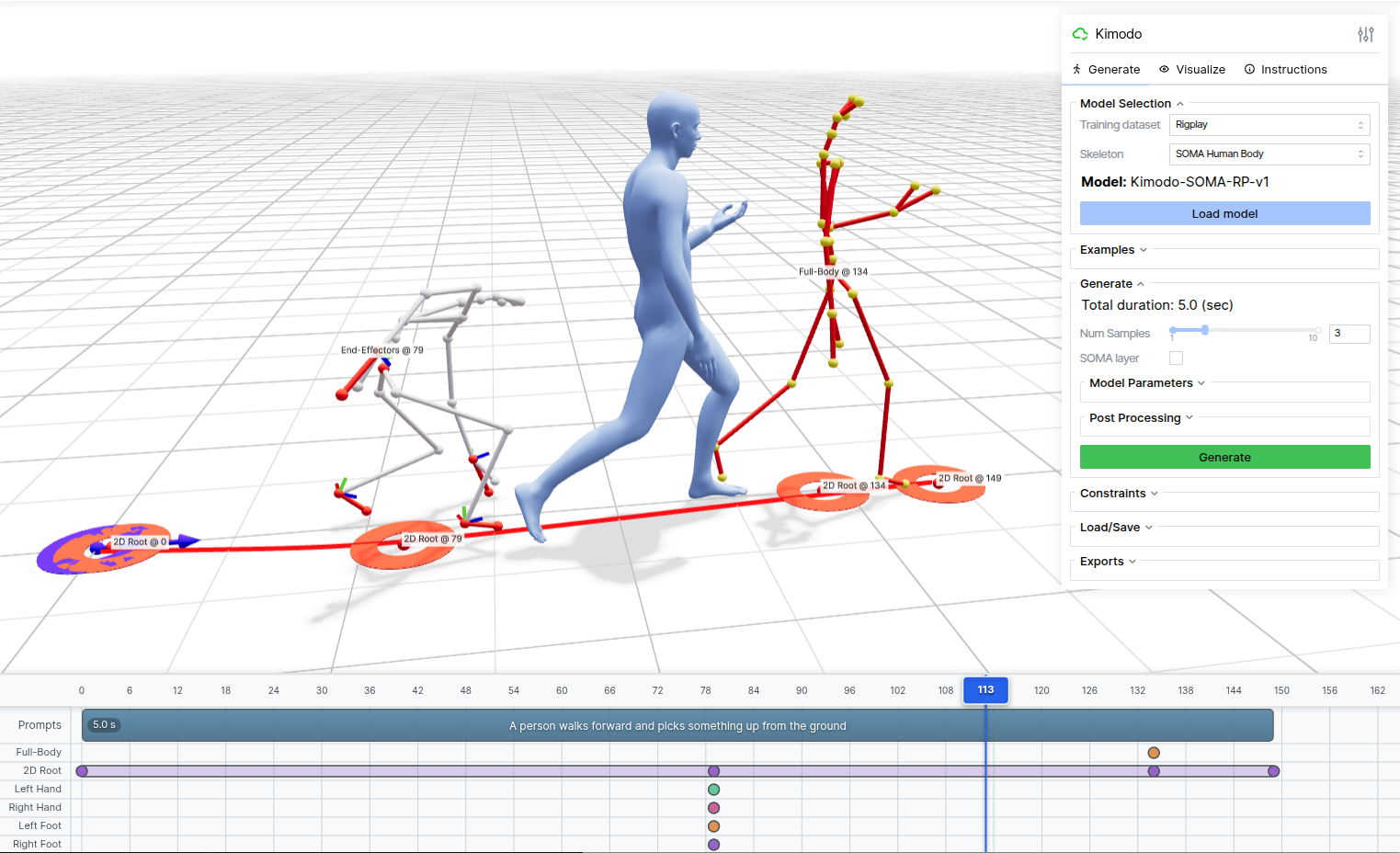
The web-based interactive demo provides an intuitive interface for generating motions with any of the Kimodo model variations. After installation, the demo can be launched with the kimodo_demo command. It runs locally on http://127.0.0.1:7860. Open this URL in your browser to access the interface (or use port forwarding if set up on a server).
Demo Features
- Multiple Characters: Supports generating with the SOMA, G1, and SMPL-X versions of Kimodo
- Text Prompts: Enter one or more natural language descriptions of desired motions on the timeline
- Timeline Editor: Add and edit keyframes and constrained intervals on multiple constraint tracks
- Constraint Types:
- Full-Body: Complete joint position constraints at specific frames
- 2D Root: Define waypoints or full paths to follow on the ground plane
- End-Effectors: Control hands and feet positions/rotations
- Constraint Editing: Editing mode allows for re-posing of constraints or adjusting waypoints
- 3D Visualization: Real-time rendering of generated motions with skeleton and skinned mesh options
- Playback Controls: Preview generated motions with adjustable playback speed
- Multiple Samples: Generate and compare multiple motion variations
- Examples: Load pre-existing examples to better understand Kimodo's capabilities
- Export: Save constraints and generated motions for later use
Command-Line Interface
CLI Documentation and Examples
Motions can also be generated directly from the command line with the kimodo_gen command or by running python -m kimodo.scripts.generate directly.
Key Arguments:
prompt: A single text description or sequence of texts for the desired motion (required)--model: Which Kimodo model to use for generation--duration: Motion duration in seconds--num_samples: Number of motion variations to generate--constraints: Constraint file to control the generated motion (e.g., saved from the web demo)--diffusion_steps: Number of denoising steps--cfg_type / --cfg_weight: Classifier-free guidance (nocfg, regular with one weight, or separated with two weights for text vs. constraints); see the CLI docs--no-postprocess: Flag to disable foot skate and constraint cleanup post-processing--seed: Random seed for reproducible results
The script supports different output formats depending on which skeleton is used. By default, a custom NPZ format is saved that is compatible with the web demo.
For Kimodo-G1 models, the motion can be saved in the standard MuJoCo qpos CSV format.
For Kimodo-SMPLX, motion can be saved in the standard AMASS npz format for compability with existing pipelines.
Generated motions are saved as NPZ files containing:
posed_joints: Global joint positions [T, J, 3]global_rot_mats: Global joint rotation matrices [T, J, 3, 3]local_rot_mats: Local (parent-relative) joint rotation matrices [T, J, 3, 3]foot_contacts: Foot contact labels [left heel, left toe, right heel, right toes] [T, 4]smooth_root_pos: Smoothed root representations outputted from the model [T, 3]root_positions: The (non-smoothed) trajectory of the actual root joint (e.g., pelvis) [T, 3]global_root_heading: The heading direction output from the model [T, 2]
T the number of frames and J the number of joints.
Low-Level Python API
Model API Documentation
For maximum flexibility, the low-level model inference API can be called directly, rather than going through our high-level CLI.
This allows for advanced model configuration including classifier-free guidance weights and parameters related to transitions in multi-prompt sequences.
Downstream Robotics Applications of Kimodo
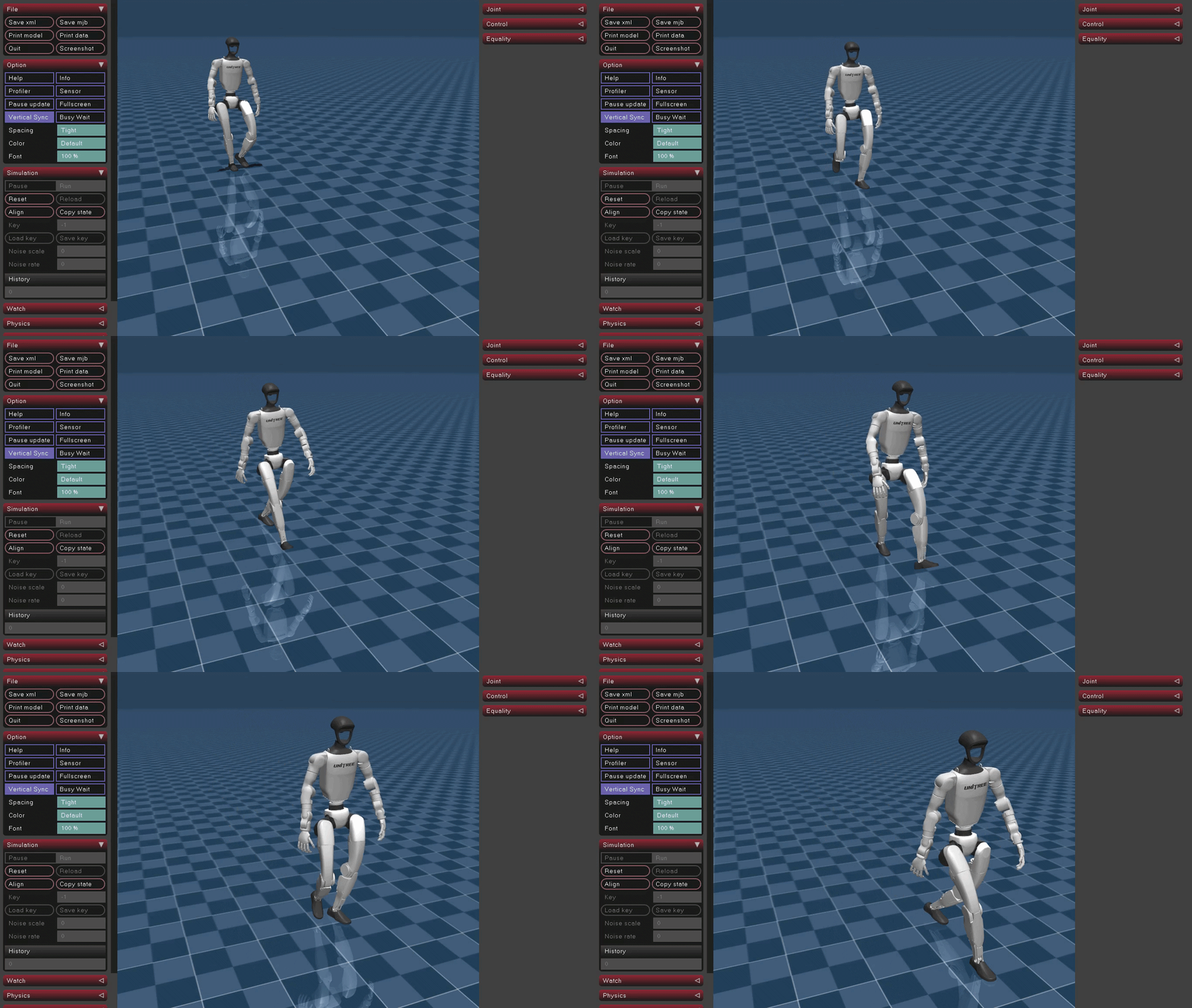
Visualizing G1 Motions with MuJoCo
After generating motions on the G1 robot skeleton and saving to the MuJoCo qpos CSV file format, they can be easily used and visualized within MuJoCo.
A minimal visualization script is available with:
python -m kimodo.scripts.mujoco_load
Make sure to edit the script to correctly point to your CSV file and install Mujoco before running this.
Tracking Generated Motions with ProtoMotions
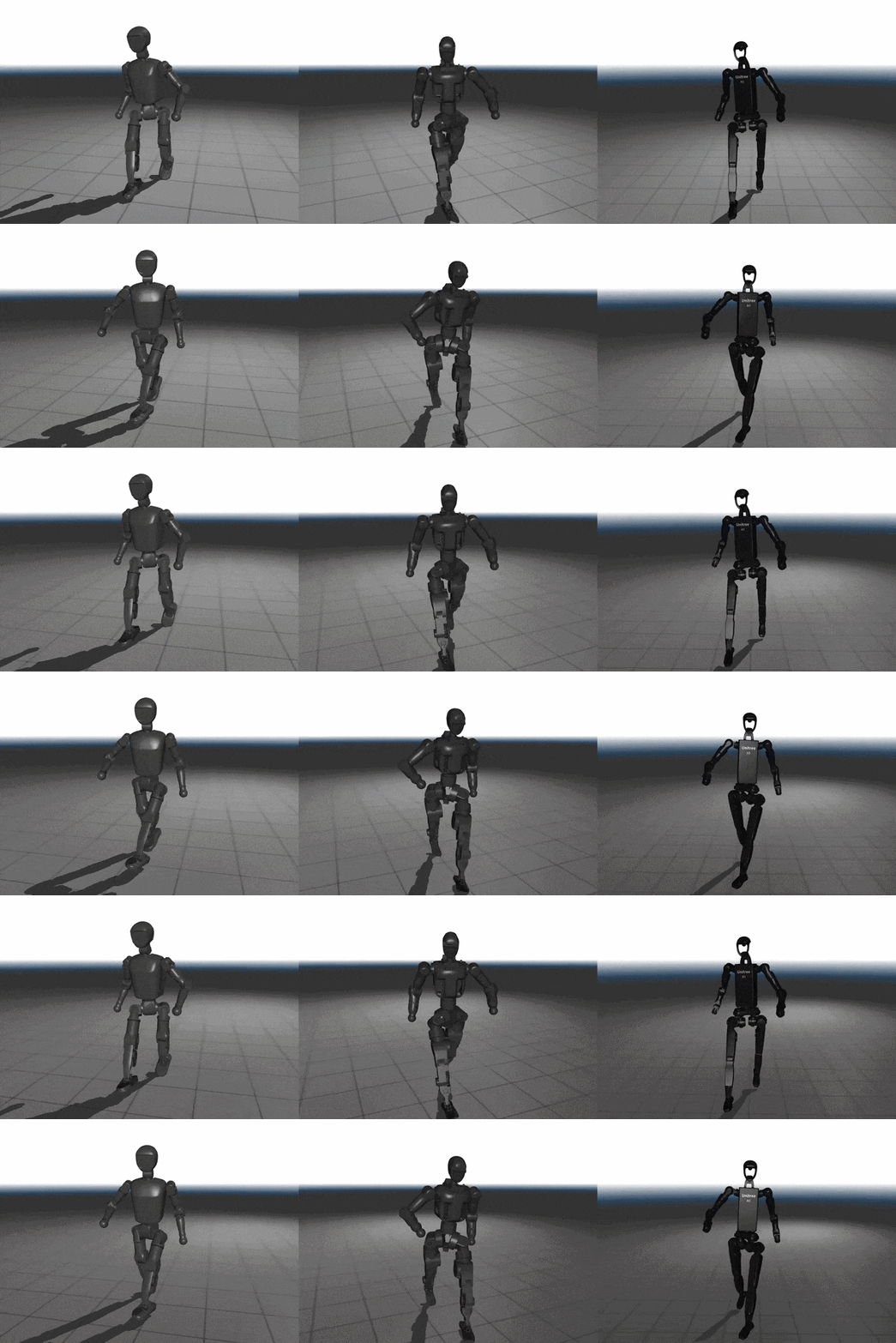
ProtoMotions is a GPU-accelerated simulation and learning framework for training physically simulated digital humans and humanoid robots. The Kimodo NPZ and CSV output formats are both compatible with ProtoMotions making it easy to train physics-based policies with generated motions from Kimodo. ProtoMotions supports outputs on both the SOMA skeleton and Unitree G1
After generating motions with Kimodo, head over to the ProtoMotions docs to see how to import them.
Retargeting Motions to Other Robots with GMR
Motions generated by Kimodo-SMPLX can be retargeted to other robots using General Motion Retargeting (GMR).
GMR supports the AMASS NPZ format out of the box, so simply generate motions with Kimodo and use --output to save; the AMASS NPZ is written to stem_amass.npz (single sample) or in the output folder (multiple samples). Then, use the SMPL-X to Robot script in GMR to retarget to any supported robot. For example:
# run within GMR codebase
python scripts/smplx_to_robot.py --smplx_file /path/to/saved/amass_format.npz --robot booster_t1
Combining Kimodo with GEAR-SONIC
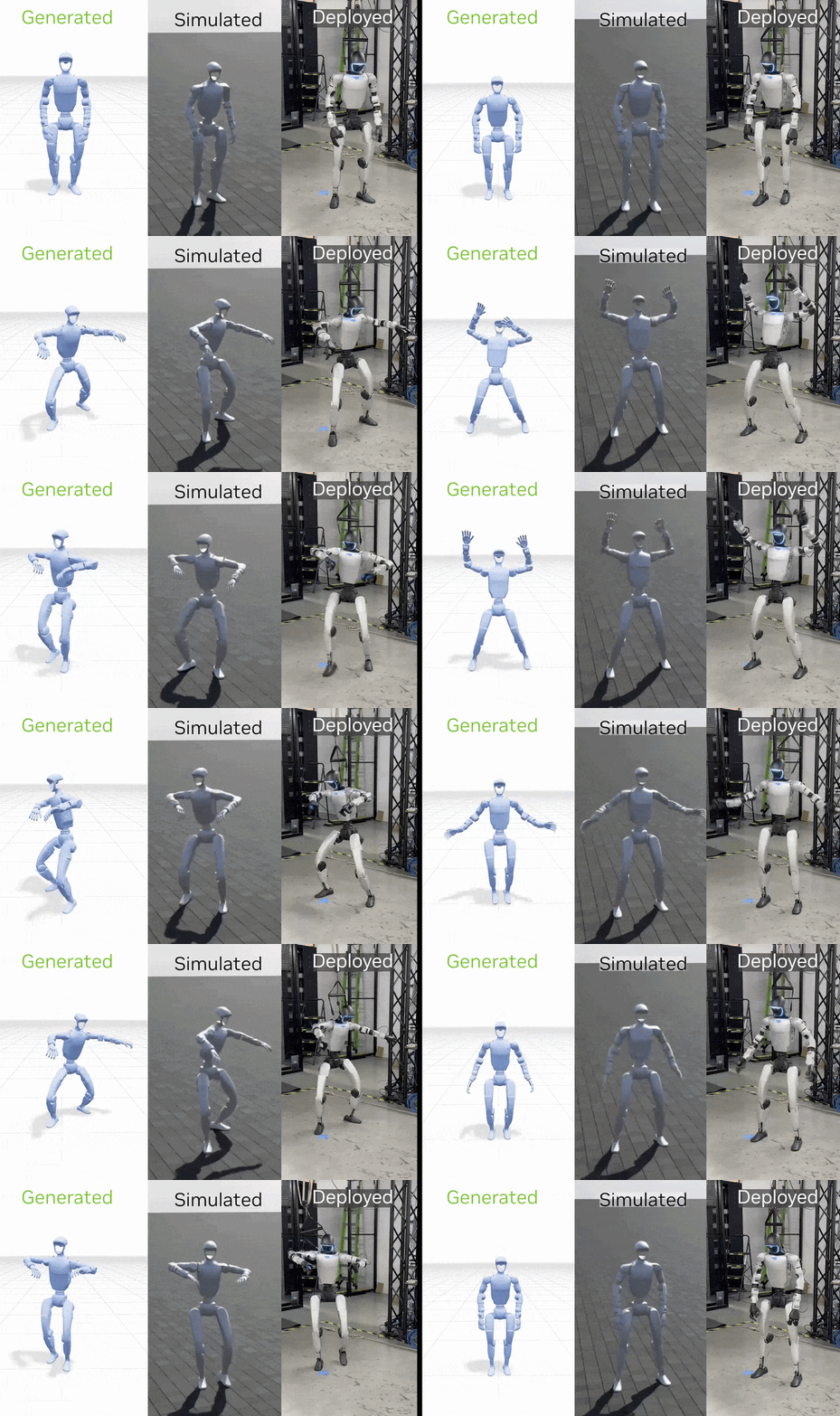
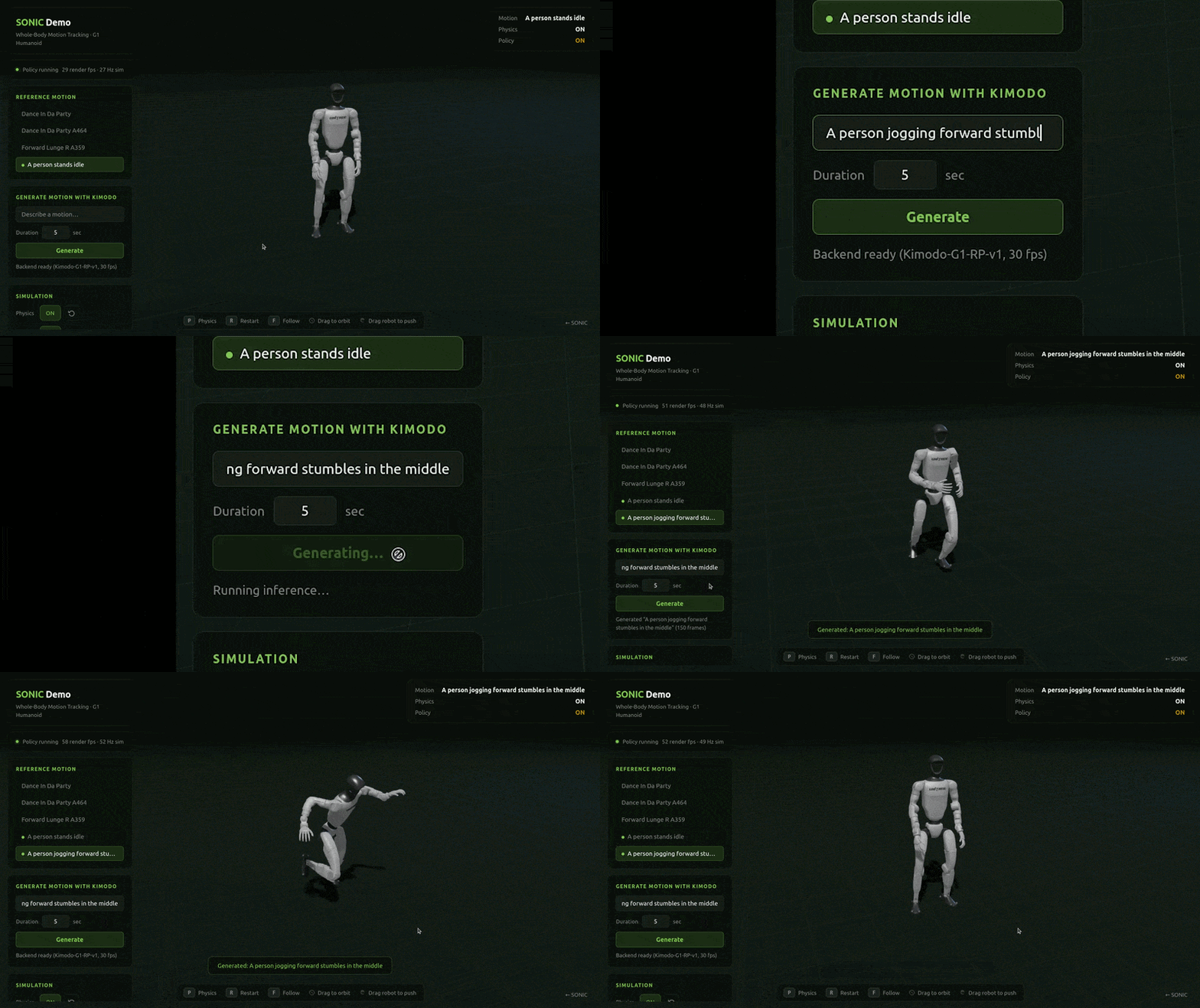
As a proof of concept, we have also incorporated Kimodo into the interactive GEAR-SONIC demo. In the demo, Kimodo can be used to generate a kinematic motion on the G1 robot skeleton, then GEAR-SONIC tracks the motion in simulation.
Kimodo Motion Generation Benchmark
[Benchmark Documentation]
[Test Suite on Hugging Face]
Alongside the Kimodo models, we provide a benchmark designed to standardize evaluation for motion generation models with a comprehensive set of test cases. This includes:
- Evaluation Data: A suite of test cases available on Hugging Face is used in concert with the BONES-SEED dataset to construct the full benchmark.
- Diverse Test Cases: Test cases cover a wide range of text-conditioned and constraint-conditioned motion generation.
- Evaluation Pipeline: Code for the full evaluation pipeline including benchmark construction, motion generation, and evaluation.
- Metrics: Several metrics to evaluate generated motions that cover motion quality, constraint following, and text alignment. Our TMR-SOMA-RP-v1 model trained on all 700 hours of the Bones Rigplay dataset is a powerful embedding model to compute common metrics like R-precision and FID.
To facilitate future research, we report benchmark results for Kimodo-SOMA-v1.1 models, which are reproducible and easily comparable to other methods trained on the BONES-SEED data.
Timeline Annotations for BONES-SEED
As detailed in the tech report, Kimodo is trained using fine-grained temporal text annotations of mocap clips.
While the full Rigplay 1 dataset is proprietary, we have released the temporal segmentations for the public BONES-SEED subset.
These annotations are already included in the BONES-SEED dataset, but the standalone labels and additional information about them is available on HuggingFace.
Kimodo is part of a larger effort to enable humanoid motion data for robotics, physical AI, and other applications.
Check out these related works:
- ARDY - builds on top of Kimodo to enable real-time controllable motion generation for interactive applications
- MotionBricks - real-time motion generation framework that specializes in fast and robust motion in-betweening
- SOMA Body Model - a unified parameteric human body model
- BONES-SEED Dataset - a large scale human(oid) motion capture dataset in SOMA and G1 format
- ProtoMotions - simulation and learning framework for training physically simulated human(oid)s
- SOMA Retargeter - SOMA to G1 retargeting tool
- GEM - human motion reconstruction from video
- GEAR SONIC - humanoid behavior foundation model for physical robots
Citation
If you use this code in your research, please cite:
@article{Kimodo2026,
  title={Kimodo: Scaling Controllable Human Motion Generation},
  author={Rempe, Davis and Petrovich, Mathis and Yuan, Ye and Zhang, Haotian and Peng, Xue Bin and Jiang, Yifeng and Wang, Tingwu and Iqbal, Umar and Minor, David and de Ruyter, Michael and Li, Jiefeng and Tessler, Chen and Lim, Edy and Jeong, Eugene and Wu, Sam and Hassani, Ehsan and Huang, Michael and Yu, Jin-Bey and Chung, Chaeyeon and Song, Lina and Dionne, Olivier and Kautz, Jan and Yuen, Simon and Fidler, Sanja},
  journal={arXiv:2603.15546},
  year={2026}
}
License
This codebase is licensed under Apache-2.0. Note that model checkpoints and data are licensed separately as indicated on the HuggingFace download pages.
This project will download and install additional third-party open source software projects. Review the license terms of these open source projects before use.
Acknowledgments
This project builds upon excellent open-source projects:
- Viser for 3D motion authoring demo
- LLM2Vec for text encoding
For questions or issues, please open an issue on this repository or reach out directly to the authors.


 Kimodo 是 NVIDIA 的运动学动作扩散模型,能够根据文本提示以及关键帧、末端执行器位置、2D 路径等运动学约束,生成高质量的 3D 人体和机器人动作。