


10.9K ·GitHub
这是什么?
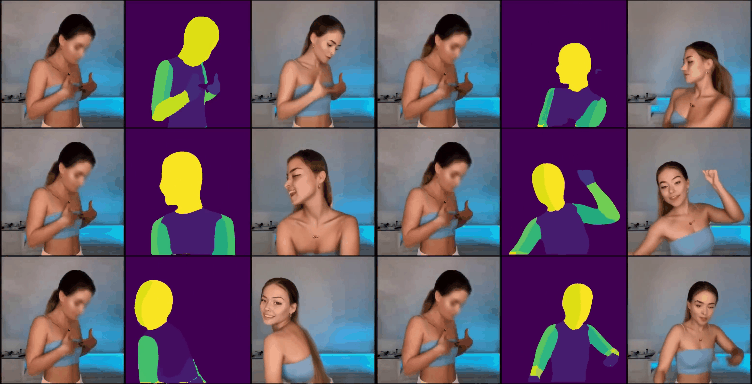
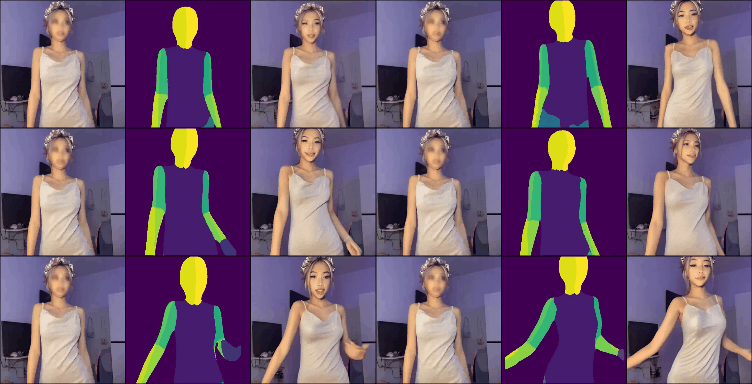
 这是 'MagicAnimate'(CVPR 2024)的官方代码库。它是一种扩散模型方法,可以根据动作序列驱动参考人物图像,生成时间上连贯的视频。
这是 'MagicAnimate'(CVPR 2024)的官方代码库。它是一种扩散模型方法,可以根据动作序列驱动参考人物图像,生成时间上连贯的视频。这是现成的应用,还是纯研究代码?这是该论文的官方研究版本,包含推理脚本,以及基于 Stable Diffusion V1.5 构建的 Gradio 演示,不是打包好的库或安装程序。
这是该论文的官方研究版本,包含推理脚本,以及基于 Stable Diffusion V1.5 构建的 Gradio 演示,不是打包好的库或安装程序。我该怎么把它跑起来?从 Hugging Face 下载 Stable Diffusion V1.5 基础模型、MSE 微调版 VAE 和 MagicAnimate 检查点,按要求的文件夹结构放好,然后运行提供的推理脚本。
从 Hugging Face 下载 Stable Diffusion V1.5 基础模型、MSE 微调版 VAE 和 MagicAnimate 检查点,按要求的文件夹结构放好,然后运行提供的推理脚本。试用之前需要先装好什么?Python 3.8+、CUDA 11.3+ 和 ffmpeg;建议安装 git-lfs,用于拉取体积很大的预训练检查点。
Python 3.8+、CUDA 11.3+ 和 ffmpeg;建议安装 git-lfs,用于拉取体积很大的预训练检查点。安装时有哪些需要注意的坑?需要手动下载几个体积很大的预训练检查点(SD 基础模型、VAE、MagicAnimate 权重),并按照严格的文件夹结构放置,否则什么都无法运行。
需要手动下载几个体积很大的预训练检查点(SD 基础模型、VAE、MagicAnimate 权重),并按照严格的文件夹结构放置,否则什么都无法运行。MagicAnimate 与简单的姿态迁移方法有什么不同?它专门针对帧与帧之间的时间一致性,使用以姿态为条件的扩散模型,减少了逐帧动画方法中常见的闪烁和外观漂移问题。
它专门针对帧与帧之间的时间一致性,使用以姿态为条件的扩散模型,减少了逐帧动画方法中常见的闪烁和外观漂移问题。不安装任何东西也能试用吗?可以,有一个在线 Gradio 演示(在 Hugging Face 团队的协助下搭建),无需本地配置,直接在浏览器中即可使用。
可以,有一个在线 Gradio 演示(在 Hugging Face 团队的协助下搭建),无需本地配置,直接在浏览器中即可使用。可以免费使用吗,包括商用?可以,它采用 BSD-3-Clause 许可证,该许可证比较宽松,允许商业使用。
可以,它采用 BSD-3-Clause 许可证,该许可证比较宽松,允许商业使用。What are similar projects?FramePack, ControlNet, generative-models, wuji-ego-mint, Open-Sora, HunyuanVideo-1.5, SolarWM, DreamX-Creator
FramePack, ControlNet, generative-models, wuji-ego-mint, Open-Sora, HunyuanVideo-1.5, SolarWM, DreamX-CreatorWhich topics is it in?pose-estimation, diffusion, image-to-video, stable-diffusion, gradio, paper, academic, video-generation, video, bsd, animation, huggingface
pose-estimation, diffusion, image-to-video, stable-diffusion, gradio, paper, academic, video-generation, video, bsd, animation, huggingface