245 ·GitHub
Что это такое?
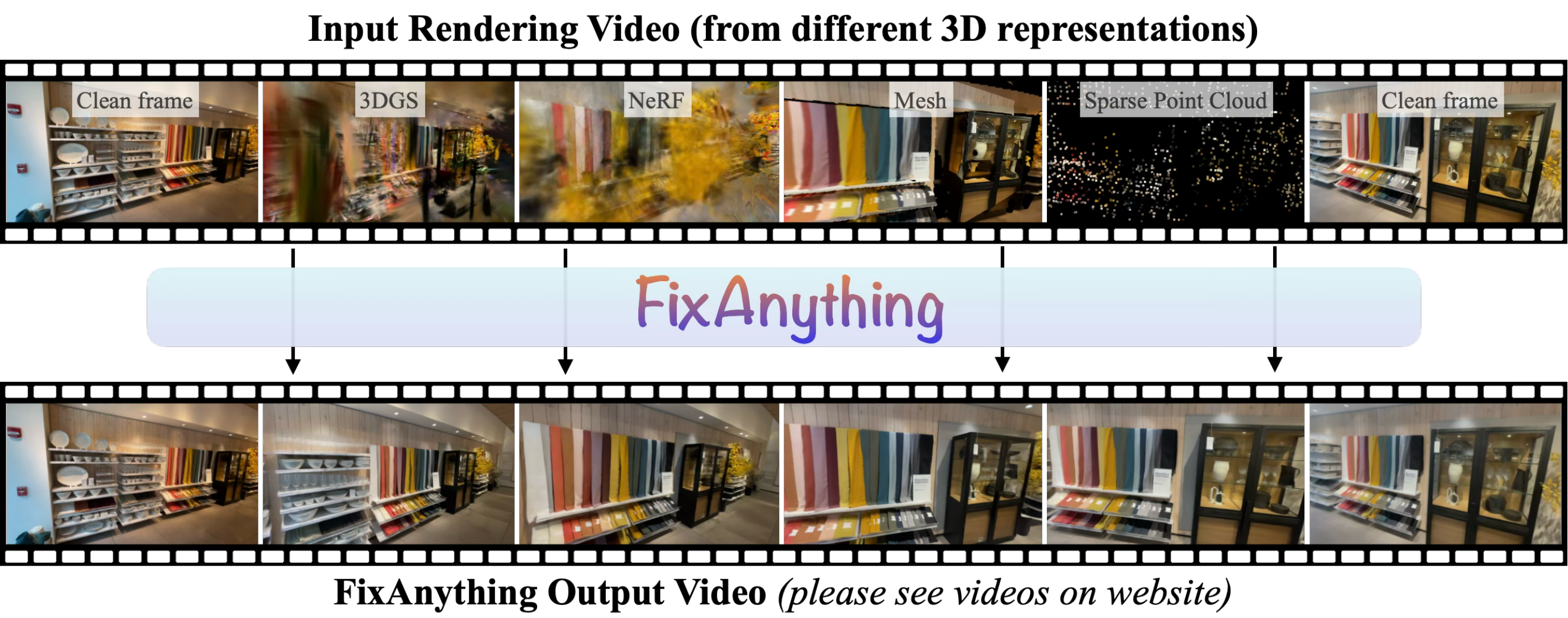
 Исследовательский инструмент из статьи ECCV 2026: видеодиффузионная модель, дообученная исправлять артефакты рендеринга любого 3D-представления — 3DGS, NeRF, полигональных мешей или разреженных облаков точек. В репозитории лежит код для инференса.
Исследовательский инструмент из статьи ECCV 2026: видеодиффузионная модель, дообученная исправлять артефакты рендеринга любого 3D-представления — 3DGS, NeRF, полигональных мешей или разреженных облаков точек. В репозитории лежит код для инференса.Это десктопное приложение, библиотека или что-то, что я запускаю из командной строки?Скрипты на Python для командной строки: runinference.py улучшает отрендеренное видео, а вспомогательные скрипты отвечают за скачивание чекпоинтов и захват по фотографиям. Графического интерфейса нет.
Скрипты на Python для командной строки: runinference.py улучшает отрендеренное видео, а вспомогательные скрипты отвечают за скачивание чекпоинтов и захват по фотографиям. Графического интерфейса нет.Как его запустить?Запустите scripts/downloadmodels.py, чтобы скачать базовую модель Wan2.1 (около 60 ГБ) и LoRA FixAnything в папку checkpoints/, затем запустите runinference.py на своём отрендеренном видео.
Запустите scripts/downloadmodels.py, чтобы скачать базовую модель Wan2.1 (около 60 ГБ) и LoRA FixAnything в папку checkpoints/, затем запустите runinference.py на своём отрендеренном видео.Каким должно быть входное видео?Видео ровно из 61 кадра, отрендеренное вдоль траектории камеры, в идеале — начинающееся и заканчивающееся на тех ракурсах, которые использовались при построении представления. Кадры масштабируются до 832×480.
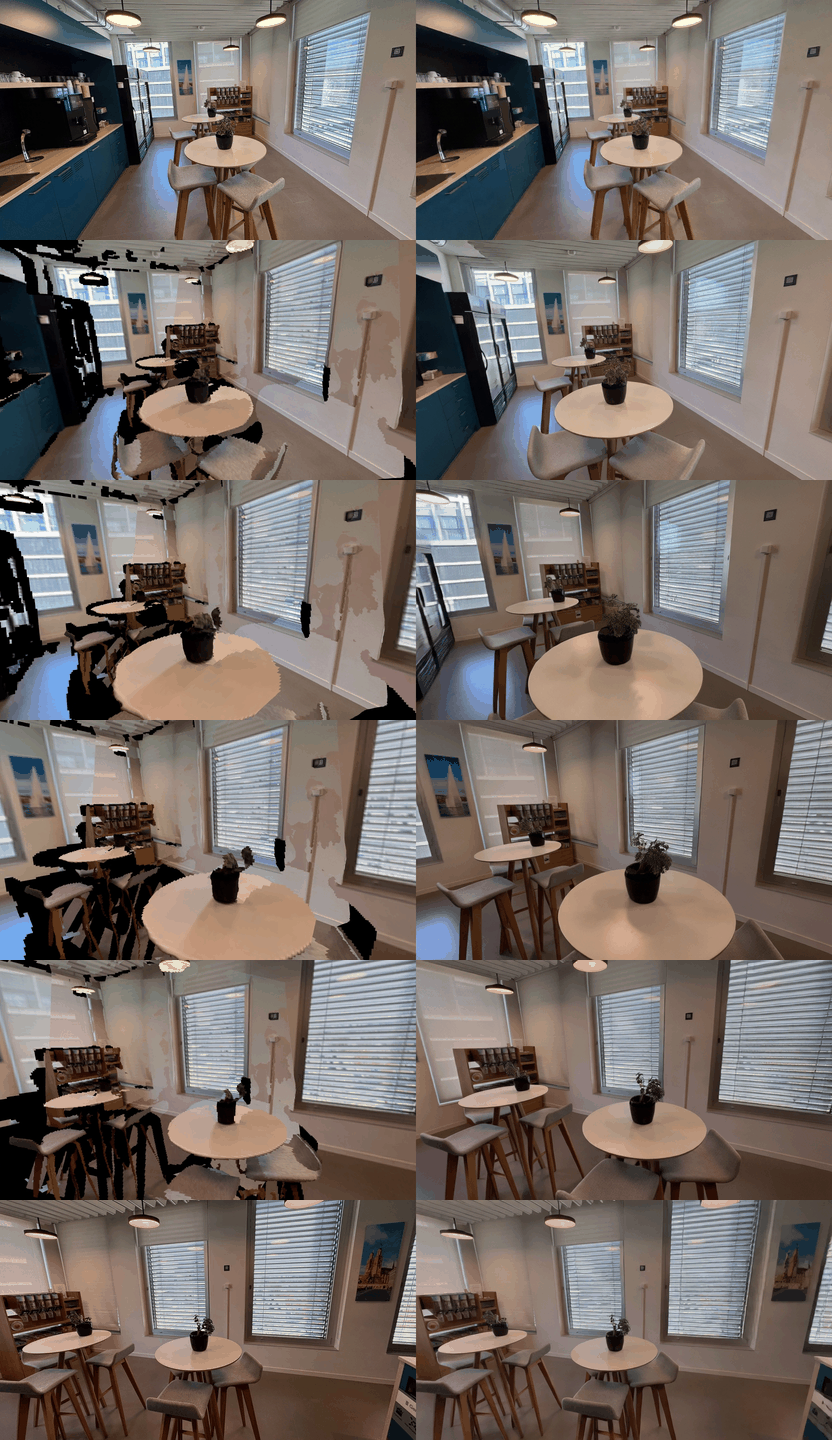
Видео ровно из 61 кадра, отрендеренное вдоль траектории камеры, в идеале — начинающееся и заканчивающееся на тех ракурсах, которые использовались при построении представления. Кадры масштабируются до 832×480.У меня есть всего пара фотографий сцены — я всё равно смогу этим воспользоваться?Да — scripts/runmapanything.py восстанавливает сцену по вашим фотографиям с помощью MapAnything, рендерит её вдоль траектории камеры от первого снимка к последнему, а FixAnything превращает этот рендер в чистое видео.
Да — scripts/runmapanything.py восстанавливает сцену по вашим фотографиям с помощью MapAnything, рендерит её вдоль траектории камеры от первого снимка к последнему, а FixAnything превращает этот рендер в чистое видео.Мне нужно какое-то особое железо, чтобы это запустить?В README требований к оборудованию нет, но базовый чекпоинт — это видеодиффузионная модель на 14 млрд параметров, занимающая на диске около 60 ГБ, так что рассчитывайте на GPU и много свободного места.
В README требований к оборудованию нет, но базовый чекпоинт — это видеодиффузионная модель на 14 млрд параметров, занимающая на диске около 60 ГБ, так что рассчитывайте на GPU и много свободного места.Какие файлы я получу после запуска?Каждый запуск сохраняет в папку вывода generated.mp4 (улучшенное видео), input.mp4 (масштабированный вход) и sidebyside.mp4 (вход | результат рядом).
Каждый запуск сохраняет в папку вывода generated.mp4 (улучшенное видео), input.mp4 (масштабированный вход) и sidebyside.mp4 (вход | результат рядом).В репозитории есть код для обучения или только инференс?Только инференс — в репозитории содержится лишь код для инференса, а дообученные веса LoRA FixAnything скачиваются с Hugging Face скриптом загрузки.
Только инференс — в репозитории содержится лишь код для инференса, а дообученные веса LoRA FixAnything скачиваются с Hugging Face скриптом загрузки.Как камера перемещается между двумя фотографиями?С флагом --trajectory interpolate (он по умолчанию) камера движется по прямой между двумя исходными ракурсами; опция pushin дополнительно приближает камеру к сцене в середине пути и затем отъезжает назад.
С флагом --trajectory interpolate (он по умолчанию) камера движется по прямой между двумя исходными ракурсами; опция pushin дополнительно приближает камеру к сцене в середине пути и затем отъезжает назад.Почему именно 61 кадр?Внутри последний кадр повторяется четыре раза (итого 65 кадров), потому что Wan VAE кодирует первый кадр отдельно, а остальные сжимает по времени — так финальный ракурс получает больший вес; на выходе видео обрезается обратно до 61 кадра.
Внутри последний кадр повторяется четыре раза (итого 65 кадров), потому что Wan VAE кодирует первый кадр отдельно, а остальные сжимает по времени — так финальный ракурс получает больший вес; на выходе видео обрезается обратно до 61 кадра.What are similar projects?WorldSculpt, instant-ngp, FramePack, ml-sharp, spirula-studio, nerfstudio, Marionette, generative-models
WorldSculpt, instant-ngp, FramePack, ml-sharp, spirula-studio, nerfstudio, Marionette, generative-modelsWhich topics is it in?neural-rendering, 3d-reconstruction, arxiv, diffusion, diffusion-models, paper, rendering, video-processing, video-generation, 3d, video, inference
neural-rendering, 3d-reconstruction, arxiv, diffusion, diffusion-models, paper, rendering, video-processing, video-generation, 3d, video, inference