d4r (dlss 4 radeon)
d4r runs NVIDIA's official DLSS Super Resolution library (nvngx_dlss.dll) in Windows games on AMD Radeon GPUs under Linux and Proton. The game asks for DLSS as usual; the DLSS network runs on the AMD GPU through ZLUDA (CUDA on ROCm/HIP), with the heaviest DLSS kernels replaced by hand-written RDNA3 and RDNA4 code.
Supported DLSS models: DLSS 3 CNN (E), DLSS 4 transformer (K, default), and DLSS 4.5 transformer (M). DLSS 5 is not supported.
Proof of concept: d4r shows that DLSS can run on an AMD GPU, but it is not really that practical for everyday use yet. It has been tested on one GPU in a handful of games and depends on unreleased patches to ZLUDA and vkd3d-proton.
See supported games for the tested games and DLSS models.
Not affiliated with NVIDIA or AMD.
Results
DLSS Ultra Performance demo video.
Radeon RX 7700 XT (RDNA3, gfx1101), SILENT HILL Townfall at 2560×1440, every DLSS result is presented in the frame it belongs to (no added latency).
| Mode |
DLSS 3 CNN (preset E) |
DLSS 4 (preset K) |
DLSS 4.5 (preset M) |
FSR 4* |
| Quality (1705×960) |
71.7 fps |
67.9 |
49.3 |
76.0 |
| Balanced (1488×837) |
80.8 |
75.9 |
58.0 |
84.5 |
| Performance (1280×720) |
89.7 |
84.1 |
69.0 |
94.0 |
| Ultra Performance (853×480) |
89.1 |
95.5 |
92.2 |
107.3 |
* FSR 4 was measured in an earlier session (2026-09-27); the DLSS columns on 2026-09-29, when the same machine ran about 2–4% slower overall. Run back to back on the same day, this release is faster than 0.1.1 at Quality with every model (E 71.2 → 71.9, K 67.9 → 68.1, M 48.4 → 49.3 fps), and more in games whose DLSS settings differ from Townfall's, whose kernel variants now run natively too.
For reference, native 2560×1440 without upscaling (the game's TSR at 100%) runs at 49.1 fps on the same walk.
On the same GPU DLSS starts at a disadvantage: its networks were designed for NVIDIA's tensor cores, and parts of them still run as translated NVIDIA code. How the numbers were measured, and what each optimisation contributed, is in docs/performance.md.
Known issues
- In some games native upscaling can show visible artifacting.
GPU support
d4r builds for RDNA3 and RDNA4. A newly built release compiles native DLSS 4 and 4.5 network kernels for the targets below and selects the matching set at runtime. Only the RX 7700 XT has been tested on a real GPU; RDNA4 runtime and performance remain unverified on hardware.
| GPU |
Chip |
FP8 math |
Runtime testing |
| RX 7700 XT, RX 7800 XT, RX 7700, Radeon PRO W7700 |
gfx1101 |
widened to f16 |
RX 7700 XT only |
| RX 7900 GRE / XT / XTX, Radeon PRO W7800 / W7900 |
gfx1100 |
widened to f16 |
untested |
| RX 7600 / 7600 XT, RX 7650 GRE |
gfx1102 |
widened to f16 |
untested |
| RDNA3 integrated GPUs |
gfx1103 |
widened to f16 |
untested |
| RX 9070 XT / 9070 / 9070 GRE, Radeon AI PRO R9700 |
gfx1201 |
native FP8 (NativeFp8, default on) |
emulator only |
| RX 9060 XT / 9060 |
gfx1200 |
native FP8 (NativeFp8, default on) |
compile only |
| RDNA2 and older |
|
|
unsupported |
Native network kernels are built for all listed gfx11/gfx12 targets. Texture kernels are compiled for each target by d4r_emit when supplied to the package script; RDNA4 also has a -fp8 variant. The bridge selects the KFD GPU with the most SIMDs, avoiding an integrated GPU when a discrete GPU is present; D4R_GPU_ARCH overrides that choice. Missing native kernels fall back to ZLUDA. Without the native network kernels, NVIDIA's translated DLSS 4 layers produce invalid values and DLSS discards the network's output, so K loses the transformer's image quality. Preset E does not use the native network kernels.
How it works
game (D3D12) ──► OptiScaler (DLSS inputs) ──► d4r_nvngx.dll  (NGX D3D12 API, tools/d4r_nvngx_shim.cpp)
                                                   │  inputs/output stay in VRAM (vkd3d-proton Vulkan interop,
                                                   │  command list split around DLSS for same-frame results)
                                                   ▼
                          official NGX core + nvngx_dlss.dll  (their CUDA path)
                                                   ▼
                          nvcuda.dll  (Wine CUDA bridge, tools/wine_nvcuda_bridge.c)
                                                   ▼
                          ZLUDA  (patches/zluda: PTX → AMDGPU, WMMA, native kernel overrides)
                                                   ▼
                          native RDNA3 and RDNA4 kernels  (kernels/: DLSS 4 and 4.5 network layers)
- The shim (
d4r_nvngx.dll) implements the D3D12 NGX entry points OptiScaler calls, copies the game's colour, depth and motion vectors into buffers shared with HIP, evaluates DLSS through the CUDA version of NGX, and writes the result back into the game's output texture.
- The bridge is a Wine builtin
nvcuda.dll that forwards the CUDA driver API to ZLUDA on the Linux side, plus a few helpers the shim needs (Vulkan memory import, asynchronous array copies, GPU-side waits).
- ZLUDA compiles NVIDIA's PTX for the AMD GPU. The patches add what DLSS needs (textures, surfaces, FP8 and tensor-core MMA on RDNA3/RDNA4 WMMA) and a hook that serves hand-written kernels in place of selected PTX kernels.
- Native kernels reimplement the DLSS 4 and 4.5 network layers for RDNA3 and RDNA4 and replace parts of a few texture-heavy kernels. The 2–3× speedup was measured on the RX 7700 XT; RDNA4 speed is unverified.
Details: docs/architecture.md and docs/native-kernels.md.
Install the release
The release zip works like an OptiScaler release: its contents go into the folder that holds the game's main .exe.
- Extract
d4r-<version>.zip there. It contains:
- OptiScaler 0.9.4 as
dxgi.dll, with an OptiScaler.ini set up for d4r;
- the d4r-patched vkd3d-proton (
d3d12.dll, d3d12core.dll);
- an
d4r folder with the shim, the CUDA bridge, ZLUDA, the ROCm 7.2.4 runtime, the native kernels, this game's d4r.ini, and NVIDIA's nvngx_dlss.dll (310.7) and _nvngx.dll.
- In Steam, select GE-Proton 11 for the game and set these launch options:
PROTON_FORCE_NVAPI=1 DXVK_NVAPI_GPU_ARCH=AD100 %command%.
ROCm does not need to be installed: the zip includes its runtime (from AMD's Ubuntu 22.04 packages, which run under Steam's container runtime on any distribution). The zip's NVIDIA files and the kernels built from NVIDIA's code are not covered by this repository's license (see NOTICE). The Proton prefix and the system are not changed. packaging/D4R_README.txt is the full guide that ships in the zip; scripts/package_release.sh builds the zip (see docs/building.md).
Requirements (building from source)
- Linux with an AMD RDNA3 or RDNA4 GPU. The native kernels use gfx11 or gfx12 WMMA.
scripts/package_release.sh builds network kernels for gfx1100–gfx1103 and gfx1200–gfx1201 by default; D4R_GPU_ARCH selects one target for a standalone kernels/build.sh invocation. Runtime support outside the RX 7700 XT remains unverified on hardware (see GPU support).
- ROCm with HIP and its clang (tested with ROCm 7.2).
- GE-Proton with OptiScaler integration (tested with GE-Proton11-3).
- Build tools: a Rust toolchain and git-lfs (ZLUDA), meson and ninja (vkd3d-proton),
winegcc/winebuild (bridge), x86_64-w64-mingw32-g++ and clang-cl (shim), Python 3.
- NVIDIA's
nvngx_dlss.dll 310.7 and a matching NGX core _nvngx.dll.
Build and run
The full sequence is in docs/building.md. In short:
- Build ZLUDA
ee2f25a with patches/zluda/0002–0007 applied, including its d4r_emit example for offline texture builds.
- Build the patched vkd3d-proton:
scripts/build_vkd3d_proton_d4r.sh OUT_DIR.
- Build the shim and bridge:
scripts/build_d4r_nvngx_shim.sh, scripts/build_wine_nvcuda_bridge.sh.
- Stage the runtime with your NVIDIA files:
scripts/install_d4r_runtime.sh _nvngx.dll nvngx_dlss.dll.
- Build the native kernels:
D4R_ROCM_DIR=… D4R_DLSS_DLL=… D4R_ZLUDA_EMIT=… kernels/build.sh.
- Fill in
~/.config/d4r/d4r.ini (created from config/d4r.ini.default on first launch) and start the game with scripts/d4r_play.sh.
The launcher backs up and restores everything it touches in the Proton prefix: OptiScaler.ini, the prefix's d3d12.dll/d3d12core.dll, and the game's Engine.ini when cvars are set.
Preset videos
Gameplay recordings of each DLSS model at the Quality, Performance and Ultra Performance presets.
Ready or Not
Townfall
Repository layout
| Path |
Contents |
tools/ |
the NGX shim, the Wine CUDA bridge, a D3D12 DLSS harness, probes and kernel replay tools |
kernels/ |
native RDNA3/RDNA4 kernels (k/ DLSS 4, m/ DLSS 4.5, tex/ texture-kernel parts, common/ WMMA layouts), their build script, validation tools and numpy reference models |
patches/ |
ZLUDA and vkd3d-proton patches |
scripts/ |
build, install, launch and probe scripts |
config/ |
the default d4r.ini for the developer launcher |
packaging/ |
the release's d4r.ini, OptiScaler settings, user guide and install check |
docs/ |
architecture, build, native kernel and performance notes |
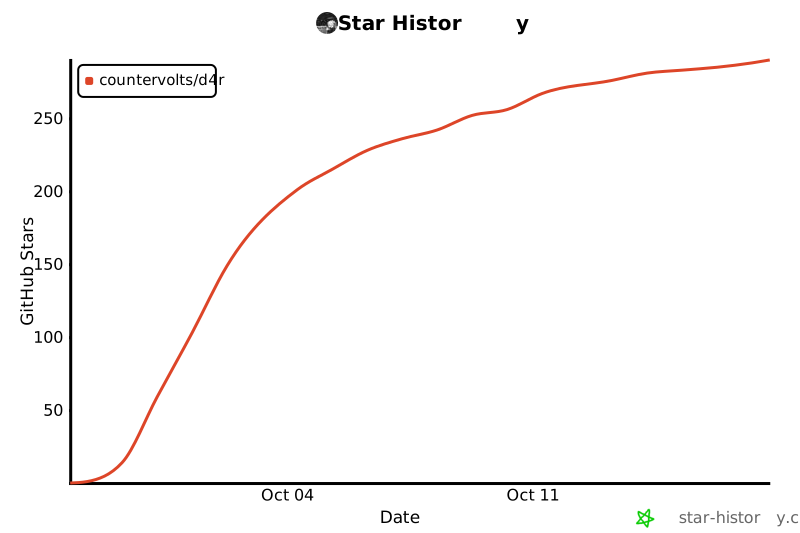
Stars
License
Apache License 2.0 (see LICENSE). The patches in patches/ are offered under the licenses of the projects they modify: ZLUDA (Apache-2.0 or MIT) and vkd3d-proton (LGPL-2.1). See NOTICE.
To contact me my discord is ._ayo.

 d4r 让 NVIDIA 官方的 DLSS Super Resolution 库在 Linux 和 Proton 下的 Windows 游戏中运行于 AMD Radeon 显卡:通过 ZLUDA(ROCm/HIP 上的 CUDA)转译 DLSS 网络,并用手写的 RDNA3/RDNA4 代码替换最重的内核。它支持 DLSS 3 CNN 模型和 DLSS 4/4.5 transformer 模型;不支持 DLSS 5。