Stable Diffusion
Stable Diffusion was made possible thanks to a collaboration with Stability AI and Runway and builds upon our previous work:
High-Resolution Image Synthesis with Latent Diffusion Models
Robin Rombach*,
Andreas Blattmann*,
Dominik Lorenz,
Patrick Esser,
Björn Ommer
CVPR '22 Oral |
GitHub | arXiv | Project page
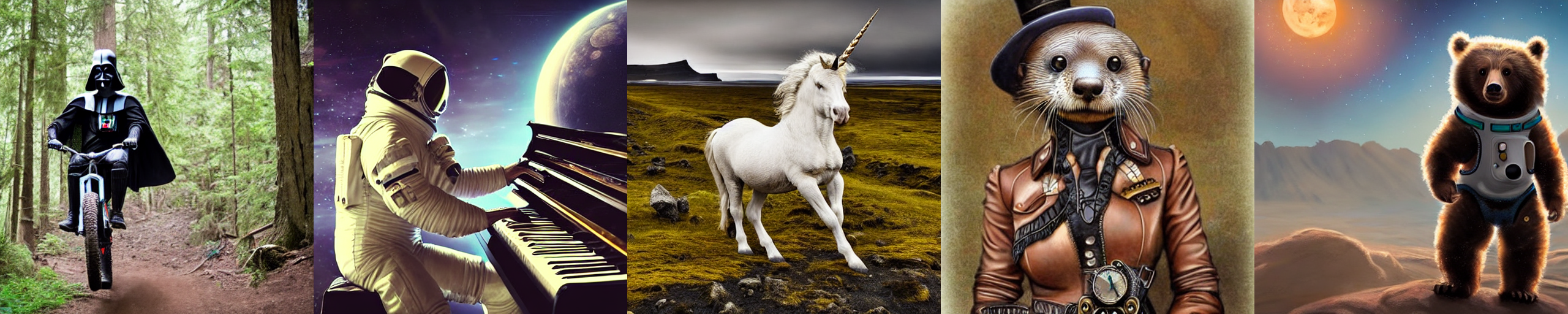 Stable Diffusion is a latent text-to-image diffusion
model.
Thanks to a generous compute donation from Stability AI and support from LAION, we were able to train a Latent Diffusion Model on 512x512 images from a subset of the LAION-5B database.
Similar to Google's Imagen,
this model uses a frozen CLIP ViT-L/14 text encoder to condition the model on text prompts.
With its 860M UNet and 123M text encoder, the model is relatively lightweight and runs on a GPU with at least 10GB VRAM.
See this section below and the model card.
Stable Diffusion is a latent text-to-image diffusion
model.
Thanks to a generous compute donation from Stability AI and support from LAION, we were able to train a Latent Diffusion Model on 512x512 images from a subset of the LAION-5B database.
Similar to Google's Imagen,
this model uses a frozen CLIP ViT-L/14 text encoder to condition the model on text prompts.
With its 860M UNet and 123M text encoder, the model is relatively lightweight and runs on a GPU with at least 10GB VRAM.
See this section below and the model card.
Requirements
A suitable conda environment named ldm can be created
and activated with:
conda env create -f environment.yaml
conda activate ldm
You can also update an existing latent diffusion environment by running
conda install pytorch torchvision -c pytorch
pip install transformers==4.19.2 diffusers invisible-watermark
pip install -e .
Stable Diffusion v1
Stable Diffusion v1 refers to a specific configuration of the model
architecture that uses a downsampling-factor 8 autoencoder with an 860M UNet
and CLIP ViT-L/14 text encoder for the diffusion model. The model was pretrained on 256x256 images and
then finetuned on 512x512 images.
Note: Stable Diffusion v1 is a general text-to-image diffusion model and therefore mirrors biases and (mis-)conceptions that are present
in its training data.
Details on the training procedure and data, as well as the intended use of the model can be found in the corresponding model card.
The weights are available via the CompVis organization at Hugging Face under a license which contains specific use-based restrictions to prevent misuse and harm as informed by the model card, but otherwise remains permissive. While commercial use is permitted under the terms of the license, we do not recommend using the provided weights for services or products without additional safety mechanisms and considerations, since there are known limitations and biases of the weights, and research on safe and ethical deployment of general text-to-image models is an ongoing effort. The weights are research artifacts and should be treated as such.
The CreativeML OpenRAIL M license is an Open RAIL M license, adapted from the work that BigScience and the RAIL Initiative are jointly carrying in the area of responsible AI licensing. See also the article about the BLOOM Open RAIL license on which our license is based.
Weights
We currently provide the following checkpoints:
sd-v1-1.ckpt: 237k steps at resolution 256x256 on laion2B-en.
194k steps at resolution 512x512 on laion-high-resolution (170M examples from LAION-5B with resolution >= 1024x1024).sd-v1-2.ckpt: Resumed from sd-v1-1.ckpt.
515k steps at resolution 512x512 on laion-aesthetics v2 5+ (a subset of laion2B-en with estimated aesthetics score > 5.0, and additionally
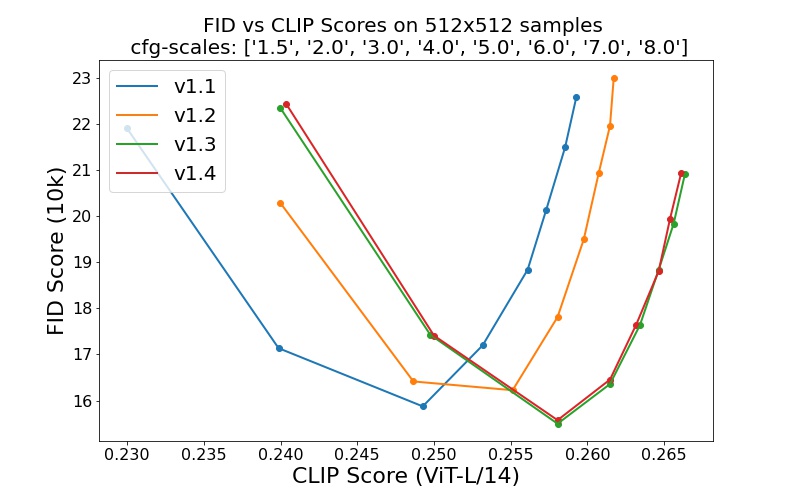
filtered to images with an original size >= 512x512, and an estimated watermark probability < 0.5. The watermark estimate is from the LAION-5B metadata, the aesthetics score is estimated using the LAION-Aesthetics Predictor V2).sd-v1-3.ckpt: Resumed from sd-v1-2.ckpt. 195k steps at resolution 512x512 on "laion-aesthetics v2 5+" and 10% dropping of the text-conditioning to improve classifier-free guidance sampling.sd-v1-4.ckpt: Resumed from sd-v1-2.ckpt. 225k steps at resolution 512x512 on "laion-aesthetics v2 5+" and 10% dropping of the text-conditioning to improve classifier-free guidance sampling.
Evaluations with different classifier-free guidance scales (1.5, 2.0, 3.0, 4.0,
5.0, 6.0, 7.0, 8.0) and 50 PLMS sampling
steps show the relative improvements of the checkpoints:
Text-to-Image with Stable Diffusion
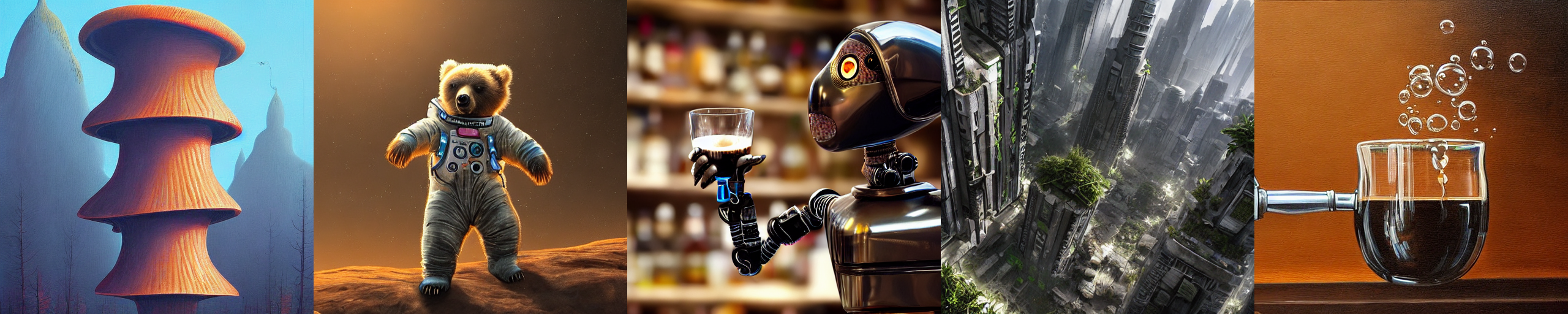
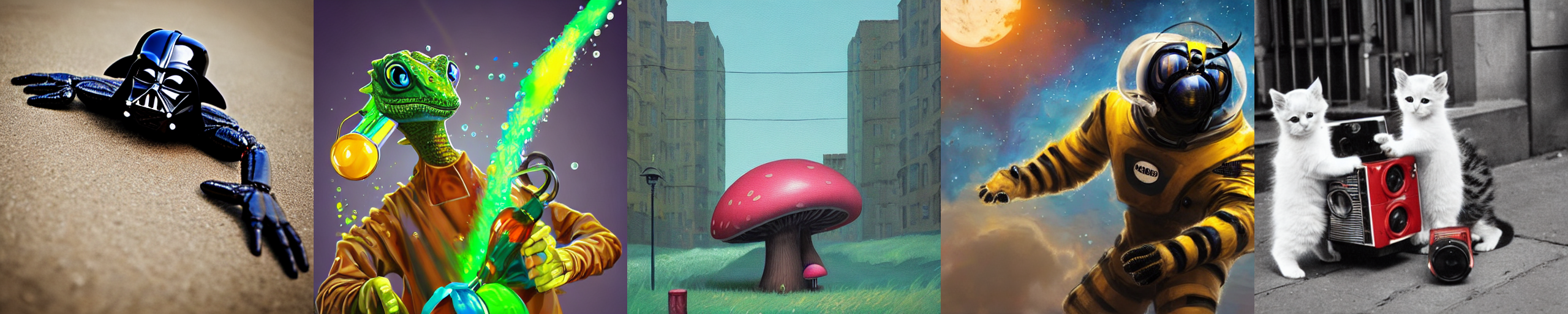
Stable Diffusion is a latent diffusion model conditioned on the (non-pooled) text embeddings of a CLIP ViT-L/14 text encoder.
We provide a reference script for sampling, but
there also exists a diffusers integration, which we
expect to see more active community development.
Reference Sampling Script
We provide a reference sampling script, which incorporates
After obtaining the stable-diffusion-v1-*-original weights, link them
mkdir -p models/ldm/stable-diffusion-v1/
ln -s <path/to/model.ckpt> models/ldm/stable-diffusion-v1/model.ckpt
and sample with
python scripts/txt2img.py --prompt "a photograph of an astronaut riding a horse" --plms
By default, this uses a guidance scale of --scale 7.5, Katherine Crowson's implementation of the PLMS sampler,
and renders images of size 512x512 (which it was trained on) in 50 steps. All supported arguments are listed below (type python scripts/txt2img.py --help).
usage: txt2img.py [-h] [--prompt [PROMPT]] [--outdir [OUTDIR]] [--skip_grid] [--skip_save] [--ddim_steps DDIM_STEPS] [--plms] [--laion400m] [--fixed_code] [--ddim_eta DDIM_ETA]
                  [--n_iter N_ITER] [--H H] [--W W] [--C C] [--f F] [--n_samples N_SAMPLES] [--n_rows N_ROWS] [--scale SCALE] [--from-file FROM_FILE] [--config CONFIG] [--ckpt CKPT]
                  [--seed SEED] [--precision {full,autocast}]

optional arguments:
  -h, --help            show this help message and exit
  --prompt [PROMPT]     the prompt to render
  --outdir [OUTDIR]     dir to write results to
  --skip_grid           do not save a grid, only individual samples. Helpful when evaluating lots of samples
  --skip_save           do not save individual samples. For speed measurements.
  --ddim_steps DDIM_STEPS
                        number of ddim sampling steps
  --plms                use plms sampling
  --laion400m           uses the LAION400M model
  --fixed_code          if enabled, uses the same starting code across samples
  --ddim_eta DDIM_ETA   ddim eta (eta=0.0 corresponds to deterministic sampling
  --n_iter N_ITER       sample this often
  --H H                 image height, in pixel space
  --W W                 image width, in pixel space
  --C C                 latent channels
  --f F                 downsampling factor
  --n_samples N_SAMPLES
                        how many samples to produce for each given prompt. A.k.a. batch size
  --n_rows N_ROWS       rows in the grid (default: n_samples)
  --scale SCALE         unconditional guidance scale: eps = eps(x, empty) + scale * (eps(x, cond) - eps(x, empty))
  --from-file FROM_FILE
                        if specified, load prompts from this file
  --config CONFIG       path to config which constructs model
  --ckpt CKPT           path to checkpoint of model
  --seed SEED           the seed (for reproducible sampling)
  --precision {full,autocast}
                        evaluate at this precision
Note: The inference config for all v1 versions is designed to be used with EMA-only checkpoints.
For this reason use_ema=False is set in the configuration, otherwise the code will try to switch from
non-EMA to EMA weights. If you want to examine the effect of EMA vs no EMA, we provide "full" checkpoints
which contain both types of weights. For these, use_ema=False will load and use the non-EMA weights.
Diffusers Integration
A simple way to download and sample Stable Diffusion is by using the diffusers library:
# make sure you're logged in with `huggingface-cli login`
from torch import autocast
from diffusers import StableDiffusionPipeline

pipe = StableDiffusionPipeline.from_pretrained(
	"CompVis/stable-diffusion-v1-4",
	use_auth_token=True
).to("cuda")

prompt = "a photo of an astronaut riding a horse on mars"
with autocast("cuda"):
    image = pipe(prompt)["sample"][0]

image.save("astronaut_rides_horse.png")
Image Modification with Stable Diffusion
By using a diffusion-denoising mechanism as first proposed by SDEdit, the model can be used for different
tasks such as text-guided image-to-image translation and upscaling. Similar to the txt2img sampling script,
we provide a script to perform image modification with Stable Diffusion.
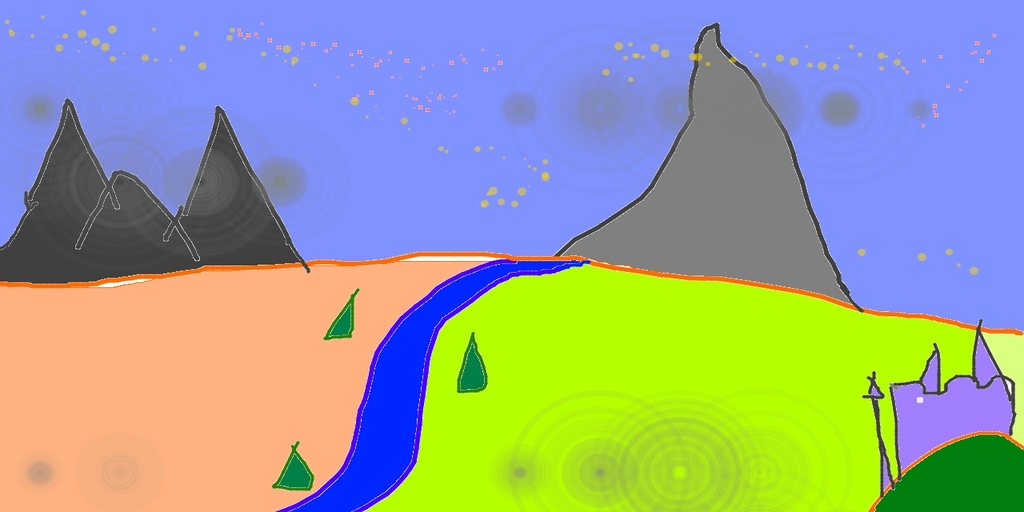
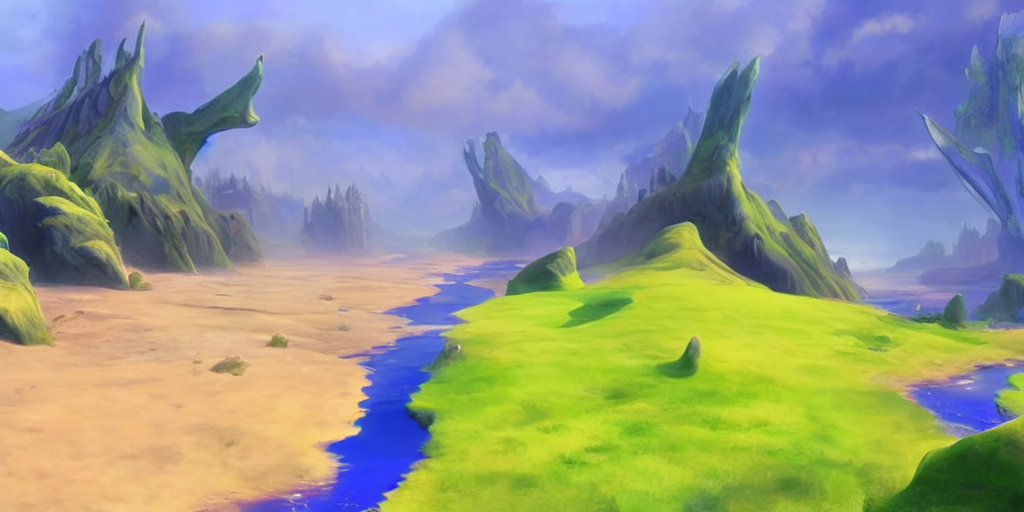
The following describes an example where a rough sketch made in Pinta is converted into a detailed artwork.
python scripts/img2img.py --prompt "A fantasy landscape, trending on artstation" --init-img <path-to-img.jpg> --strength 0.8
Here, strength is a value between 0.0 and 1.0, that controls the amount of noise that is added to the input image.
Values that approach 1.0 allow for lots of variations but will also produce images that are not semantically consistent with the input. See the following example.
Input
Outputs

This procedure can, for example, also be used to upscale samples from the base model.
BibTeX
@misc{rombach2021highresolution,
      title={High-Resolution Image Synthesis with Latent Diffusion Models},
      author={Robin Rombach and Andreas Blattmann and Dominik Lorenz and Patrick Esser and Björn Ommer},
      year={2021},
      eprint={2112.10752},
      archivePrefix={arXiv},
      primaryClass={cs.CV}
}

 Stable Diffusion 是一个潜在空间文本生成图像的扩散模型,可以根据文本提示词生成图片。它由 CompVis 与 Stability AI 和 Runway 合作开发,基于 CVPR '22 上发表的 Latent Diffusion Models 研究。