165.1K ·GitHub
What is this?
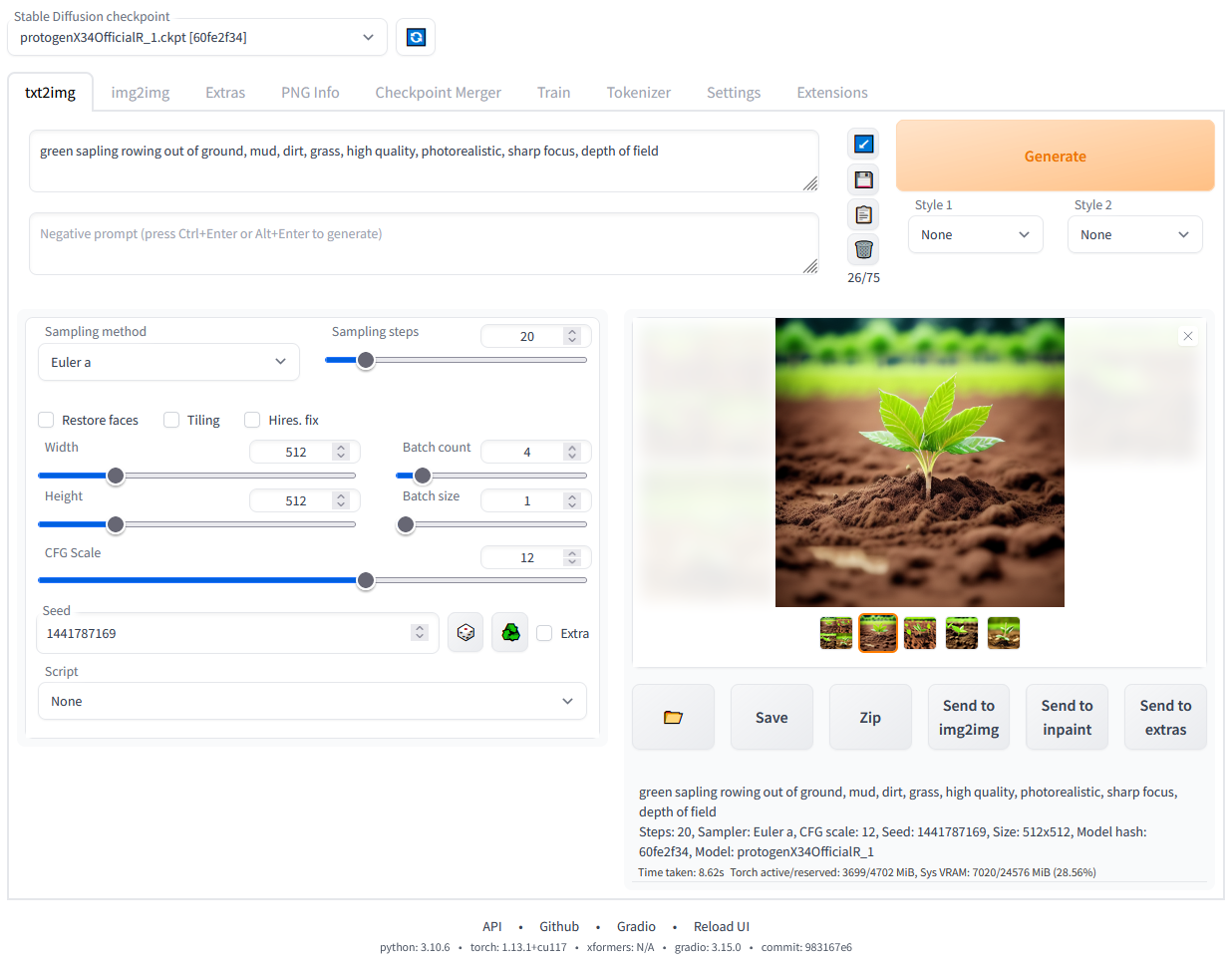
 A browser-based interface for Stable Diffusion, built with the Gradio library, letting you generate and edit AI images (txt2img, img2img, inpainting, outpainting and more) on your own machine.
A browser-based interface for Stable Diffusion, built with the Gradio library, letting you generate and edit AI images (txt2img, img2img, inpainting, outpainting and more) on your own machine.Is this a desktop app or something I open in my browser?It is a local web server: you launch it with a script and then use it through your browser like a webpage, not a traditional installed desktop application.
It is a local web server: you launch it with a script and then use it through your browser like a webpage, not a traditional installed desktop application.How do I get it running?On Windows, download the sd.webui.zip release package, extract it, then run update.bat followed by run.bat; or do the automatic install by cloning the repo and running webui-user.bat. On Linux, install the listed dependencies and run webui.sh.
On Windows, download the sd.webui.zip release package, extract it, then run update.bat followed by run.bat; or do the automatic install by cloning the repo and running webui-user.bat. On Linux, install the listed dependencies and run webui.sh.Do I need Python and git set up first?Yes, for the automatic installer you need Python 3.10.6 specifically (newer versions break torch) with PATH enabled, plus git; the packaged Windows release still requires both to run the scripts.
Yes, for the automatic installer you need Python 3.10.6 specifically (newer versions break torch) with PATH enabled, plus git; the packaged Windows release still requires both to run the scripts.Does it work on low-VRAM or non-NVIDIA cards?It supports GPUs with as little as 4GB VRAM (some report 2GB working), but NVIDIA is the recommended path; AMD, Intel CPUs/GPUs, and Ascend NPUs each need their own separate setup guide.
It supports GPUs with as little as 4GB VRAM (some report 2GB working), but NVIDIA is the recommended path; AMD, Intel CPUs/GPUs, and Ascend NPUs each need their own separate setup guide.Do I need an NVIDIA GPU, or can I use AMD or Intel instead?NVIDIA is recommended, but the project documents separate install paths for AMD GPUs and for Intel CPUs/GPUs, both integrated and discrete, plus Ascend NPUs and Apple Silicon Macs.
NVIDIA is recommended, but the project documents separate install paths for AMD GPUs and for Intel CPUs/GPUs, both integrated and discrete, plus Ascend NPUs and Apple Silicon Macs.What is the difference between the one-click Windows package and the automatic install?The one-click package (sd.webui.zip) already bundles almost everything, you just run update.bat then run.bat, while the automatic install has you install Python 3.10.6 and git yourself, clone the repo, and run webui-user.bat.
The one-click package (sd.webui.zip) already bundles almost everything, you just run update.bat then run.bat, while the automatic install has you install Python 3.10.6 and git yourself, clone the repo, and run webui-user.bat.What can I do with LoRAs and hypernetworks here?Both let you fine-tune the style of generated images with small add-on files; the UI has a dedicated picker with previews so you can mix LoRAs, hypernetworks, or textual-inversion embeddings directly into your prompt.
Both let you fine-tune the style of generated images with small add-on files; the UI has a dedicated picker with previews so you can mix LoRAs, hypernetworks, or textual-inversion embeddings directly into your prompt.Can I drive it from scripts instead of the browser UI?Yes, it exposes an API so generation can be triggered programmatically instead of only through the Gradio interface.
Yes, it exposes an API so generation can be triggered programmatically instead of only through the Gradio interface.What does the Extras tab do?It bundles face-restoration and upscaling tools (GFPGAN, CodeFormer, RealESRGAN, ESRGAN, SwinIR, LDSR) that you can run on existing images to fix faces or increase resolution.
It bundles face-restoration and upscaling tools (GFPGAN, CodeFormer, RealESRGAN, ESRGAN, SwinIR, LDSR) that you can run on existing images to fix faces or increase resolution.What are similar projects?stable-diffusion-webui-colab, InvokeAI, stable-diffusion.cpp, stable-diffusion-webui-forge, krita-ai-diffusion, diffusers, ControlNet, IOPaint
stable-diffusion-webui-colab, InvokeAI, stable-diffusion.cpp, stable-diffusion-webui-forge, krita-ai-diffusion, diffusers, ControlNet, IOPaintWhich topics is it in?face-restoration, text2image, torch, img2img, ai-art, inpainting, upscaling, diffusion, amd, stable-diffusion, gradio, local-ai
face-restoration, text2image, torch, img2img, ai-art, inpainting, upscaling, diffusion, amd, stable-diffusion, gradio, local-ai