






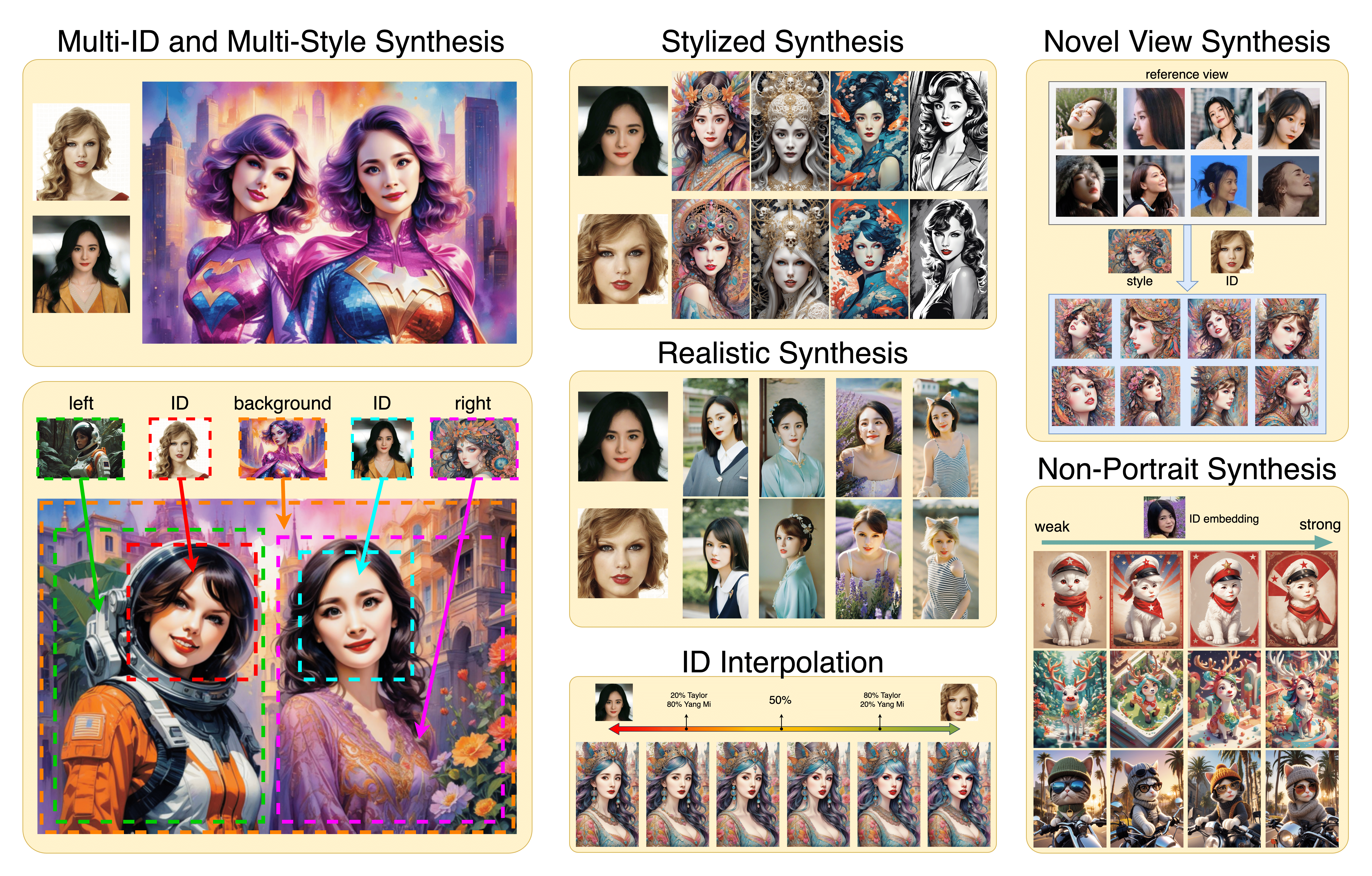
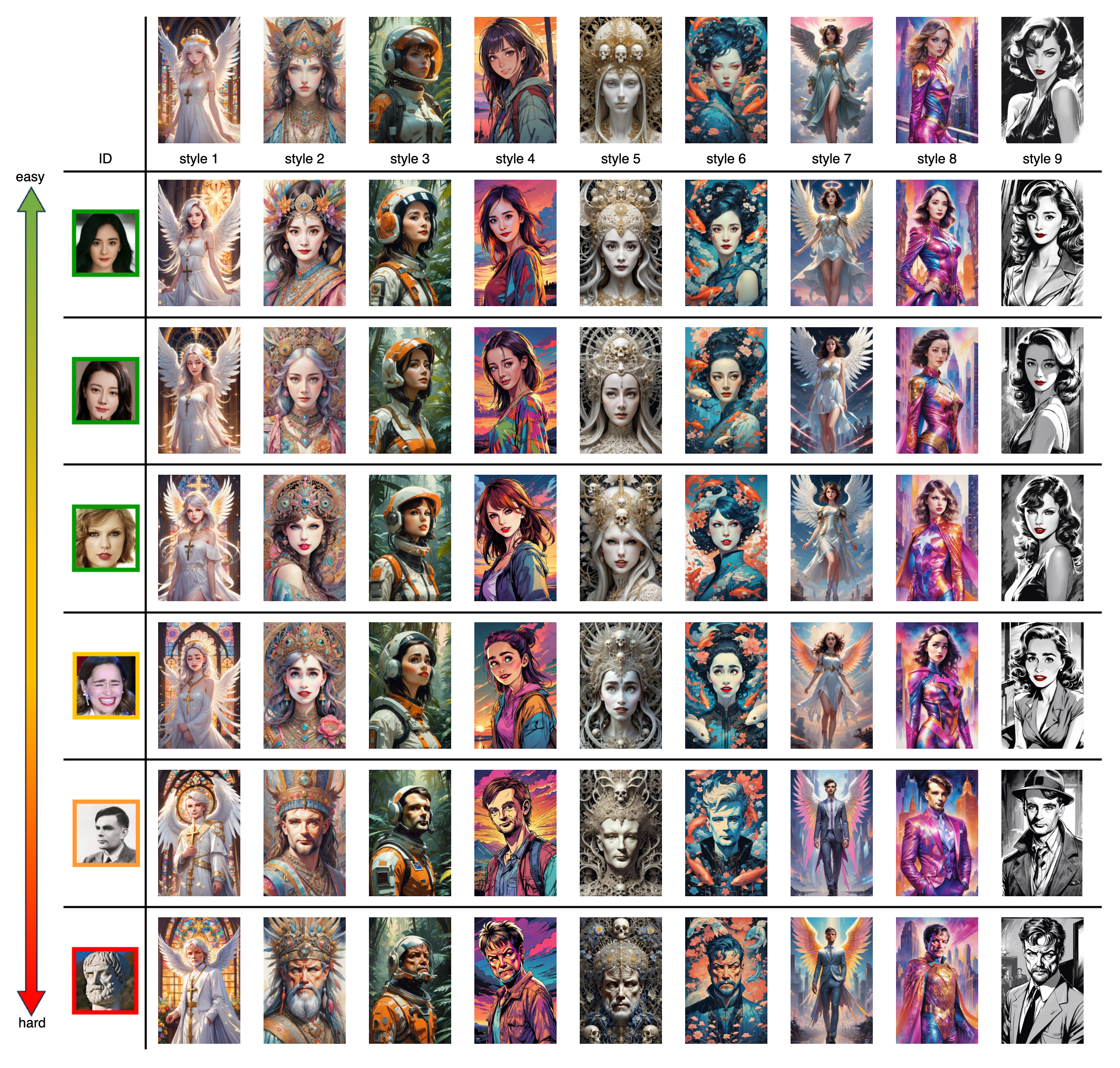
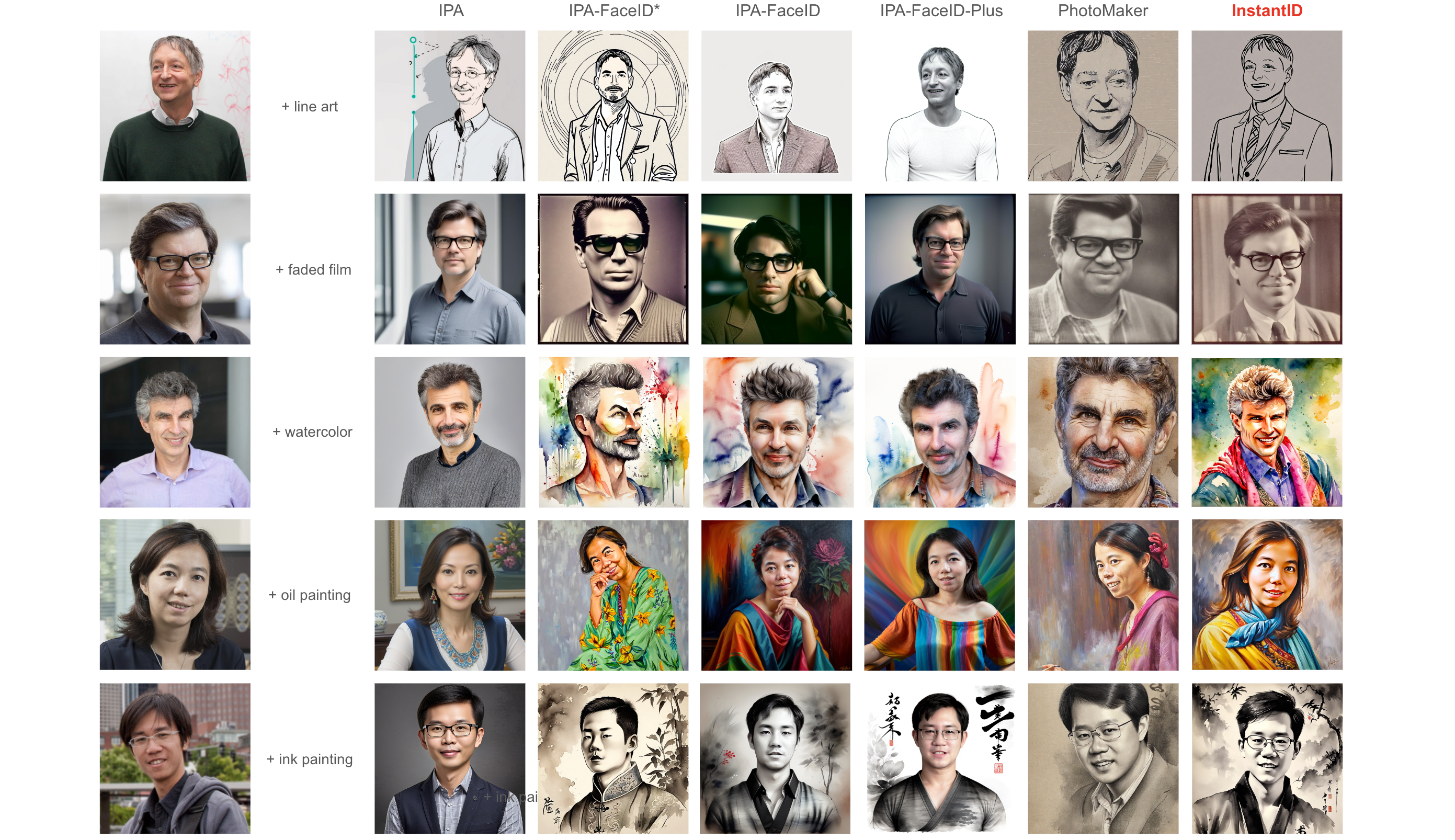
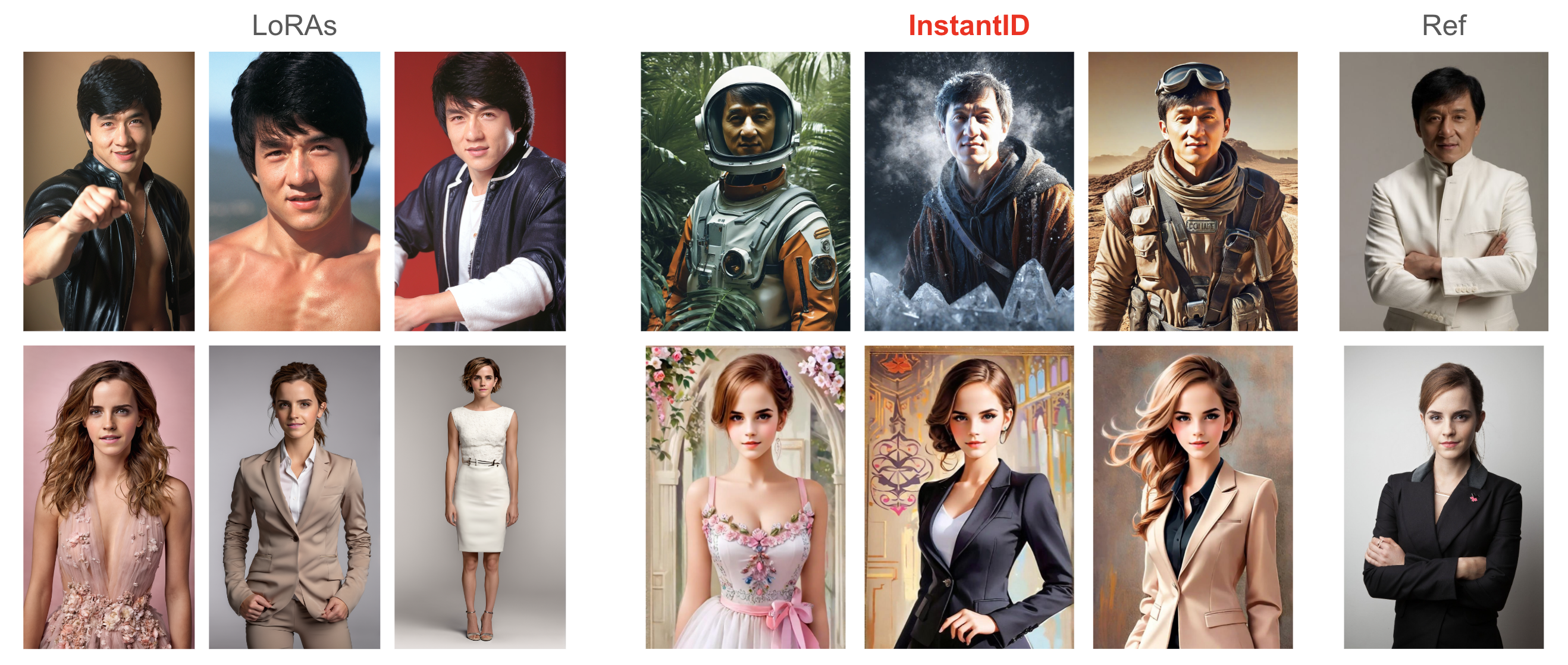




What is this?
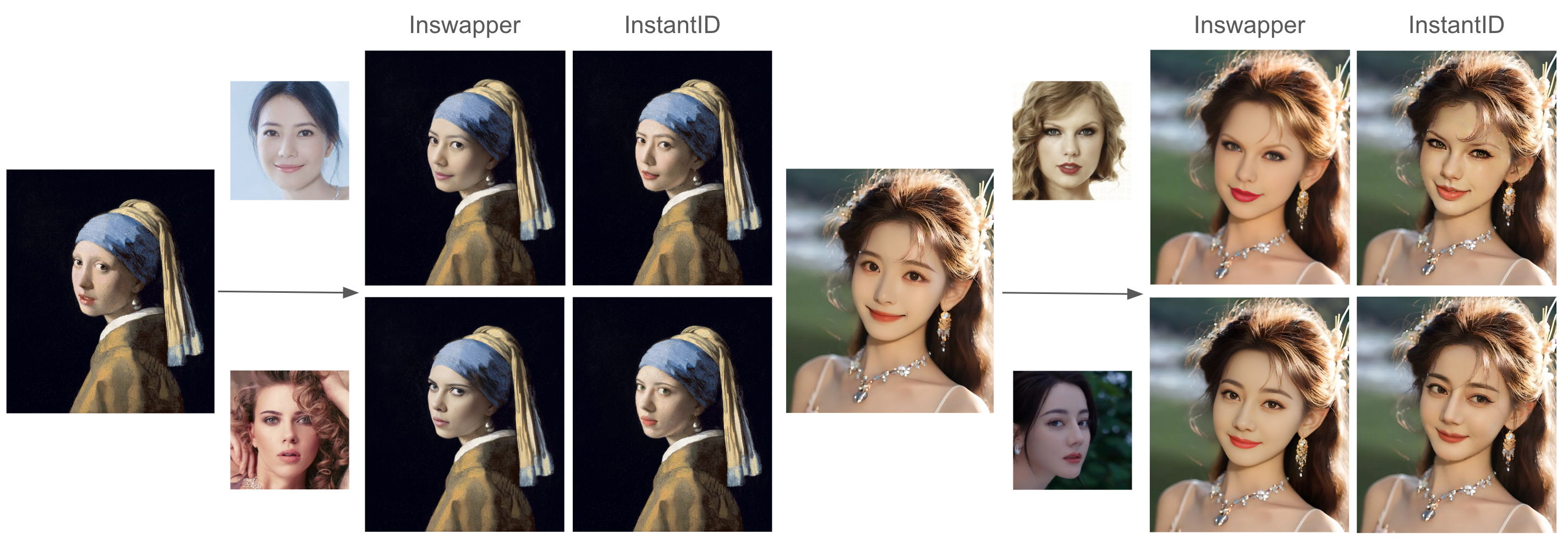
 InstantID is a tuning-free method for identity-preserving image generation: a single reference photo of a face plus a text prompt is enough to create new images that keep the person's likeness, in seconds.
InstantID is a tuning-free method for identity-preserving image generation: a single reference photo of a face plus a text prompt is enough to create new images that keep the person's likeness, in seconds.Is this an app I install, or code and models I plug into something else?It's research code rather than a polished app: a Python pipeline merged into Hugging Face diffusers, plus inference scripts and a local gradio demo in the repo. Community integrations exist for ComfyUI, sd-webui-controlnet and Replicate.
It's research code rather than a polished app: a Python pipeline merged into Hugging Face diffusers, plus inference scripts and a local gradio demo in the repo. Community integrations exist for ComfyUI, sd-webui-controlnet and Replicate.How do I get it running locally?Clone the repo, download the checkpoints from Hugging Face (or via hf-mirror if access is blocked), and manually fetch the antelopev2 face encoder into models/antelopev2. Then run the inference script or start the local gradio demo.
Clone the repo, download the checkpoints from Hugging Face (or via hf-mirror if access is blocked), and manually fetch the antelopev2 face encoder into models/antelopev2. Then run the inference script or start the local gradio demo.What do I need besides the code — GPU, models, anything else?A Python setup with a GPU, plus several model files: the InstantID checkpoint, an IdentityNet ControlNet, an IP-Adapter, a base Stable Diffusion model and the antelopev2 encoder. CPU offloading helps if VRAM is tight.
A Python setup with a GPU, plus several model files: the InstantID checkpoint, an IdentityNet ControlNet, an IP-Adapter, a base Stable Diffusion model and the antelopev2 encoder. CPU offloading helps if VRAM is tight.What can't it do yet?It handles one face only: multi-person scenes aren't supported, and the pipeline simply uses the largest face in the photo as the reference landmarks.
It handles one face only: multi-person scenes aren't supported, and the pipeline simply uses the largest face in the photo as the reference landmarks.Can I use it for commercial projects?Partly — the code is Apache 2.0 for both academic and commercial use, but the insightface face models and InstantID's released checkpoints are research-only, so commercial work can rely on the code, not the bundled models.
Partly — the code is Apache 2.0 for both academic and commercial use, but the insightface face models and InstantID's released checkpoints are research-only, so commercial work can rely on the code, not the bundled models.How is this different from training a LoRA for someone's face?No training at all: a character LoRA needs multiple photos of the person and a fine-tuning run, while InstantID is tuning-free and works from a single image — the README claims competitive results, with faces and styles blending better than previous tuning-free methods.
No training at all: a character LoRA needs multiple photos of the person and a fine-tuning run, while InstantID is tuning-free and works from a single image — the README claims competitive results, with faces and styles blending better than previous tuning-free methods.The result doesn't look enough like my reference photo — how do I fix that?Raise controlnet_conditioning_scale (IdentityNet) and ip_adapter_scale for higher similarity. If colors become over-saturated, lower ip_adapter_scale first, and lower controlnet_conditioning_scale if that doesn't help. A lower ip_adapter_scale also gives your text prompt more control.
Raise controlnet_conditioning_scale (IdentityNet) and ip_adapter_scale for higher similarity. If colors become over-saturated, lower ip_adapter_scale first, and lower controlnet_conditioning_scale if that doesn't help. A lower ip_adapter_scale also gives your text prompt more control.Can I try InstantID without installing anything?Yes — there is a Hugging Face Spaces demo, which supports LCM acceleration and Multi-ControlNets, plus a Replicate demo (zsxkib/instant-id). WebUI users can go through Mikubill's sd-webui-controlnet extension.
Yes — there is a Hugging Face Spaces demo, which supports LCM acceleration and Multi-ControlNets, plus a Replicate demo (zsxkib/instant-id). WebUI users can go through Mikubill's sd-webui-controlnet extension.Can I make the generation faster?Yes, InstantID is compatible with LCM-LoRA: load it and infer with a small num_inference_steps, keeping guidance_scale between 0 and 1. The release notes also mention OneDiff as an accelerated-inference option.
Yes, InstantID is compatible with LCM-LoRA: load it and infer with a small num_inference_steps, keeping guidance_scale between 0 and 1. The release notes also mention OneDiff as an accelerated-inference option.What are similar projects?ControlNet, PhotoMaker, latent-diffusion, kohya_ss, diffusers, stable-diffusion-webui-colab, stable-diffusion, generative-models
ControlNet, PhotoMaker, latent-diffusion, kohya_ss, diffusers, stable-diffusion-webui-colab, stable-diffusion, generative-modelsWhich topics is it in?controlnet, face-recognition, comfyui, stable-diffusion, gradio, text-to-image, pretrained-models, diffusion-models, image-generation, inference, generative-ai, huggingface
controlnet, face-recognition, comfyui, stable-diffusion, gradio, text-to-image, pretrained-models, diffusion-models, image-generation, inference, generative-ai, huggingface