这是什么?
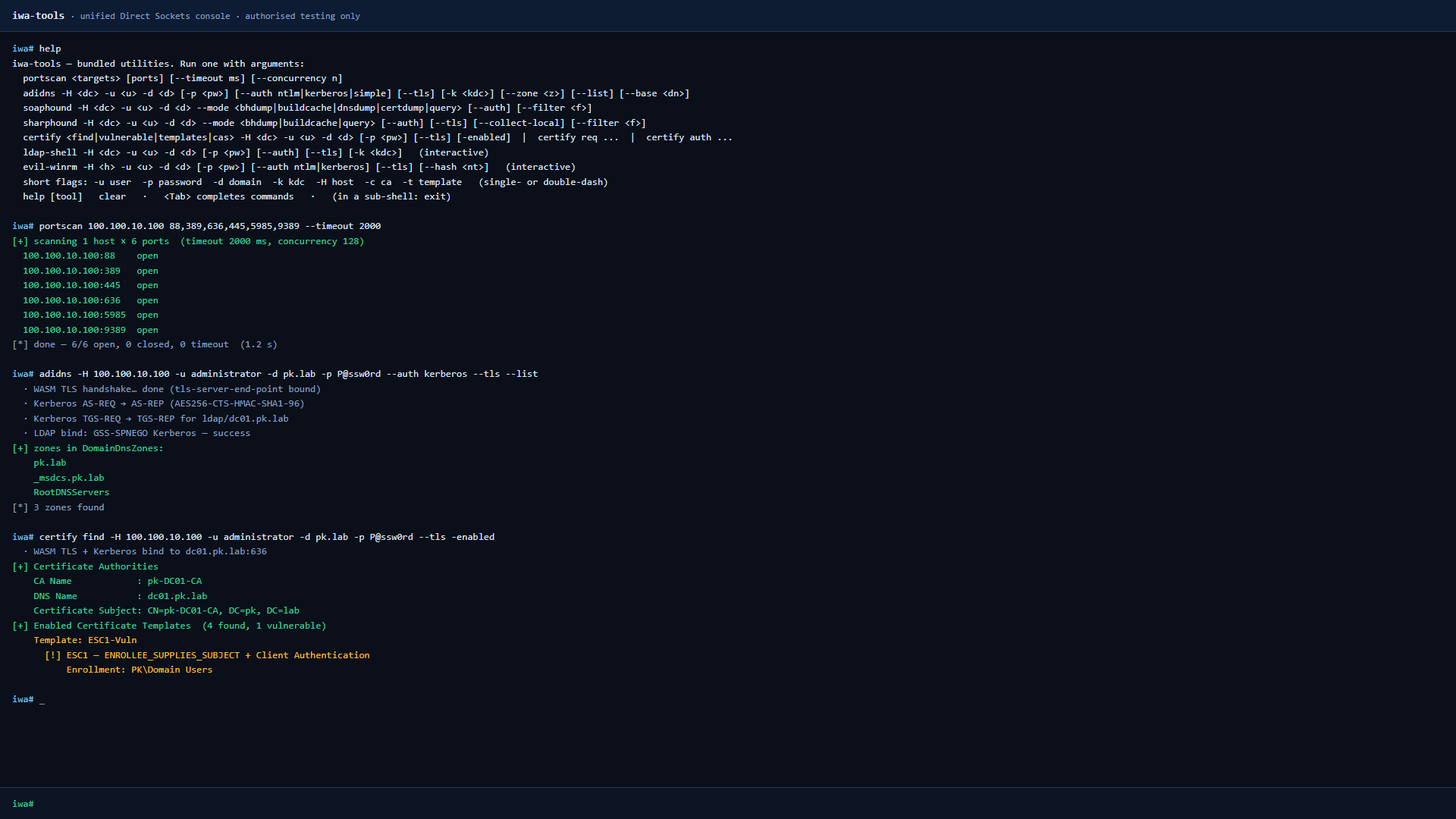
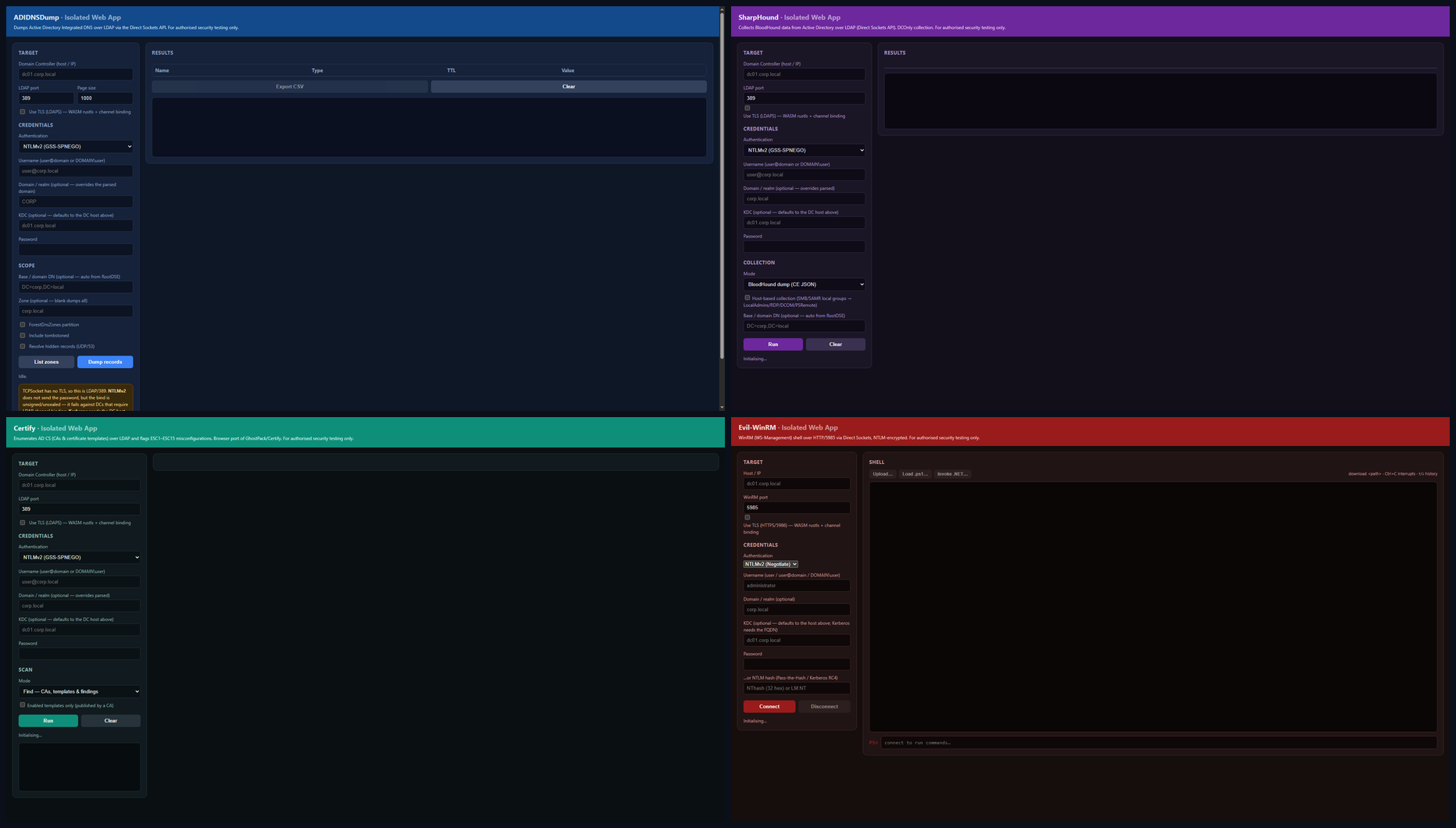
 iwa-tools 是一个攻击性安全工具包,以已安装的隔离 Web 应用(Isolated Web App)的形式运行在 Chrome 里,让你可以直接在浏览器标签页里使用 SMB、LDAP、DCE-RPC、WinRM、Kerberos、MSSQL 和 ADWS 协议,开展 Active Directory 渗透测试。
iwa-tools 是一个攻击性安全工具包,以已安装的隔离 Web 应用(Isolated Web App)的形式运行在 Chrome 里,让你可以直接在浏览器标签页里使用 SMB、LDAP、DCE-RPC、WinRM、Kerberos、MSSQL 和 ADWS 协议,开展 Active Directory 渗透测试。它是浏览器扩展吗?不是——它是一个隔离 Web 应用,一个经过签名的 .swbn 包,Chrome 通过其实验性的 Direct Sockets API(用于原始 TCP/UDP)像原生应用一样安装它,而不是普通扩展。
不是——它是一个隔离 Web 应用,一个经过签名的 .swbn 包,Chrome 通过其实验性的 Direct Sockets API(用于原始 TCP/UDP)像原生应用一样安装它,而不是普通扩展。构建和运行它需要什么?构建只需要 Node.js;安装和使用需要 Chrome 128 或更新版本,并启用那三个实验性标志。
构建只需要 Node.js;安装和使用需要 Chrome 128 或更新版本,并启用那三个实验性标志。还有什么功能现在用不了?nxc smb --wmi 尚未实现,因为 DCOM NDR 编组还没完成(请改用 nxc winrm --wmi);也不支持完整解析 ntds.dit——它只下载原始 hive 文件,并指引你在本地使用 secretsdump.py。
nxc smb --wmi 尚未实现,因为 DCOM NDR 编组还没完成(请改用 nxc winrm --wmi);也不支持完整解析 ntds.dit——它只下载原始 hive 文件,并指引你在本地使用 secretsdump.py。在任何装了 Chrome 的系统上都能运行吗?可以——由于它是隔离 Web 应用而非原生代码,凡是 Chrome 128+ 能运行的地方,Windows、macOS 或 Linux 上它都能运行。
可以——由于它是隔离 Web 应用而非原生代码,凡是 Chrome 128+ 能运行的地方,Windows、macOS 或 Linux 上它都能运行。这个工具包里有什么?它捆绑了一个 netexec 风格的多协议客户端(SMB/LDAP/WinRM/MSSQL/SSH/FTP/RDP/VNC)、adidnsdump、sharphound 和 soaphound 这两个 BloodHound 采集器、用于滥用 AD CS 的 certipy、交互式 ldap-shell、evil-winrm,以及一个简单的 TCP 端口扫描——全部是手写的 JS 重实现。
它捆绑了一个 netexec 风格的多协议客户端(SMB/LDAP/WinRM/MSSQL/SSH/FTP/RDP/VNC)、adidnsdump、sharphound 和 soaphound 这两个 BloodHound 采集器、用于滥用 AD CS 的 certipy、交互式 ldap-shell、evil-winrm,以及一个简单的 TCP 端口扫描——全部是手写的 JS 重实现。这些网络协议是怎么用 JavaScript 实现的?作者用 JS 手写了协议栈,包括 NTLMv2 签名/加密、Kerberos AES256、pass-the-hash/pass-the-ticket、PKINIT 和 TLS 通道绑定,而 TLS 本身由编译成 WASM 的 rustls 处理。
作者用 JS 手写了协议栈,包括 NTLMv2 签名/加密、Kerberos AES256、pass-the-hash/pass-the-ticket、PKINIT 和 TLS 通道绑定,而 TLS 本身由编译成 WASM 的 rustls 处理。为什么要做这个?它是为 OFFZONE 2026 的演讲 “Living off the Browser” 而写的,展示 AD 攻击工具可以完全运行在一个经过签名、已安装的浏览器标签页里,而不需要原生植入体。
它是为 OFFZONE 2026 的演讲 “Living off the Browser” 而写的,展示 AD 攻击工具可以完全运行在一个经过签名、已安装的浏览器标签页里,而不需要原生植入体。如果我重新构建这个应用会怎样?每次构建都会为每个工具生成新的 Ed25519 签名密钥;由于公钥会成为该应用的 isolated-app:// 源(origin),Chrome 会把重新构建的应用当作一个全新的、独立的应用。
每次构建都会为每个工具生成新的 Ed25519 签名密钥;由于公钥会成为该应用的 isolated-app:// 源(origin),Chrome 会把重新构建的应用当作一个全新的、独立的应用。What are similar projects?Claude-Red, Decepticon, CVE-2026-62911, xray, ARTEX, Sn1per, Claude-AD, 404StarLink
Claude-Red, Decepticon, CVE-2026-62911, xray, ARTEX, Sn1per, Claude-AD, 404StarLinkWhich topics is it in?hacking-tools, red-teaming, network-security, chrome, offensive-security, red-team, penetration-testing, wasm, cybersecurity, security-tools, browser, security
hacking-tools, red-teaming, network-security, chrome, offensive-security, red-team, penetration-testing, wasm, cybersecurity, security-tools, browser, security