What is this?
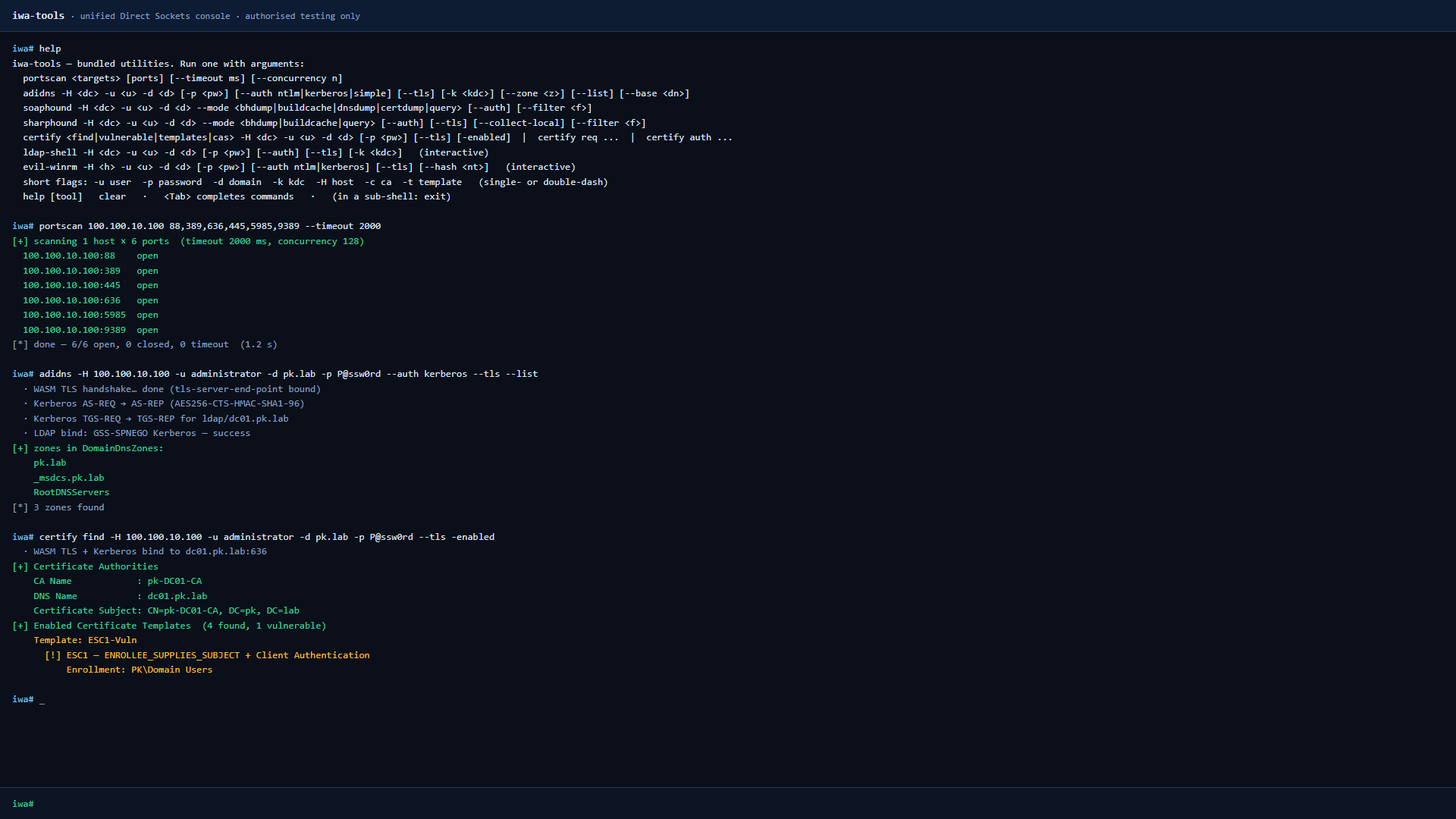
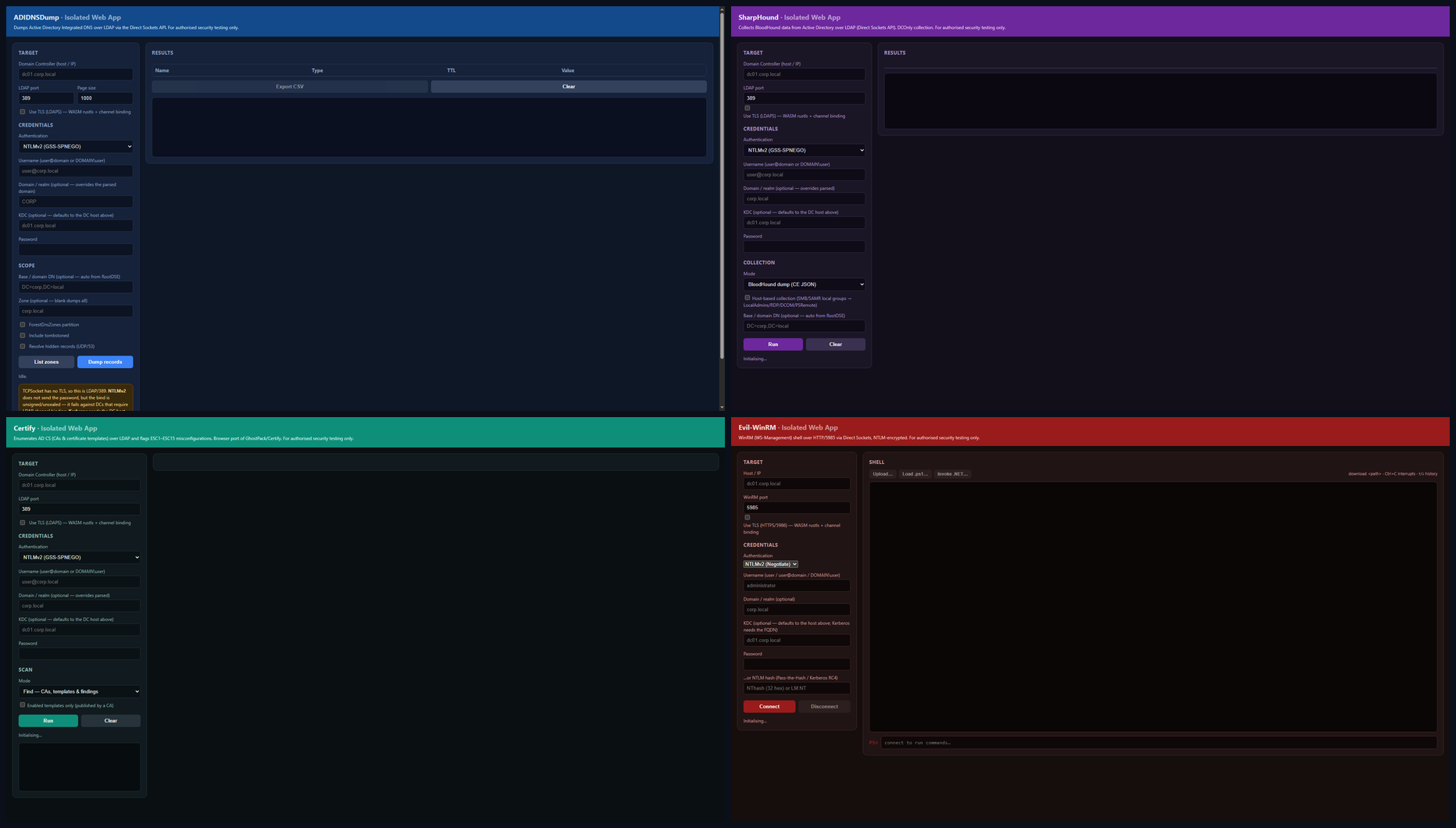
 iwa-tools is an offensive security toolkit that runs inside Chrome as an installed Isolated Web App, letting you speak SMB, LDAP, DCE-RPC, WinRM, Kerberos, MSSQL and ADWS directly from a browser tab for Active Directory pentesting.
iwa-tools is an offensive security toolkit that runs inside Chrome as an installed Isolated Web App, letting you speak SMB, LDAP, DCE-RPC, WinRM, Kerberos, MSSQL and ADWS directly from a browser tab for Active Directory pentesting.Is it a browser extension?No — it is an Isolated Web App, a signed .swbn bundle that Chrome installs like a native app via its experimental Direct Sockets API for raw TCP/UDP, not a regular extension.
No — it is an Isolated Web App, a signed .swbn bundle that Chrome installs like a native app via its experimental Direct Sockets API for raw TCP/UDP, not a regular extension.What do I need to build and run this?Just Node.js to build it, and Chrome 128 or newer with the three experimental flags enabled to install and use it.
Just Node.js to build it, and Chrome 128 or newer with the three experimental flags enabled to install and use it.What doesn't work yet?nxc smb --wmi isn't implemented because the DCOM NDR marshalling isn't done (use nxc winrm --wmi instead), and full ntds.dit parsing isn't supported — it only downloads the raw hive files and points you to secretsdump.py locally.
nxc smb --wmi isn't implemented because the DCOM NDR marshalling isn't done (use nxc winrm --wmi instead), and full ntds.dit parsing isn't supported — it only downloads the raw hive files and points you to secretsdump.py locally.Does it run on any OS with Chrome?Yes — since it is an Isolated Web App rather than native code, it runs wherever Chrome 128+ runs, on Windows, macOS, or Linux.
Yes — since it is an Isolated Web App rather than native code, it runs wherever Chrome 128+ runs, on Windows, macOS, or Linux.What's inside the toolkit?It bundles a netexec-style multiprotocol client (SMB/LDAP/WinRM/MSSQL/SSH/FTP/RDP/VNC), adidnsdump, sharphound and soaphound BloodHound collectors, certipy for AD CS abuse, an interactive ldap-shell, evil-winrm, and a plain TCP portscan — all hand-written JS reimplementations.
It bundles a netexec-style multiprotocol client (SMB/LDAP/WinRM/MSSQL/SSH/FTP/RDP/VNC), adidnsdump, sharphound and soaphound BloodHound collectors, certipy for AD CS abuse, an interactive ldap-shell, evil-winrm, and a plain TCP portscan — all hand-written JS reimplementations.How are the network protocols implemented in JavaScript?The author hand-wrote the protocol stacks in JS, including NTLMv2 signing/sealing, Kerberos AES256, pass-the-hash/pass-the-ticket, PKINIT and TLS channel binding, with TLS itself handled by rustls compiled to WASM.
The author hand-wrote the protocol stacks in JS, including NTLMv2 signing/sealing, Kerberos AES256, pass-the-hash/pass-the-ticket, PKINIT and TLS channel binding, with TLS itself handled by rustls compiled to WASM.Why was this built?It was written for the OFFZONE 2026 talk 'Living off the Browser,' showing that AD attack tooling can run entirely from a signed, installed browser tab instead of a native implant.
It was written for the OFFZONE 2026 talk 'Living off the Browser,' showing that AD attack tooling can run entirely from a signed, installed browser tab instead of a native implant.What happens if I rebuild the app?Each build generates a fresh Ed25519 signing key per tool; since the public key becomes the app's isolated-app:// origin, Chrome treats a rebuilt app as an entirely new, separate app.
Each build generates a fresh Ed25519 signing key per tool; since the public key becomes the app's isolated-app:// origin, Chrome treats a rebuilt app as an entirely new, separate app.What are similar projects?Claude-Red, Decepticon, CVE-2026-62911, xray, ARTEX, Sn1per, 404StarLink, Claude-AD
Claude-Red, Decepticon, CVE-2026-62911, xray, ARTEX, Sn1per, 404StarLink, Claude-ADWhich topics is it in?hacking-tools, red-teaming, network-security, chrome, offensive-security, red-team, penetration-testing, wasm, cybersecurity, security-tools, browser, security
hacking-tools, red-teaming, network-security, chrome, offensive-security, red-team, penetration-testing, wasm, cybersecurity, security-tools, browser, security