





Что это такое?
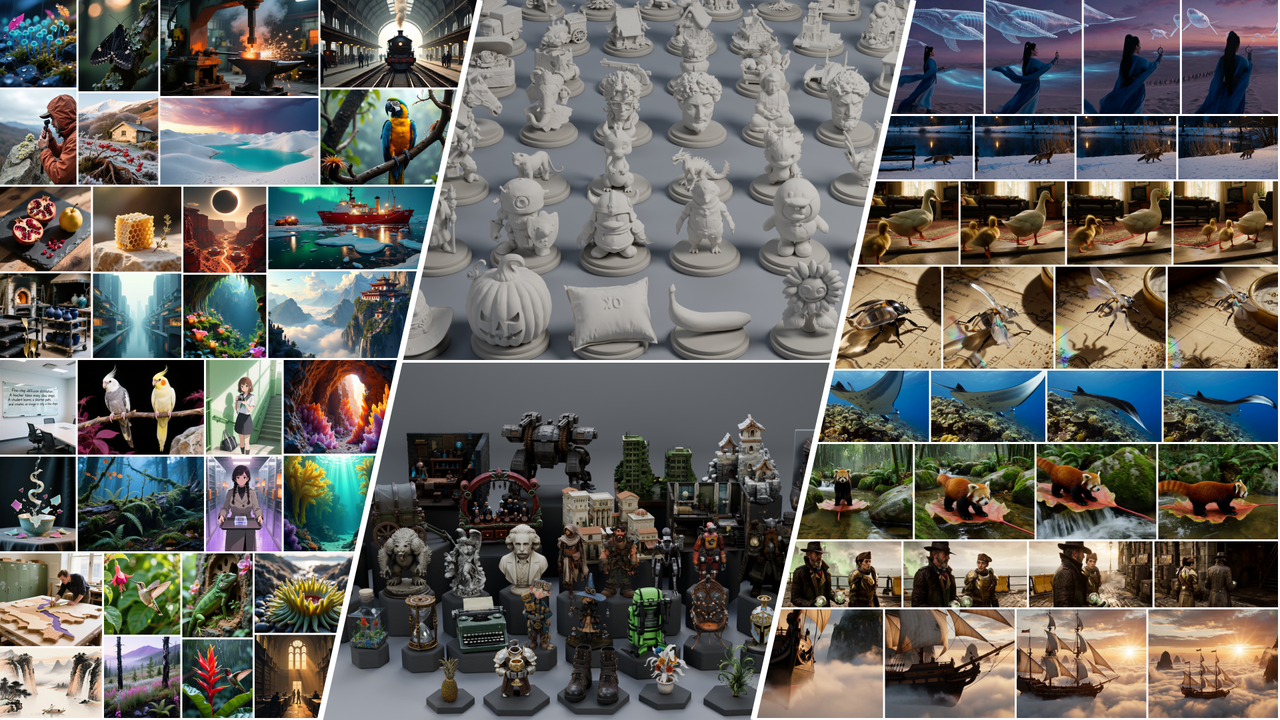
 SMD — это исследовательский метод и кодовая база для дистилляции диффузионных моделей в быстрые генераторы, которые работают за несколько шагов. Они охватывают задачи генерации изображений, видео, аудио-видео и 3D.
Это готовое приложение или исследовательский код?Это исследовательская кодовая база со скриптами обучения и инференса и конфигурациями, а не готовое приложение. Вы запускаете Python-скрипты с конфигами и экспортированными чекпоинтами.
Это исследовательская кодовая база со скриптами обучения и инференса и конфигурациями, а не готовое приложение. Вы запускаете Python-скрипты с конфигами и экспортированными чекпоинтами.Как всё это запустить?На машине с Linux x86_64 и Conda запустите прилагаемый скрипт установки из корня репозитория. Он соберёт окружение Python 3.12 / PyTorch 2.7.1 / CUDA 12.6 с FlashAttention, собранным из исходников. Для Hunyuan3D и TRELLIS.2 нужно отдельное дополнительное окружение.
На машине с Linux x86_64 и Conda запустите прилагаемый скрипт установки из корня репозитория. Он соберёт окружение Python 3.12 / PyTorch 2.7.1 / CUDA 12.6 с FlashAttention, собранным из исходников. Для Hunyuan3D и TRELLIS.2 нужно отдельное дополнительное окружение.Нужны ли видеокарта NVIDIA и CUDA Toolkit?Да. Нужна видеокарта NVIDIA с драйвером, совместимым с CUDA 12.6, а также CUDA Toolkit и компилятор C++ для сборки FlashAttention из исходников.
Да. Нужна видеокарта NVIDIA с драйвером, совместимым с CUDA 12.6, а также CUDA Toolkit и компилятор C++ для сборки FlashAttention из исходников.Можно ли запустить это на Windows или Mac?Нет. README требует Linux x86_64 с Conda, а поддержка Windows и macOS нигде не упоминается.
Нет. README требует Linux x86_64 с Conda, а поддержка Windows и macOS нигде не упоминается.Всё ли здесь распространяется под лицензией Apache-2.0?Сам код SMD распространяется под Apache-2.0. Но веса моделей, адаптеры модели-учителя и датасеты сохраняют собственные лицензии исходных проектов.
Сам код SMD распространяется под Apache-2.0. Но веса моделей, адаптеры модели-учителя и датасеты сохраняют собственные лицензии исходных проектов.Какие модели можно использовать сразу?Выпущенные веса ученических моделей на Hugging Face покрывают: генерацию изображений по тексту (FLUX.1-dev, Qwen-Image, SD3.5-Medium, FLUX.2 Klein 4B, Lens), редактирование изображений (Qwen-Image-Edit-2511), генерацию видео по тексту (Wan2.1), аудио-видео (MiniMax H3) и 3D по изображению (Hunyuan3D-2.1, TRELLIS.2).
Выпущенные веса ученических моделей на Hugging Face покрывают: генерацию изображений по тексту (FLUX.1-dev, Qwen-Image, SD3.5-Medium, FLUX.2 Klein 4B, Lens), редактирование изображений (Qwen-Image-Edit-2511), генерацию видео по тексту (Wan2.1), аудио-видео (MiniMax H3) и 3D по изображению (Hunyuan3D-2.1, TRELLIS.2).Как обучить SMD на своих данных?Выберите конфигурацию обучения и подготовьте Parquet-файл с колонкой prompt по руководству по данным. Затем запустите обучение на своих GPU, например Qwen-Image на двух GPU. Переменная SMD_OUTPUT_ROOT задаёт, куда попадают чекпоинты и превью, а логирование в W&B по умолчанию работает в офлайн-режиме.
Выберите конфигурацию обучения и подготовьте Parquet-файл с колонкой prompt по руководству по данным. Затем запустите обучение на своих GPU, например Qwen-Image на двух GPU. Переменная SMD_OUTPUT_ROOT задаёт, куда попадают чекпоинты и превью, а логирование в W&B по умолчанию работает в офлайн-режиме.Одинаково ли инференс работает для всех моделей?В основном да: экспортируйте веса ученической модели вместе с метаданными семплирования и запустите скрипт инференса с --weights и --output. Исключение — MiniMax H3. Он использует LoRA ученической модели с кэшированными условиями вместо объединённого чекпоинта.
В основном да: экспортируйте веса ученической модели вместе с метаданными семплирования и запустите скрипт инференса с --weights и --output. Исключение — MiniMax H3. Он использует LoRA ученической модели с кэшированными условиями вместо объединённого чекпоинта.Для чего нужны навыки агента?Папка skills содержит навыки агента для настройки окружения, обучения, инференса и интеграции моделей. Они написаны так, чтобы вы или ассистент для программирования могли следовать им и проще использовать и расширять SMD.
Папка skills содержит навыки агента для настройки окружения, обучения, инференса и интеграции моделей. Они написаны так, чтобы вы или ассистент для программирования могли следовать им и проще использовать и расширять SMD.Какие есть похожие проекты?DiffSynth-Studio, hyperflow, EasyWAM, generative-models, kohya_ss, diffusers, CodeVideoModel, HunyuanVideo-1.5
DiffSynth-Studio, hyperflow, EasyWAM, generative-models, kohya_ss, diffusers, CodeVideoModel, HunyuanVideo-1.5В каких он темах?distillation, knowledge-distillation, flash-attention, 3d-generation, diffusion, stable-diffusion, text-to-image, text-to-video, training, diffusion-models, lora, fine-tuning
distillation, knowledge-distillation, flash-attention, 3d-generation, diffusion, stable-diffusion, text-to-image, text-to-video, training, diffusion-models, lora, fine-tuning