Server Survival
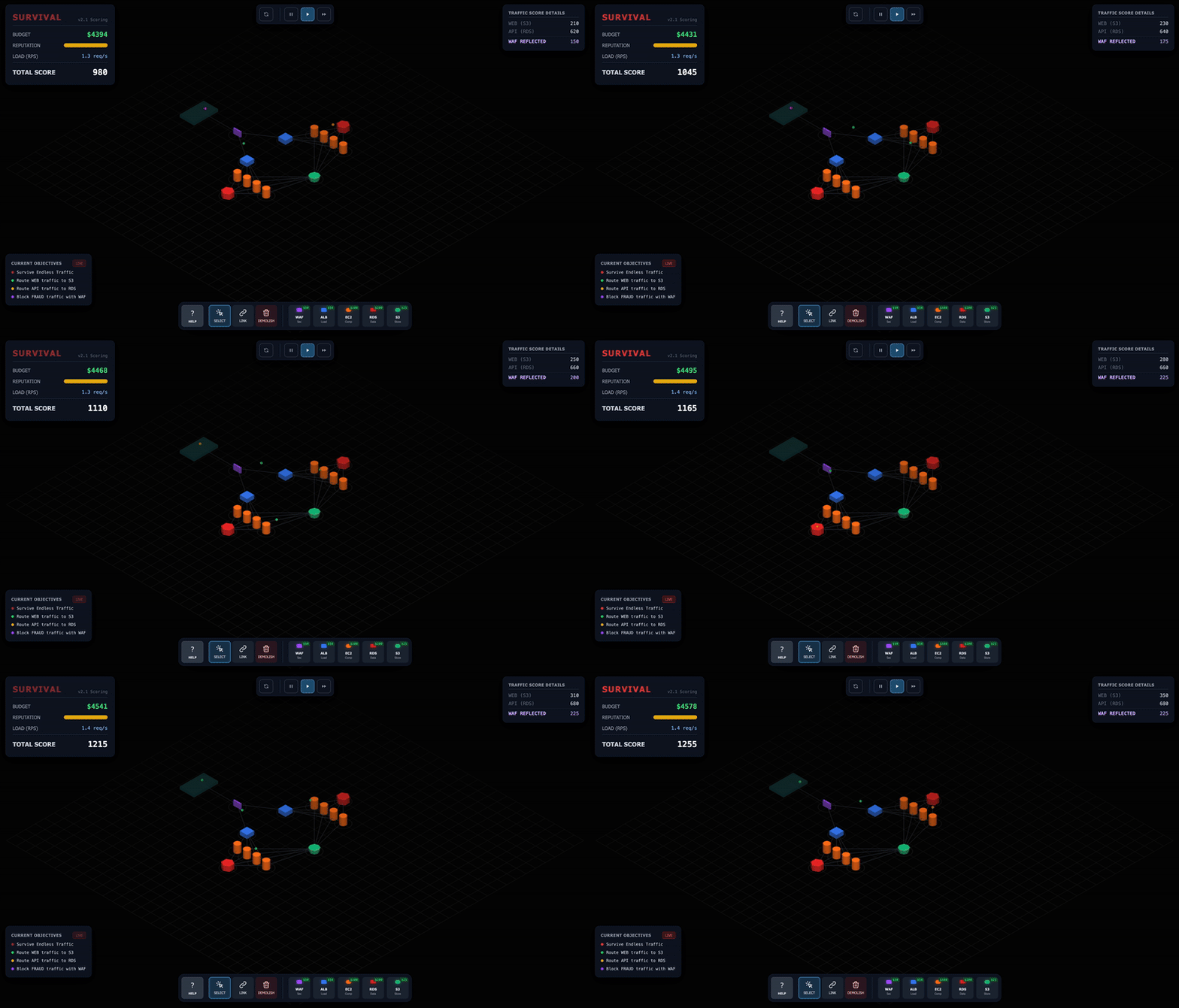
Server Survival is an interactive 3D simulation game where you play as a Cloud Architect. Your mission is to build and scale a resilient cloud infrastructure to handle increasing traffic loads while fighting off DDoS attacks, managing your budget, and keeping your services healthy.
Learn cloud by playing:

🏭 New: Datacenter Survival — the sister game. This one teaches the logical layer of the cloud; that one teaches the physical layer it runs on: power chains, heat, cooling, PUE. Play it here.
Game Modes
- Survival — the core experience: survive as long as possible against escalating traffic, DDoS spikes, random events, and service degradation.
- Campaign — 25 hand-crafted levels across 5 chapters (Basics → Optimization → Defense & Mastery → Production Readiness → The AI Wave). Each level teaches one architecture concept with pre-built diagrams, objectives, and a debrief.
- Sandbox — a free-play lab: any budget, any traffic mix, no game over. Experiment with all 26 services.
What It Teaches
Every mechanic is a real cloud concept in miniature:
- Observability — place a Monitoring node to unlock a live metrics dashboard (RPS, error rate, latency sparklines) and alerts. Level 15 makes you fly blind without it first.
- Auto-scaling & cold start — Compute fleets scale out at 70% utilization and back in at 30%, but new instances need warmup time (Containers even more so).
- Queue-depth scaling — a queue-fed fleet scales on queue pressure, not just CPU, so backlogs trigger scale-out.
- Circuit breaking & retries — overloaded downstreams trip a breaker (50% error rate over a rolling window), traffic is retried with backoff, and SPOFs get flagged.
- Multi-region failover — GeoDNS splits traffic across regional stacks; region-outage events show why one region is never enough.
- Inference serving & batching — the GPU Cluster batches INFERENCE requests (up to 8/12/16 by tier) into one job that amortizes a fixed per-batch cost, so profit is all utilization: a full batch prints money, a half-fed GPU bleeds its $60/min upkeep.
- Model cold starts & quality — a GPU loads its model for 12/20/30s before serving anything, and every tier upgrade reloads it; bigger models also answer better (10% → 4% → 1% bad-answer risk, −0.5 reputation per bad answer).
- Inference SLOs — the Inference Gateway buffers for warming or busy GPUs but expires anything older than its 6s deadline: a stale generation is failed honestly, never served.
- Power as the constraint — the grid carries 8 kW, every GPU draws 6, and a Substation adds 6: the fleet's ceiling is bought in watts before it is bought in dollars.
- OLTP vs OLAP — the Data Warehouse takes analytics writes cheaply but refuses realtime reads; the Relational DB does the opposite trade.
- Failure-reason badges — every dropped request pops a badge on the node that dropped it, saying why (no route, capacity, read-only replica, search-only index...).
How to Play
Objective
Survive as long as possible! Manage your Budget ($), Reputation (%), and Service Health.
- Earn Money by successfully processing legitimate traffic requests.
- Lose Reputation if requests fail or if malicious traffic slips through.
- Maintain Health - Services degrade under load and need repairs.
- Game Over if Reputation hits 0% or you go bankrupt ($-1000).
Traffic Types
| Traffic |
Color |
Destination |
Reward |
Description |
| STATIC |
Green |
CDN / Storage |
$0.50 |
Static file requests (images, CSS, JS) |
| READ |
Blue |
Replica / NoSQL / SQL DB |
$0.80 |
Database read operations |
| WRITE |
Orange |
NoSQL / SQL DB / Warehouse |
$1.20 |
Database write operations |
| UPLOAD |
Yellow |
Storage / Warehouse |
$1.50 |
File uploads |
| SEARCH |
Cyan |
Search Engine / SQL DB |
$1.20 |
Search queries (Search Engine preferred, SQL DB fallback) |
| MALICIOUS |
Red |
Blocked by Firewall / Identity Provider |
$0 |
DDoS attacks — block them or bleed reputation! |
| INFERENCE |
Fuchsia |
GPU Cluster (via Inference Gateway) |
$0.50 |
AI generation requests — batched on GPUs, with per-request generation length |
Infrastructure & Services
Build your architecture using the toolbar. All 26 services are organized into five category tabs — the same taxonomy as the table below. Each service has a cost, capacity, and per-minute upkeep:
| Category |
Service |
Cost |
Capacity |
Upkeep |
Role |
| Front door |
GeoDNS |
$50 |
60 |
$4/min |
Front door for the whole site: splits traffic across independent regional stacks. |
| Front door |
CDN |
$60 |
50 |
$5/min |
Caches STATIC content at the edge (95% hit rate). |
| Front door |
Firewall |
$40 |
30 |
$4/min |
The first line of defense. Blocks malicious traffic. |
| Front door |
Identity Provider |
$55 |
20 |
$6/min |
Adds latency but catches session-based attacks a WAF misses. |
| Front door |
API Gateway |
$70 |
60 |
$8/min |
Rate limits traffic. Throttled requests lose less reputation than failures. Upgradeable T1–T3. |
| Front door |
Load Balancer |
$50 |
20 |
$6/min |
Distributes traffic to multiple Compute instances. |
| Compute |
Compute |
$60 |
4 |
$12/min |
Processes requests. Auto-scales into a fleet (with cold start). Upgradeable T1–T3. |
| Compute |
Serverless Function |
$45 |
30 |
$2/min + $0.03/req |
Auto-scales with traffic. Very low upkeep but pays per completed request — cheap when idle, expensive at high RPS. |
| Compute |
Container Cluster |
$120 |
12 |
$16/min |
Dense fixed capacity at a flat fee. Slow node-pool warmup on scale-out. |
| Compute |
GPU Cluster |
$300 |
8 |
$60/min |
Batches INFERENCE into one amortized job. Model cold-starts on placement and on every tier upgrade; draws 6 kW. Upgradeable T1–T3. |
| Compute |
Inference Gateway |
$70 |
10 (queue 20) |
$5/min |
Holds INFERENCE for warming/full GPUs, dispatches to the least-loaded one — and expires anything older than its 6s deadline. |
| Data |
Relational DB |
$150 |
8 |
$24/min |
Destination for READ/WRITE/SEARCH traffic. Upgradeable T1–T3. |
| Data |
NoSQL DB |
$80 |
15 |
$14/min |
Fast for READ/WRITE, but cannot handle SEARCH queries. Upgradeable T1–T3. |
| Data |
Memory Cache |
$60 |
30 |
$8/min |
Caches responses to reduce DB load. Upgradeable T1–T3. |
| Data |
File Storage |
$25 |
25 |
$5/min |
Destination for STATIC/UPLOAD traffic. |
| Data |
Search Engine |
$120 |
12 |
$16/min |
Specialized for SEARCH queries. 3× faster than SQL DB. Upgradeable T1–T3. |
| Data |
Read Replica |
$100 |
12 |
$12/min |
Offloads READ traffic from the master DB. Requires connection to a DB. Upgradeable T1–T3. |
| Data |
Data Warehouse |
$90 |
40 |
$8/min |
Stores analytics WRITEs cheaply and slowly. Cannot serve realtime READ. |
| Async |
Message Queue |
$45 |
50 (queue 200) |
$3/min |
Buffers requests during spikes. Prevents drops. |
| Async |
Pub/Sub Topic |
$65 |
30 |
$6/min |
Fan-out: one event becomes one delivery per subscriber. |
| Async |
Stream |
$90 |
40 (queue 200) |
$10/min |
High throughput, strictly ordered per partition. A stalled partition backs up its tail. |
| Async |
Dead-Letter Queue |
$55 |
25 |
$4/min |
Parks requests that finally failed, draining them back for a cost. |
| Async |
Scheduler |
$50 |
1 |
$5/min |
Injects its own scheduled batch-job bursts on a timer. |
| Async |
Notification |
$40 |
20 |
$4/min |
Terminal "send": success earns reputation, failures are silent. |
| Ops |
Monitoring |
$75 |
1 |
$8/min |
Unlocks the live metrics dashboard and alerts. |
| Ops |
Substation |
$150 |
1 |
$8/min |
+6 kW of grid capacity on the 8 kW base. GPUs draw 6 kW each and cannot be placed past the cap. |
Scoring & Economy
| Action |
Money |
Score |
Reputation |
| Static Request |
+$0.50 |
+3 |
+0.1 |
| DB Read |
+$0.80 |
+5 |
+0.1 |
| DB Write |
+$1.20 |
+8 |
+0.1 |
| File Upload |
+$1.50 |
+10 |
+0.1 |
| Search Query |
+$1.20 |
+5 |
+0.1 |
| Inference |
+$0.50 |
+15 |
+0.1 |
| GPU Bad Answer |
- |
- |
-0.5 |
| Cache Hit |
+20% reward |
- |
- |
| Attack Blocked |
-$1 (mitigation) |
+10 |
- |
| Request Failed |
- |
-half |
-1 |
| Req. Throttled |
- |
- |
-0.2 |
| Attack Leaked |
-$50 (breach) |
- |
-5 |
Upkeep & Cost Scaling
- Base Upkeep: Each service has per-minute upkeep costs
- Upkeep Scaling: Costs increase 1x to 2x over 10 minutes
- Repair Costs: 15% of service cost to manually repair
- Auto-Repair: +10% upkeep overhead when enabled
Survival Mode
The core experience - survive as long as possible against escalating traffic with constant intervention required:
- RPS Acceleration - Traffic multiplies at time milestones (×1.3 at 1min → ×4.0 at 10min)
- Random Events - Cost spikes, capacity drops, traffic bursts, service outages every 15-45 seconds
- Traffic Shifts - Traffic patterns change every 40 seconds
- DDoS Spikes - 50% malicious traffic waves every 45 seconds
- Service Degradation - Services lose health under load, require repairs
- Health bars, event indicator, finances panel, auto-repair toggle, game-over analysis
Campaign Mode
25 levels across 5 chapters, each one a scenario built around a single lesson:
- Basics (levels 1-3) — your first server, storage, and edge caching with a CDN.
- Optimization (levels 4-10) — caching, queues, read scaling, search, NoSQL, rate limiting, serverless vs compute.
- Defense & Mastery (levels 11-14) — defense in depth, high availability, cost crunches, and Black Friday.
- Production Readiness (levels 15-20) — observability, auto-scaling, node failures, dead-letter queues, fan-out, and two-region failover.
- The AI Wave (levels 21-25) — GPU inference: model cold starts, batch-fill economics, SLO deadlines, the power wall, and a capstone that has to end in the black.
Levels come with pre-built starting architectures, primary and bonus objectives, speedrun stars, and a debrief tip. Later chapters throw forced outages — including a whole region going dark — at your build.
Sandbox Mode
A fully customizable testing environment for experimenting with any architecture:
| Control |
Description |
| Budget |
Set any starting budget (slider 0-10K, or type any amount) |
| RPS |
Control traffic rate (0 = stopped, or type 100+ for stress tests) |
| Traffic Mix |
Adjust all 7 traffic type percentages independently |
| Burst |
Spawn instant bursts of specific traffic types |
| Upkeep Toggle |
Enable/disable service costs |
| Clear All |
Reset all services and restore budget |
No game over in Sandbox - experiment freely!
Share Your Architecture
Built something you're proud of? The share panel exports your architecture two ways:
- PNG export — a clean image of your diagram to post anywhere.
- Shareable URL — your whole build encoded in a
?arch= link; anyone who opens it gets your architecture loaded and ready to run.
Controls
- Left Click: Select tools, place services, and connect nodes.
- Right Click + Drag: Pan the camera.
- Scroll: Zoom in and out.
- WASD / Arrows: Move camera (pan) when zoomed in.
- ESC: Open main menu and pause game. Press again or click Resume to close menu (stays paused).
- Camera Reset: Press
R to reset the camera position.
- Birds-Eye View: Press
T to switch between isometric and top-down view.
- Hide HUD: Press
H to toggle UI panels.
- Category Tabs: The toolbar groups services into five tabs — Front Door, Compute, Data, Async, Ops. Keys
1-5 switch between them.
- Connect Tool: Click two nodes to create a connection (flow direction matters!).
- Valid Flows: Internet -> (GeoDNS/Firewall/CDN/API Gateway) -> Load Balancer -> Queue -> Compute -> Cache -> (Search Engine/Read Replica/SQL DB/NoSQL DB/Storage)
- Delete Tool: Remove services to recover 50% of the cost.
- Time Controls: Pause, Play (1x), and Fast Forward (3x).
Strategy Tips
- Block Attacks First: Always place a Firewall immediately connected to the Internet. Malicious leaks destroy reputation fast (-5 per leak) and cost $50 per breach.
- Use CDN for Static Content: Connect Internet -> CDN -> Storage. The CDN handles 95% of static traffic cheaply!
- Watch Service Health: Damaged services have reduced capacity. Click to repair or enable Auto-Repair.
- Scale for Traffic Surges: RPS multiplies at milestones - prepare before ×2.0 at 3 minutes!
- Balance Income vs Upkeep: Start lean, scale as income grows. Over-provisioning leads to bankruptcy.
- Use Cache Wisely: Reduces database load significantly for READ requests.
- Buffer with Queue: Queue helps survive traffic burst events without dropping requests — and a queue-fed Compute fleet auto-scales on queue depth.
- React to Events: Watch the event bar - cost spikes mean hold off on purchases, traffic bursts mean ensure capacity.
- API Gateway for Graceful Degradation: Throttled requests only lose -0.2 reputation (vs -1.0 for failures). Great for surviving traffic spikes!
- Split DB Traffic with NoSQL: Route READ/WRITE to NoSQL (faster, cheaper) and keep the Relational DB for SEARCH queries only.
- Search Engine for SEARCH Storms: SEARCH is the heaviest traffic type (2.5x weight). A dedicated Search Engine processes it 3x faster than SQL DB.
- Read Replica for READ offloading: Under "API Heavy" or "Read Heavy" shifts, a Read Replica prevents your main DB from drowning in READ requests.
- Serverless Function = pay-per-use: Great for spiky traffic, but monitor finances — per-request cost ($0.03) adds up fast at high RPS.
- Place Monitoring early: The metrics dashboard shows error rates and latency before the failure badges start raining.
- Read the failure badges: Every dropped request tells you why it died — the badge is the lesson.
Tech Stack
- Core: Vanilla JavaScript (native ES modules — an explicit module graph under
src/, no bundler)
- Rendering: Three.js for 3D visualization.
- Styling: Tailwind CSS for the glassmorphism UI.
- Build: No build step required! The game is served raw from this repo by GitHub Pages.
Getting Started
To play, click PLAY NOW. No
install, no build, no account.
To run your own copy — a fork, or a change you just made — serve the folder
instead of opening the file. The game is native ES modules, and browsers fetch
module scripts in CORS mode, so a file:// origin is blocked and
double-clicking index.html gets you the UI shell over an empty canvas. Any
static server works, and one is already on your machine:
git clone https://github.com/pshenok/server-survival.git
cd server-survival
python3 -m http.server 8000    # then open http://localhost:8000
For Contributors
There is still zero build step — the dev tooling is optional and for contributors only:
npm install once, then npm run check runs ESLint + the full Vitest suite (61 test files, 1087 tests).- CI runs the same check on every PR.
- The code is native ESM:
game.js plus focused modules under src/ (sim/, core/, ui/, campaign/, persistence/, input/).
See CONTRIBUTING.md for the workflow.
Join our Discord server to discuss strategies and share your high scores:
Join Discord
Built with code and chaos.

 Server Survival — интерактивная 3D-игра в стиле tower defense, где вы играете за облачного архитектора: строите и масштабируете облачную инфраструктуру, чтобы выдержать растущий трафик и DDoS-атаки, и при этом изучаете реальные концепции облачной архитектуры.