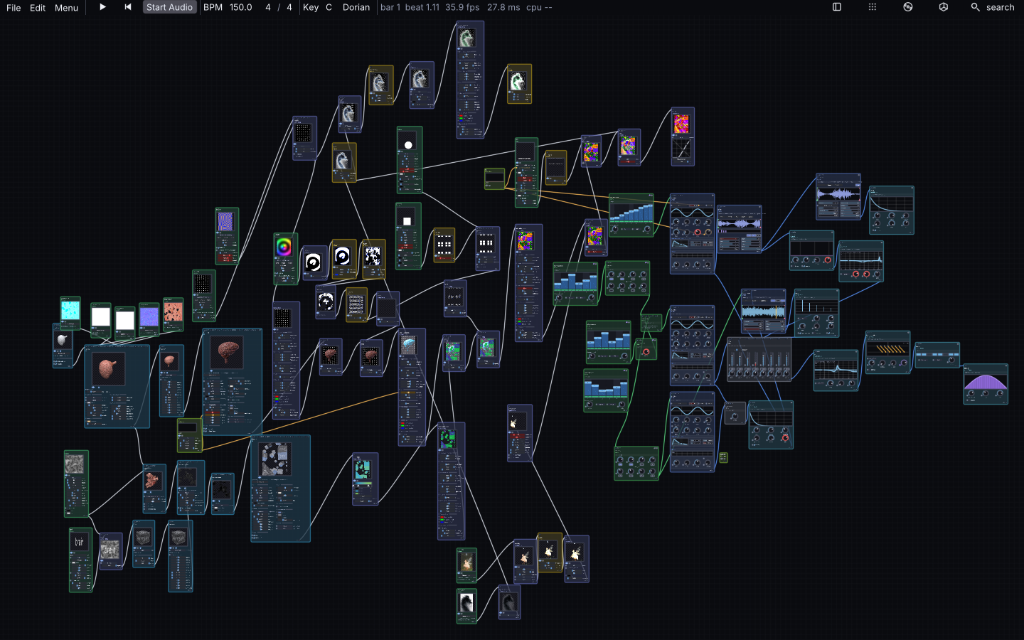
Infinite is a free, open-source audiovisual workstation made by Naman Soni (n1m21n). A unified node-based audiovisual modular workstation for macOS, Windows, and Linux. Real-time GPU image/video compositing, procedural 3D geometry and physics, and a full modular synthesizer rack with native AU and VST3 plugin hosting — all interconnected through a universal modulation graph. Most nodes do one fixed thing; Field, Infinite's embedded programming language, lets you write what a node does instead.
Download
Always the newest release. All files, checksums and release notes are on the Releases page.
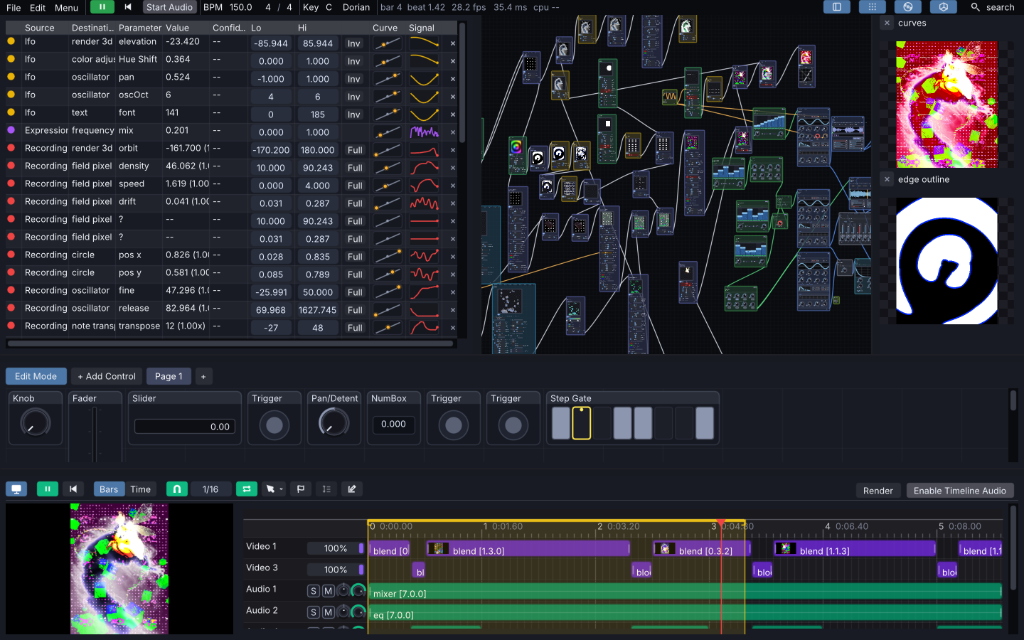
Arrangement Timeline: A full clip-based arrangement editor alongside the node canvas — tick-accurate scheduling off the same BPM transport, blade tool, track groups, marquee multi-select, drag-and-drop media import, live waveform/video-thumbnail rendering, and a render/export queue.
Dual Synchronized DAG Engine: High-throughput GPU texture pipeline (GLSL / OpenGL 3.2 Core) running in lockstep with a sample-accurate, pull-based audio graph tied to a global BPM transport.
Universal Cross-Domain Modulation: Modulate any shader parameter, 3D transform, audio synth control, or hosted plugin slider via LFOs, CV sequencers, live audio FFT spectrum analysis, or video analysis.
AU & VST3 Plugin Hosting: Host third-party Audio Unit (macOS) and VST3 (macOS, Windows, Linux) plugins with native GUI windows and automatable/modulatable parameter controls.
Procedural 3D & Physics Solvers: Meshes, 3D splines, point scattering, single-draw-call GPU instancing (Instance on Points), PBD cloth/soft-body physics, particle systems, and PBR rendering (Cook-Torrance GGX + ACES tonemapping + 32-bit HDRI).
2D Shaders & Generative FX: 32 blend modes, live GLSL editor, video & camera playback, Syphon (macOS) / Spout (Windows) zero-copy video I/O, NDI video in/out over the network (needs the free NDI runtime), reaction-diffusion, and on-device ML subject background removal.
Node Library Overview
Infinite features 300+ modular node types:
Domain
Key Nodes
2D & Video
Image, folder Slideshow, Video (hardware-accelerated), Syphon In / Spout In, NDI In, Paint/Draw canvas, GLSL Formula editor, Sketch (JavaScript-drawn images, with SVG animation), Shapes (SDF), Noise & Gradient Ramps
Field Modifier, Field Primitive, Field Effect, Field Synth, Field Pixel, Field Graph — see below
Notes & MIDI
Live MIDI input/clock, Arpeggiator, Note Sequencer, Chorder, Strum, Bouncing Balls (physics notes), Humanizer, Quantizer, MIDI File player, MIDI Out (hardware and virtual ports, CC and clock), Field Notes (a Field script that plays notes)
Audio FX & Plugins
AU / VST3 Plugin Host, Filters, EQ, Dynamics, Lookahead Limiter, Delay, Reverb, Drive/Saturation, Pitch & Frequency Shifters, Chorus, Phaser, Formant
Modulators & Analysis
LFO, Random, Pattern CV, Envelope Follower, Math, XY Pad, Audio Analyze (8-band FFT / onset), Image Analyze (luminance / motion), Hand / Face / Pose Track (camera to modulators, via the Tracking pack)
Output & I/O
Spatial Mixer (3D headphone mix with head tracking), PNG snapshot, H.264/MOV video recording with synchronized audio, Syphon Out / Spout Out, NDI Out
The full catalogue, including every node's pins and parameters, is in the Node Reference Manual.
Infinite also renders headless, with no window: pictures, video and sound straight from a .inf text file on the command line. See the Headless User Guide (Markdown).
Field: write what a node does
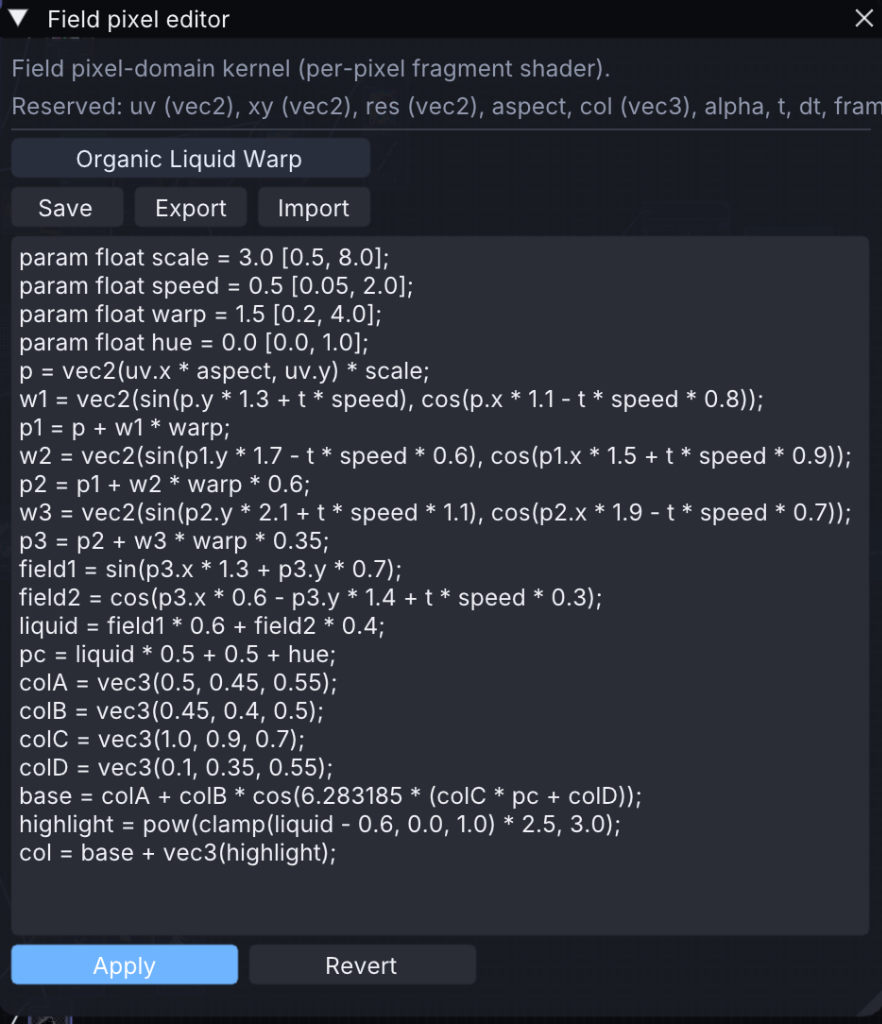
Every other node in Infinite does one fixed thing — a Blur node blurs, a Delay node delays. Field nodes are different: you write a short kernel, and Field figures out where it runs from what the code touches.
col = vec3(uv.x, uv.y, 0.5)              // once per pixel, on the GPU — a shader
P.y += sin(P.x * 4.0 + t) * 0.2          // once per point in a mesh — a geometry deformer
out = in * gain                          // once per audio sample — a DSP effect
That's the one idea underneath the whole language: a kernel, run once per element of a domain, forever. You never declare where it runs — the domain (and therefore the backend it compiles to) is inferred. Field currently spans five domains and seven node types:
Node
Domain
What it does
Field Modifier
element
Per-vertex kernel over existing geometry — modifies P, N, uv, Cd and custom attributes
Field Primitive
element
Generates procedural point geometry from scratch (Circle, Spiral, Grid Lattice, Fibonacci Sphere, Helix, Torus Knot)
Field Effect
sample
Per-sample audio DSP kernel; in/out, state for per-voice memory, param for knobs
Field Synth
sample
Polyphonic note-driven synth voice using the same sample compiler, with freq/gate in place of an audio input
Field Pixel
pixel
Per-pixel kernel compiled straight to GLSL; state cells with [wrap] support feedback and stencils
Field Notes
sample
Per-sample note kernel: note(pitch, vel, len) sends notes out, and tick(div), deg(d), rand() and beat read the transport
Field Graph
graph
Runs once at edit time — emit()/connect()/set()/place() declaratively mount and wire real Infinite nodes into a bundle ("Instrument Mode" collapses it to one box; "Unpack to Canvas" expands it back out)
Any element/pixel/sample kernel can also declare dynamic pins right in its code, adding real, cable-wireable, save/load-safe I/O to the node without touching C++. Finished devices — kernel plus params plus presets — save, load, export and import as portable .field files, so a Field patch is shareable like an audio plugin preset. The full language reference — syntax, domain-transfer operators, reserved words, and the complete node/format reference — is in the Field Language Manual.
Installation & Quick Start
Pre-built App (macOS, Windows & Linux)
Download the latest build for your platform from GitHub Releases: Infinite.dmg for macOS, Infinite-windows-x64.zip / Infinite-windows-ARM64.zip for Windows, or Infinite-x86_64.AppImage for Linux.
macOS (Infinite is not notarized by Apple, so the first launch needs one extra step)
Open the DMG and drag Infinite.app to Applications.
Double-click Fix & Open Infinite.command in the DMG and press y. It clears the download flag on Infinite only, then opens it.
Or do it by hand: try to open Infinite once, then System Settings → Privacy & Security → Open Anyway (macOS 15 and later), or right-click Infinite.app → Open (older macOS).
Or in Terminal: xattr -dr com.apple.quarantine /Applications/Infinite.app
Windows
Unzip the x64 or ARM64 build for your CPU.
Run Infinite.exe. The build is not code-signed, so Windows SmartScreen may say "Windows protected your PC": click More info, then Run anyway. It asks once per download.
Linux
chmod +x Infinite-x86_64.AppImage
Run ./Infinite-x86_64.AppImage. It bundles the static AppImage runtime, so no libfuse2 install is needed. If it's running in a container or on a system with no /dev/fuse, use ./Infinite-x86_64.AppImage --appimage-extract-and-run instead.
Build from Source
macOS
Requirements: CMake 3.16+ and Xcode Command Line Tools.
git clone https://github.com/n1m21n/Infinite.git
cd Infinite
cmake -B build -DCMAKE_BUILD_TYPE=Release
cmake --build build -j8
open build/Infinite.app
To create a standalone DMG installer, run ./package.sh.
Windows
Requirements: CMake 3.16+ and Visual Studio 2022/2026 (MSVC v143+, Desktop development with C++).
git clone https://github.com/n1m21n/Infinite.git
cd Infinite
cmake -S . -B build -G "Visual Studio 17 2022" -A x64
cmake --build build --config Release
.\build\Release\Infinite.exe
To create a packaged portable folder, run powershell -ExecutionPolicy Bypass -File package.ps1.
Linux
Requirements: CMake 3.16+, a C++20 compiler (Clang or GCC), Ninja, and the dev packages in tools/linux/deps-apt.sh (X11/GLFW/ALSA/fontconfig headers etc.). x86_64, glibc ≥ 2.35 (Ubuntu 22.04+ or equivalent) if you want the result to match the published AppImage's floor.
To package a portable AppImage, run tools/linux/package-appimage.sh build-linux artifacts-linux. A containerized dev environment (no local dep install needed) is available via tools/linux/local.sh build — see that script for details.
The Linux build has the same node graph and file format as macOS/Windows, with these platform gaps:
No Syphon/Spout equivalent — no zero-copy video I/O with other apps.
No Audio Unit (AU) hosting — VST3 only (same as Windows).
No LV2 plugin hosting.
No complex-script text shaping (no HarfBuzz) — Latin-script text renders correctly, but right-to-left and complex scripts (Arabic, Devanagari, etc.) may not.
VST3 plugin editor windows need X11 or XWayland; a pure-Wayland session without XWayland cannot show plugin GUIs.
x86_64 only — no arm64 build is published.
Contributing
Contributions, bug reports, and node ideas are welcome!
The tools and papers Infinite builds on are named in ACKNOWLEDGEMENTS.md, and the people who contributed are credited in CONTRIBUTING.md.
Cite & credit
If you write about, review or build on Infinite, please credit it as: Infinite, by Naman Soni (n1m21n), https://infinitedevices.org. GitHub's "Cite this repository" button uses CITATION.cff.
License
Infinite's source code is licensed under the MIT License. Default builds include VST3 plugin hosting linking the Steinberg VST3 SDK (GPLv3). Build with -DINFINITE_ENABLE_VST3=OFF for a pure MIT binary.
Infinite (n1m21n/Infinite)
Choose a tag and it will appear here. With no tags selected, all catalog projects are shown.
Searching Database…
Choose a tag and it will appear here. With no tags selected, all catalog projects are shown.










 Infinite 是一个免费开源的节点式视听工作站,把实时 GPU 视频/3D 合成、模块合成器机架和原生插件宿主结合在一起,全部在同一个 patch 里连线。