





What is this?
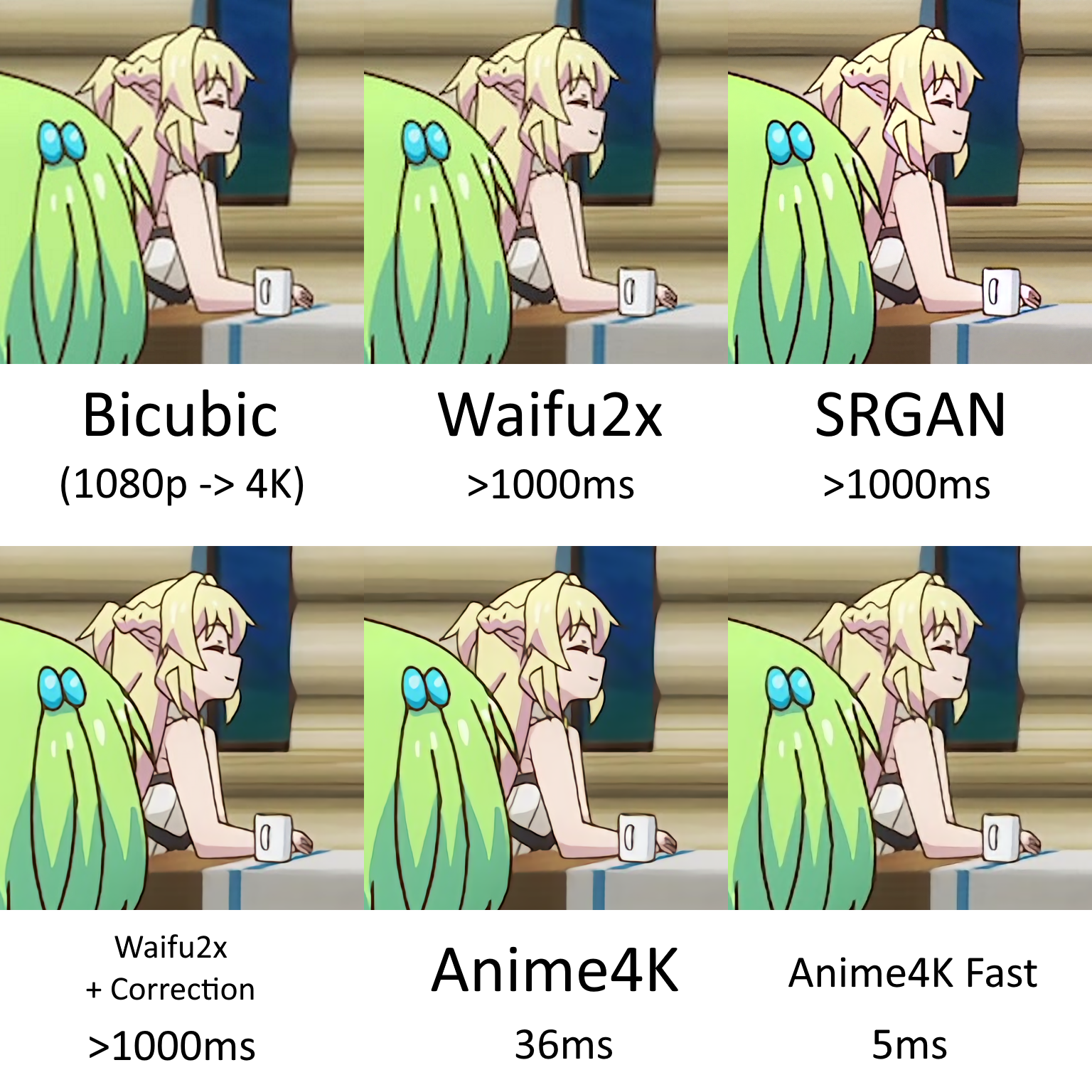
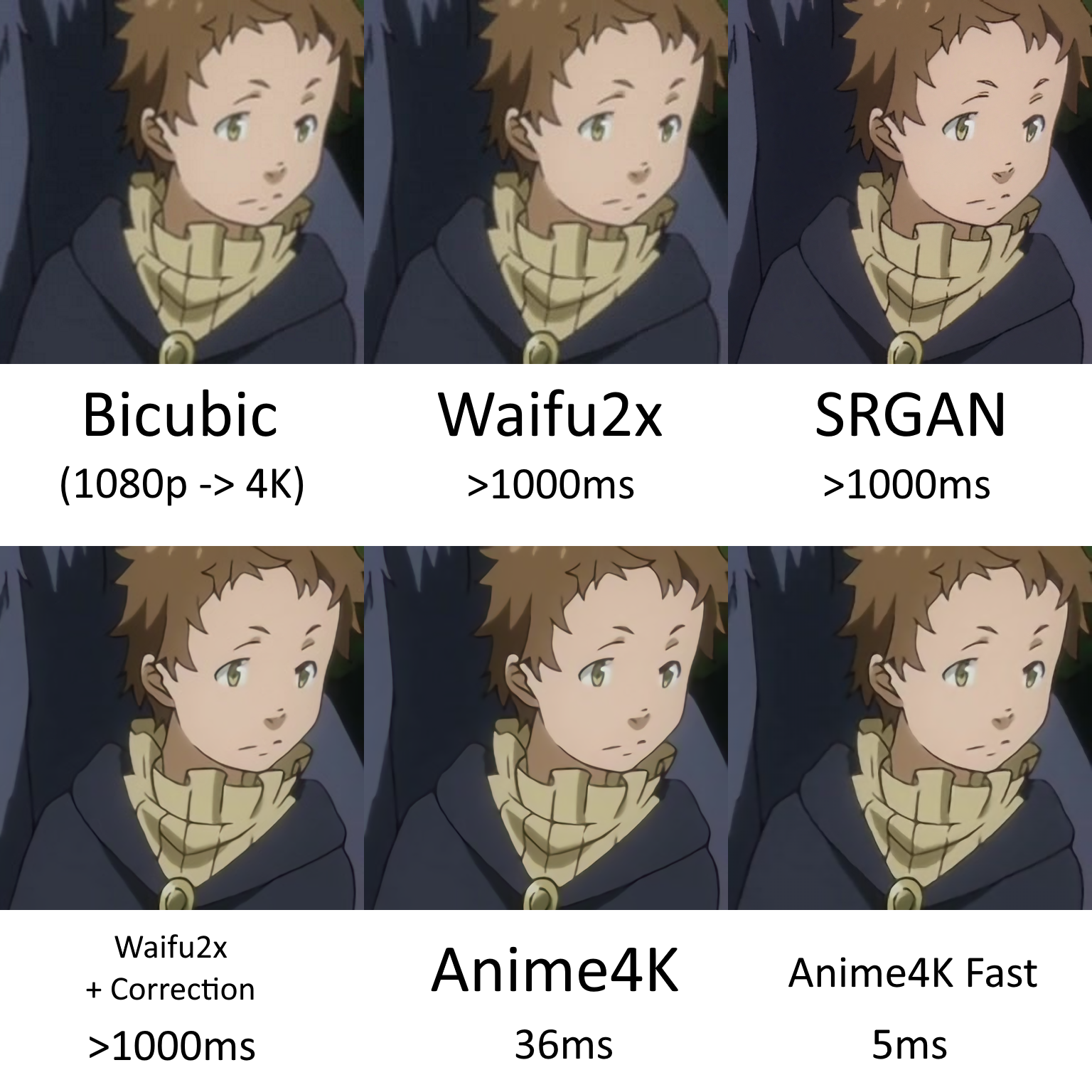
 Anime4K is a set of open-source, real-time upscaling and denoising algorithms, implemented as GLSL shaders, that sharpen and upscale anime video on the fly inside your media player instead of permanently re-encoding the file.
Anime4K is a set of open-source, real-time upscaling and denoising algorithms, implemented as GLSL shaders, that sharpen and upscale anime video on the fly inside your media player instead of permanently re-encoding the file.Is this a standalone app or something I load into my player?It is not a standalone app by itself — it is a library of GLSL shaders you load into a shader-capable media player (mpv, IINA, Plex), though several community projects wrap it into ready-made GUI applications.
It is not a standalone app by itself — it is a library of GLSL shaders you load into a shader-capable media player (mpv, IINA, Plex), though several community projects wrap it into ready-made GUI applications.How do I get it running?Follow the installation guide for your platform: on Windows and Linux you load the shaders via GLSL/MPV or GLSL/Plex, and on Mac you additionally have GLSL/IINA; each guide walks through pointing your player's shader pipeline at the Anime4K shader files.
Follow the installation guide for your platform: on Windows and Linux you load the shaders via GLSL/MPV or GLSL/Plex, and on Mac you additionally have GLSL/IINA; each guide walks through pointing your player's shader pipeline at the Anime4K shader files.Do I need a specific media player instead of just any video player?Yes — since Anime4K is implemented as GLSL shaders, you need a player with GLSL shader support, such as mpv, IINA, or Plex; the README provides separate setup guides for each.
Yes — since Anime4K is implemented as GLSL shaders, you need a player with GLSL shader support, such as mpv, IINA, or Plex; the README provides separate setup guides for each.Does it work well on any anime video, or are there catches?It is tuned for native 1080p anime encoded with h.264, h.265, or VC-1; it is not optimized for downscaled 720p/480p or old standard-definition sources, and very old anime with heavy compression or blur artifacts are hard to clean up.
It is tuned for native 1080p anime encoded with h.264, h.265, or VC-1; it is not optimized for downscaled 720p/480p or old standard-definition sources, and very old anime with heavy compression or blur artifacts are hard to clean up.Do I need a powerful GPU to run this in real time?Yes, real-time shader upscaling is GPU-bound; the project's benchmarks were measured on an AMD Vega64, and it notes CUDA tensor-core implementations can be even faster but aren't available outside CUDA.
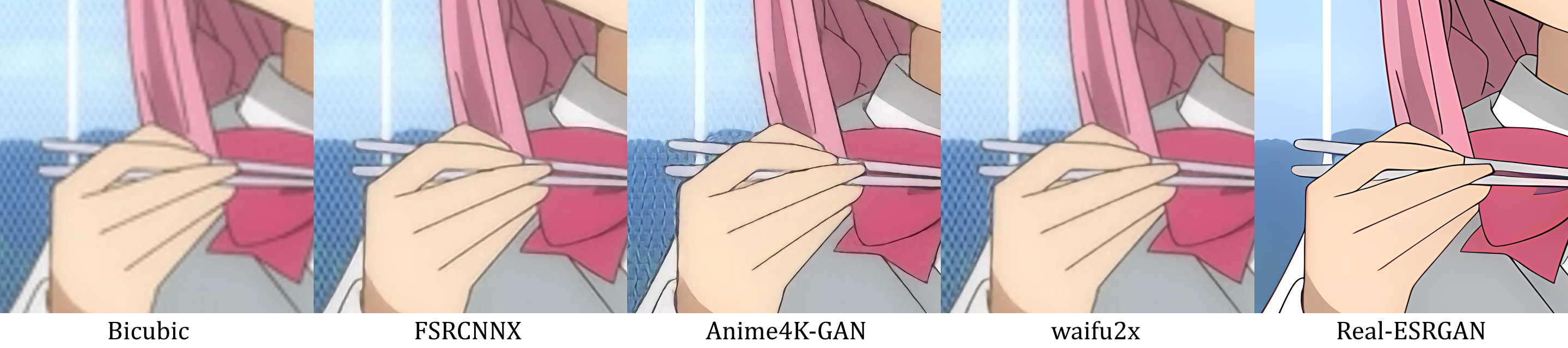
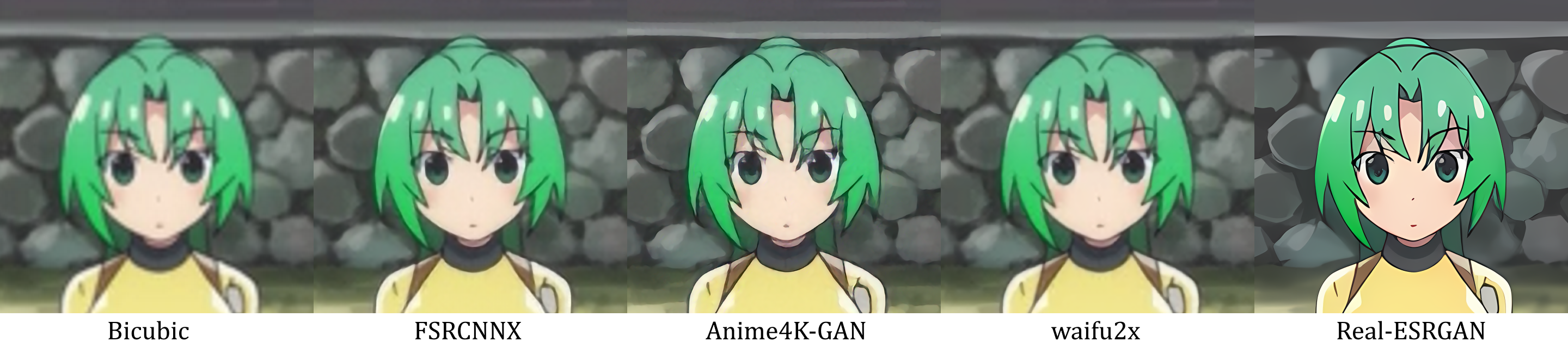
Yes, real-time shader upscaling is GPU-bound; the project's benchmarks were measured on an AMD Vega64, and it notes CUDA tensor-core implementations can be even faster but aren't available outside CUDA.How does this compare to waifu2x or other AI upscalers like Real-ESRGAN?Anime4K is designed to run in real time during playback, while GAN-based upscalers like waifu2x and Real-ESRGAN produce better results on heavily degraded or low-resolution images but are far too slow to use live.
Anime4K is designed to run in real time during playback, while GAN-based upscalers like waifu2x and Real-ESRGAN produce better results on heavily degraded or low-resolution images but are far too slow to use live.What changed between the v3 and v4 shader versions?v3 split the monolithic shader into modular line-art CNN upscalers, deblurring, denoising, and resampling-artifact shaders; v4 added a line reconstruction algorithm that explicitly corrects the distribution shift seen in real-world, inconsistently composited 1080p anime.
v3 split the monolithic shader into modular line-art CNN upscalers, deblurring, denoising, and resampling-artifact shaders; v4 added a line reconstruction algorithm that explicitly corrects the distribution shift seen in real-world, inconsistently composited 1080p anime.Is there a simpler app instead of manually configuring shaders?Yes, the community has built several ready-made tools on top of Anime4K, including a Windows 10/11 GUI upscaler, a Metal-based app for Apple platforms, and reimplementations in PyTorch, C#, Rust, and C++.
Yes, the community has built several ready-made tools on top of Anime4K, including a Windows 10/11 GUI upscaler, a Metal-based app for Apple platforms, and reimplementations in PyTorch, C#, Rust, and C++.What are similar projects?Waifu2x-Extension-GUI, waifu2x, video2x, pix2pix, Infinite, video2dlssnr, paper2gui, Real-ESRGAN
Waifu2x-Extension-GUI, waifu2x, video2x, pix2pix, Infinite, video2dlssnr, paper2gui, Real-ESRGANWhich topics is it in?anime4k, convolutional-neural-networks, shader, cnn, anime, super-resolution, upscaling, neural-networks, computer-graphics, jupyter-notebook, algorithm, video-processing
anime4k, convolutional-neural-networks, shader, cnn, anime, super-resolution, upscaling, neural-networks, computer-graphics, jupyter-notebook, algorithm, video-processing