245 ·GitHub
What is this?
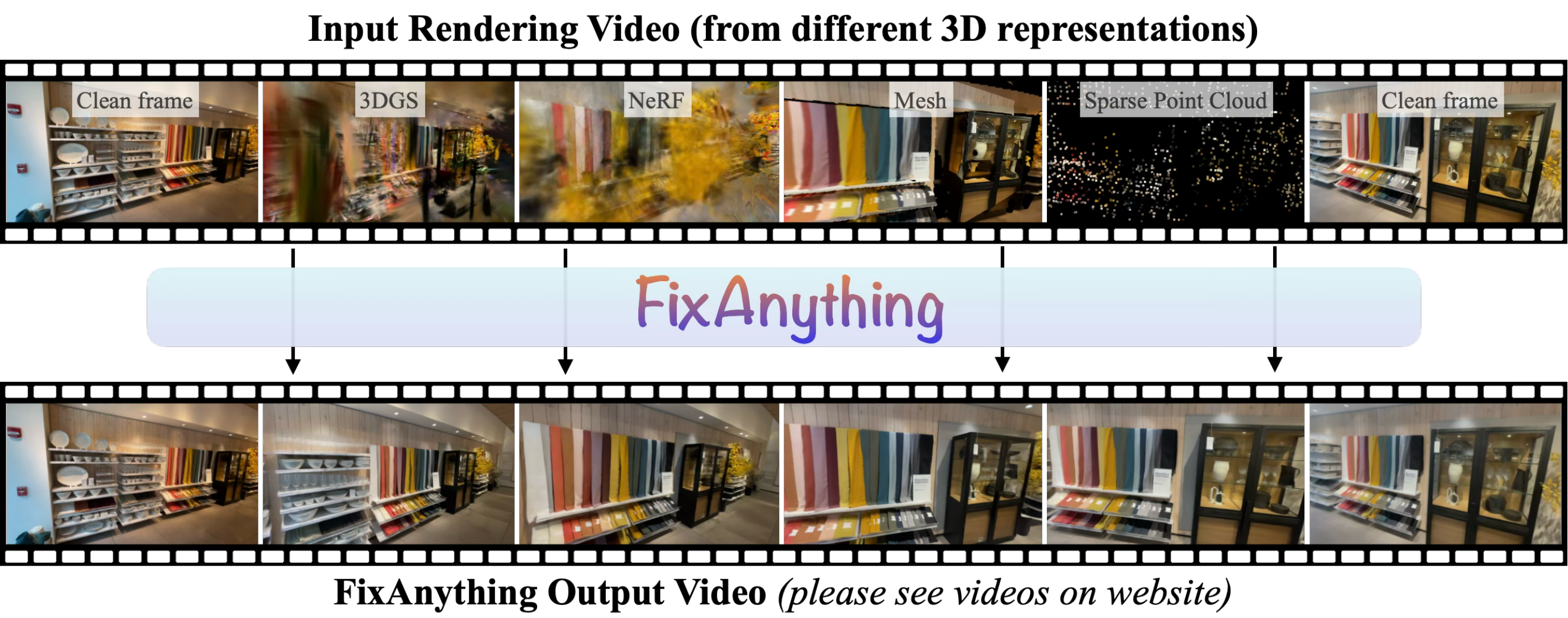
 A research tool from an ECCV 2026 paper: a video diffusion model fine-tuned to repair rendering artifacts from any 3D representation — 3DGS, NeRF, meshes, or sparse point clouds. The repo holds the inference code.
A research tool from an ECCV 2026 paper: a video diffusion model fine-tuned to repair rendering artifacts from any 3D representation — 3DGS, NeRF, meshes, or sparse point clouds. The repo holds the inference code.Is this a desktop app, a library, or something I run from the command line?Command-line Python scripts: runinference.py refines a rendered video, and helper scripts handle checkpoint downloads and photo-based captures. There is no GUI.
Command-line Python scripts: runinference.py refines a rendered video, and helper scripts handle checkpoint downloads and photo-based captures. There is no GUI.How do I get it running?Run scripts/downloadmodels.py to fetch the Wan2.1 base model (about 60 GB) and the FixAnything LoRA into checkpoints/, then run runinference.py on your rendered video.
Run scripts/downloadmodels.py to fetch the Wan2.1 base model (about 60 GB) and the FixAnything LoRA into checkpoints/, then run runinference.py on your rendered video.What should the input video look like?A video of exactly 61 frames rendered along a camera path, ideally starting and ending at the views used to build the representation. Frames are resized to 832×480.
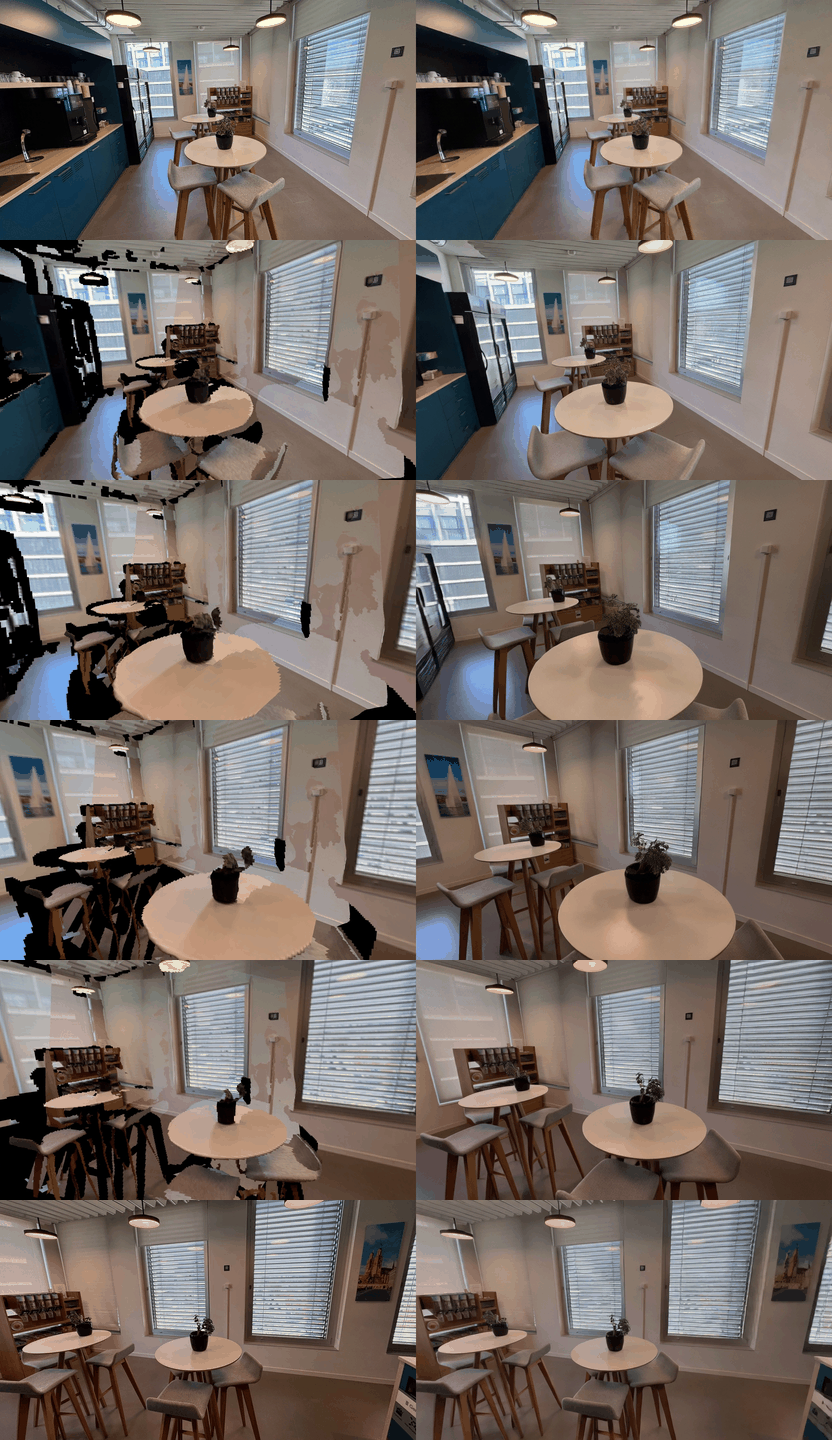
A video of exactly 61 frames rendered along a camera path, ideally starting and ending at the views used to build the representation. Frames are resized to 832×480.I only have a couple of photos of a scene — can I still use it?Yes — scripts/runmapanything.py reconstructs the scene from your photos with MapAnything, renders it along a camera path from the first to the last image, and FixAnything refines that rendering into a clean video.
Yes — scripts/runmapanything.py reconstructs the scene from your photos with MapAnything, renders it along a camera path from the first to the last image, and FixAnything refines that rendering into a clean video.Do I need special hardware to run it?The README lists no hardware requirements, but the base checkpoint is a 14B-parameter video diffusion model weighing about 60 GB on disk, so expect GPU-class hardware and plenty of storage.
The README lists no hardware requirements, but the base checkpoint is a 14B-parameter video diffusion model weighing about 60 GB on disk, so expect GPU-class hardware and plenty of storage.What files do I get after a run?Each run writes generated.mp4 (the refined video), input.mp4 (the resized input) and sidebyside.mp4 (input | refined) to the output folder.
Each run writes generated.mp4 (the refined video), input.mp4 (the resized input) and sidebyside.mp4 (input | refined) to the output folder.Does the repo include training code, or is it inference only?Inference only — the repository contains just the inference code, while the fine-tuned FixAnything LoRA weights are fetched from Hugging Face by the download script.
Inference only — the repository contains just the inference code, while the fine-tuned FixAnything LoRA weights are fetched from Hugging Face by the download script.How does the camera move between two photos?With --trajectory interpolate (the default) the camera travels a straight path between the two input views; the pushin option additionally dollies toward the scene mid-path and back out.
With --trajectory interpolate (the default) the camera travels a straight path between the two input views; the pushin option additionally dollies toward the scene mid-path and back out.Why exactly 61 frames?Internally the last frame is repeated four times (65 frames total) because the Wan VAE encodes the first frame on its own but compresses the rest temporally — this gives the final view more influence; the output is cropped back to 61 frames.
Internally the last frame is repeated four times (65 frames total) because the Wan VAE encodes the first frame on its own but compresses the rest temporally — this gives the final view more influence; the output is cropped back to 61 frames.What are similar projects?WorldSculpt, instant-ngp, FramePack, ml-sharp, spirula-studio, nerfstudio, Marionette, generative-models
WorldSculpt, instant-ngp, FramePack, ml-sharp, spirula-studio, nerfstudio, Marionette, generative-modelsWhich topics is it in?neural-rendering, 3d-reconstruction, arxiv, diffusion, diffusion-models, paper, rendering, video-processing, video-generation, 3d, video, inference
neural-rendering, 3d-reconstruction, arxiv, diffusion, diffusion-models, paper, rendering, video-processing, video-generation, 3d, video, inference