














What is this?
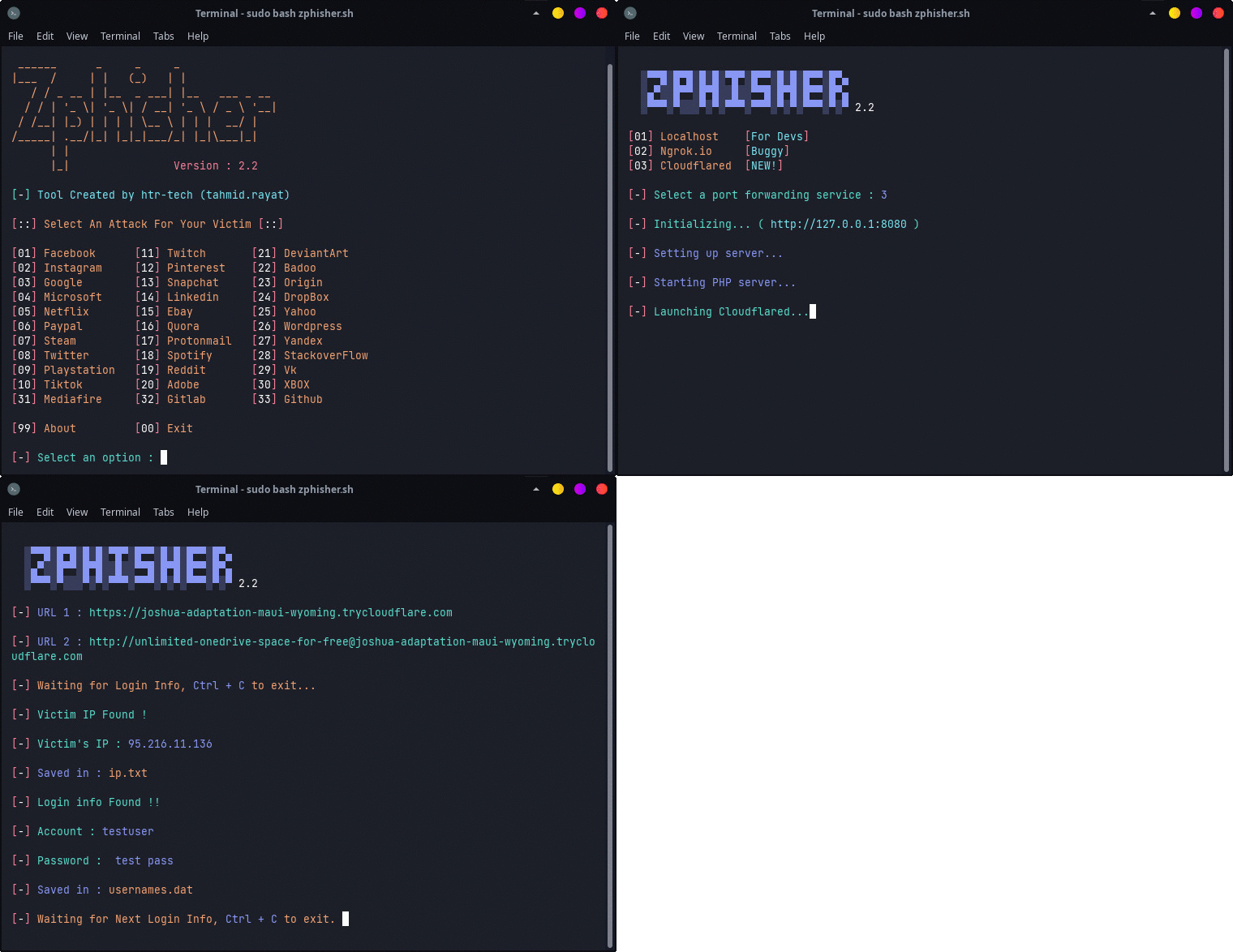
 Zphisher is an automated phishing tool with 30+ ready-made login-page templates, written as a beginners-friendly shell script and intended purely for education.
Zphisher is an automated phishing tool with 30+ ready-made login-page templates, written as a beginners-friendly shell script and intended purely for education.So is it a GUI app or a terminal thing?It's a terminal tool: you clone the repository and run the zphisher.sh script, everything happens in the command line.
It's a terminal tool: you clone the repository and run the zphisher.sh script, everything happens in the command line.How do I get it running?Clone the repository, enter the folder and run zphisher.sh — on first launch it installs its dependencies automatically, and that's it.
Clone the repository, enter the folder and run zphisher.sh — on first launch it installs its dependencies automatically, and that's it.Do I need PHP or anything else set up beforehand?It needs git, curl and php, but you don't have to prepare anything yourself — all dependencies are installed automatically the first time you run it.
It needs git, curl and php, but you don't have to prepare anything yourself — all dependencies are installed automatically the first time you run it.Is it actually legal to use?It's strictly educational — misuse can result in criminal charges, and the contributors take no responsibility. Termux even asks users not to discuss Zphisher in its groups.
It's strictly educational — misuse can result in criminal charges, and the contributors take no responsibility. Termux even asks users not to discuss Zphisher in its groups.Can I run it on my Android phone or only on a PC?Both: it's tested on Ubuntu, Debian, Arch, Manjaro, Fedora and Termux on Android.
Both: it's tested on Ubuntu, Debian, Arch, Manjaro, Fedora and Termux on Android.How do the generated pages reach people outside my machine?Through tunnels: you can serve them via Localhost, Cloudflared or LocalXpose, and Mask URL support can disguise the resulting link.
Through tunnels: you can serve them via Localhost, Cloudflared or LocalXpose, and Mask URL support can disguise the resulting link.What do the 30+ templates actually look like?Ready-made login-page templates that the project keeps up to date — 'Latest and updated login pages' is listed as the first feature.
Ready-made login-page templates that the project keeps up to date — 'Latest and updated login pages' is listed as the first feature.Can I run it in Docker instead of installing it?Yes — images are mirrored on DockerHub and GHCR, or use the run-docker.sh wrapper for a temporary container; remember to mount the auth directory.
Yes — images are mirrored on DockerHub and GHCR, or use the run-docker.sh wrapper for a temporary container; remember to mount the auth directory.What's the easiest way to install it on Android?From Termux, install it via the tur-repo, or download the termux .deb file from the latest release and install it.
From Termux, install it via the tur-repo, or download the termux .deb file from the latest release and install it.What are similar projects?evilginx2, Red-Teaming-Toolkit, thc-hydra, PEASS-ng, TheFatRat, nikto, GhostTrack, wifiphisher
evilginx2, Red-Teaming-Toolkit, thc-hydra, PEASS-ng, TheFatRat, nikto, GhostTrack, wifiphisherWhich topics is it in?phishing, termux, tunnel, hacking-tool, offensive-security, bash, pentesting, penetration-testing, hacking, security-tools, shell, beginner-friendly
phishing, termux, tunnel, hacking-tool, offensive-security, bash, pentesting, penetration-testing, hacking, security-tools, shell, beginner-friendly