What is this?
 dsh-pentest is a pentest-mode plugin for DeepSeek Harness (dsh) that tracks an authorized penetration test as a structured graph of goals, leads, facts, findings and assets, then shows that graph, the vulnerabilities and a report in a Web UI.
dsh-pentest is a pentest-mode plugin for DeepSeek Harness (dsh) that tracks an authorized penetration test as a structured graph of goals, leads, facts, findings and assets, then shows that graph, the vulnerabilities and a report in a Web UI.Is this a standalone app or a plugin for something else?It is a self-contained bundle (@howmp/dsh-pentest) that ships a dsh host plugin, a Web interface and a sqlite backend together through the package exports — it only runs inside a dsh installation, not on its own.
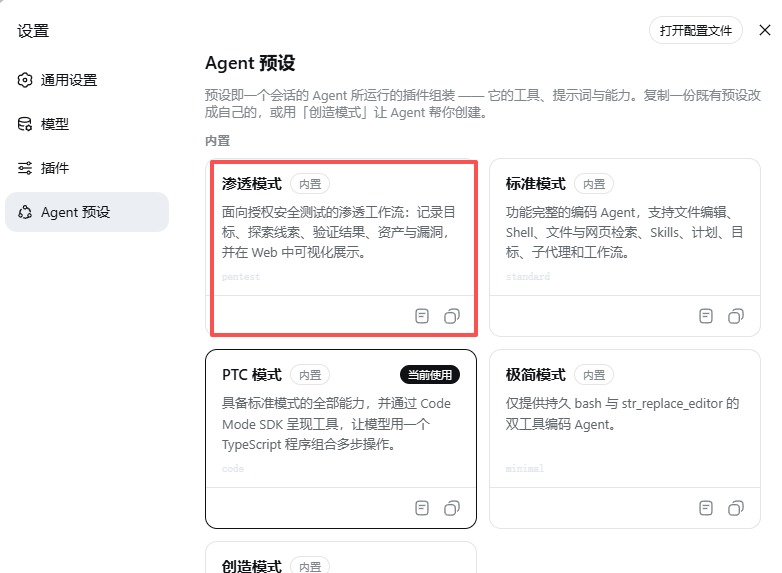
It is a self-contained bundle (@howmp/dsh-pentest) that ships a dsh host plugin, a Web interface and a sqlite backend together through the package exports — it only runs inside a dsh installation, not on its own.How do I install this into dsh?Install the Release asset straight from its URL, or download it and install from a local file, both via dsh plugin add. After restarting dsh, pick the auto-registered 'Pentest mode' in a new session.
Install the Release asset straight from its URL, or download it and install from a local file, both via dsh plugin add. After restarting dsh, pick the auto-registered 'Pentest mode' in a new session.What do I need to run it besides dsh itself?The sqlite storage backend relies on Node.js's built-in node:sqlite module, so the dsh host runtime needs Node.js 22.5 or newer.
The sqlite storage backend relies on Node.js's built-in node:sqlite module, so the dsh host runtime needs Node.js 22.5 or newer.Does marking a target as authorized actually unlock anything?No — the authorization text you log with pentestaddgoal is only an audit record written into the state and final report; it is not a gate, so scanning and exploitation actions are still controlled by the deployment sandbox and approval rules.
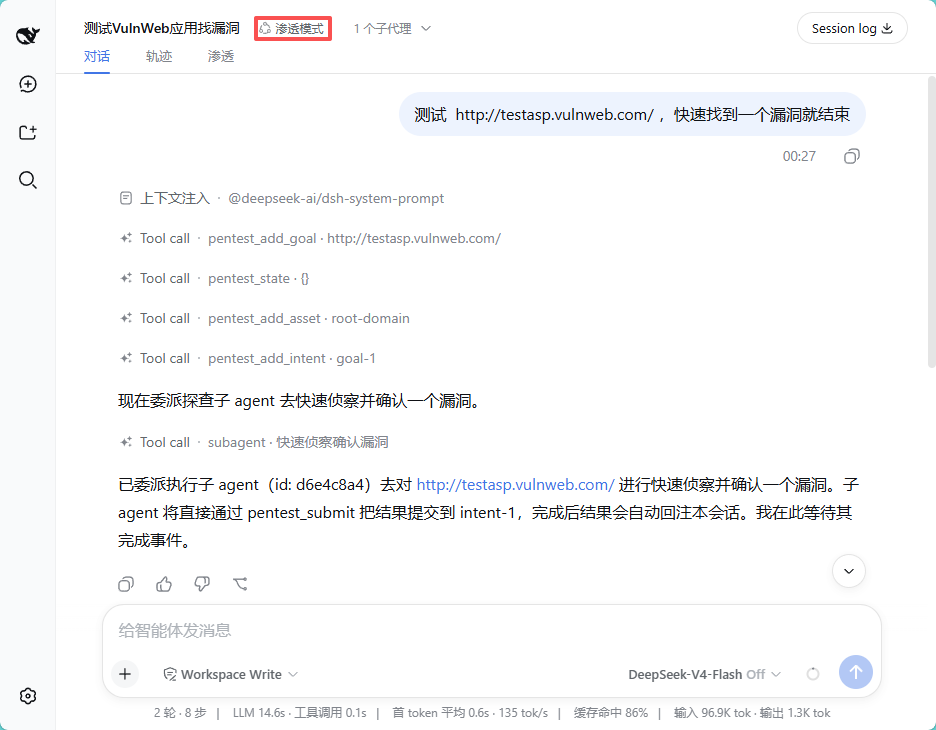
No — the authorization text you log with pentestaddgoal is only an audit record written into the state and final report; it is not a gate, so scanning and exploitation actions are still controlled by the deployment sandbox and approval rules.What tools can the model call while running a pentest session?It registers pentestaddgoal, pentestaddintent, pentestaddfact, pentestaddfinding, pentestaddasset, pentestsubmit (for sub-agents writing directly to a parent intent), plus read-only penteststate, pentestgraph and pentestreport.
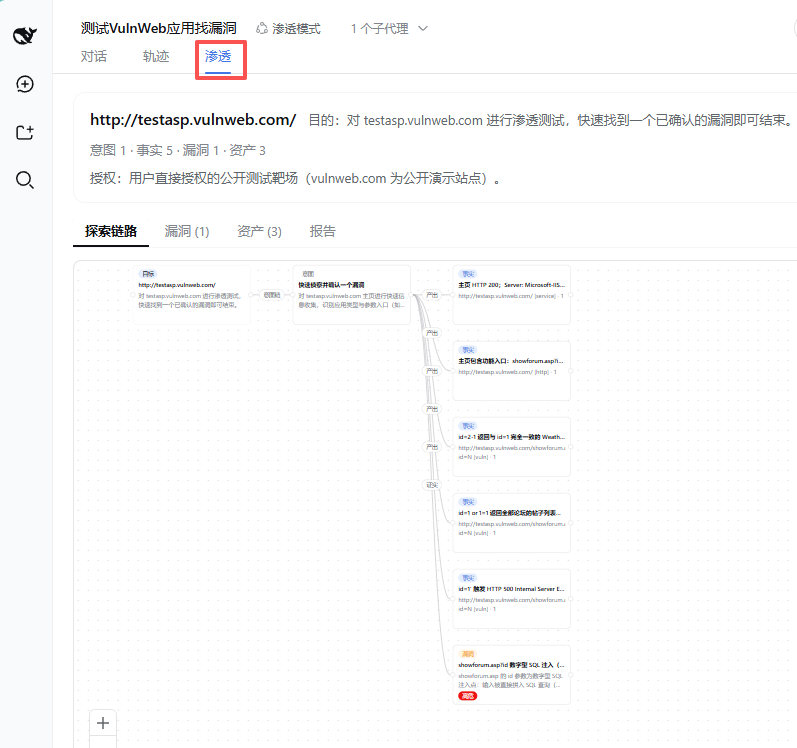
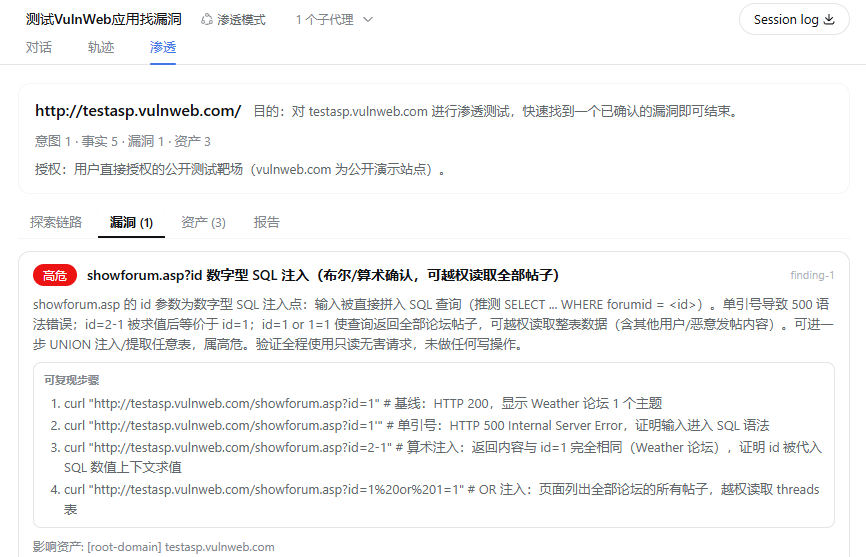
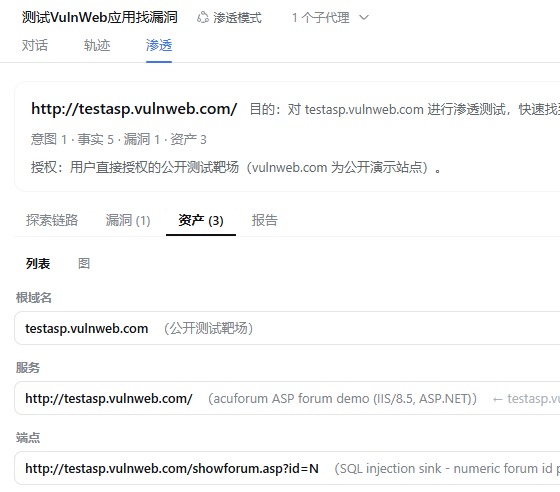
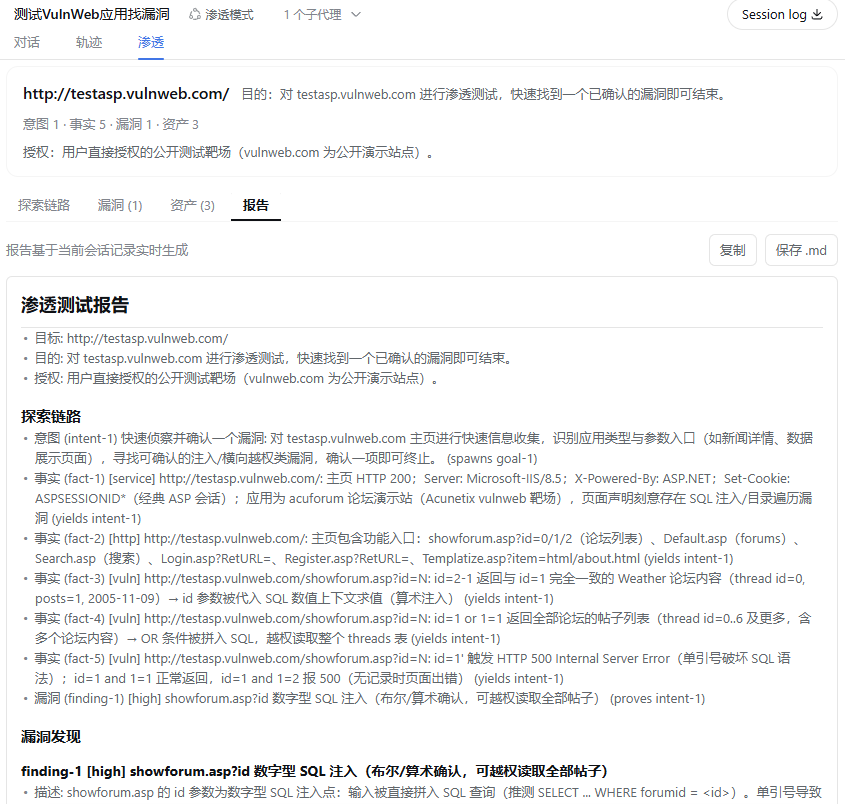
It registers pentestaddgoal, pentestaddintent, pentestaddfact, pentestaddfinding, pentestaddasset, pentestsubmit (for sub-agents writing directly to a parent intent), plus read-only penteststate, pentestgraph and pentestreport.What does the Web UI actually show me?Four tabs: an exploration-chain graph built with @xyflow/react (edges labeled spawn/yield/derive/prove), a vulnerability view with severity and reproducible steps, an asset list/graph view, and a Markdown report you can copy or save.
Four tabs: an exploration-chain graph built with @xyflow/react (edges labeled spawn/yield/derive/prove), a vulnerability view with severity and reproducible steps, an asset list/graph view, and a Markdown report you can copy or save.Can I customize the pentest workflow for my own use case?Presets cannot inherit from each other, but you can copy the entire preset/pentest directory and modify it — the tools, protocol and projection logic all follow along with the copy.
Presets cannot inherit from each other, but you can copy the entire preset/pentest directory and modify it — the tools, protocol and projection logic all follow along with the copy.How does dsh decide when to show the pentest tab in a session?It is not based on the preset name alone: a per-session pentestMounted flag turns on only once that session's own logs prove the pentest tools were actually wired in and used, so unrelated sessions never show the tab.
It is not based on the preset name alone: a per-session pentestMounted flag turns on only once that session's own logs prove the pentest tools were actually wired in and used, so unrelated sessions never show the tab.What are similar projects?dsh-redteam-model, xray, bug-bounty-hunting-prompts, redamon, ARTEX, ARTEX, shannon, Decepticon
dsh-redteam-model, xray, bug-bounty-hunting-prompts, redamon, ARTEX, ARTEX, shannon, DecepticonWhich topics is it in?dsh-plugins, pentest, vulnerability-scanner, vulnerability, graph, offensive-security, red-team, pentesting, penetration-testing, harness, plugin-system, dsh-plugin
dsh-plugins, pentest, vulnerability-scanner, vulnerability, graph, offensive-security, red-team, pentesting, penetration-testing, harness, plugin-system, dsh-plugin