










这是什么?
 Copper 是一个 Rust 运行时和 SDK,用于构建、运行、记录和确定性回放静态的机器人任务图。它常被称为“机器人操作系统”,可运行在从 Linux 到裸机微控制器的各类设备上。
这是一个完整的操作系统内核,还是一个可以编译进机器人代码里的框架?尽管常被称为“机器人操作系统”,它实际上是一个 Rust 框架/运行时。你在 RON 配置文件中声明任务图,它会在编译时被集成进你的二进制文件中,而不是作为独立内核启动。
尽管常被称为“机器人操作系统”,它实际上是一个 Rust 框架/运行时。你在 RON 配置文件中声明任务图,它会在编译时被集成进你的二进制文件中,而不是作为独立内核启动。我该如何构建第一个 Copper 应用?安装最新的稳定版 Rust 工具链,然后使用 Copper 项目生成器搭建应用骨架,其中包含 copperconfig.ron、src/main.rs 和 src/tasks.rs,并附带一个 justfile,可用于查看日志、检查任务图、调度和回放。
安装最新的稳定版 Rust 工具链,然后使用 Copper 项目生成器搭建应用骨架,其中包含 copperconfig.ron、src/main.rs 和 src/tasks.rs,并附带一个 justfile,可用于查看日志、检查任务图、调度和回放。在裸机硬件上运行时有哪些需要注意的地方?如果你在创建项目时选择了裸机/nostd 目标,生成器会跳过基于性能剖析的调度(PGS)的脚手架代码。它生成的默认 schedule.ron 只是一个保守的占位配置,你仍需根据实际工作负载进行调优。
如果你在创建项目时选择了裸机/nostd 目标,生成器会跳过基于性能剖析的调度(PGS)的脚手架代码。它生成的默认 schedule.ron 只是一个保守的占位配置,你仍需根据实际工作负载进行调优。Copper 实际能在什么硬件上运行?它可以运行在 Linux 和 macOS 开发机、树莓派等单板计算机,以及裸机微控制器上,例如四旋翼无人机演示中所用的 STM32H7 飞控。
它可以运行在 Linux 和 macOS 开发机、树莓派等单板计算机,以及裸机微控制器上,例如四旋翼无人机演示中所用的 STM32H7 飞控。我可以把 Copper 和现有的 ROS 2 机器人一起使用吗?可以。Copper 通过 Zenoh 与 ROS 2 连接,因此你可以将它集成到基于 ROS 的技术栈中,并逐步迁移,而无需一次性重写所有代码。
可以。Copper 通过 Zenoh 与 ROS 2 连接,因此你可以将它集成到基于 ROS 的技术栈中,并逐步迁移,而无需一次性重写所有代码。什么是时间旅行调试?你可以在一次已记录的运行中前后定位,恢复任意时间点的任务状态,并使用记录下来的精确输入和机器人时钟重新执行代码,从而调试机器人在真实环境中实际发生的情况。
你可以在一次已记录的运行中前后定位,恢复任意时间点的任务状态,并使用记录下来的精确输入和机器人时钟重新执行代码,从而调试机器人在真实环境中实际发生的情况。什么是基于性能剖析的调度(PGS)?PGS 会把实测的时序、传感器频率和截止时间转换为候选执行调度方案,你可以对这些方案进行基准测试,并将其编译进运行时中。相关辅助命令包括 just pgs-baseline 和 just pgs-measure。
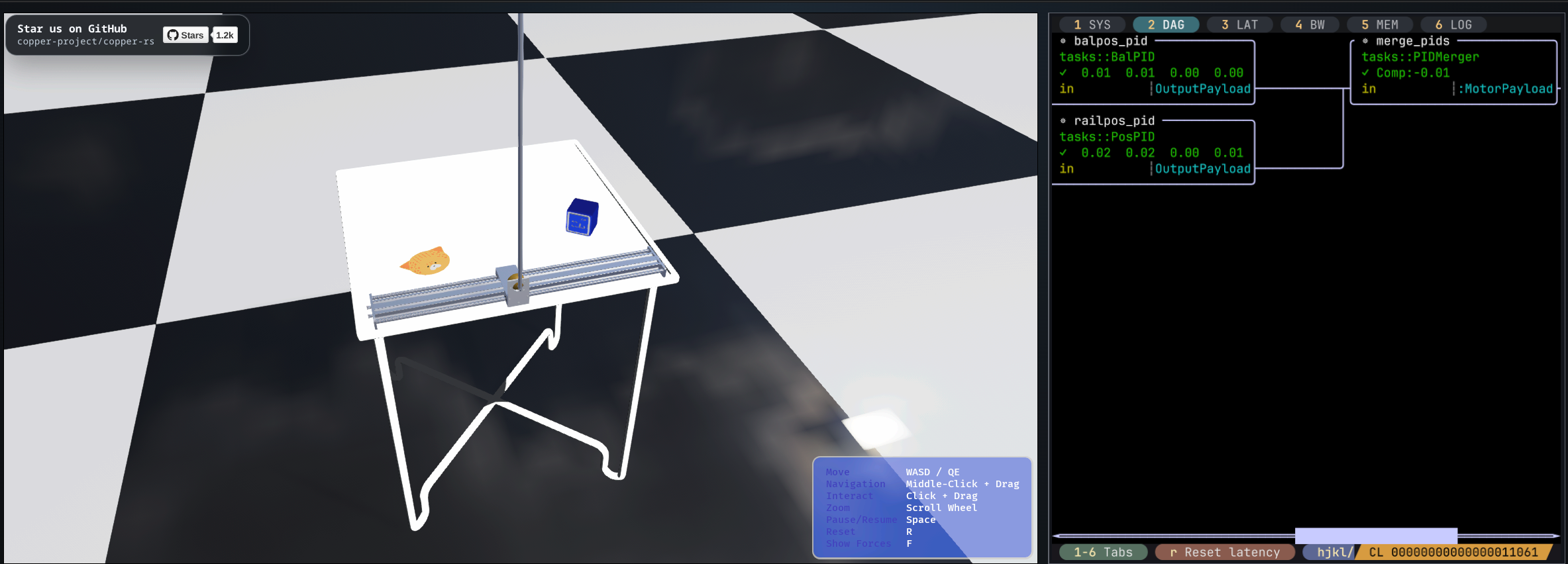
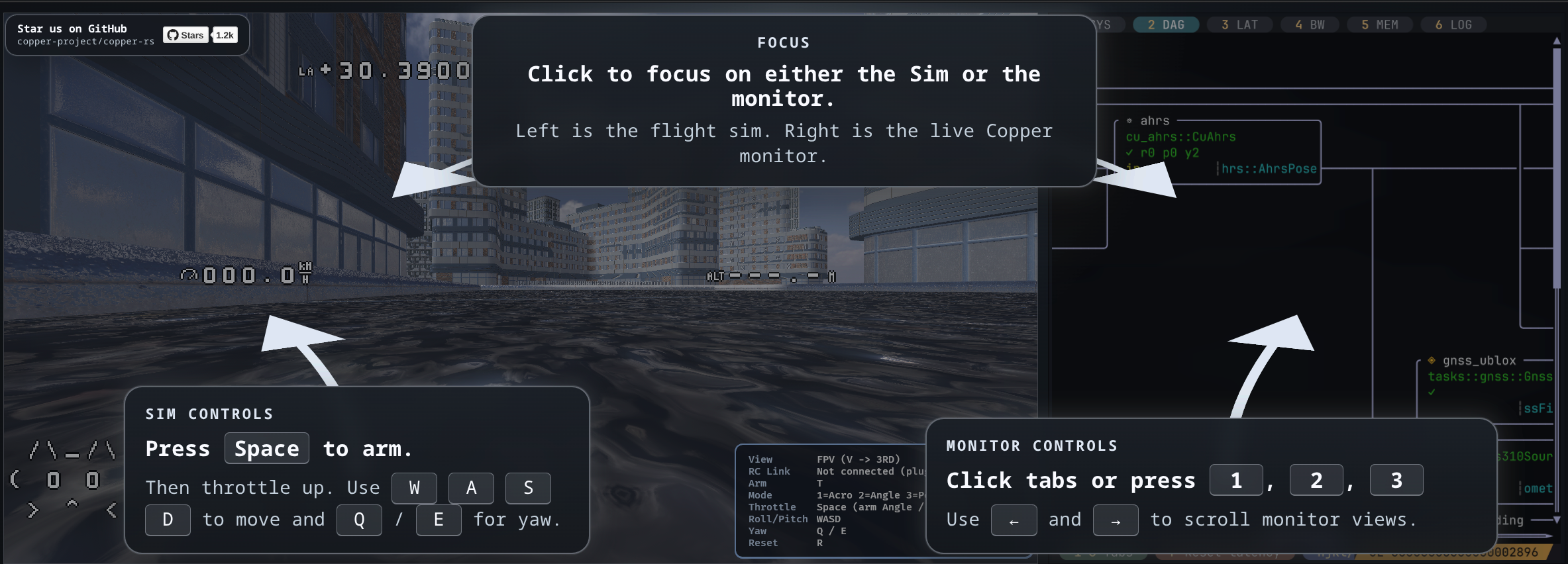
PGS 会把实测的时序、传感器频率和截止时间转换为候选执行调度方案,你可以对这些方案进行基准测试,并将其编译进运行时中。相关辅助命令包括 just pgs-baseline 和 just pgs-measure。Copper 真的在实际机器人上用过吗?README 中称,它已经用于飞行、驾驶、水中游动、太空任务以及为人形机器人提供动力。此外,它还提供可在浏览器中运行的模拟程序,分别对应树莓派平衡机器人和 STM32H7 四旋翼无人机上实际运行的同款应用。
README 中称,它已经用于飞行、驾驶、水中游动、太空任务以及为人形机器人提供动力。此外,它还提供可在浏览器中运行的模拟程序,分别对应树莓派平衡机器人和 STM32H7 四旋翼无人机上实际运行的同款应用。有哪些类似的项目?betaflight, Jet, ftl, zxdesk, rt-thread, xgoduck_hardware, autoware, fprime
betaflight, Jet, ftl, zxdesk, rt-thread, xgoduck_hardware, autoware, fprime它属于哪些主题?drone, physical-ai, ros, stm32, bare-metal, robot, telemetry, microcontroller, logging, operating-system, embedded-systems, robotics
drone, physical-ai, ros, stm32, bare-metal, robot, telemetry, microcontroller, logging, operating-system, embedded-systems, robotics