
这是什么?
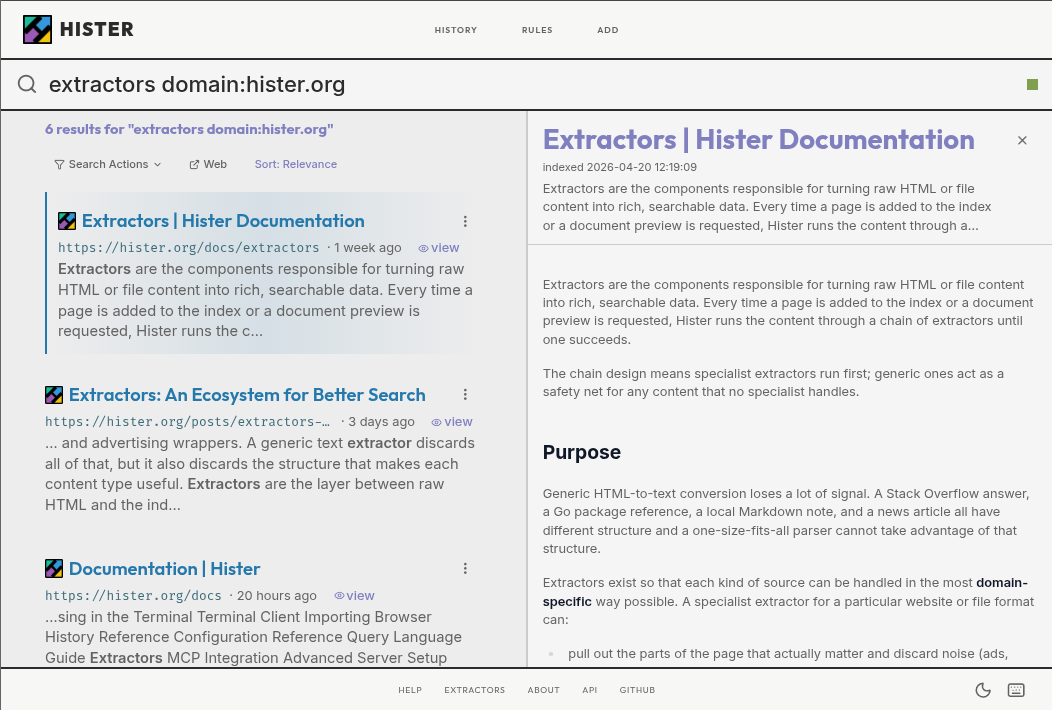
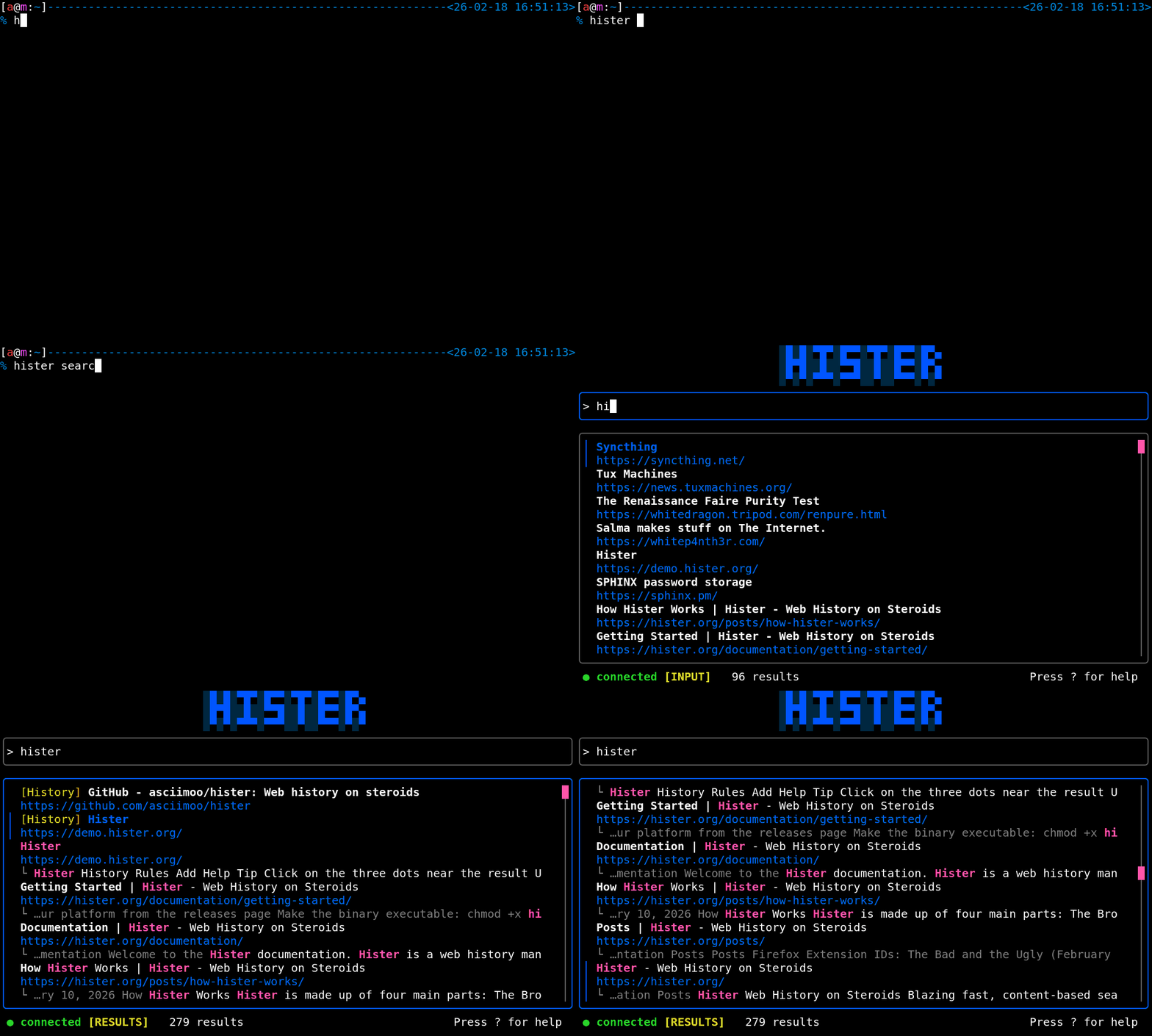
 Hister 是一款私有的自托管搜索引擎,能够完整索引你访问过的网页和保存的文件。之后你可以通过网页界面、终端,或借助 MCP 连接的 AI 助手搜索其中的内容。
Hister 是一款私有的自托管搜索引擎,能够完整索引你访问过的网页和保存的文件。之后你可以通过网页界面、终端,或借助 MCP 连接的 AI 助手搜索其中的内容。这是浏览器扩展还是完整的搜索服务器?它是一个独立的服务器(单个 Go 可执行文件),你可以在本地或自己的基础设施上运行。Firefox 和 Chrome 扩展只是采集部分,负责把新访问的网页发送到这个服务器。
它是一个独立的服务器(单个 Go 可执行文件),你可以在本地或自己的基础设施上运行。Firefox 和 Chrome 扩展只是采集部分,负责把新访问的网页发送到这个服务器。我该如何让它运行起来?从最新发行版中下载适用于你操作系统的预编译可执行文件,将其重命名为 hister(Windows 上为 hister.exe),在 Linux/macOS 上赋予其可执行权限,然后运行 'hister listen'(Windows 上为 '.\hister.exe listen'),并安装浏览器扩展。
从最新发行版中下载适用于你操作系统的预编译可执行文件,将其重命名为 hister(Windows 上为 hister.exe),在 Linux/macOS 上赋予其可执行权限,然后运行 'hister listen'(Windows 上为 '.\hister.exe listen'),并安装浏览器扩展。使用它需要安装 Go 或 npm 吗?不需要,日常使用只需运行下载好的可执行文件。只有当你想从源码构建 Hister 或参与修改网页应用时,才需要 Go 1.26、npm 和 C 编译器。
不需要,日常使用只需运行下载好的可执行文件。只有当你想从源码构建 Hister 或参与修改网页应用时,才需要 Go 1.26、npm 和 C 编译器。语义搜索开箱即用吗?不能。语义搜索是可选功能,只有你自行配置外部的嵌入(embeddings)接口后才能使用;否则 Hister 只提供普通的全文搜索。
不能。语义搜索是可选功能,只有你自行配置外部的嵌入(embeddings)接口后才能使用;否则 Hister 只提供普通的全文搜索。我的浏览数据会怎样?默认情况下,数据不会离开你的设备:没有遥测,也没有云同步。浏览器扩展只会把已索引的网页内容发送到你配置的 Hister 服务器(另外还会下载网站图标),所有数据都保存在该服务器上。
默认情况下,数据不会离开你的设备:没有遥测,也没有云同步。浏览器扩展只会把已索引的网页内容发送到你配置的 Hister 服务器(另外还会下载网站图标),所有数据都保存在该服务器上。多人能共用一个 Hister 服务器吗?可以,它支持多用户,能在共享服务器上让每位用户的文档和搜索结果彼此分开。
可以,它支持多用户,能在共享服务器上让每位用户的文档和搜索结果彼此分开。搜索只能用简单关键词吗?不是,Hister 支持字段过滤、短语、通配符、排除词、别名和结果优先级,可以进行更精确的查询。
不是,Hister 支持字段过滤、短语、通配符、排除词、别名和结果优先级,可以进行更精确的查询。它能索引已有的浏览历史,而不仅仅是新访问的页面吗?可以,它包含浏览器导入功能和爬虫,你可以导入已有的历史记录,也可以索引整个网站,而不只是安装后访问的页面。
可以,它包含浏览器导入功能和爬虫,你可以导入已有的历史记录,也可以索引整个网站,而不只是安装后访问的页面。MCP 集成到底能让 AI 助手做什么?它让通过 MCP 连接的 AI 助手可以直接查询你已索引的浏览历史和文件,相当于让它能够搜索你的个人搜索引擎。
它让通过 MCP 连接的 AI 助手可以直接查询你已索引的浏览历史和文件,相当于让它能够搜索你的个人搜索引擎。Which topics is it in?index, history, full-text-search, crawler, search-engine, firefox-extension, vector-search, knowledge-management, semantic-search, chrome-extension, browser-extension, embeddings
index, history, full-text-search, crawler, search-engine, firefox-extension, vector-search, knowledge-management, semantic-search, chrome-extension, browser-extension, embeddings