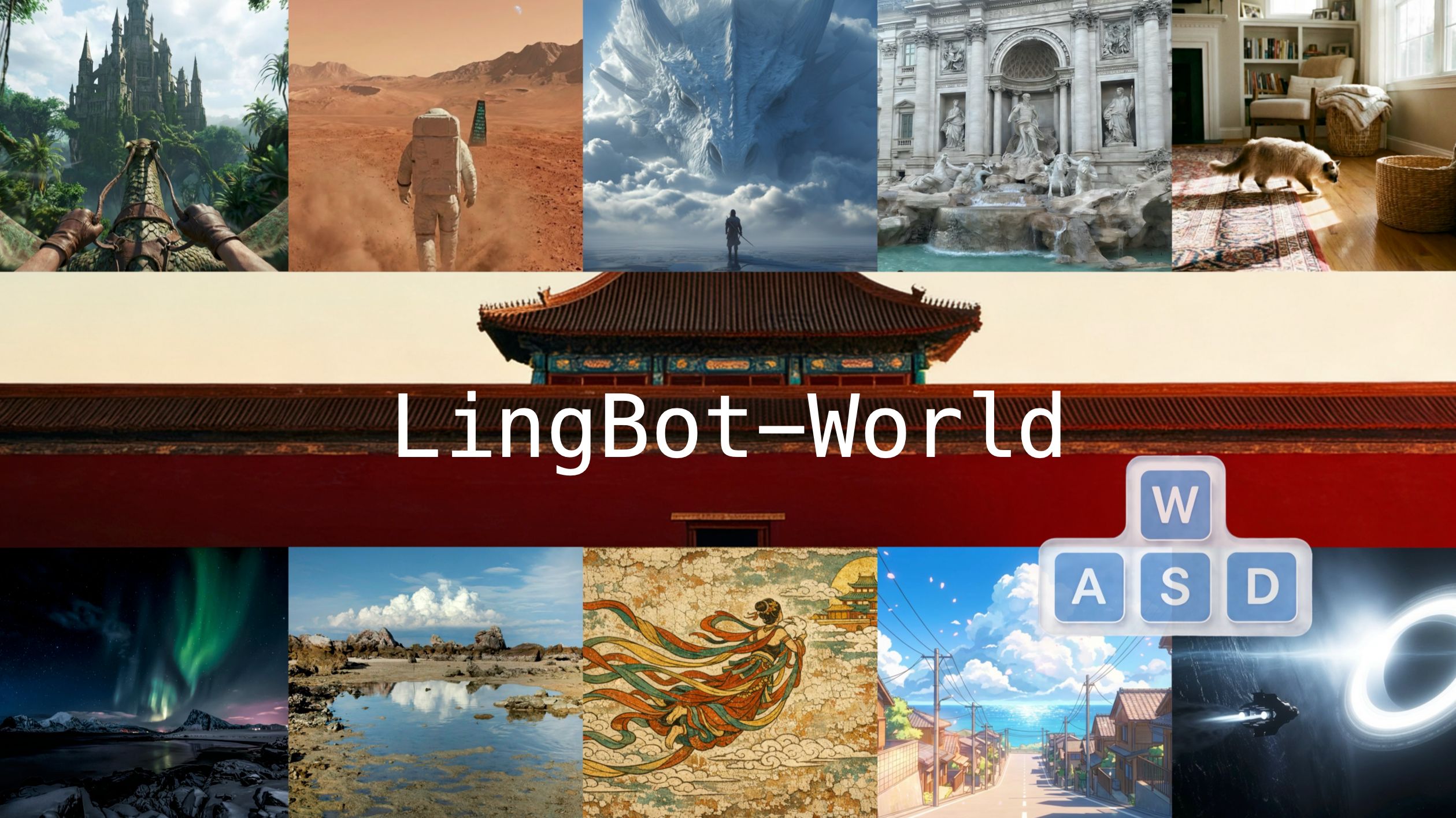
LingBot-World: Advancing Open-source World Models
Robbyant Team
[!IMPORTANT]
🎉 LingBot-World-Infinity is now available!
This repository is no longer actively maintained.
👉 Please use the latest repository:
https://github.com/Robbyant/lingbot-world-v2
All future updates, new models, and new features will be released in LingBot-World-Infinity.
🔍 Preview Comparison
https://github.com/user-attachments/assets/0ec4d395-2b67-48c3-910c-88acaa1ca805
We are excited to introduce LingBot-World, an open-sourced world simulator stemming from video generation. Positioned
as a top-tier world model, LingBot-World offers the following features.
- High-Fidelity & Diverse Environments: It maintains high fidelity and robust dynamics in a broad spectrum of environments, including realism, scientific contexts, cartoon styles, and beyond.
- Long-Term Memory & Consistency: It enables a minute-level horizon while preserving contextual consistency over time, which is also known as long-term memory.
- Real-Time Interactivity & Open Access: It supports real-time interactivity, achieving a latency of under 1 second when producing 16 frames per second. We provide public access to the code and model in an effort to narrow the divide between open-source and closed-source technologies. We believe our release will empower the community with practical applications across areas like content creation, gaming, and robot learning.
🌟 Online Demo
We especially thank Reactor for providing an online LingBot-World demo. To try it online, please visit https://www.reactor.inc/.
Direct Feed Showcase
Live Interaction Demo
🎬 Video Demo
🔥 News
- Apr 10, 2026: 🎉 We release user-friendly scripts for the LingBot-World-Base (Act).
- Apr 7, 2026: 🎉 We release the LingBot-World-Fast inference scripts.
- Apr 2, 2026: 🎉 We release the LingBot-World-Fast model weights.
- Mar 2, 2026: 🎉 We release the LingBot-World-Base (Act) model weights.
- Jan 29, 2026: 🎉 We release the technical report, code, and models for LingBot-World.
⚙️ Quick Start
This codebase is built upon Wan2.2. Please refer to their documentation for installation instructions.
Installation
Clone the repo:
git clone https://github.com/robbyant/lingbot-world.git
cd lingbot-world
Install dependencies:
# Ensure torch >= 2.4.0
pip install -r requirements.txt
Install flash_attn:
pip install flash-attn --no-build-isolation
Model Download
| Model |
Control Signals |
Resolution |
Download Links |
| LingBot-World-Base (Cam) |
Camera Poses |
480P & 720P |
🤗 HuggingFace 🤖 ModelScope |
| LingBot-World-Base (Act) |
Actions |
480P & 720P |
🤗 HuggingFace |
| LingBot-World-Fast |
Camera Poses |
480P & 720P |
🤗 HuggingFace |
Download models using huggingface-cli:
pip install "huggingface_hub[cli]"
huggingface-cli download robbyant/lingbot-world-base-cam --local-dir ./lingbot-world-base-cam
Download models using modelscope-cli:
pip install modelscope
modelscope download robbyant/lingbot-world-base-cam --local_dir ./lingbot-world-base-cam
Inference
Before running inference, you need to prepare:
- Input image
- Text prompt
- Control signals (optional, can be generated from a video using ViPE)
intrinsics.npy: Shape [num_frames, 4], where the 4 values represent [fx, fy, cx, cy]poses.npy: Shape [num_frames, 4, 4], where each [4, 4] represents a transformation matrix in OpenCV coordinates
We provide the following reference inference scripts:
LingBot-World-Base (Cam):
torchrun --nproc_per_node=8 generate.py --task i2v-A14B --size 480*832 --ckpt_dir lingbot-world-base-cam --image examples/00/image.jpg --action_path examples/00 --dit_fsdp --t5_fsdp --ulysses_size 8 --frame_num 161 --prompt "The video presents a soaring journey through a fantasy jungle. The wind whips past the rider's blue hands gripping the reins, causing the leather straps to vibrate. The ancient gothic castle approaches steadily, its stone details becoming clearer against the backdrop of floating islands and distant waterfalls."
torchrun --nproc_per_node=8 generate.py --task i2v-A14B --size 720*1280 --ckpt_dir lingbot-world-base-cam --image examples/00/image.jpg --action_path examples/00 --dit_fsdp --t5_fsdp --ulysses_size 8 --frame_num 161 --prompt "The video presents a soaring journey through a fantasy jungle. The wind whips past the rider's blue hands gripping the reins, causing the leather straps to vibrate. The ancient gothic castle approaches steadily, its stone details becoming clearer against the backdrop of floating islands and distant waterfalls."
Alternatively, you can run inference without control signals:
torchrun --nproc_per_node=8 generate.py --task i2v-A14B --size 480*832 --ckpt_dir lingbot-world-base-cam --image examples/00/image.jpg --dit_fsdp --t5_fsdp --ulysses_size 8 --frame_num 161 --prompt "The video presents a soaring journey through a fantasy jungle. The wind whips past the rider's blue hands gripping the reins, causing the leather straps to vibrate. The ancient gothic castle approaches steadily, its stone details becoming clearer against the backdrop of floating islands and distant waterfalls."
LingBot-World-Base (Act):
torchrun --nproc_per_node=8 generate.py --task i2v-A14B --size 480*832 --ckpt_dir lingbot-world-base-cam --image examples/05/image.jpg --action_path examples/05 --allow_act2cam --sample_steps 20 --dit_fsdp --t5_fsdp --ulysses_size 8 --frame_num 121 --prompt "The video presents a soaring journey through a fantasy jungle. The wind whips past the rider's blue hands gripping the reins, causing the leather straps to vibrate. The ancient gothic castle approaches steadily, its stone details becoming clearer against the backdrop of floating islands and distant waterfalls."
- 480P with user-friendly action string control:
torchrun --nproc_per_node=8 generate.py --task i2v-A14B --size 480*832 --ckpt_dir lingbot-world-base-cam --image examples/05/image.jpg --action_path examples/05 --action_string "w-10,a-10,d-10,iw-15,none-10,j-10,l-10,s-15" --allow_act2cam --sample_steps 20 --dit_fsdp --t5_fsdp --ulysses_size 8 --prompt "The video presents a soaring journey through a fantasy jungle. The wind whips past the rider's blue hands gripping the reins, causing the leather straps to vibrate. The ancient gothic castle approaches steadily, its stone details becoming clearer against the backdrop of floating islands and distant waterfalls."
Tips:
If you have sufficient CUDA memory, you may increase the frame_num parameter to a value such as 961 to generate a one-minute video at 16 FPS. Otherwise if the CUDA memory is not sufficient, you may use --t5_cpu to decrease the memory usage.
Fast Inference
We provide generate_fast.py for accelerated causal inference with KV caching, which processes video frames chunk-by-chunk instead of all at once:
Download models using huggingface-cli. (If you have not already downloaded lingbot-world-base-cam, please download it first.)
huggingface-cli download robbyant/lingbot-world-fast --local-dir ./lingbot-world-base-cam/lingbot_world_fast
LingBot-World-Fast — 480P, multi-GPU:torchrun --nproc_per_node=8 generate_fast.py --task i2v-A14B --size 480*832 --ckpt_dir lingbot-world-base-cam --image examples/03/image.jpg --action_path examples/03 --dit_fsdp --t5_fsdp --ulysses_size 8 --frame_num 81 --prompt "A serene lakeside scene with a lone tree standing in calm water, surrounded by distant snow-capped mountains under a bright blue sky with drifting white clouds — gentle ripples reflect the tree and sky, creating a tranquil, meditative atmosphere."
You can also use the provided run_fast.sh script:
bash run_fast.sh <weights_dir> <frame_num>
# e.g. bash run_fast.sh lingbot-world-base-cam 201
Quantized Model for Limited GPU Resources
We sincerely thank the community for their valuable support and contributions in LingBot-World. For users with limited GPU memory, we recommend using a 4-bit quantized version of LingBot-World-Base (Cam), which significantly reduces GPU memory consumption while maintaining competitive visual quality for inference.
👉 Download link: https://huggingface.co/cahlen/lingbot-world-base-cam-nf4
⚠️ Note: This quantized model is intended for inference only. Minor degradation in visual fidelity and temporal consistency may occur compared to the full-precision model.
🎬 Demo Results
⚡ Real-Time Interactive Demo Videos (Lingbot-World-Fast)
These videos showcase Lingbot-World-Fast responding to user inputs and rendering results in real time.
🔍 Comparison Demo Videos (Lingbot-World-Base, Camera Pose Version)
Camera parameters are estimated by ViPE from original videos downloaded from Genie3.
📜 License
This project is licensed under the Apache 2.0 License. Please refer to the LICENSE file for the full text, including details on rights and restrictions.
✨ Acknowledgement
We would like to express our gratitude to the Wan Team for open-sourcing their code and models. Their contributions have been instrumental to the development of this project.
📖 Citation
If you find this work useful for your research, please cite our paper:
@article{lingbot-world,
      title={Advancing Open-source World Models},
      author={Robbyant Team and Zelin Gao and Qiuyu Wang and Yanhong Zeng and Jiapeng Zhu and Ka Leong Cheng and Yixuan Li and Hanlin Wang and Yinghao Xu and Shuailei Ma and Yihang Chen and Jie Liu and Yansong Cheng and Yao Yao and Jiayi Zhu and Yihao Meng and Kecheng Zheng and Qingyan Bai and Jingye Chen and Zehong Shen and Yue Yu and Xing Zhu and Yujun Shen and Hao Ouyang},
      journal={arXiv preprint arXiv:2601.20540},
      year={2026}
}






 LingBot-World 是一个基于视频生成打造的开源世界模型/模拟器:它把输入图像、文字提示和可选的控制信号(相机位姿或动作)变成一段长时、可控的视频,表现得就像一个可交互的世界。