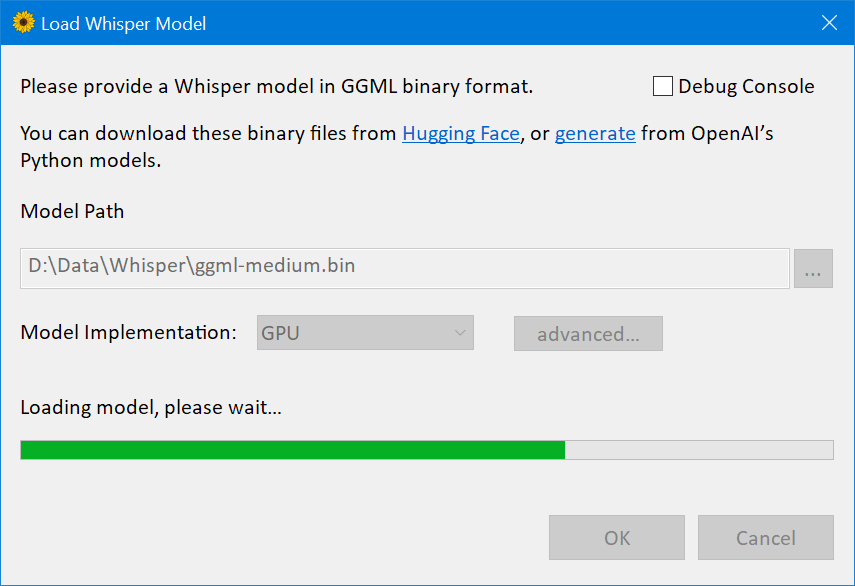
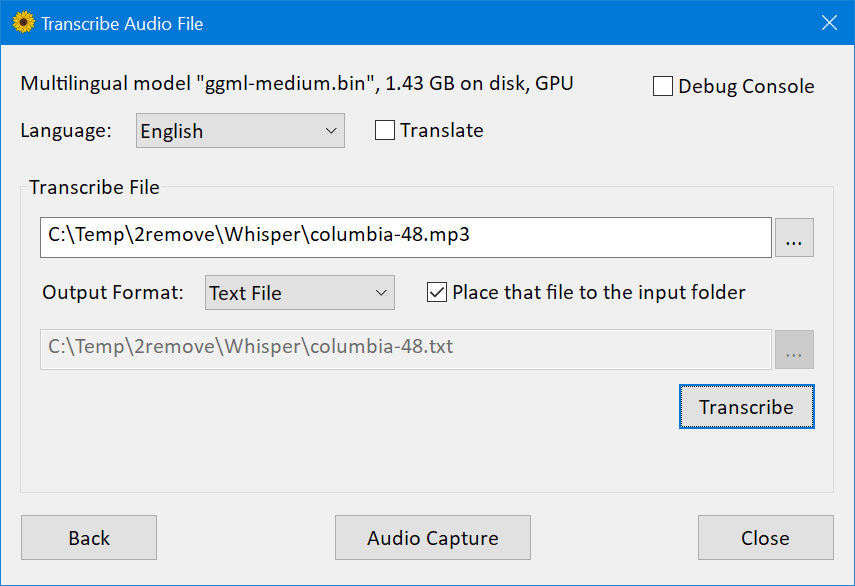
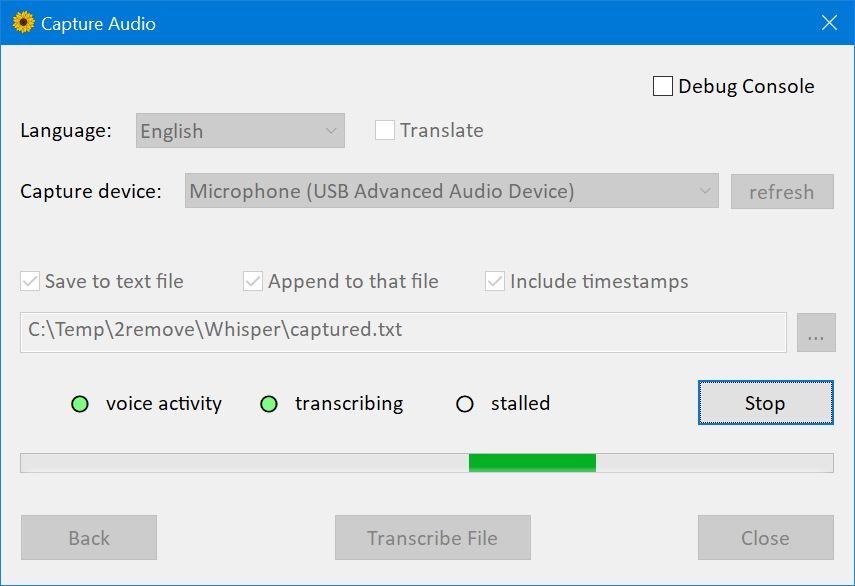
Что это?
 Windows-порт модели распознавания речи Whisper от OpenAI, который выполняет инференс на GPU через DirectCompute вместо CUDA, обеспечивая куда более быструю транскрипцию, чем официальная реализация на PyTorch.
Windows-порт модели распознавания речи Whisper от OpenAI, который выполняет инференс на GPU через DirectCompute вместо CUDA, обеспечивая куда более быструю транскрипцию, чем официальная реализация на PyTorch.Это настольное приложение или библиотека, которую я встраиваю в свой код?И то и другое: он поставляется и как GUI-приложение WhisperDesktop.exe для транскрипции файлов или живого аудио, и как нативная C++ DLL с API в стиле COM плюс идиоматичная C#-обёртка, опубликованная на nuget.
И то и другое: он поставляется и как GUI-приложение WhisperDesktop.exe для транскрипции файлов или живого аудио, и как нативная C++ DLL с API в стиле COM плюс идиоматичная C#-обёртка, опубликованная на nuget.Как его запустить?Скачайте WhisperDesktop.zip из раздела Releases, распакуйте и запустите WhisperDesktop.exe; при первом запуске он предложит скачать модель (рекомендуется ggml-medium.bin на 1,42 ГБ).
Скачайте WhisperDesktop.zip из раздела Releases, распакуйте и запустите WhisperDesktop.exe; при первом запуске он предложит скачать модель (рекомендуется ggml-medium.bin на 1,42 ГБ).Какое железо ему нужно?Любая GPU с поддержкой Direct3D 11.0 (по сути всё, что выпущено после 2011 года) и CPU с поддержкой AVX1 и F16C; других зависимостей во время работы, помимо базовых компонентов ОС, нет.
Любая GPU с поддержкой Direct3D 11.0 (по сути всё, что выпущено после 2011 года) и CPU с поддержкой AVX1 и F16C; других зависимостей во время работы, помимо базовых компонентов ОС, нет.Чего он пока не умеет?Автоопределение языка не реализовано, а захват живого микрофона даёт заметную задержку (около 5-10 секунд) в зависимости от детекции голоса.
Автоопределение языка не реализовано, а захват живого микрофона даёт заметную задержку (около 5-10 секунд) в зависимости от детекции голоса.Он работает и на Mac или Linux?Нет, только 64-битная Windows (8.1 или новее, тестировалась в основном на Windows 10); кроссплатформенной сборки нет.
Нет, только 64-битная Windows (8.1 или новее, тестировалась в основном на Windows 10); кроссплатформенной сборки нет.Почему это настолько быстрее Whisper на PyTorch?Он заменяет CUDA/PyTorch не привязанными к вендору шейдерами DirectCompute: на GeForce 1080Ti автора клип длиной 3:24 с моделью medium занял 19 секунд против 45 секунд у PyTorch+CUDA, а весь движок — DLL на 431 КБ вместо 9,63 ГБ зависимостей ML-рантайма.
Он заменяет CUDA/PyTorch не привязанными к вендору шейдерами DirectCompute: на GeForce 1080Ti автора клип длиной 3:24 с моделью medium занял 19 секунд против 45 секунд у PyTorch+CUDA, а весь движок — DLL на 431 КБ вместо 9,63 ГБ зависимостей ML-рантайма.С какой модели Whisper начать?Автор рекомендует ggml-medium.bin (1,42 ГБ) — именно с этой моделью он больше всего тестировал приложение.
Автор рекомендует ggml-medium.bin (1,42 ГБ) — именно с этой моделью он больше всего тестировал приложение.whisperdesktop.com — официальный сайт этого проекта?Нет, README прямо предупреждает, что whisperdesktop.com выдаёт себя за проект и может в любой момент раздать вредоносное ПО, даже если сейчас он ссылается на GitHub-релизы этого репозитория.
Нет, README прямо предупреждает, что whisperdesktop.com выдаёт себя за проект и может в любой момент раздать вредоносное ПО, даже если сейчас он ссылается на GitHub-релизы этого репозитория.Можно ли управлять им скриптом или автоматизировать?Да, в версии 1.10 появилась поддержка скриптинга для предустановленного Windows PowerShell 5.1, в дополнение к COM API и C#-обёртке на nuget для собственных интеграций.
Да, в версии 1.10 появилась поддержка скриптинга для предустановленного Windows PowerShell 5.1, в дополнение к COM API и C#-обёртке на nuget для собственных интеграций.What are similar projects?FunASR, DeepSpeech, faster-whisper, WhisperLiveKit, phorminx, whisperX, VideoHighlighter, meetily
FunASR, DeepSpeech, faster-whisper, WhisperLiveKit, phorminx, whisperX, VideoHighlighter, meetilyWhich topics is it in?hlsl, nuget, voice-activity-detection, asr, transcription, audio-processing, local-ai, powershell, speech-to-text, speech-recognition, gpu-acceleration, csharp
hlsl, nuget, voice-activity-detection, asr, transcription, audio-processing, local-ai, powershell, speech-to-text, speech-recognition, gpu-acceleration, csharp