

What is this?
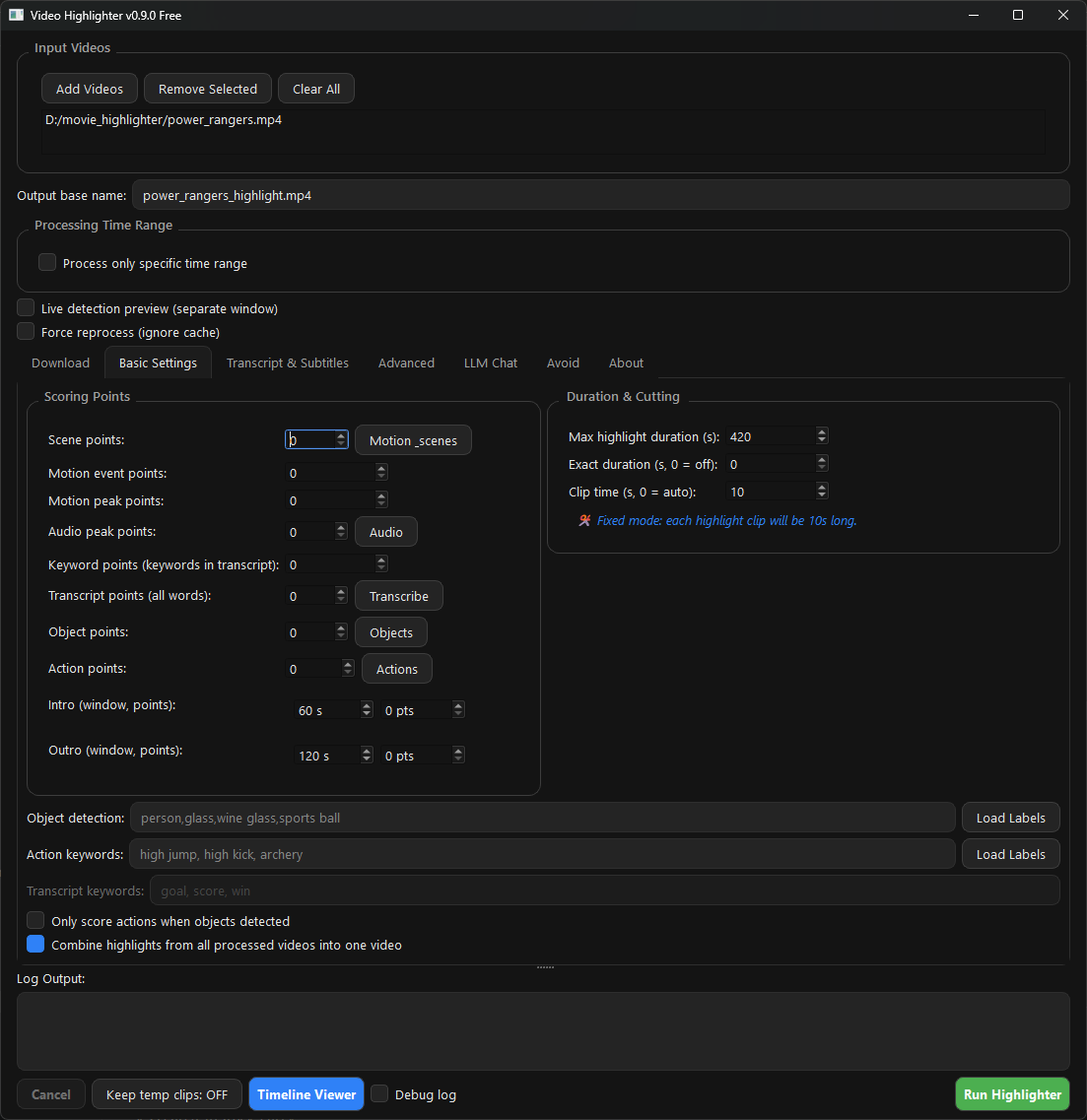
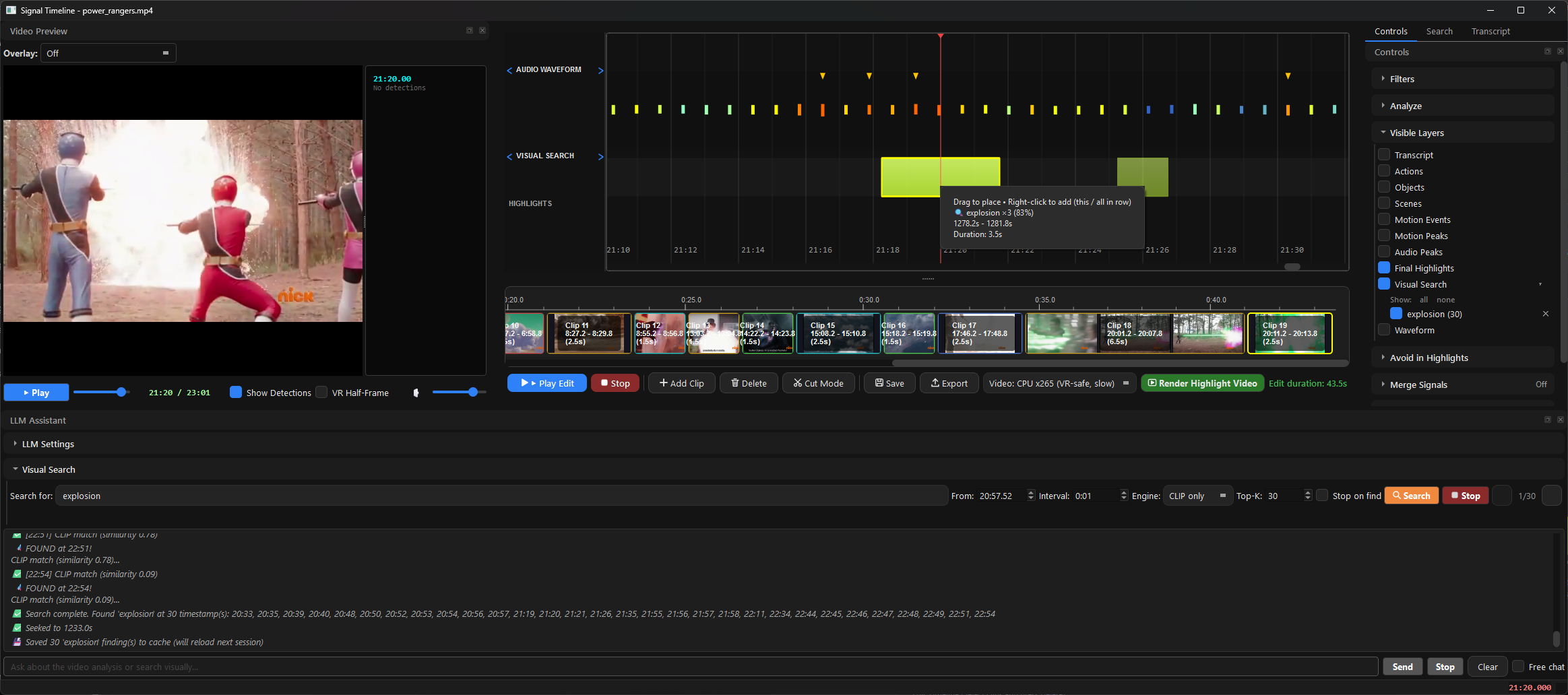
 A free, open-source desktop app that finds and explains the strong moments in your footage, then exports a highlight reel and clips — an offline alternative to Twelve Labs, Runway and Descript.
A free, open-source desktop app that finds and explains the strong moments in your footage, then exports a highlight reel and clips — an offline alternative to Twelve Labs, Runway and Descript.Is this a desktop app or a cloud service?A local desktop app for Windows, macOS and Linux: you drop raw video in, and detection, scoring and export all run on your own machine.
A local desktop app for Windows, macOS and Linux: you drop raw video in, and detection, scoring and export all run on your own machine.How do I install it on Windows, macOS or Linux?From Releases: run 00-VideoHighlighter-Windows-Setup.exe on Windows (per-user, no admin) or drag the .dmg into Applications on macOS; from source: pip install -r requirements.txt && python main.py. FFmpeg comes with it.
From Releases: run 00-VideoHighlighter-Windows-Setup.exe on Windows (per-user, no admin) or drag the .dmg into Applications on macOS; from source: pip install -r requirements.txt && python main.py. FFmpeg comes with it.The Windows installer triggers a SmartScreen warning — is that expected?Yes — the build is not code-signed yet, so you click through More info → Run anyway. On macOS you also clear the quarantine flag once with xattr -dr com.apple.quarantine /Applications/VideoHighlighter.app.
Yes — the build is not code-signed yet, so you click through More info → Run anyway. On macOS you also clear the quarantine flag once with xattr -dr com.apple.quarantine /Applications/VideoHighlighter.app.Does my footage get uploaded anywhere when it analyzes a video?No — analysis, detection and the local Whisper transcription run entirely offline, and the basic pipeline needs no API key. You can even keep the Ollama LLM on another box on your LAN.
No — analysis, detection and the local Whisper transcription run entirely offline, and the basic pipeline needs no API key. You can even keep the Ollama LLM on another box on your LAN.What does the AGPL-3.0 license mean if I modify or host it?You can use, modify and distribute it freely, but modified versions — including ones offered over a network — must make their complete source available under the same license. A separate commercial license is also offered.
You can use, modify and distribute it freely, but modified versions — including ones offered over a network — must make their complete source available under the same license. A separate commercial license is also offered.Does it need an NVIDIA GPU, or do AMD and Intel cards work too?Any of the three — it runs on Windows, macOS and Linux with Intel, AMD and NVIDIA GPUs, with vendor-specific acceleration guides plus CUDA and OpenVINO backends.
Any of the three — it runs on Windows, macOS and Linux with Intel, AMD and NVIDIA GPUs, with vendor-specific acceleration guides plus CUDA and OpenVINO backends.Is anything locked behind the paid Pro edition?No. The free edition already includes offline analysis, live face detection, VR side-by-side playback, CLIP search, the composition engine, model training and the community model hub. Pro is a separate paid edition adding only real-time work: live overlays during playback, teaching a category by drawing a box, find-more-like-this search, open-vocabulary and counter/scoreboard detection — and the explainable report is identical in both.
No. The free edition already includes offline analysis, live face detection, VR side-by-side playback, CLIP search, the composition engine, model training and the community model hub. Pro is a separate paid edition adding only real-time work: live overlays during playback, teaching a category by drawing a box, find-more-like-this search, open-vocabulary and counter/scoreboard detection — and the explainable report is identical in both.Why did the author build this?It started as a personal tool to generate subtitles for videos for the author's 7-year-old son, then grew into a highlights generator for movies, sports and personal footage. The goal stayed: fast, explainable video analysis and automatic subtitles without uploading footage you would rather keep local.
It started as a personal tool to generate subtitles for videos for the author's 7-year-old son, then grew into a highlights generator for movies, sports and personal footage. The goal stayed: fast, explainable video analysis and automatic subtitles without uploading footage you would rather keep local.Which models does it run under the hood?Scene, motion, audio, object and action detectors, CLIP-based visual search and a local Whisper transcript; the vision LLM runs through Ollama (LLaVA, with CUDA and OpenVINO backends listed in the repo topics). docs/DETECTION-GUIDE.md covers what each detector is good at and where it falls down.
Scene, motion, audio, object and action detectors, CLIP-based visual search and a local Whisper transcript; the vision LLM runs through Ollama (LLaVA, with CUDA and OpenVINO backends listed in the repo topics). docs/DETECTION-GUIDE.md covers what each detector is good at and where it falls down.What are similar projects?autoclip, pyvideotrans, meetily, SCM, lipflow, phorminx, VidBee, autoshorts
autoclip, pyvideotrans, meetily, SCM, lipflow, phorminx, VidBee, autoshortsWhich topics is it in?openvino, video-understanding, yolo, transcription, vision-language-model, mac, subtitles, video-editing, local-ai, whisper, object-detection, speech-recognition
openvino, video-understanding, yolo, transcription, vision-language-model, mac, subtitles, video-editing, local-ai, whisper, object-detection, speech-recognition