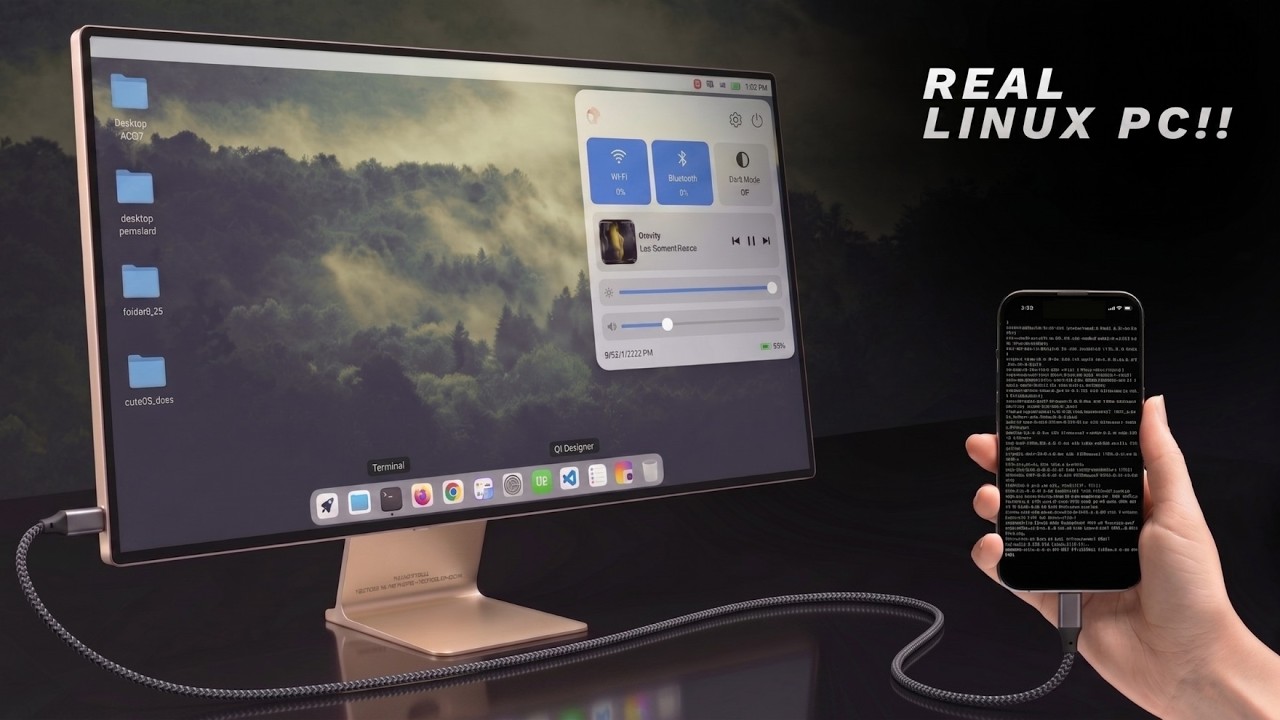
Что это?
 DroidDesk превращает Android-смартфон в полноценный Linux-десктоп с помощью Termux, Termux:X11, TUR и Proot, позволяя запускать прямо на телефоне приложения вроде VS Code, Firefox, LibreOffice, Blender и даже Metasploit.
DroidDesk превращает Android-смартфон в полноценный Linux-десктоп с помощью Termux, Termux:X11, TUR и Proot, позволяя запускать прямо на телефоне приложения вроде VS Code, Firefox, LibreOffice, Blender и даже Metasploit.Это просто приложение-эмулятор терминала?Нет — это не терминал и не эмулятор, а полноценная графическая среда с прямым доступом к ядру, которую можно подключить к монитору и использовать как настоящий Linux-ПК.
Нет — это не терминал и не эмулятор, а полноценная графическая среда с прямым доступом к ядру, которую можно подключить к монитору и использовать как настоящий Linux-ПК.Как этим пользоваться — с монитором или без?Десктоп можно запускать прямо на телефоне через Termux-X11 — это быстрее, чем VNC, — или переключиться на VNC, когда нужен вывод изображения через мост на Raspberry Pi или удалённый доступ с другого устройства.
Десктоп можно запускать прямо на телефоне через Termux-X11 — это быстрее, чем VNC, — или переключиться на VNC, когда нужен вывод изображения через мост на Raspberry Pi или удалённый доступ с другого устройства.Нужно ли специальное железо, например определённый GPU?Конкретное железо не требуется, но GPU-ускорение лучше всего работает на Adreno — графике в смартфонах на Qualcomm Snapdragon; остальные GPU переключаются на более медленный программный рендеринг.
Конкретное железо не требуется, но GPU-ускорение лучше всего работает на Adreno — графике в смартфонах на Qualcomm Snapdragon; остальные GPU переключаются на более медленный программный рендеринг.Android может в случайный момент убить мою сессию?На некоторых прошивках (MIUI, One UI, «чистый» Android 13+) система может незаметно убивать долгоживущие сессии Termux/VNC, если не отключить ограничение «Дочерние процессы» в настройках разработчика.
На некоторых прошивках (MIUI, One UI, «чистый» Android 13+) система может незаметно убивать долгоживущие сессии Termux/VNC, если не отключить ограничение «Дочерние процессы» в настройках разработчика.Чем режим Termux-X11 отличается от режима VNC?Termux-X11 работает прямо на телефоне и быстрее всего для автономного использования, а VNC нужен, когда требуется вывод изображения через мост на Raspberry Pi или управление десктопом удалённо с другого устройства.
Termux-X11 работает прямо на телефоне и быстрее всего для автономного использования, а VNC нужен, когда требуется вывод изображения через мост на Raspberry Pi или управление десктопом удалённо с другого устройства.Какую роль играет Proot в этой схеме?Proot запускает контейнер, который использует общий экран с нативным десктопом Termux, поэтому приложения, установленные внутри Proot, отображаются на том же экране, что и всё остальное.
Proot запускает контейнер, который использует общий экран с нативным десктопом Termux, поэтому приложения, установленные внутри Proot, отображаются на том же экране, что и всё остальное.Можно ли быть уверенным, что скачанная релизная сборка соответствует требованиям?Пока не полностью — в чек-листе соответствия проекта остаются нерешённые пункты: происхождение исходников, воспроизводимые сборки, бутстрап кастомного префикса и лицензирование обоев.
Пока не полностью — в чек-листе соответствия проекта остаются нерешённые пункты: происхождение исходников, воспроизводимые сборки, бутстрап кастомного префикса и лицензирование обоев.Какие приложения, кроме базовых, на нём запустятся?Помимо повседневных приложений, DroidDesk поддерживает тяжёлые программы: Blender для 3D, Metasploit для проверки безопасности и локальные ИИ-инструменты — всё работает нативно в Linux-окружении на самом устройстве.
Помимо повседневных приложений, DroidDesk поддерживает тяжёлые программы: Blender для 3D, Metasploit для проверки безопасности и локальные ИИ-инструменты — всё работает нативно в Linux-окружении на самом устройстве.What are similar projects?Podroid, FreeRDP, xpra, dsh-mobile-apk, Drift, ServerBox, DroidDeck, Dextop
Podroid, FreeRDP, xpra, dsh-mobile-apk, Drift, ServerBox, DroidDeck, DextopWhich topics is it in?termux, desktop-environment, vnc, x11, remote-desktop, local-ai, virtualization, raspberry-pi, android-app, gpu-acceleration, kotlin, security-tools
termux, desktop-environment, vnc, x11, remote-desktop, local-ai, virtualization, raspberry-pi, android-app, gpu-acceleration, kotlin, security-tools