
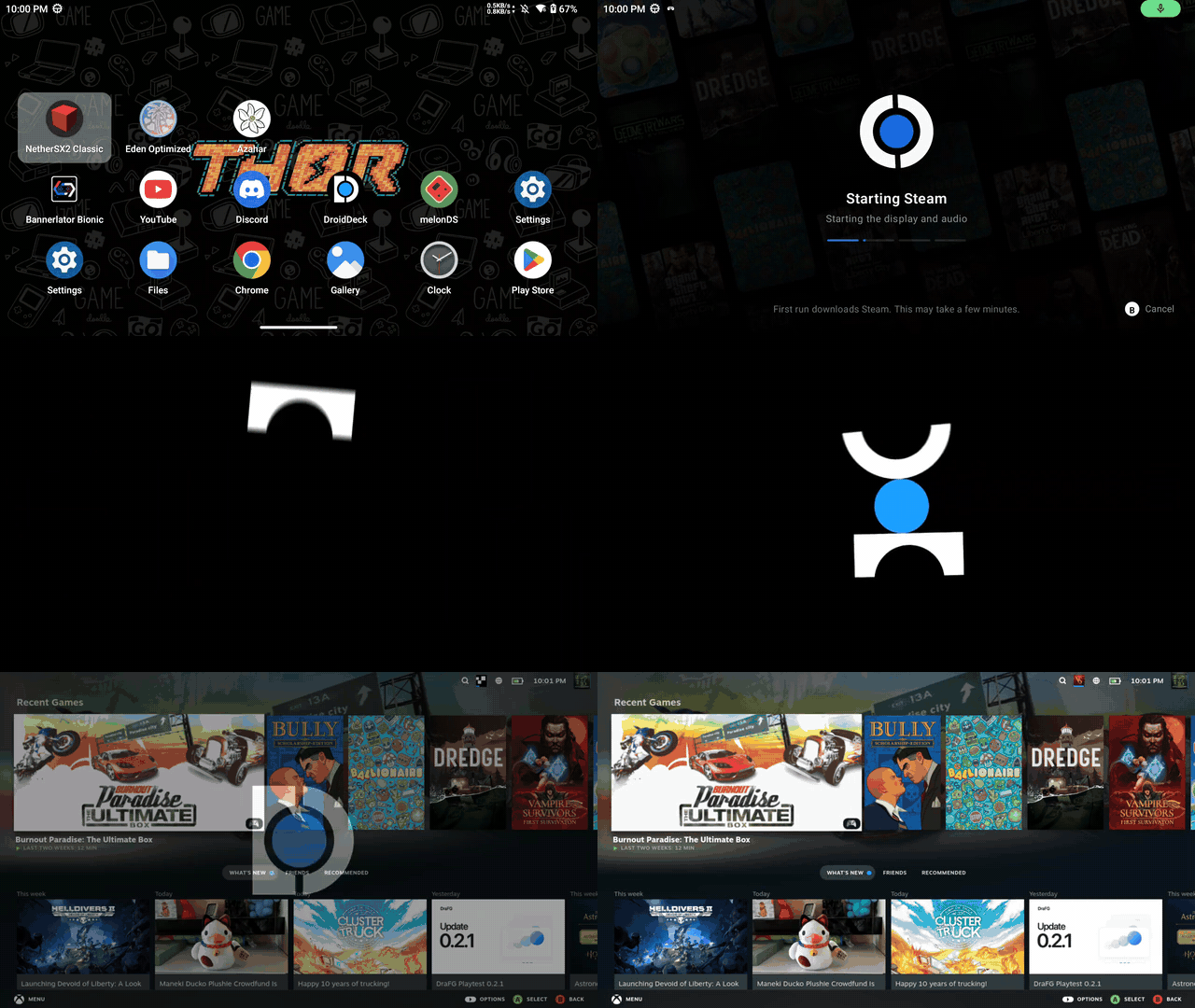
What is this?
 DroidDeck brings the SteamOS Big Picture experience to Android, letting you run Valve's Steam client and Windows games via Valve's ARM64 Proton on an Adreno-powered Android handheld.
DroidDeck brings the SteamOS Big Picture experience to Android, letting you run Valve's Steam client and Windows games via Valve's ARM64 Proton on an Adreno-powered Android handheld.Is this an emulator, a Linux runtime, or a Steam client port?It is an Android app that packages a Linux runtime and Proton so Steam and Windows games run through Wine-based compatibility layers, plus an optional desktop environment with emulators.
It is an Android app that packages a Linux runtime and Proton so Steam and Windows games run through Wine-based compatibility layers, plus an optional desktop environment with emulators.How do I get it running?Install the APK from Releases, install the Linux runtime, then press Play and sign in; Steam downloads on first launch, and you can optionally install Desktop & apps for the desktop and emulators.
Install the APK from Releases, install the Linux runtime, then press Play and sign in; Steam downloads on first launch, and you can optionally install Desktop & apps for the desktop and emulators.What hardware and Android version do I need?You need Android 9 or newer on a supported Adreno GPU (730 or newer, or 8xx); no root is required, and you should allow about 3 GB for the runtime plus 1.1 GB more for the desktop and emulators.
You need Android 9 or newer on a supported Adreno GPU (730 or newer, or 8xx); no root is required, and you should allow about 3 GB for the runtime plus 1.1 GB more for the desktop and emulators.Does it work well on any Android phone?No — only certain Adreno GPUs are supported (Mali, Xclipse, PowerVR, and Adreno 710 are explicitly unsupported), hardware validation is limited so compatibility and performance vary by device, desktop compositing falls back to software rendering, and Firefox sandboxing is reduced under proot.
No — only certain Adreno GPUs are supported (Mali, Xclipse, PowerVR, and Adreno 710 are explicitly unsupported), hardware validation is limited so compatibility and performance vary by device, desktop compositing falls back to software rendering, and Firefox sandboxing is reduced under proot.Who is this for and what platforms does it run on?It's for Android gamers on supported Adreno handhelds who want a SteamOS-like, Steam Deck-style experience; it only runs on Android, not iOS or desktop.
It's for Android gamers on supported Adreno handhelds who want a SteamOS-like, Steam Deck-style experience; it only runs on Android, not iOS or desktop.Does it need a specific GPU type?Yes, it requires an Adreno GPU (730+ or 8xx); Mali, Xclipse, and PowerVR chips are not supported.
Yes, it requires an Adreno GPU (730+ or 8xx); Mali, Xclipse, and PowerVR chips are not supported.Do I need to root my phone to use DroidDeck?No, DroidDeck explicitly does not require root access on the Android device.
No, DroidDeck explicitly does not require root access on the Android device.What should I do if Steam crashes with no log on Android 12+?Turn off the 'Restrict child processes' option in Android Developer options, which can prevent Steam from launching or logging properly.
Turn off the 'Restrict child processes' option in Android Developer options, which can prevent Steam from launching or logging properly.Is DroidDeck officially connected to Valve?No, the project uses Valve's Steam and Proton but explicitly states it is not affiliated with Valve Corporation.
No, the project uses Valve's Steam and Proton but explicitly states it is not affiliated with Valve Corporation.What are similar projects?winlator, ServerBox, Proton, Husk, GameNative, Tyranor-Next, emufii, d4r
winlator, ServerBox, Proton, Husk, GameNative, Tyranor-Next, emufii, d4rWhich topics is it in?proton, steam-deck, wine, sandboxing, apk, emulation, virtualization, android-app, game, kotlin, hardware, gaming
proton, steam-deck, wine, sandboxing, apk, emulation, virtualization, android-app, game, kotlin, hardware, gaming