What is this?
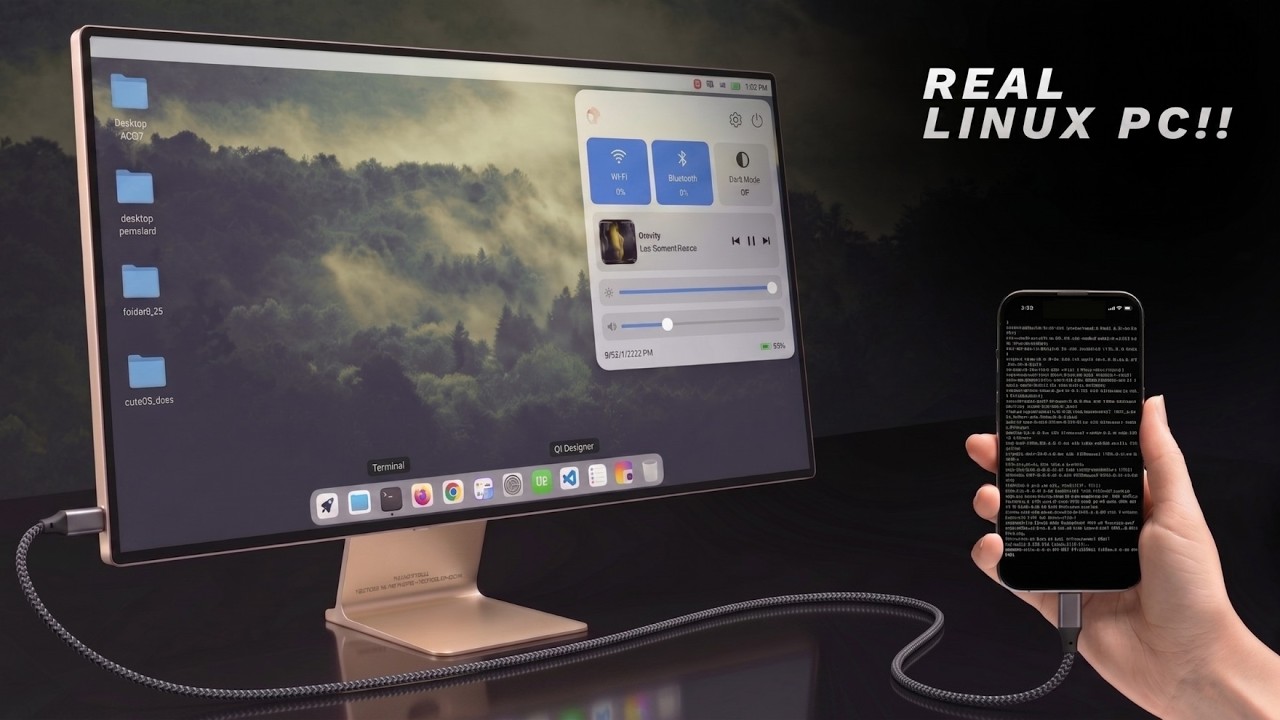
 DroidDesk turns an Android phone into a full Linux desktop using Termux, Termux:X11, TUR, and Proot, letting you run apps like VS Code, Firefox, LibreOffice, Blender, and even Metasploit directly on your phone.
DroidDesk turns an Android phone into a full Linux desktop using Termux, Termux:X11, TUR, and Proot, letting you run apps like VS Code, Firefox, LibreOffice, Blender, and even Metasploit directly on your phone.Is this just a terminal emulator app?No — it is not a terminal and not an emulator, it is a complete desktop environment with direct kernel access that you can connect to a monitor and use like a real Linux PC.
No — it is not a terminal and not an emulator, it is a complete desktop environment with direct kernel access that you can connect to a monitor and use like a real Linux PC.How do I actually use it, with or without a monitor?You can run the desktop standalone on the phone via Termux-X11, which is faster than VNC, or switch to VNC when you need display output through a Raspberry Pi bridge or remote access from another device.
You can run the desktop standalone on the phone via Termux-X11, which is faster than VNC, or switch to VNC when you need display output through a Raspberry Pi bridge or remote access from another device.Do I need special hardware like a certain GPU?No specific hardware is required to run it, but GPU acceleration works best on Adreno GPUs found in Qualcomm Snapdragon phones; other GPUs fall back to slower software rendering.
No specific hardware is required to run it, but GPU acceleration works best on Adreno GPUs found in Qualcomm Snapdragon phones; other GPUs fall back to slower software rendering.Will my session randomly get killed by Android?On some ROMs (MIUI, One UI, stock Android 13+) the OS can silently kill long-running Termux/VNC sessions unless you disable the 'Child process' restriction in Developer Options.
On some ROMs (MIUI, One UI, stock Android 13+) the OS can silently kill long-running Termux/VNC sessions unless you disable the 'Child process' restriction in Developer Options.What's the difference between the Termux-X11 mode and the VNC mode?Termux-X11 runs directly on the phone and is the fastest option for standalone use, while VNC is meant for cases where you need display output through a Raspberry Pi bridge or want to control the desktop remotely from another device.
Termux-X11 runs directly on the phone and is the fastest option for standalone use, while VNC is meant for cases where you need display output through a Raspberry Pi bridge or want to control the desktop remotely from another device.How does Proot fit into this setup?Proot runs a container that shares the display with the native Termux desktop, so apps installed inside Proot render on the same screen as everything else.
Proot runs a container that shares the display with the native Termux desktop, so apps installed inside Proot render on the same screen as everything else.Can I trust the compliance of a downloaded release build?Not fully yet — the project's compliance checklist still has unresolved items around source provenance, reproducible builds, the custom-prefix bootstrap, and wallpaper licensing.
Not fully yet — the project's compliance checklist still has unresolved items around source provenance, reproducible builds, the custom-prefix bootstrap, and wallpaper licensing.What kind of apps can I expect to run on it besides basics?Beyond everyday apps, DroidDesk supports heavier software like Blender for 3D work, Metasploit for security testing, and local AI tools, all running natively in the on-device Linux environment.
Beyond everyday apps, DroidDesk supports heavier software like Blender for 3D work, Metasploit for security testing, and local AI tools, all running natively in the on-device Linux environment.What are similar projects?Podroid, FreeRDP, xpra, dsh-mobile-apk, Drift, ServerBox, DroidDeck, Dextop
Podroid, FreeRDP, xpra, dsh-mobile-apk, Drift, ServerBox, DroidDeck, DextopWhich topics is it in?termux, desktop-environment, vnc, x11, remote-desktop, local-ai, virtualization, raspberry-pi, android-app, gpu-acceleration, kotlin, security-tools
termux, desktop-environment, vnc, x11, remote-desktop, local-ai, virtualization, raspberry-pi, android-app, gpu-acceleration, kotlin, security-tools