
All-in-one AI framework






txtai is an all-in-one AI framework for semantic search, LLM orchestration and language model workflows.
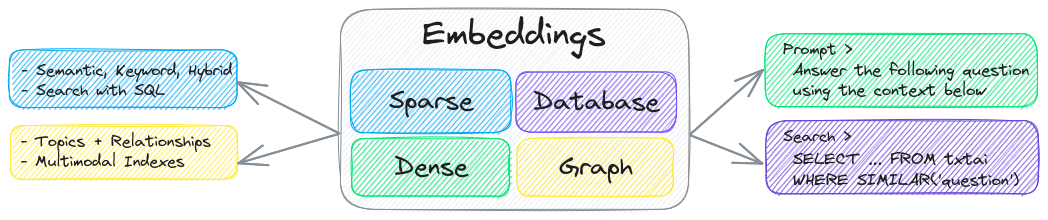
The key component of txtai is an embeddings database, which is a union of vector indexes (sparse and dense), graph networks and relational databases.
This foundation enables vector search and/or serves as a powerful knowledge source for large language model (LLM) applications.
Build autonomous agents, retrieval augmented generation (RAG) processes, multi-model workflows and more.
Summary of txtai features:
- 🔎 Vector search with SQL, object storage, topic modeling, graph analysis and multimodal indexing
- 📄 Create embeddings for text, documents, audio, images and video
- 💡 Pipelines powered by language models that run LLM prompts, question-answering, labeling, transcription, translation, summarization and more
- ↪️️ Workflows to join pipelines together and aggregate business logic. txtai processes can be simple microservices or multi-model workflows.
- 🤖 Agents that intelligently connect embeddings, pipelines, workflows and other agents together to autonomously solve complex problems
- ⚙️ Web and Model Context Protocol (MCP) APIs. Bindings available for JavaScript, Java, Rust and Go.
- 🔋 Batteries included with defaults to get up and running fast
- ☁️ Run local or scale out with container orchestration
txtai is built with Python 3.10+, Hugging Face Transformers, Sentence Transformers and FastAPI. txtai is open-source under an Apache 2.0 license.
[!NOTE]
NeuML is the company behind txtai and we provide AI consulting services around our stack. Schedule a meeting or send a message to learn more.
We're also building an easy and secure way to run hosted txtai applications with txtai.cloud.
Why txtai?
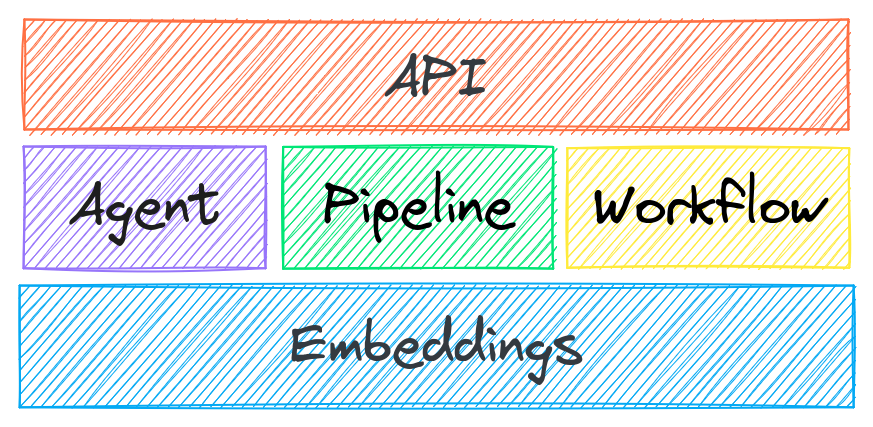
New vector databases, LLM frameworks and everything in between are sprouting up daily. Why build with txtai?
# Get started in a couple lines
import txtai

embeddings = txtai.Embeddings()
embeddings.index(["Correct", "Not what we hoped"])
embeddings.search("positive", 1)
#[(0, 0.29862046241760254)]
- Built-in API makes it easy to develop applications using your programming language of choice
# app.yml
embeddings:
    path: sentence-transformers/all-MiniLM-L6-v2
CONFIG=app.yml uvicorn "txtai.api:app"
curl -X GET "http://localhost:8000/search?query=positive"
- Run local - no need to ship data off to disparate remote services
- Work with micromodels all the way up to large language models (LLMs)
- Low footprint - install additional dependencies and scale up when needed
- Learn by example - notebooks cover all available functionality
Use Cases
The following sections introduce common txtai use cases. A comprehensive set of over 70 example notebooks and applications are also available.
Semantic Search
Build semantic/similarity/vector/neural search applications.

Traditional search systems use keywords to find data. Semantic search has an understanding of natural language and identifies results that have the same meaning, not necessarily the same keywords.
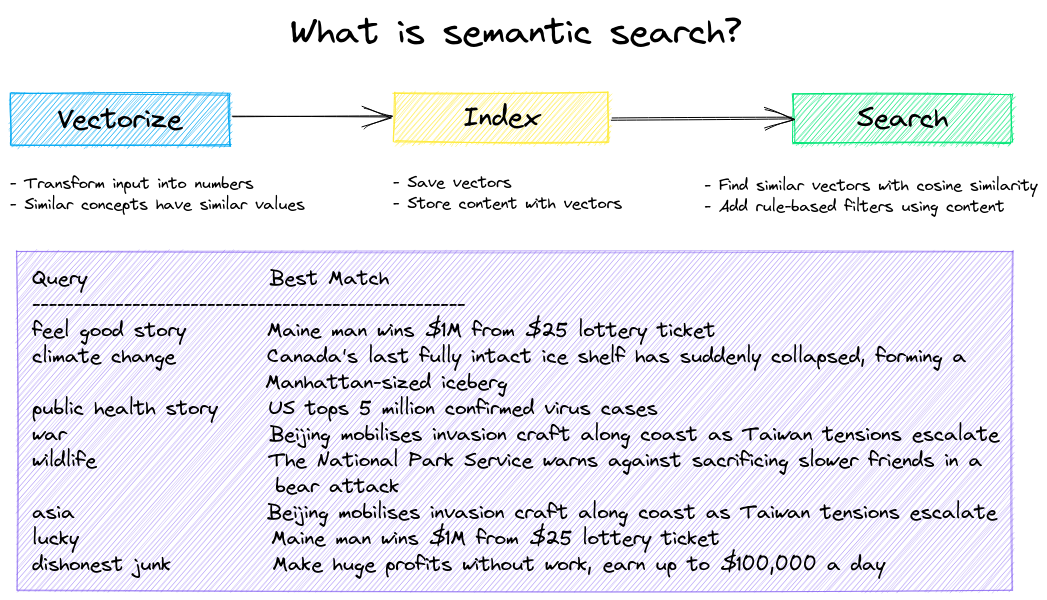
Get started with the following examples.
LLM Orchestration
Autonomous agents, retrieval augmented generation (RAG), chat with your data, pipelines and workflows that interface with large language models (LLMs).
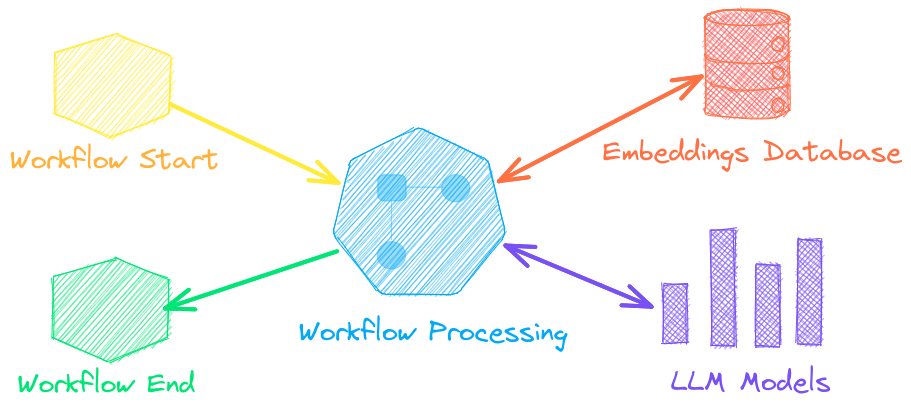
See below to learn more.
Agents
Agents connect embeddings, pipelines, workflows and other agents together to autonomously solve complex problems.
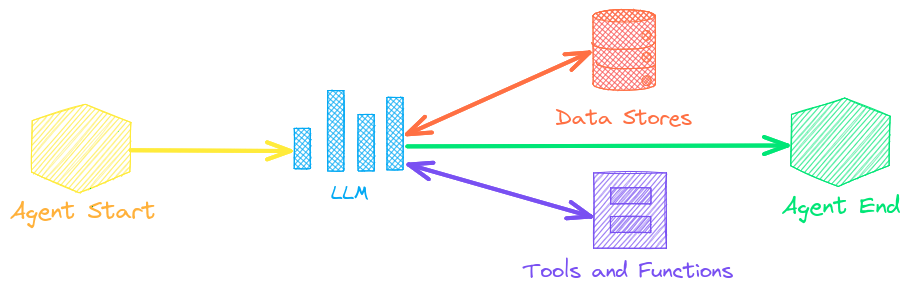
txtai agents are built on top of the smolagents framework. This supports all LLMs txtai supports (Hugging Face, llama.cpp, OpenAI / Claude / AWS Bedrock via LiteLLM). Agent prompting with agents.md and skill.md are also supported.
Check out this Agent Quickstart Example. Additional examples are listed below.
Retrieval augmented generation
Retrieval augmented generation (RAG) reduces the risk of LLM hallucinations by constraining the output with a knowledge base as context. RAG is commonly used to "chat with your data".


Check out this RAG Quickstart Example. Additional examples are listed below.
Language Model Workflows
Language model workflows, also known as semantic workflows, connect language models together to build intelligent applications.
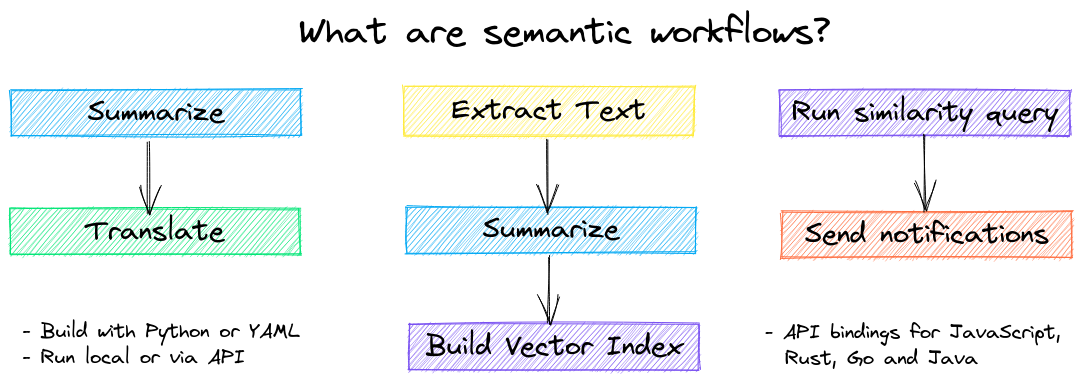
While LLMs are powerful, there are plenty of smaller, more specialized models that work better and faster for specific tasks. This includes models for extractive question-answering, automatic summarization, text-to-speech, transcription and translation.
Check out this Workflow Quickstart Example. Additional examples are listed below.
Installation


The easiest way to install is via pip and PyPI
pip install txtai
Python 3.10+ is supported. Using a Python virtual environment is recommended.
See the detailed install instructions for more information covering optional dependencies, environment specific prerequisites, installing from source, conda support, lightweight minimal installation and how to run with containers.
Model guide

See the table below for the current recommended models. These models all allow commercial use and offer a blend of speed and performance.
Models can be loaded as either a path from the Hugging Face Hub or a local directory. Model paths are optional, defaults are loaded when not specified. For tasks with no recommended model, txtai uses the default models as shown in the Hugging Face Tasks guide.
See the following links to learn more.
Powered by txtai
The following applications are powered by txtai.
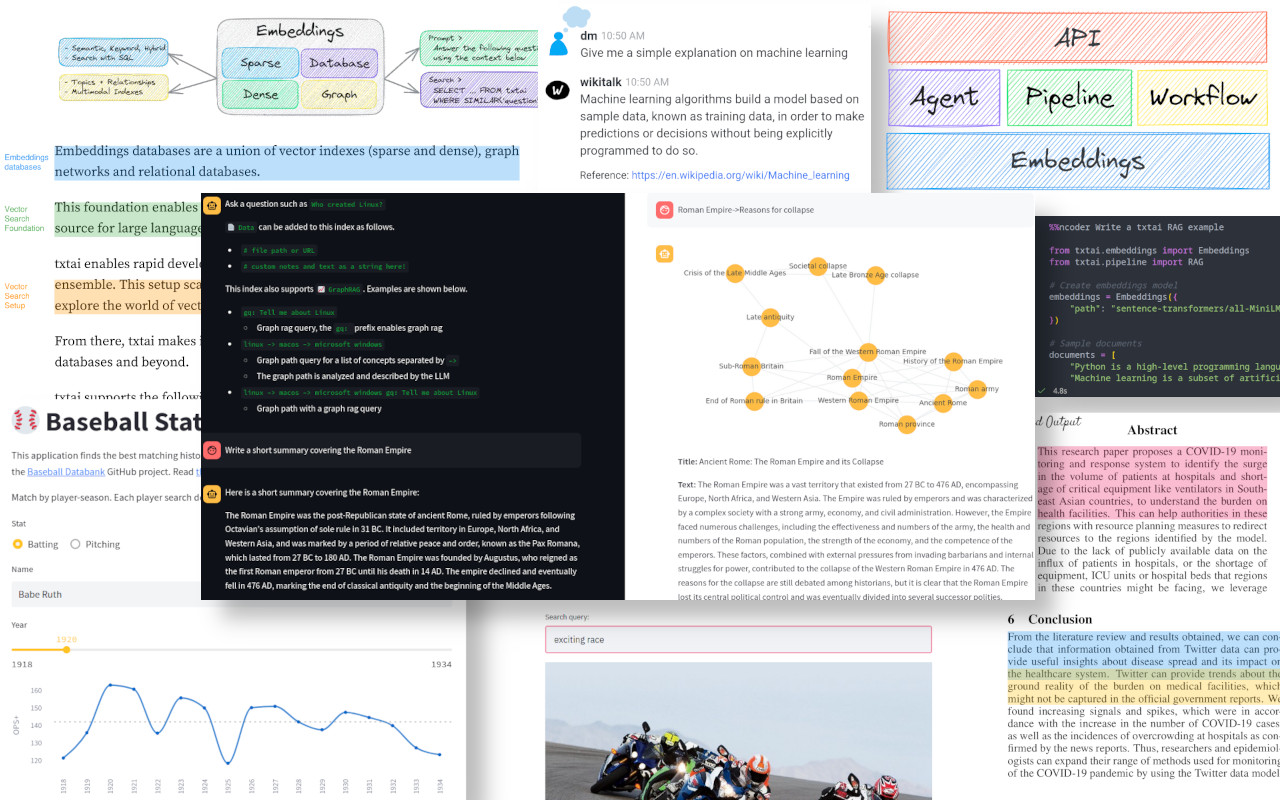


 txtai 是一个一体化的 AI 框架,用于语义搜索、大语言模型编排以及大语言模型工作流。它的核心是一个嵌入数据库,结合了向量索引、图网络和关系型数据库,可用于驱动搜索,或作为大语言模型应用的知识来源。