






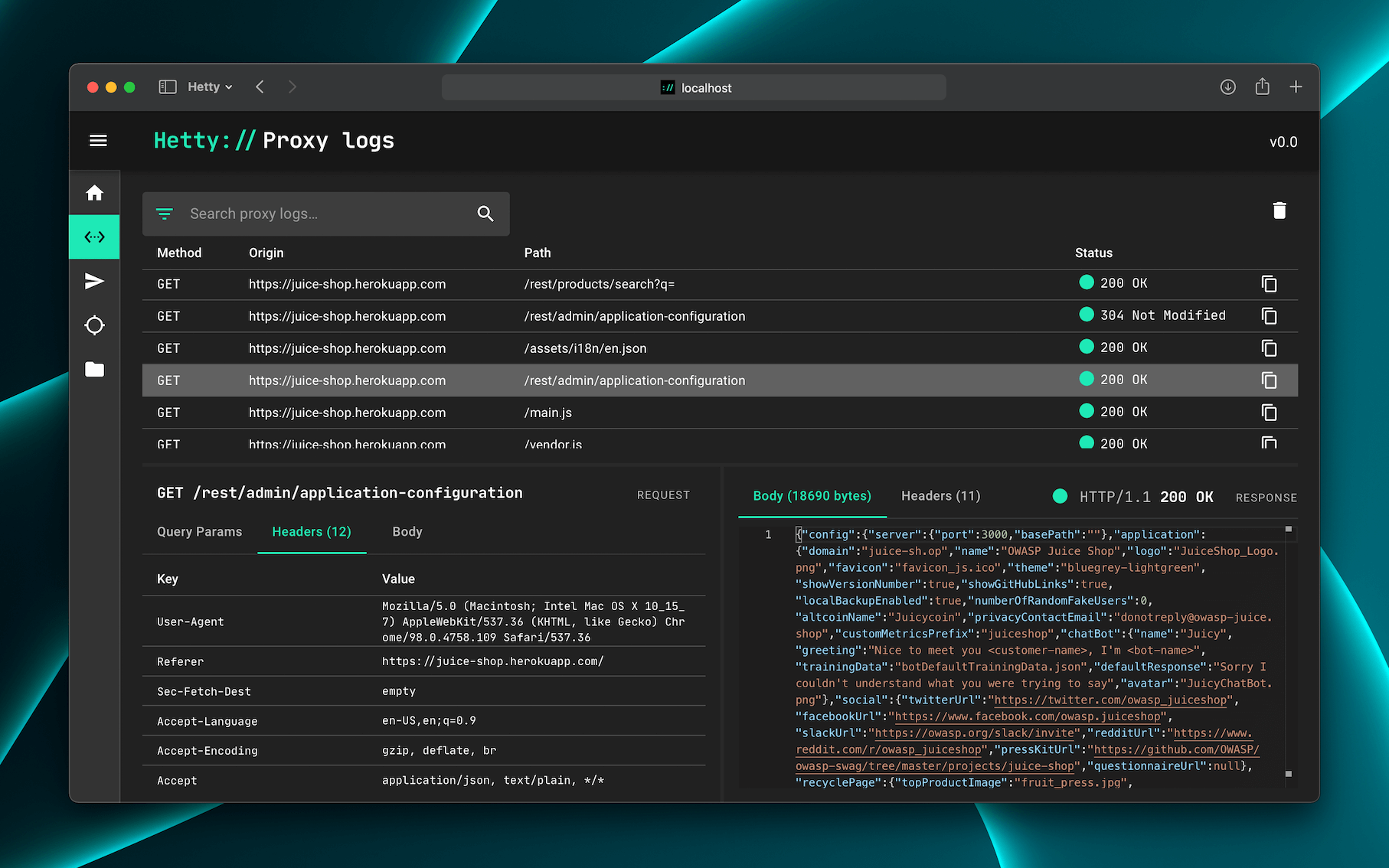
What is this?
 Hetty is an HTTP toolkit for security research, aiming to be an open source alternative to commercial tools like Burp Suite Pro, aimed at the infosec and bug bounty community.
Hetty is an HTTP toolkit for security research, aiming to be an open source alternative to commercial tools like Burp Suite Pro, aimed at the infosec and bug bounty community.Is this a command-line proxy or does it have a UI?It runs an MITM HTTP proxy from the command line plus a web-based admin interface for reviewing traffic, editing requests, and replaying them.
It runs an MITM HTTP proxy from the command line plus a web-based admin interface for reviewing traffic, editing requests, and replaying them.How do I install and run it?Install via a package manager (macOS, Linux, Windows) or download the release binary for your OS/architecture and add it to your PATH, then start it by running 'hetty'. A Docker image is also available via GitHub Container Registry and Docker Hub.
Install via a package manager (macOS, Linux, Windows) or download the release binary for your OS/architecture and add it to your PATH, then start it by running 'hetty'. A Docker image is also available via GitHub Container Registry and Docker Hub.Do I need anything else installed, like Go?No separate runtime is required if you use a package manager, release binary, or Docker image; compiling from source requires Go since the project is written in Go.
No separate runtime is required if you use a package manager, release binary, or Docker image; compiling from source requires Go since the project is written in Go.Is Hetty feature-complete like Burp Suite Pro?No, it's explicitly under active development and positioned as an aspiring open source alternative, not a finished replacement yet.
No, it's explicitly under active development and positioned as an aspiring open source alternative, not a finished replacement yet.Which operating systems does it run on?macOS, Linux, and Windows all have dedicated package manager instructions, plus GitHub release binaries for various OS/architecture combos and a Docker image.
macOS, Linux, and Windows all have dedicated package manager instructions, plus GitHub release binaries for various OS/architecture combos and a Docker image.Where does my proxied traffic data get stored?Hetty stores everything locally in a project-based database on your own machine, nothing is sent to a remote service.
Hetty stores everything locally in a project-based database on your own machine, nothing is sent to a remote service.What can I do with the proxy besides just logging traffic?You can search logs with advanced filters, manually craft or edit HTTP requests with a built-in client, replay proxied requests, and intercept requests/responses to review, edit, or cancel them before they go through.
You can search logs with advanced filters, manually craft or edit HTTP requests with a built-in client, replay proxied requests, and intercept requests/responses to review, edit, or cancel them before they go through.What is Scope used for?Scope support lets you restrict which traffic Hetty tracks and shows, helping keep large engagements organized by filtering out irrelevant hosts or paths.
Scope support lets you restrict which traffic Hetty tracks and shows, helping keep large engagements organized by filtering out irrelevant hosts or paths.How do I see all the CLI options?Run 'hetty --help' to list all available command-line options.
Run 'hetty --help' to list all available command-line options.Which topics is it in?bugbounty, mitm, infosec, pentesting, penetration-testing, http, security-tools, proxy, go, docker, self-hosted, cli
bugbounty, mitm, infosec, pentesting, penetration-testing, http, security-tools, proxy, go, docker, self-hosted, cli