




24K ·GitHub
What is this?
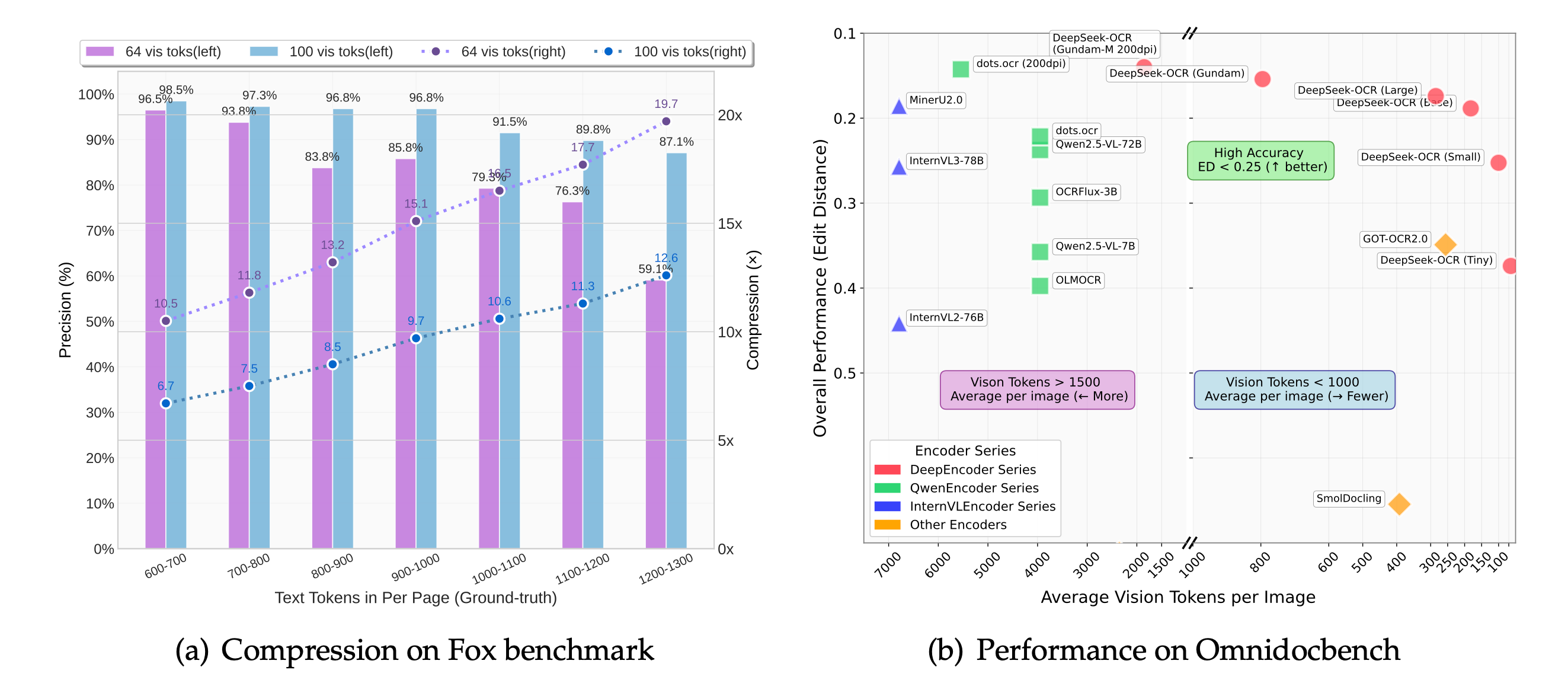
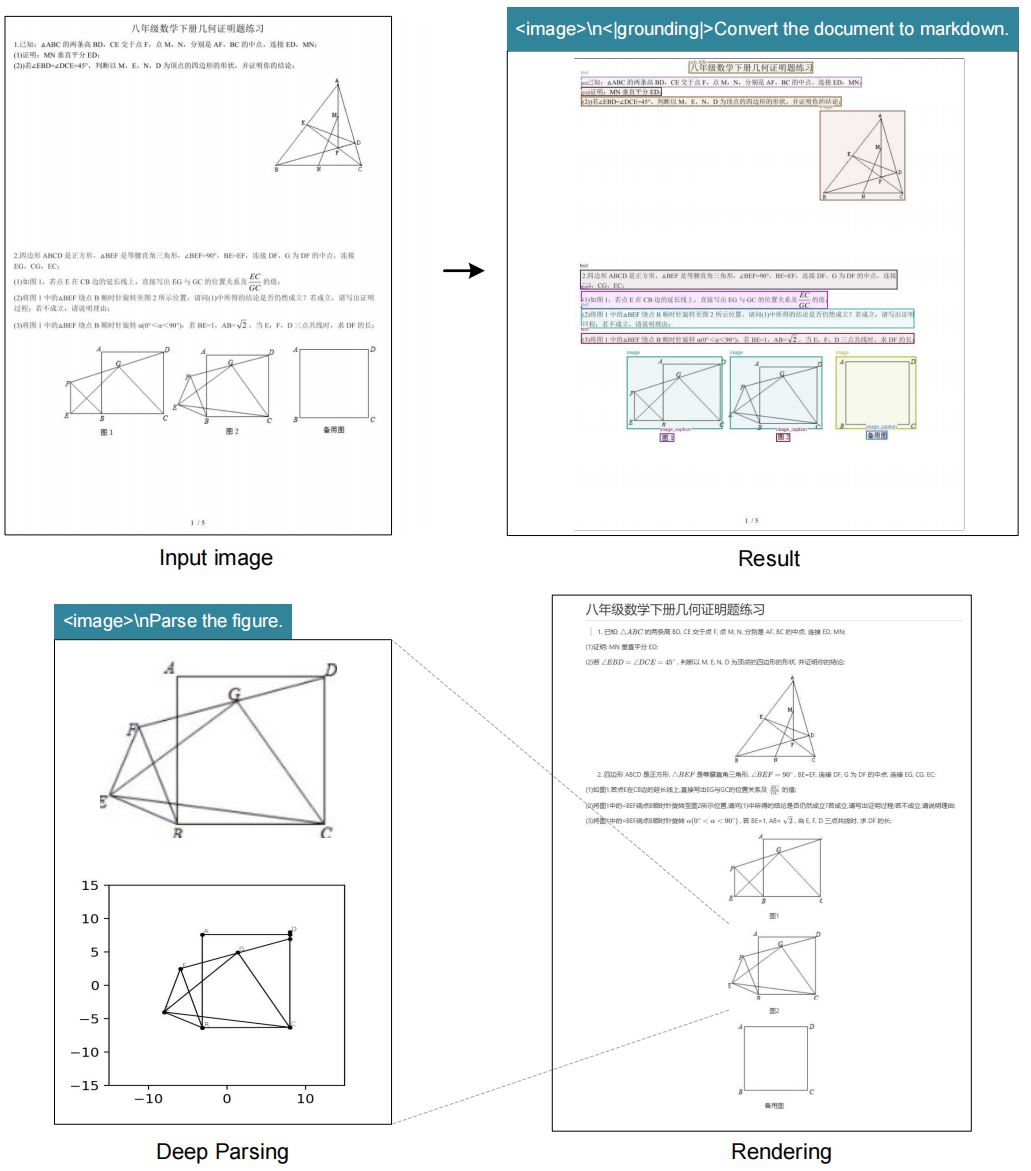
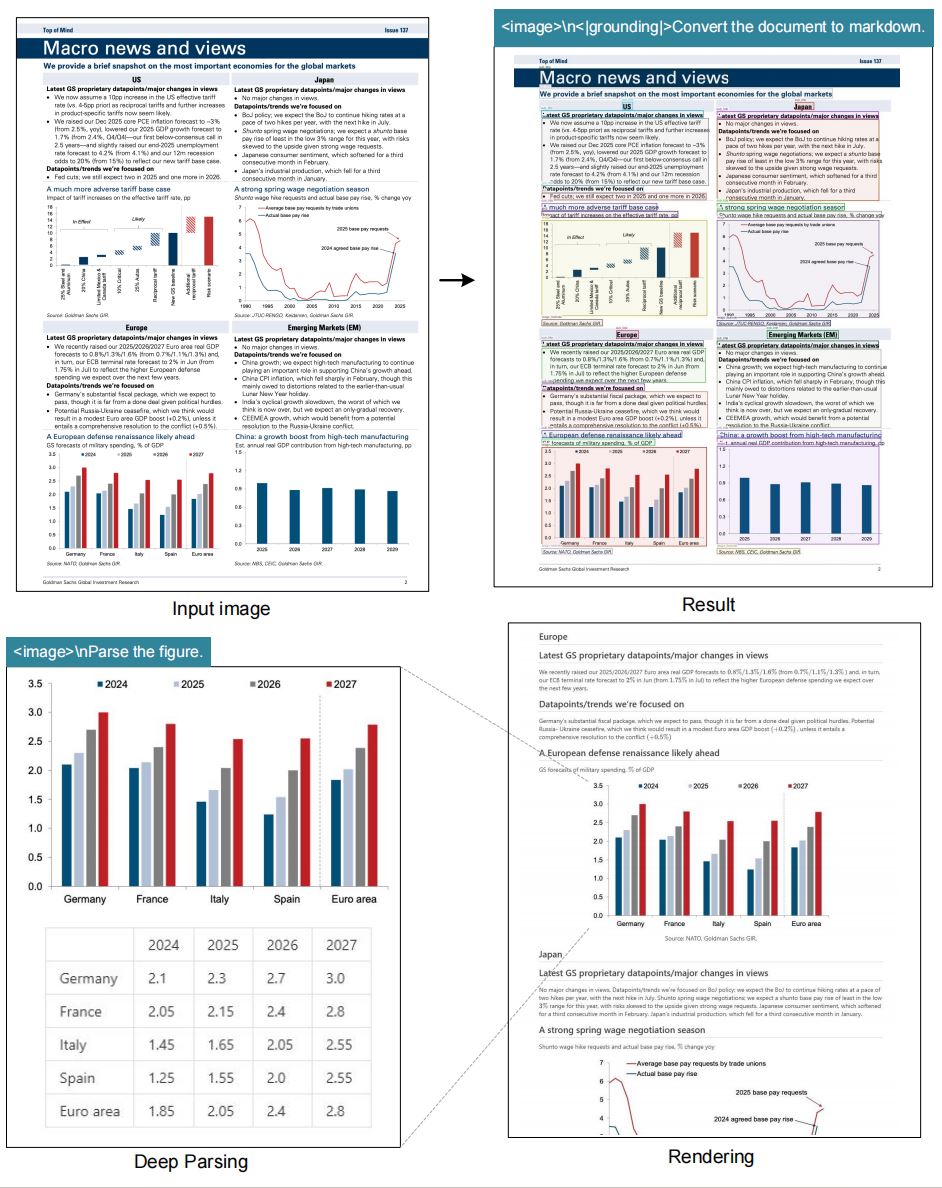
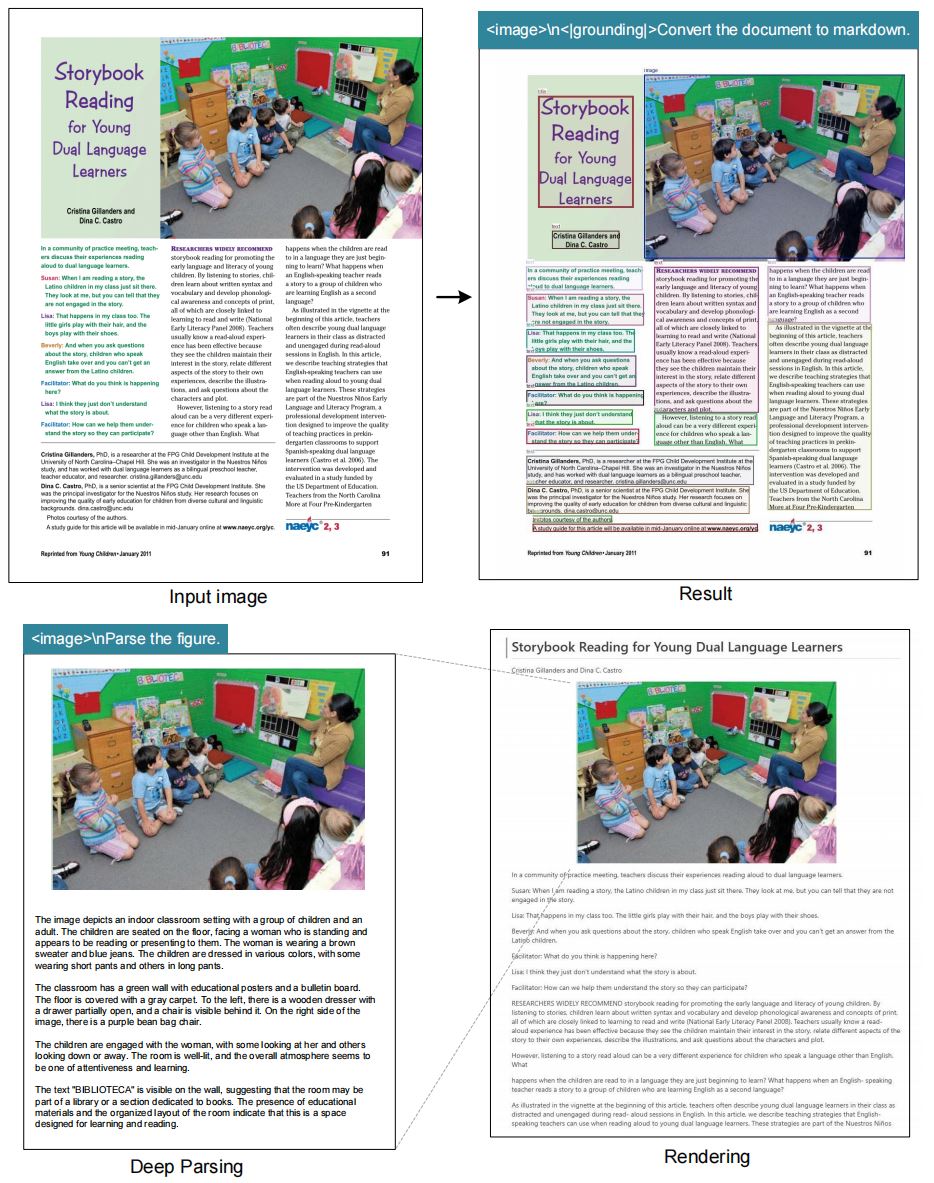
 DeepSeek-OCR is a vision-language model built to explore 'contexts optical compression' -- squeezing text-heavy document images into a small number of vision tokens that an LLM can still read back accurately, as a research probe into how much text a vision encoder can represent visually.
DeepSeek-OCR is a vision-language model built to explore 'contexts optical compression' -- squeezing text-heavy document images into a small number of vision tokens that an LLM can still read back accurately, as a research probe into how much text a vision encoder can represent visually.Is this a ready-made OCR app or something I run from code?It is an open-source research model, not a packaged app -- you run it yourself through either vLLM inference or Hugging Face Transformers inference scripts included in the repo.
It is an open-source research model, not a packaged app -- you run it yourself through either vLLM inference or Hugging Face Transformers inference scripts included in the repo.How do I get it running?Clone the repository, set up the Conda environment, install the required packages including a specific vllm-0.8.5 wheel, then run either the vLLM inference script (for streaming images or PDF batches) or the Transformers inference script.
Clone the repository, set up the Conda environment, install the required packages including a specific vllm-0.8.5 wheel, then run either the vLLM inference script (for streaming images or PDF batches) or the Transformers inference script.Do I need a CUDA GPU to run it?Yes -- the reference environment is cuda11.8+torch2.6.0, and the benchmark throughput numbers are measured on an A100-40G GPU.
Yes -- the reference environment is cuda11.8+torch2.6.0, and the benchmark throughput numbers are measured on an A100-40G GPU.Any install pitfalls?Running vLLM and Transformers inference side by side in one environment can trigger a dependency clash, since vllm 0.8.5+cu118 requires transformers>=4.51.1; the README flags this exact error ahead of time.
Running vLLM and Transformers inference side by side in one environment can trigger a dependency clash, since vllm 0.8.5+cu118 requires transformers>=4.51.1; the README flags this exact error ahead of time.What resolution modes does it support?It offers four fixed native resolutions (Tiny 512x512 with 64 vision tokens, Small 640x640/100 tokens, Base 1024x1024/256 tokens, Large 1280x1280/400 tokens) plus a dynamic 'Gundam' mode that combines several 640x640 tiles with one 1024x1024 tile.
It offers four fixed native resolutions (Tiny 512x512 with 64 vision tokens, Small 640x640/100 tokens, Base 1024x1024/256 tokens, Large 1280x1280/400 tokens) plus a dynamic 'Gundam' mode that combines several 640x640 tiles with one 1024x1024 tile.How fast is it on real documents?For PDF batch evaluation the model reaches around 2500 tokens/s on a single A100-40G GPU.
For PDF batch evaluation the model reaches around 2500 tokens/s on a single A100-40G GPU.Why is it called 'optical compression'?The idea is to represent large amounts of text visually using far fewer vision tokens than the equivalent text tokens, testing how much a model can recover from a heavily compressed visual encoding of a document.
The idea is to represent large amounts of text visually using far fewer vision tokens than the equivalent text tokens, testing how much a model can recover from a heavily compressed visual encoding of a document.Is there a newer version?Yes -- DeepSeek-OCR2 was announced on 2026/01/27 as a successor, while this repository covers the original DeepSeek-OCR release from October 2025, which is now officially supported in upstream vLLM.
Yes -- DeepSeek-OCR2 was announced on 2026/01/27 as a successor, while this repository covers the original DeepSeek-OCR release from October 2025, which is now officially supported in upstream vLLM.What are similar projects?ZDTaichu5.0-9B, Unlimited-OCR, InternVL, OraRL, UniVR, TeleOCR, halo, Intern-Decision
ZDTaichu5.0-9B, Unlimited-OCR, InternVL, OraRL, UniVR, TeleOCR, halo, Intern-DecisionWhich topics is it in?vision-language-model, natural-language-processing, transformers, vllm, ocr, document-processing, multimodal, huggingface, computer-vision, cuda, pytorch, benchmark
vision-language-model, natural-language-processing, transformers, vllm, ocr, document-processing, multimodal, huggingface, computer-vision, cuda, pytorch, benchmark