Elemental Sandbox
A skillshot VFX sandbox built with Three.js, Vite and hand-written GLSL.
Seven abilities and five ways to aim them. Press the key to arm, the appropriate targeting
indicator appears, swing it with the mouse, click to fire. One ability is a line cast (the
arrow), three are far casts (a thick boundary that follows the cursor and answers the only
question a ground-targeted AoE has to answer before you commit — how much space this is going to
take), one is a gate cast (the only one that builds a structure standing on the floor), one
is a ring cast (a structure that is forged lying down and then hinged up to stand), and one is
a scribe cast (a hole struck into the air at a chosen size, with no footprint on the ground
at all).
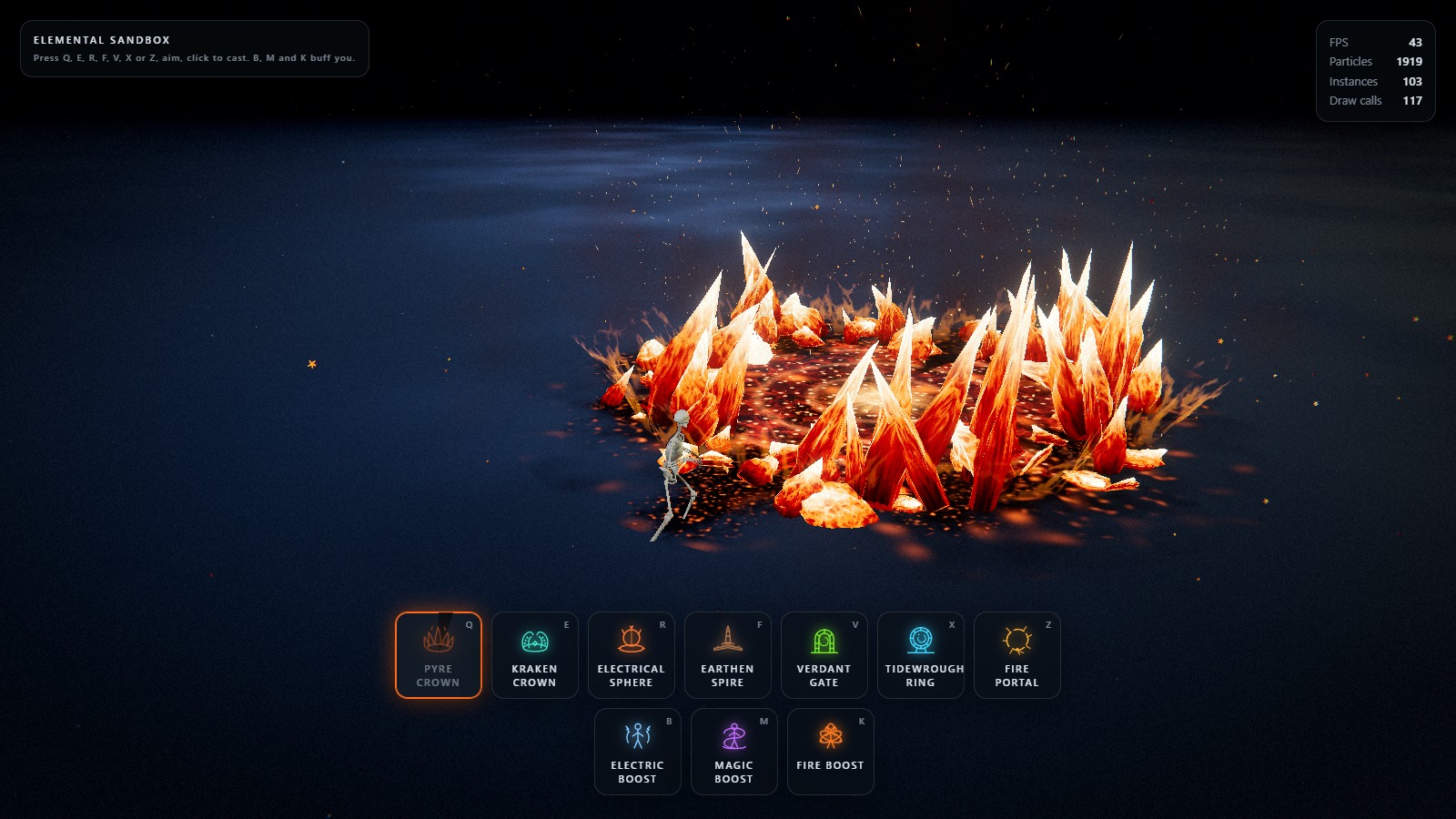
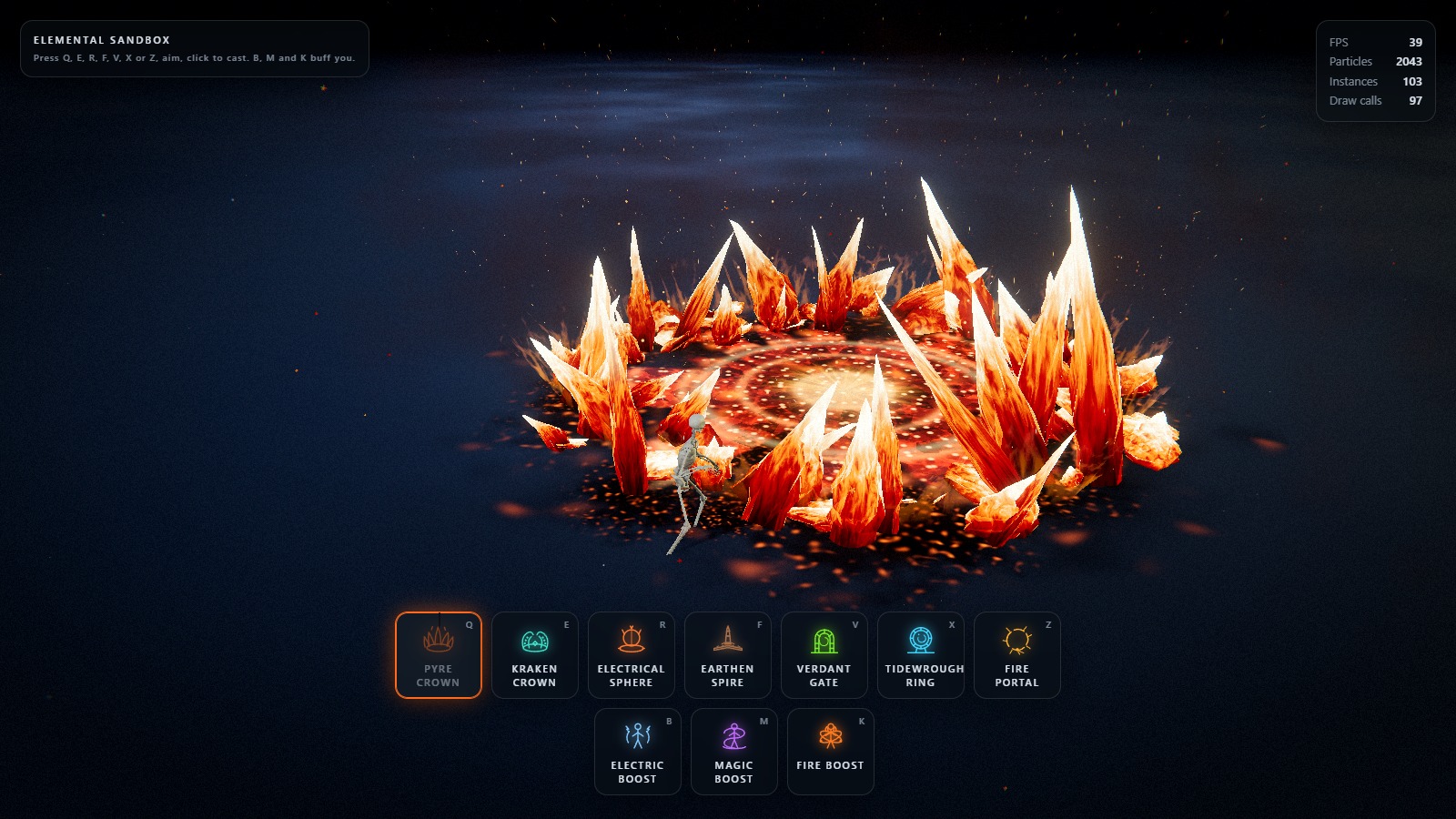
Q — Pyre Crown. A line of fire races out across the floor, the ground inside the circle splits
and goes molten, and a ring of burning blades tears up out of it — leaning outward, fanned so they
cross, of wildly uneven height — which stands, burns, throws embers up through its own middle on
the column of hot air over the crater, and is then consumed: eaten down from the points to the
floor and left as ash. The middle of the footprint is held open on purpose, because the read of the
ability is a wall you are looking into, and filling the disc stops it being a ring.
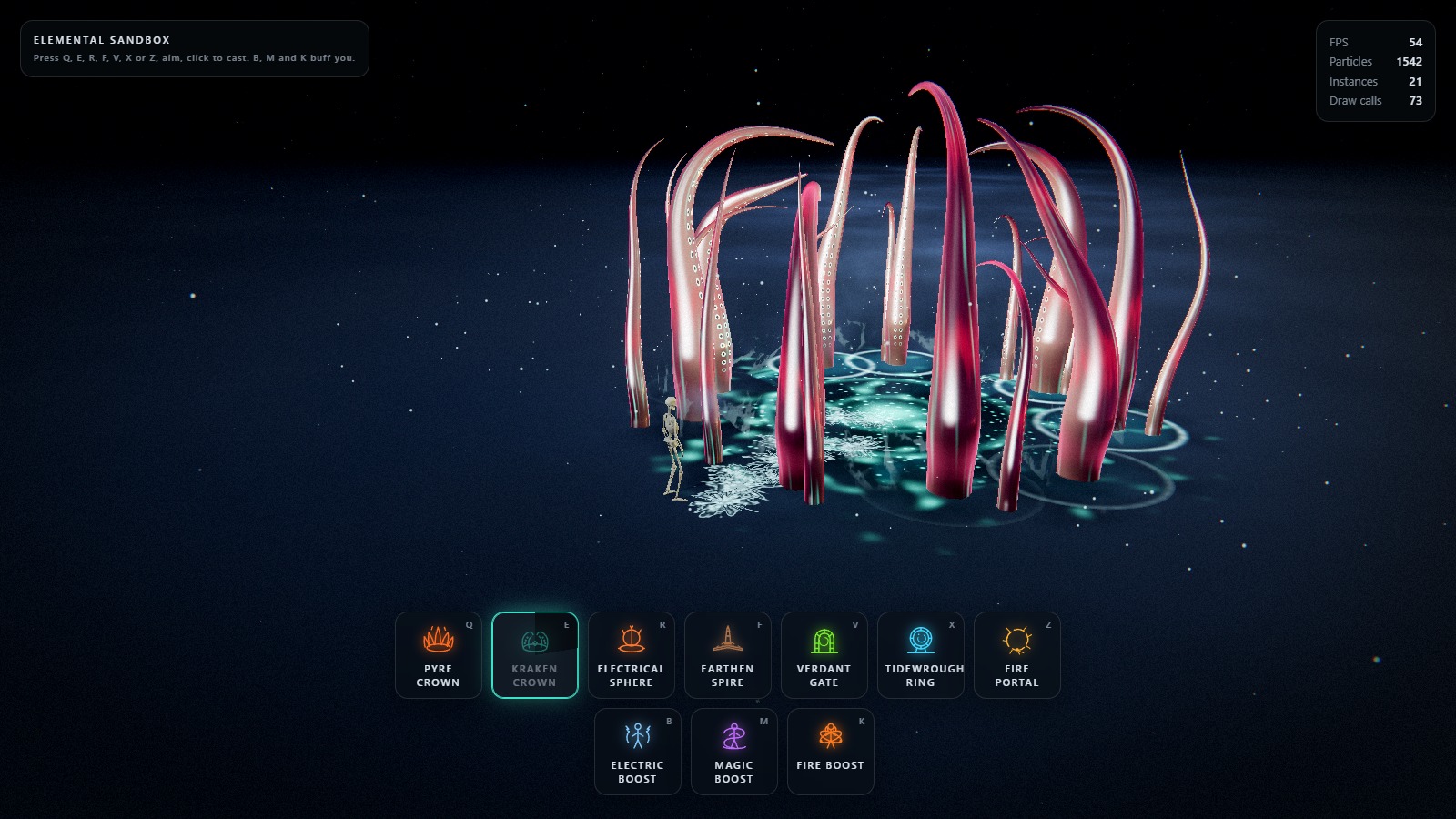
E — Kraken Crown. A slick of black water runs out to the aimed point, the flagstones inside the
circle give way, and a ring of cephalopod arms hauls itself out of the rift — uncoiling as it comes,
rearing back over the floor — and then hammers the middle of the footprint over and over. Each
landing throws stone, spray and ink, the slams arrive as rolling thunder rather than in unison, and
the cast ends with one synchronised slam and the arms dragging themselves back into the hole.
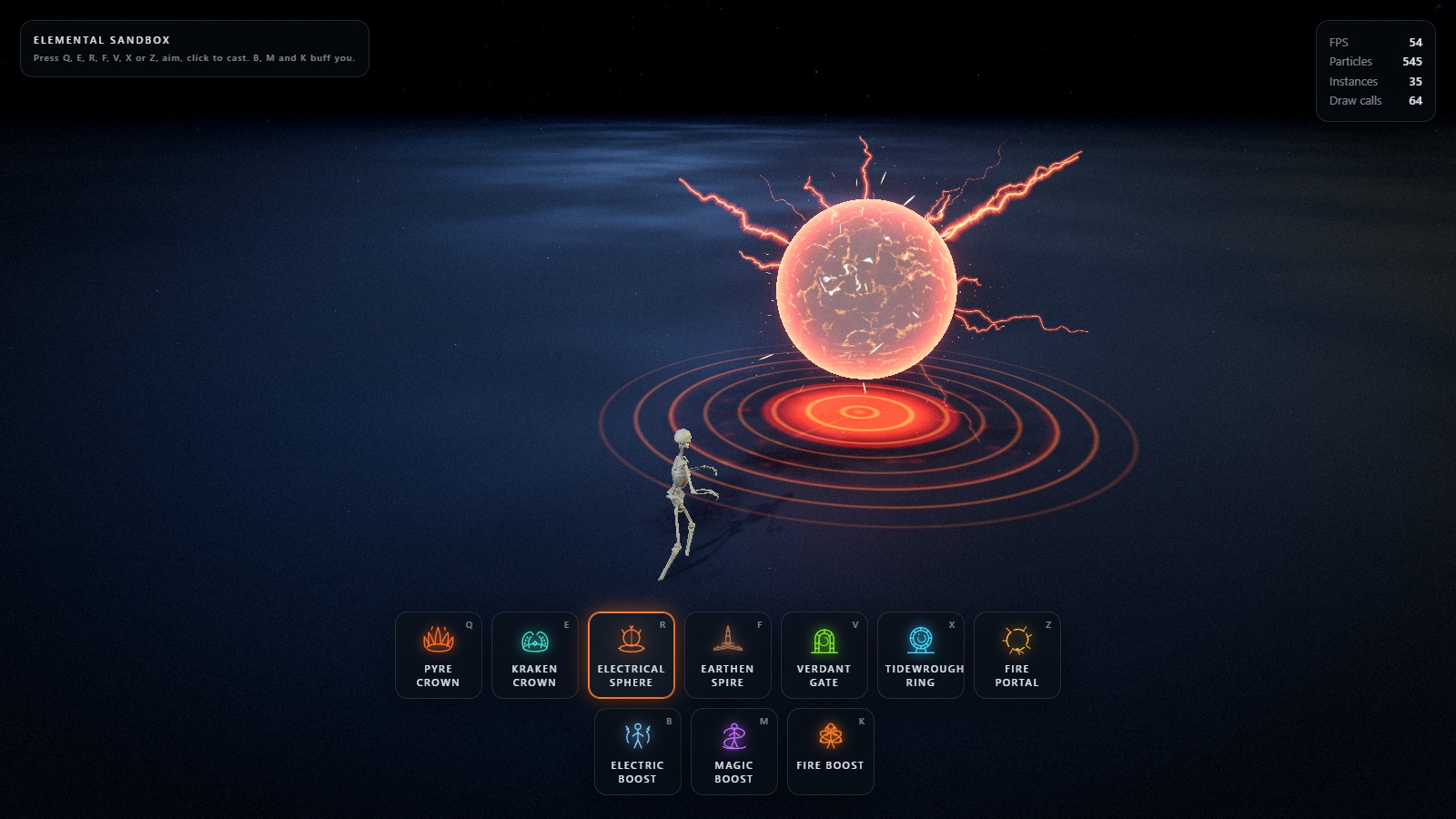
R — Electrical Sphere. A line of current is whipped out across the floor; where it lands the
ground splits, a containment platform blooms out, and a dark polished sphere rises out of the middle
and hovers there — mirroring the room, ringed in Fresnel light, electricity crawling flat across its
skin and arcs tearing off it — until it collapses inward and vanishes.
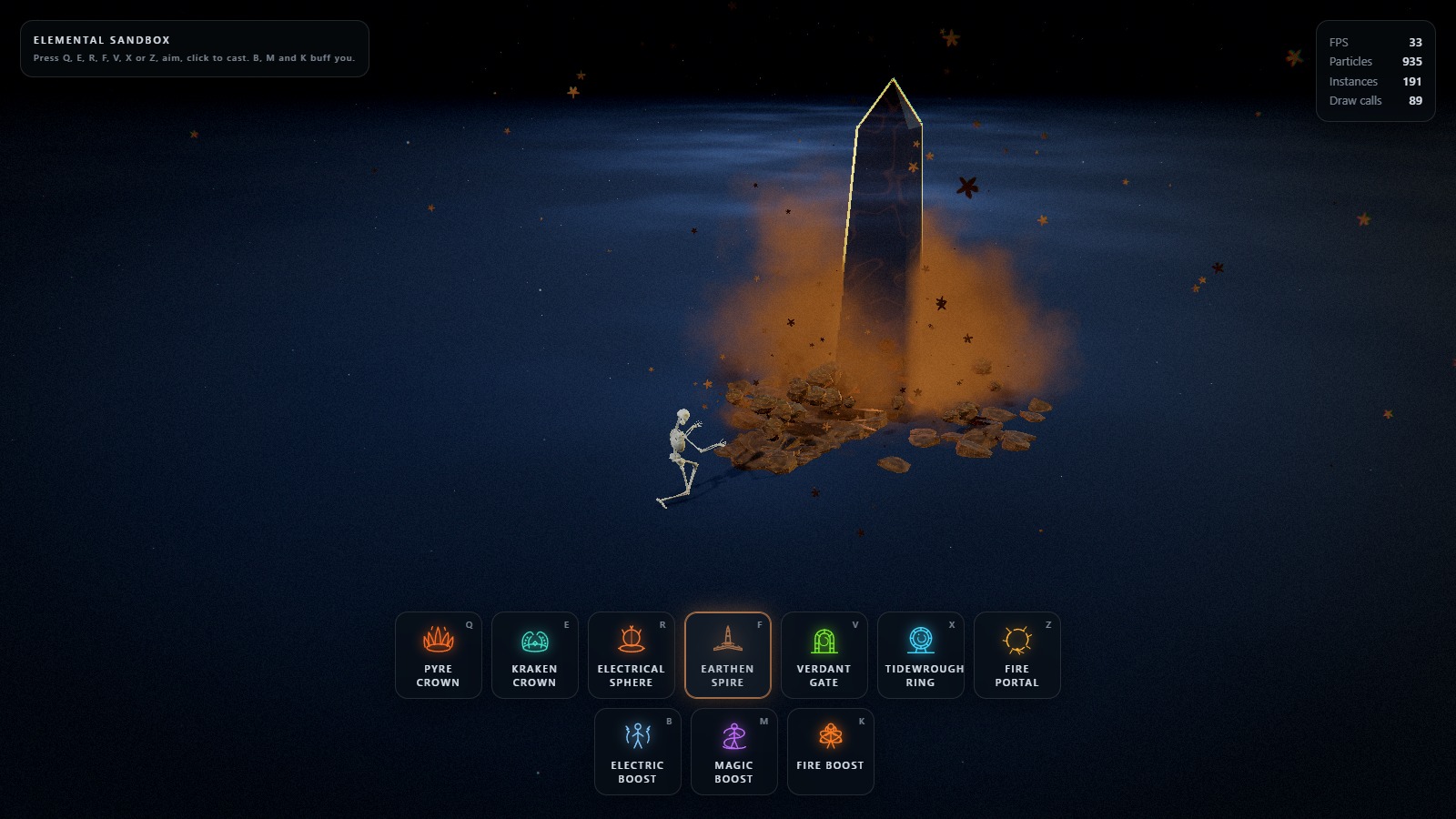
F — Earthen Spire. The only line cast. A crust of stone plates is laid down along the aimed line
behind a travelling front, a fracture wave trails the head and breaks the crust open, boulders are
thrown up through the cracks, and — at the end of the line — a stone tower climbs out of the floor
with a ring of boulders shouldered up around its plinth.
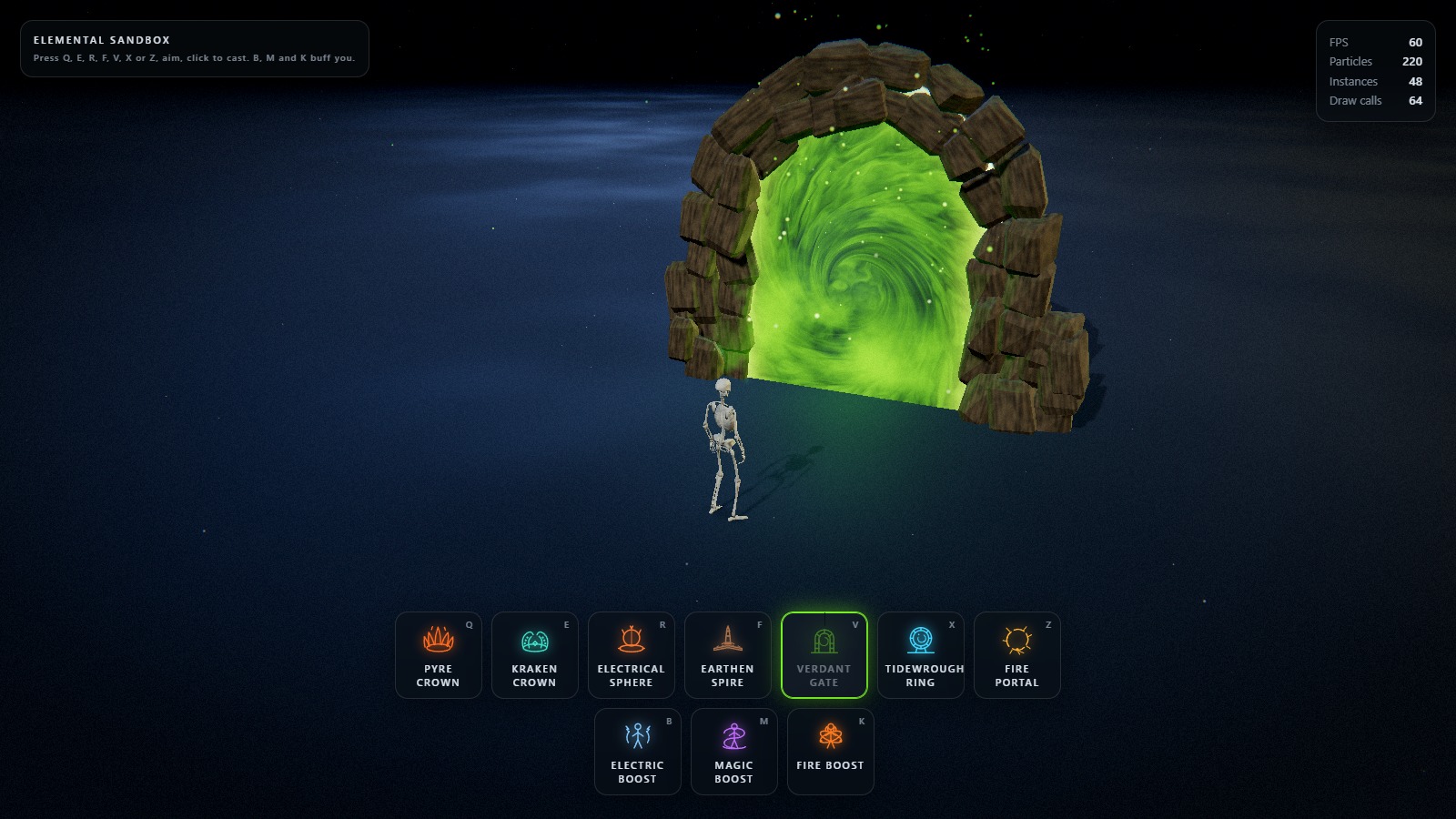
V — Verdant Gate. The first gate cast. A seam of green races along the aimed line to the site,
quarried blocks break out of the floor outside the footprint and swing up into their slots, both
jambs climbing together, the outer courses lagging the inner ones, the keystone seating last with
the only shake worth feeling — and then the portal floods the opening and stays lit until another
gate is raised, at which point the standing one is asked to come apart, keystone first.
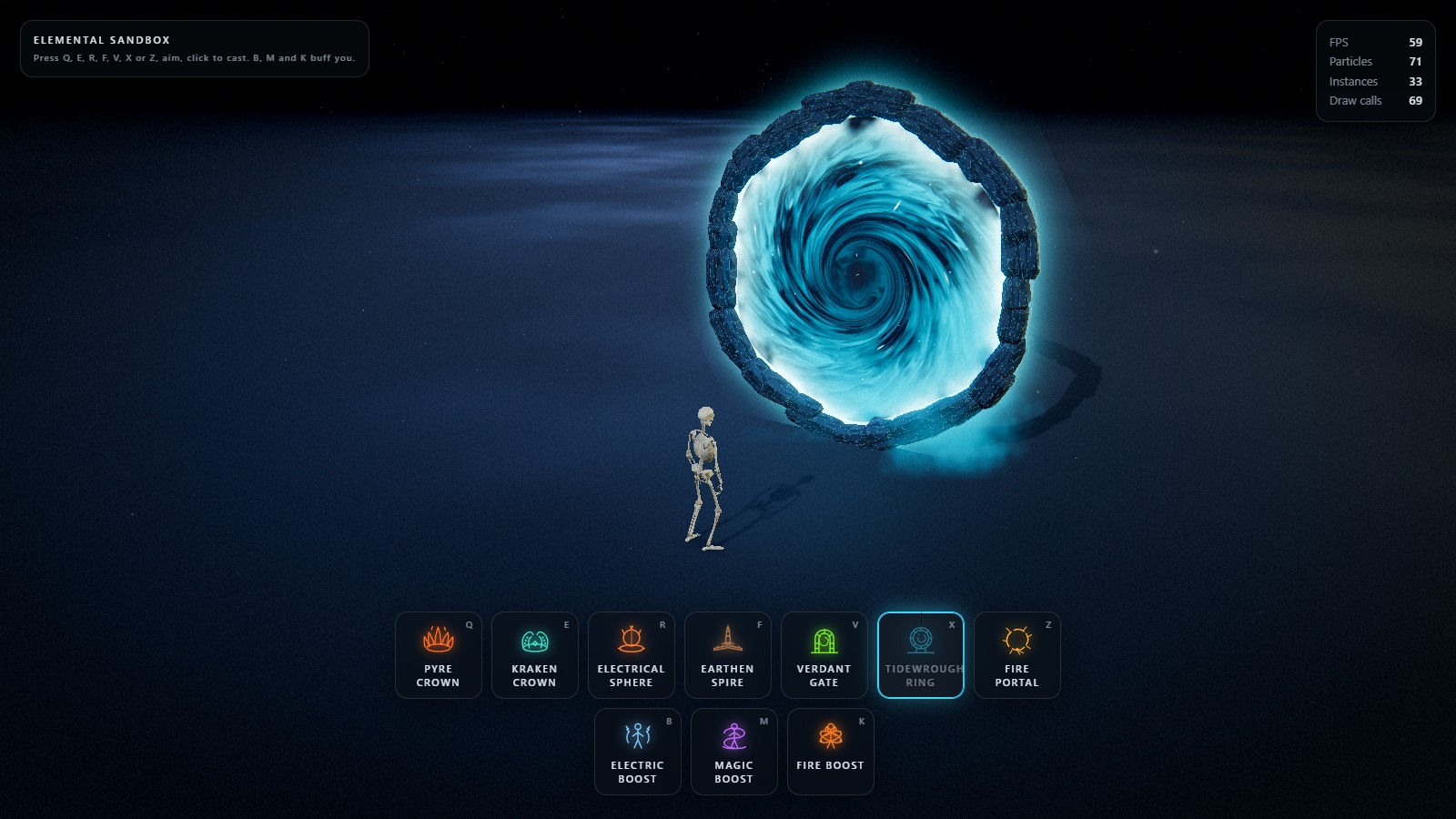
X — Tidewrought Ring. The first ring cast. A tide of light runs out along the aimed line, the
ring is then forged lying down — segments swing in out of a wide orbit in the ground plane,
spiralling inward against the ring's own rotation and locking from the foot upward, both arcs closing
on the crown, with a band of runes lighting behind them one mark at a time — the finished hoop
stands up, hinging off the floor about its own lateral axis and settling a few degrees past
vertical, and the horizon irises open from the middle out, slams into the rim, and stays lit.
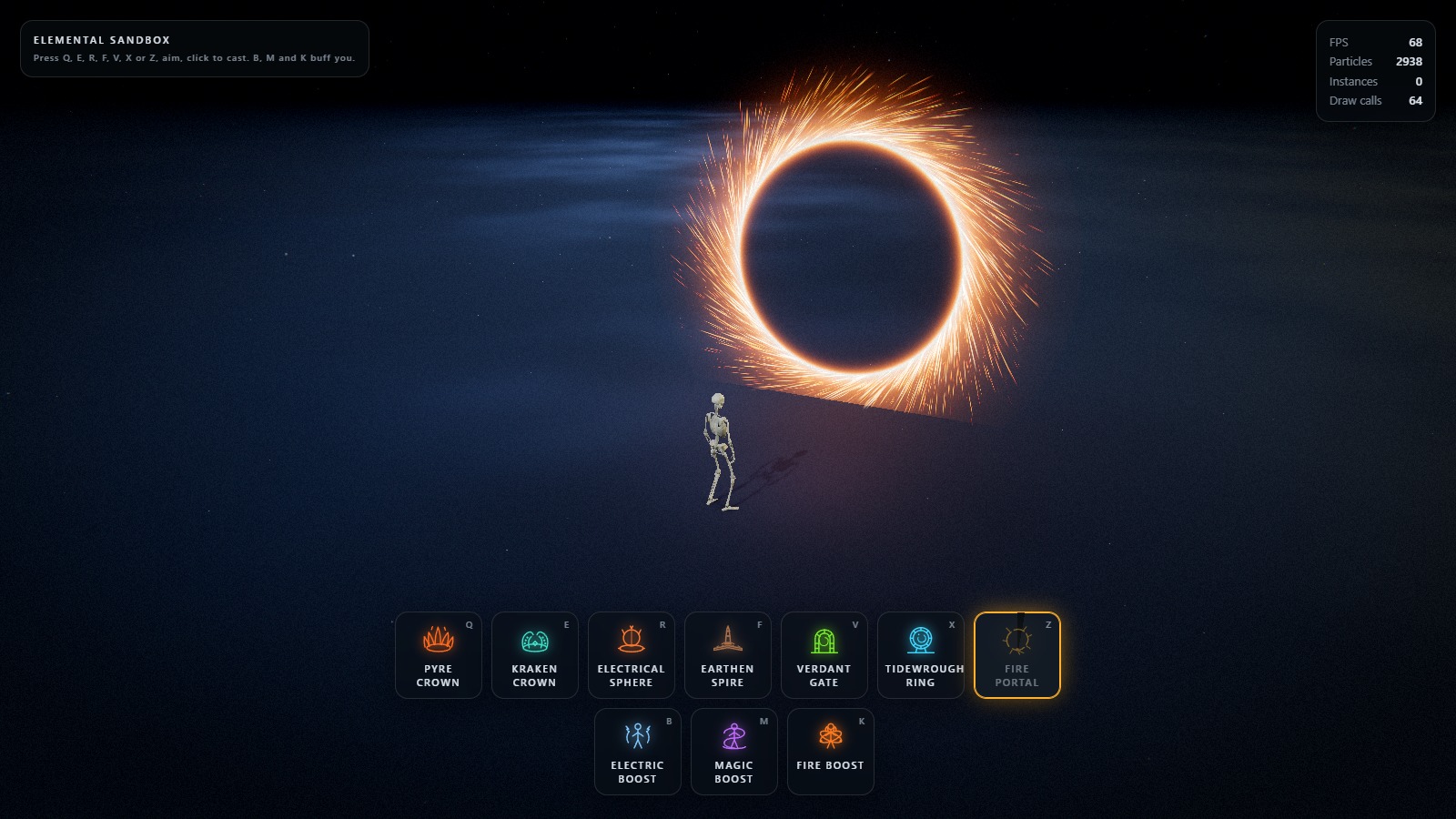
Z — Fire Portal. The first scribe cast. A black disc is struck into existence — a spark is lit
at the foot of the circle and runs all the way round it, and the contour it traces is the way
through, drawn from the middle out. The ring behind the disc is a circle standing in the air that
throws stretched sparks off itself on a tangent, all the way round, every frame. The way through is
the only portal in the sandbox that takes the opening away rather than putting light in it.
Outside the arm-and-cast loop sit three self-buffs: B Electric Boost, M Magic Boost, K
Fire Boost. None of them is selected, none of them is aimed, and any of them, all of them, or none
can be running at once.
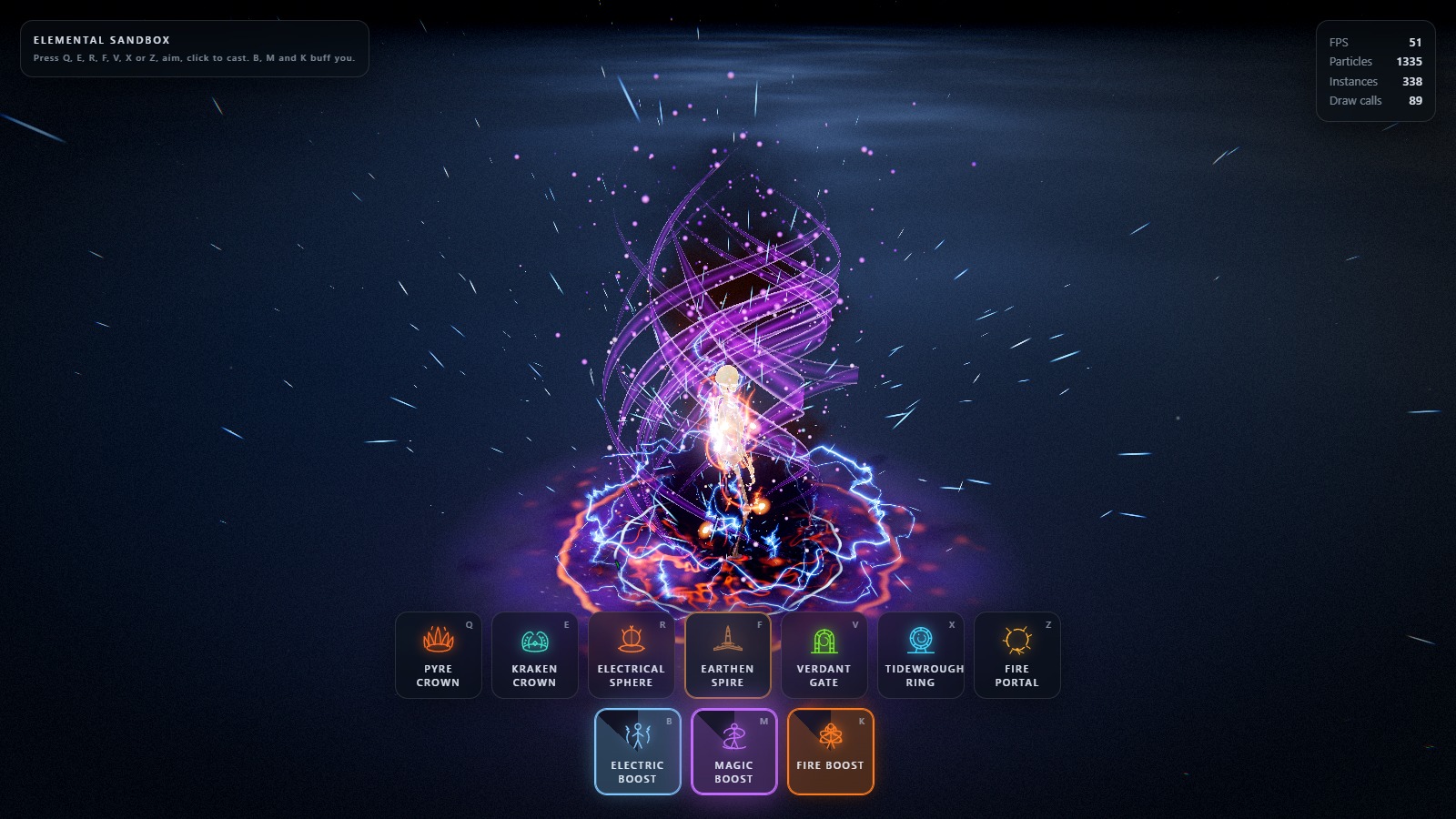
Everything you can see is generated. There are no sprite sheets and no meshes on disk except the
character: the blades are procedural geometry, the arms are procedural tubes bent entirely in a
vertex shader, the electrical arcs are instanced ribbon, the plates and rocks and gate blocks are
procedural geometry, the beam of light through the portal and the hole through the fire portal are
two passes of one quad, the arrow, the targeting circle, the burns and the molten cracks are
signed-distance and noise shaders, and the mist, sparks, embers, ink and chips are GPU particles.
Every parameter is a live slider — and they stay live while the simulation is paused. That is
the point of the project: freeze a frame mid-eruption, mid-strike or mid-burn with P, then
reshape the silhouette, the palette and the timing against a still image.
Quick start
npm install
npm run dev
Then open the URL Vite prints (default http://127.0.0.1:5173).
npm run build
npm run preview
Assets
The binary assets are served from public/ and loaded automatically at boot:
| File |
Purpose |
public/models/Idle.fbx |
Rigged character and its idle animation clip |
public/models/diffuse.png |
The character's colour map |
public/models/cast1.fbx |
Cast animation |
public/models/cast2.fbx |
Cast animation |
public/models/cast3.fbx |
Cast animation |
public/hdri/spruit_sunrise.hdr |
HDR probe used for image-based lighting and reflections |
public/textures/cathedral/*.jpg |
The stone tiling that dresses the stage floor (albedo, normal, roughness, AO) |
public/textures/textures.glb |
A small material library kept as a fallback for the character skin |
All four FBX files are Mixamo exports of the same rig, each carrying a skinned mesh plus one
animation stack. The character comes from the idle file; the cast files are loaded for their clip
alone, and the duplicate rig that arrives with each one is released the moment its AnimationClip
has been taken. Clips bind to the skeleton by bone name, which is the whole reason an animation
authored in another file plays here without retargeting.
The rig ships no material, so diffuse.png is loaded beside it and assigned as the colour map when
the imported materials are converted to PBR — an FBX that does carry an embedded texture keeps its
own, since that map is authored against its own UVs.
Every ability picks the clip it throws — castAnim in its settings block, a dropdown under The
cast in its editor folder. The clip is a one-shot laid over the looping idle, with
character.castBlendIn / character.castBlendOut as the two edges of that overlap.
The HDR is loaded as image-based lighting and as the reflection source for the electrical sphere and
the magic boost ribbon. The stage keeps its flat dark backdrop; the HDR is sampled, never shown.
Controls
| Input |
Action |
| Q (or 1) |
Arm Pyre Crown — a far cast, aimed with a circle |
| E (or 2) |
Arm Kraken Crown — a far cast, aimed with a circle |
| R (or 3) |
Arm Electrical Sphere — a far cast, aimed with a circle |
| F (or 4) |
Arm Earthen Spire — a line cast, aimed with the arrow |
| V (or 5) |
Arm Verdant Gate — a gate cast, aimed with a threshold and a standing arch |
| X (or 6) |
Arm Tidewrought Ring — a ring cast, aimed with a sigil the ring tips up out of |
| Z (or 7) |
Arm Fire Portal — a scribe cast, aimed with a circle a spark runs round |
| B |
Electric Boost — a self buff; press again to let go |
| M |
Magic Boost — a self buff; press again to let go |
| K |
Fire Boost — a self buff; press again to put it out |
| Move the mouse |
Swing the aim arrow, or move the far-cast circle |
| Left click |
Cast along the arrow, or drop the circle where it is |
| Esc / right click |
Cancel an armed cast |
| Right mouse + drag |
Orbit the camera |
| Scroll |
Zoom |
| G |
Show/hide the VFX editor |
| P |
Pause / resume — the editor keeps applying |
| C |
Clear all active effects |
| H |
Hide the controls panel |
range and minRange are per ability, so the indicator's reach changes with the slot you have
selected. Aiming closer than the selected ability's minRange tints it red and refuses the cast;
set minRange to 0 if you would rather cast at your own feet, which is what the Pyre Crown ships
with — a ring of fire around your own feet is a legitimate play. Cooldowns are per ability too, so
spending one slot never locks the other out.
The three boosts are not slots: nothing selects them and nothing aims them, so they sit outside the
arm-and-cast loop entirely and are simply switched on. Any of them, all of them or none can be
running at once — where two want to light the character's own materials, the stronger claim wins
(see src/materials/FresnelAura.js). Fire Boost differs from the other two in where it hangs its
effect: its flames are rooted on the rig's actual bones, so the fire on a forearm swings with
the arm, and its orbiting embers trail wakes that are the orbit sampled backward in time rather
than a recorded path — which is why dragging their tilt re-sweeps a second of fire instantly, even
paused.
Project layout
src/
  abilities/      Ability base class (the travelling front, phase machine, light bookkeeping),
                  PyreAbility, KrakenAbility, ElectricalSphereAbility, EarthAbility,
                  PortalAbility, AetherRingAbility, FirePortalAbility, AbilityManager
  animation/      FBX character loading, AnimationMixer, the per-ability cast clips,
                  the procedural cast lunge
  assets/         Procedural geometry: crystals, plates, blocks, rocks, towers, arms,
                  bolt ribbon strip
  config/         settings.js — the single source of truth for every parameter
  core/           App, Renderer, CameraRig, Time, Layers, shared frame uniforms
  effects/        Aim arrow, far-cast circle, gate/ring/scribe templates, reach ring,
                  ground decals, fissures, bursts, light pool, the three boosts,
                  shake, flash
  input/          InputManager (events) and AimController (the five targeting shapes)
  loaders/        AssetLoader with a shared LoadingManager
  materials/      PyreMaterial, KrakenMaterial, ElectricalSphereMaterial, RockMaterial,
                  GlassMaterial, RadialBoltMaterial, EmberFieldMaterial, AbyssFieldMaterial,
                  FireBodyMaterial, FresnelAura, ArcaneRibbonMaterial
  particles/      GPU particle system + engine and rate emitters
  postprocessing/ Composer pipeline, grade shader
  shaders/lib/    Shared GLSL: noise library, common helpers
  ui/             HUD, lil-gui editor, preset manager, glyphs, styles
  utils/          Maths, colour cache, pooling, disposal, shader patching
  world/          Environment (stage lighting), floor, dust, contact shadows
  archive/        The retired four-element sandbox — see archive/README.md
How it fits together
Settings are the API
src/config/settings.js holds every tweakable value. Nothing else owns that state: shaders,
particle systems, lights and post passes read those objects every frame. That is what makes the
editor work with no rebuild — moving a slider changes the crown that is already standing, the next
cast, the environment and the post stack at once. Preset loading deep-merges into the same
objects so every live binding stays valid.
import { settings } from './config/settings.js';
settings.pyre.height = 7;          // visible on the next frame, even mid-cast
settings.kraken.zoneRadius = 5;     // re-hammers a rift that is already standing
settings.global.timeScale = 0.1;    // slow the whole simulation to a crawl
Ability blocks are keyed by their id in ELEMENTS, and the shared systems that need to know
"which ability is the player holding" — the aim controller, the cooldowns, the HUD — look it up as
settings[element]. The four fields they rely on being present are range, minRange, speed
and cooldown; a far cast adds a fifth, zoneRadius, and a ring or scribe cast adds a sixth,
ringRadius and ringHover. Everything else in a block is that ability's own business.
The rule that makes "edit while paused" work
A blade record in PyreAbility stores only what the dice decided: a seat, a height jitter, a
lean, a combustion delay. Not one metre, radian or second is captured when the cast starts. Every
dimension is resolved against settings.pyre inside the update loop, which runs on a zero-length
frame too.
So dragging height re-grows a crown that is already standing; dragging clumping re-packs it
toward the centre line; dragging zoneRadius re-hammers a kraken that is already mid-strike. The
only values a record does capture are timestamps — the moment its own eruption was triggered.
Those are events, not dimensions.
The four shape controls (facets, taper, roughness, bend) cannot be expressed as a
per-instance transform, so they are baked into the geometry instead — and a six-sided blade is just
60 triangles, cheap enough to regenerate outright rather than approximate in a vertex shader.
PyreAbility#_syncGeometry hashes those four values and rebuilds the three blade meshes when the
hash changes, which is what keeps them live sliders rather than restart-required constants.
The same rule runs through every ability in the project. The kraken arms store dice, never metres;
the arms' length is derived from zoneRadius through the closed form for a constant-curvature
arc, which is the one piece of geometry the file owns outright, and every other pose is read off
settings.kraken on every update.
Aiming
AimController raycasts the pointer onto the ground plane every frame, not only on mouse
move, so orbiting the camera with a cast armed swings the indicator under a stationary cursor. It
clamps the distance into [minRange, range], tracks a 0..1 reveal envelope, and emits a single
cast event carrying an origin, a unit direction and a distance — which is exactly the signature
Ability#spawn takes. It decides nothing about what the cast does.
It runs on real time rather than the scaled simulation delta, so the indicator keeps animating
while the sandbox is paused.
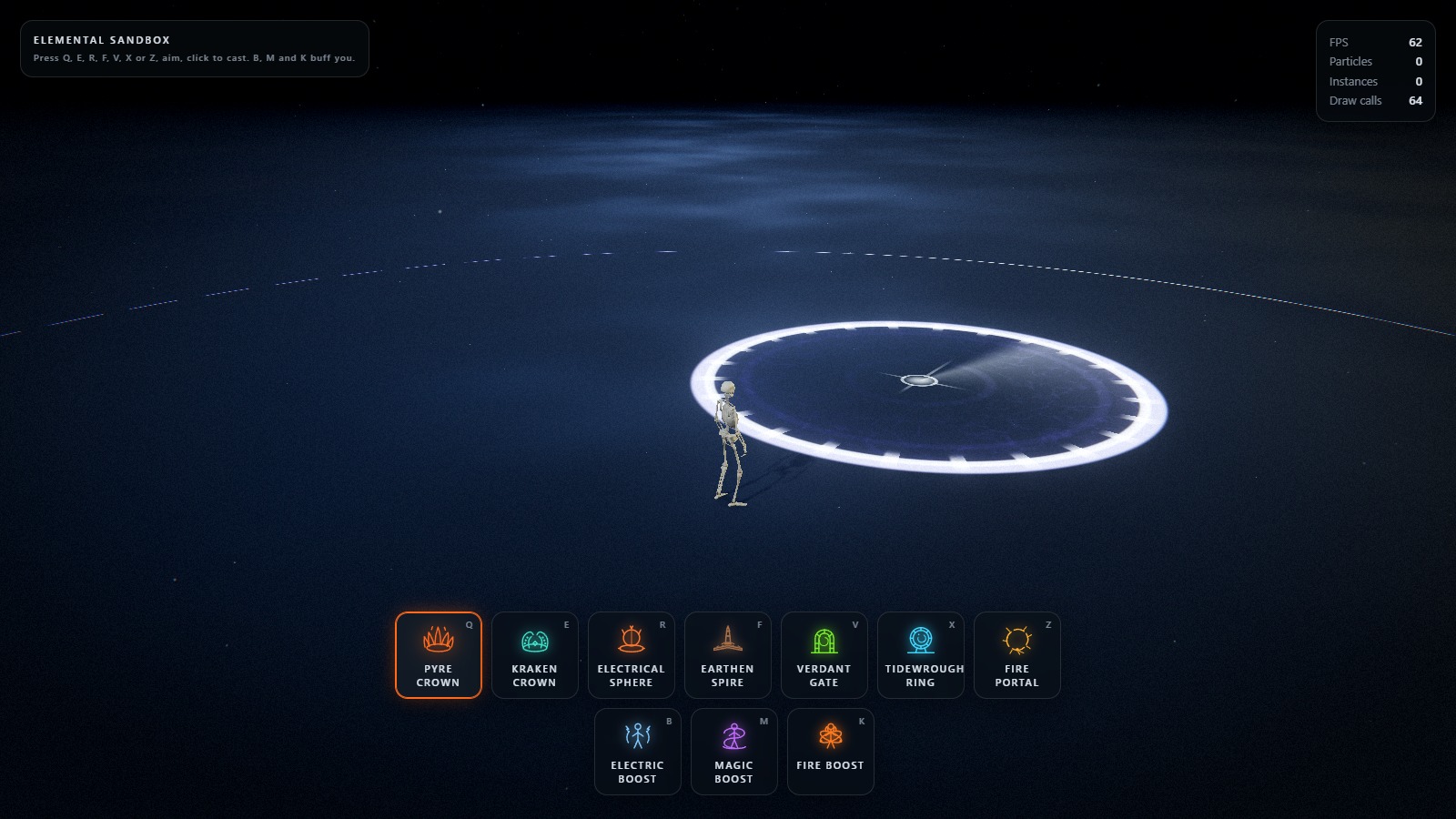
A far cast armed: the boundary follows the cursor and shows the footprint before you commit.
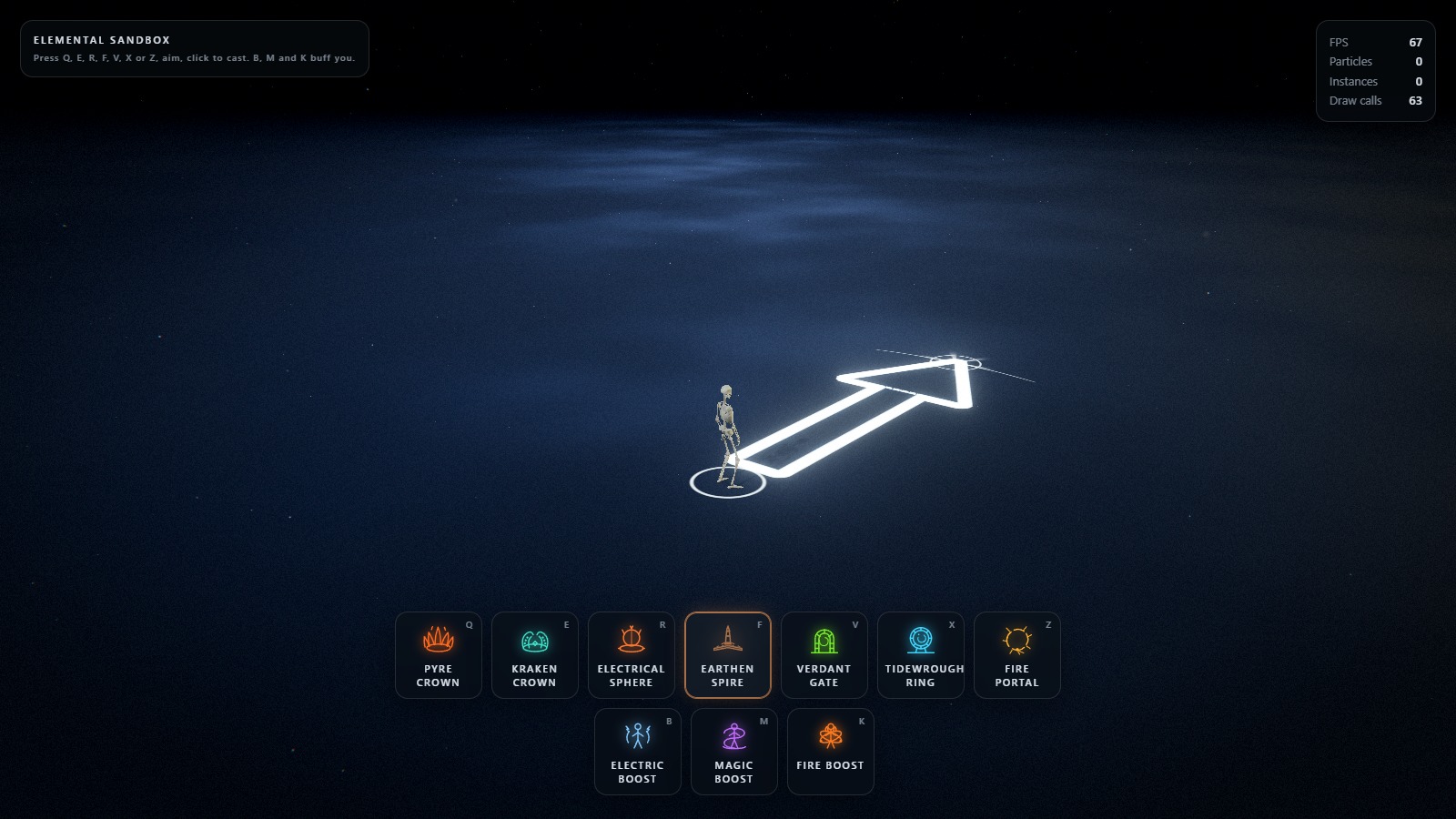
The line cast: one arrow, drawn as a signed-distance field, swung with the mouse.
There are five indicators and one controller. Which one is drawn comes from
ELEMENT_META[element].cast — CastShape.LINE, CastShape.ZONE, CastShape.GATE,
CastShape.RING or CastShape.SCRIBE — and that is the only thing the five shapes disagree
about. Arming, clamping, validating, revealing and firing are shared, and all five end in the same
three-argument cast event, because from the targeting side a far cast is a line cast you only
care about the far end of, a gate cast is one you also care about the heading of, a ring cast is
one you also care about the upright pose of, and a scribe cast is one that has no footprint at
all. That is why none of those targeting shapes needed a change in Ability or App: each reads
its site as pointAt(1) and works outward from there.
The far-cast circle
ZoneIndicator is the arrow's opposite number, and it is built out of the same two ideas: metres,
and no textures.
The footprint is one quad whose fragment shader remaps UV into metres from the target, so the
boundary stays 0.34 m thick whether the circle is 2 m or 8 m across. The band is deliberately the
heaviest mark on screen — it is the whole message — and it is split about the nominal radius by
boundaryBias rather than centred on it, so its outer lip stays honest about where the effect
ends. Inside there is a rim-weighted wash, contour rings travelling outward, warped filaments and a
reticle whose downrange arm is longer, because the quad carries the caster's yaw and that arm is
therefore the heading.
The reach ring at the caster is the bolt's ribbon strip bent into a circle: (t, side) in,
world position out. A quad big enough to hold a 20 m range would be 40 m across and shade a
screenful of discarded fragments for one thin line.
The circle snaps out past its radius and settles back when the cast is armed, and the trap does
the same thing when it lands. A circle that grows linearly reads as a UI element; one that
overshoots reads as something the caster did.
The arrow is one SDF
AimIndicator is a single ground quad. Its fragment shader remaps UV into metres measured from
the caster, so every control in settings.aim is a real measurement — the shaft stays 0.42 m
wide whether the cast is 3 m or 15 m long.
The silhouette is a rounded union of a box (the shaft) and iq's exact triangle SDF (the head);
the cheap half-plane intersection leaves visible corner artefacts on a wedge this shallow. From
that one distance field the shader derives the outline, the rim-weighted interior wash, the
chevrons (a phase skewed by |x|, which turns flat bands into arrowheads pointing the way the
cast does), the frost noise and voronoi plates, the ring at the caster's feet, the range cap arc,
a six-fold frost rosette pinned to the impact point, and the sweep-out when the ability is armed.
The gate template
The second targeting shape, and the first one that leaves the floor. An arrow answers which way
and a circle answers how much ground; neither answers the question a structure raises, which
is what will be standing there and which way it will face.
GateIndicator draws three things, all in metres and none of them a texture: a threshold on the
floor — a slot the width of the opening with a heavy pad under each jamb, so the footprint the
stones will take is honest — the shared reach ring, and the ghost: the arch itself, standing
upright in the gate's own plane, drawn from the same archDistance SDF the portal surface uses. It
draws itself floor-upward as the cast is armed, which is the order the gate is built in, and it is
the only way a targeting indicator can show a facing: stand the silhouette up and let the camera
see it edge-on when you are about to build it edge-on.
The ghost reads gateWidth and gateHeight off the

 Elemental Sandbox is a skillshot VFX sandbox built with Three.js, Vite and hand-written GLSL, where you arm one of seven elemental abilities, aim it, and fire it with the mouse to watch procedurally generated fire, water, electricity and stone effects play out.