




Что это такое?
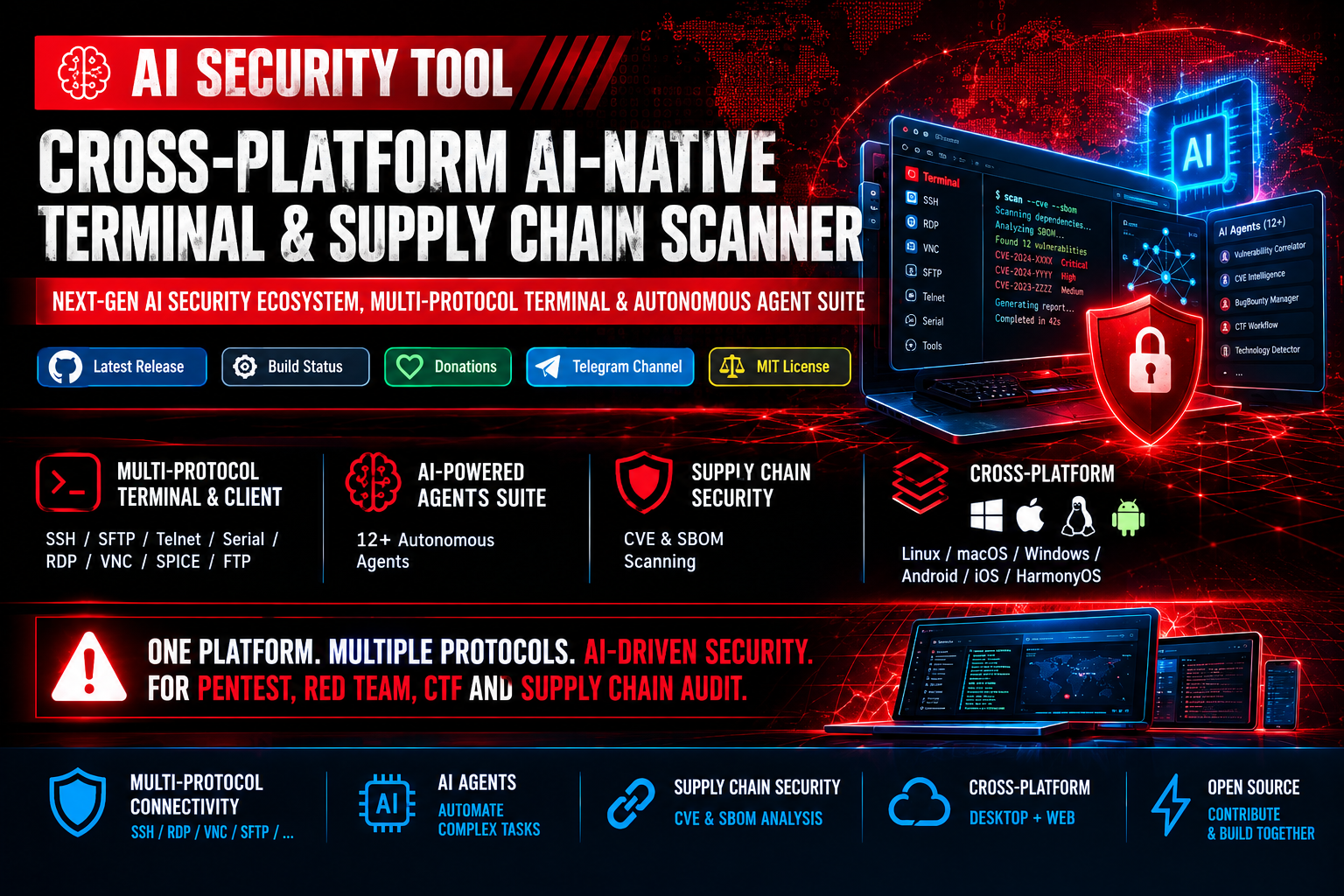
 AI Security Tool — это опенсорсный кроссплатформенный терминал и сканер уязвимостей, который объединяет мультипротокольный клиент для подключений (SSH, RDP, VNC и т.д.), аудит цепочки поставок через CVE/SBOM и более 12 автономных AI-агентов (DeepSeek, OpenAI) для автоматизации пентестов, Red Team и CTF-задач.
AI Security Tool — это опенсорсный кроссплатформенный терминал и сканер уязвимостей, который объединяет мультипротокольный клиент для подключений (SSH, RDP, VNC и т.д.), аудит цепочки поставок через CVE/SBOM и более 12 автономных AI-агентов (DeepSeek, OpenAI) для автоматизации пентестов, Red Team и CTF-задач.Это десктопное приложение, CLI или веб-сервис?И то, и другое: десктопное приложение для Linux, macOS, Windows, Android, iOS и HarmonyOS, а также полноценный веб-интерфейс, который можно развернуть на своём сервере.
И то, и другое: десктопное приложение для Linux, macOS, Windows, Android, iOS и HarmonyOS, а также полноценный веб-интерфейс, который можно развернуть на своём сервере.Как его запустить?Скачайте готовую сборку для своей ОС (установщик/портативная версия для Windows, dmg для macOS, tar.gz для Linux, apk для Android) или запустите установочный скрипт одной командой для Linux/macOS/Windows PowerShell — он сам установит зависимости и распакует архив; для веб-развёртывания запустите run-ai-security-tool-web.sh.
Скачайте готовую сборку для своей ОС (установщик/портативная версия для Windows, dmg для macOS, tar.gz для Linux, apk для Android) или запустите установочный скрипт одной командой для Linux/macOS/Windows PowerShell — он сам установит зависимости и распакует архив; для веб-развёртывания запустите run-ai-security-tool-web.sh.Для работы AI-агентов нужен ключ OpenAI или DeepSeek API?Да, интеграция с LLM и автономные агенты работают через провайдеров вроде DeepSeek, OpenAI или кастомные API, поэтому для использования AI-функций нужен API-ключ/учётные данные одного из них.
Да, интеграция с LLM и автономные агенты работают через провайдеров вроде DeepSeek, OpenAI или кастомные API, поэтому для использования AI-функций нужен API-ключ/учётные данные одного из них.На что обратить внимание, если открываю веб-интерфейс наружу?Поскольку AI-агенты могут выполнять системные команды на вашей машине, README предупреждает: перед публикацией веб-интерфейса обязательно включите аутентификацию (ENABLEAUTH=1) и отключите доступ к локальному терминалу (DISABLELOCALTERMINAL=1), а также запускайте программу с минимальными привилегиями.
Поскольку AI-агенты могут выполнять системные команды на вашей машине, README предупреждает: перед публикацией веб-интерфейса обязательно включите аутентификацию (ENABLEAUTH=1) и отключите доступ к локальному терминалу (DISABLELOCALTERMINAL=1), а также запускайте программу с минимальными привилегиями.Для кого этот проект?Он рассчитан на специалистов по кибербезопасности, которые занимаются операциями Red Team, пентестами, bug bounty, CTF-соревнованиями и аудитами цепочки поставок в рамках DevSecOps.
Он рассчитан на специалистов по кибербезопасности, которые занимаются операциями Red Team, пентестами, bug bounty, CTF-соревнованиями и аудитами цепочки поставок в рамках DevSecOps.Какие протоколы поддерживает мультипротокольный терминал?Он поддерживает SSH, SFTP, Telnet, Serial Port, RDP, VNC, SPICE и FTP, а также SSH-туннелирование, удалённое редактирование файлов по SFTP и рассылку команд сразу в несколько сессий.
Он поддерживает SSH, SFTP, Telnet, Serial Port, RDP, VNC, SPICE и FTP, а также SSH-туннелирование, удалённое редактирование файлов по SFTP и рассылку команд сразу в несколько сессий.Чем именно занимаются AI-агенты?Агенты вроде BugBountyWorkflowManager, CTFWorkflowManager, CVEIntelligenceManager, VulnerabilityCorrelator и других автоматизируют такие задачи, как управление разведкой (recon), помощь в решении CTF, сбор информации об угрозах, корреляцию многоэтапных цепочек атак и обход лимитов запросов.
Агенты вроде BugBountyWorkflowManager, CTFWorkflowManager, CVEIntelligenceManager, VulnerabilityCorrelator и других автоматизируют такие задачи, как управление разведкой (recon), помощь в решении CTF, сбор информации об угрозах, корреляцию многоэтапных цепочек атак и обход лимитов запросов.Откуда берутся данные об уязвимостях?Процесс SBOM/CVE ежедневно агрегирует и синхронизирует данные из баз NVD, OSV, GAD и RedHat, сопоставляя их с разобранными SBOM, и генерирует отчёты, которые можно экспортировать в Console, JSON, CSV, HTML или PDF.
Процесс SBOM/CVE ежедневно агрегирует и синхронизирует данные из баз NVD, OSV, GAD и RedHat, сопоставляя их с разобранными SBOM, и генерирует отчёты, которые можно экспортировать в Console, JSON, CSV, HTML или PDF.Можно ли настроить внешний вид терминала и рабочий процесс?Да — поддерживаются прозрачность окна, свои темы и фоновые изображения, всплывающий терминал в стиле Guake по глобальной горячей клавише (по умолчанию Ctrl+2), а также синхронизация закладок/тем/быстрых команд через GitHub Gist или Gitee Snippets.
Да — поддерживаются прозрачность окна, свои темы и фоновые изображения, всплывающий терминал в стиле Guake по глобальной горячей клавише (по умолчанию Ctrl+2), а также синхронизация закладок/тем/быстрых команд через GitHub Gist или Gitee Snippets.What are similar projects?strix, electerm, hexstrike-ai, Termix, Cybermes, navop, Decepticon, Seep-Reverse-Lab
strix, electerm, hexstrike-ai, Termix, Cybermes, navop, Decepticon, Seep-Reverse-LabWhich topics is it in?ai-hacking, ai-security-tool, rdp, ssh-client, mcp-tools, vnc, red-teaming, sftp, llm-security, osint, hacking-tool, pentesting
ai-hacking, ai-security-tool, rdp, ssh-client, mcp-tools, vnc, red-teaming, sftp, llm-security, osint, hacking-tool, pentesting