











What is this?
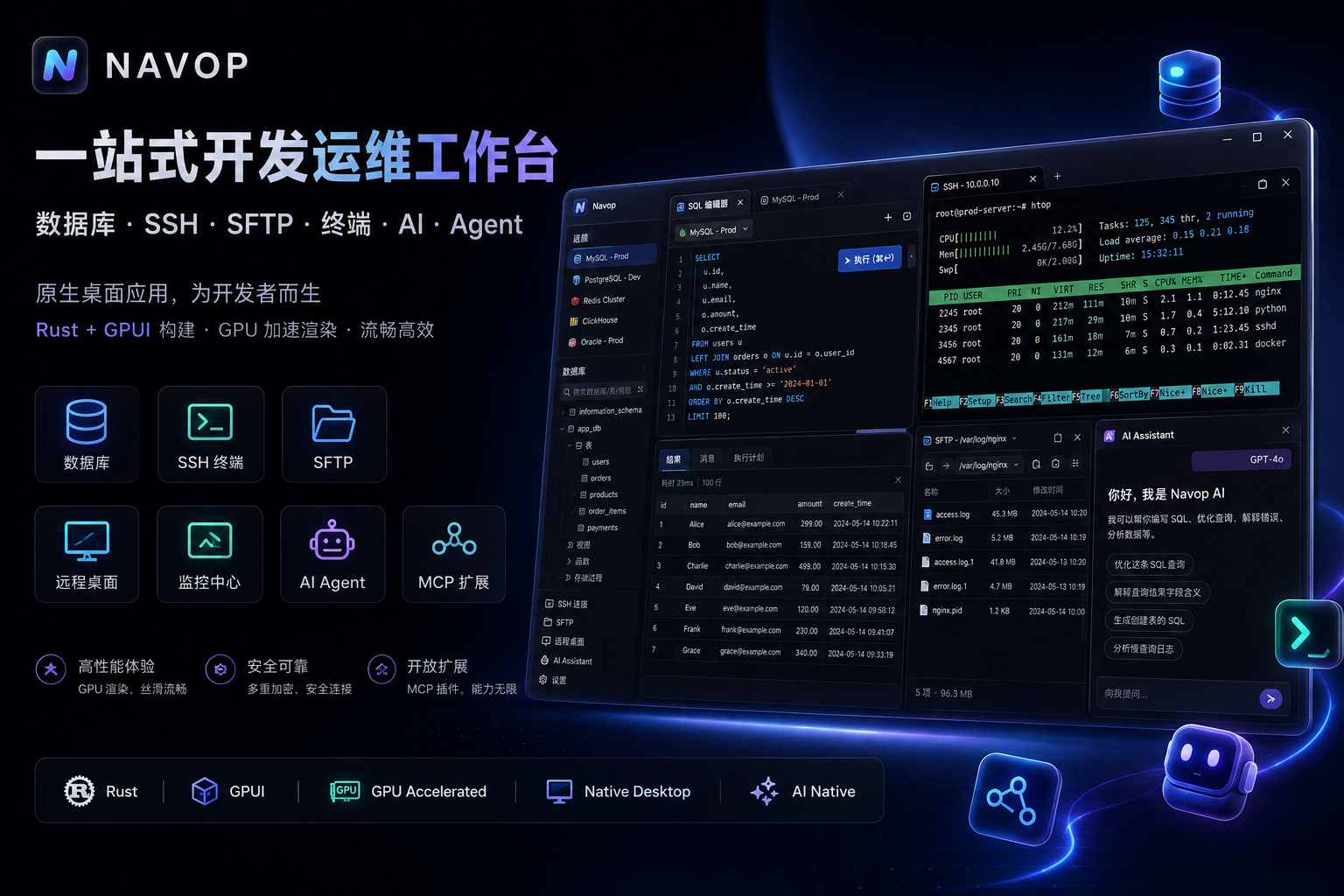
 Navop is a native, all-in-one desktop workspace that combines database tools, SSH/terminal, remote desktop, file transfer, monitoring, notes, and AI agent integration in a single app.
Navop is a native, all-in-one desktop workspace that combines database tools, SSH/terminal, remote desktop, file transfer, monitoring, notes, and AI agent integration in a single app.Is this a single tool or a full workspace combining many tools?It's a unified native desktop workspace built with GPUI (Rust) that merges a database client, SSH/terminal, remote desktop viewer, file transfer, monitoring, and an AI agent hub into one app instead of using separate tools.
It's a unified native desktop workspace built with GPUI (Rust) that merges a database client, SSH/terminal, remote desktop viewer, file transfer, monitoring, and an AI agent hub into one app instead of using separate tools.How do I install Navop?Download the latest build from GitHub Releases: DMG/tar.gz for macOS, MSI/EXE or portable ZIP for Windows, and tar.gz/deb/rpm/AppImage for Linux. Windows users can also install it via Scoop, and Linux users via a Flatpak package.
Download the latest build from GitHub Releases: DMG/tar.gz for macOS, MSI/EXE or portable ZIP for Windows, and tar.gz/deb/rpm/AppImage for Linux. Windows users can also install it via Scoop, and Linux users via a Flatpak package.What do I need to connect AI agents like Claude Code or Codex?Navop connects external agents through ACP for Codex, Claude Code, and OpenCode, and can expose its own tools to those clients via a built-in MCP server (Settings > General > MCP) or the separate @navop/mcp stdio bridge package.
Navop connects external agents through ACP for Codex, Claude Code, and OpenCode, and can expose its own tools to those clients via a built-in MCP server (Settings > General > MCP) or the separate @navop/mcp stdio bridge package.Can I resell or charge for Navop?No. The Navop Supplementary License allows free redistribution through channels like GitHub Releases, Flatpak, and free app stores, but explicitly prohibits commercial resale, charging fees, competing products or services, and paid distribution platforms.
No. The Navop Supplementary License allows free redistribution through channels like GitHub Releases, Flatpak, and free app stores, but explicitly prohibits commercial resale, charging fees, competing products or services, and paid distribution platforms.Is my connection and credential data kept private?Personal connections, credentials, and settings are synced across your own devices using end-to-end encryption rather than being sent to a third-party server.
Personal connections, credentials, and settings are synced across your own devices using end-to-end encryption rather than being sent to a third-party server.What databases does Navop support out of the box?MySQL, PostgreSQL, SQLite, DuckDB, SQL Server, Oracle, ClickHouse, Redis, and MongoDB are built in, with extras like TDengine, Dameng, KingbaseES, openGauss, and Apache IoTDB available as installable extension drivers.
MySQL, PostgreSQL, SQLite, DuckDB, SQL Server, Oracle, ClickHouse, Redis, and MongoDB are built in, with extras like TDengine, Dameng, KingbaseES, openGauss, and Apache IoTDB available as installable extension drivers.What is the Agent Hub?It's a workspace view that keeps a terminal agent, project files, Git branches, changes, and side-by-side diffs together so you can supervise AI coding agents in context.
It's a workspace view that keeps a terminal agent, project files, Git branches, changes, and side-by-side diffs together so you can supervise AI coding agents in context.Can I use native RDP on Windows?Yes — on Windows Navop embeds the Microsoft RDP ActiveX control via a native C++ host (usable in-tab, fullscreen, or by launching mstsc.exe), while a cross-platform pure-Rust IronRDP backend renders RDP sessions on other platforms.
Yes — on Windows Navop embeds the Microsoft RDP ActiveX control via a native C++ host (usable in-tab, fullscreen, or by launching mstsc.exe), while a cross-platform pure-Rust IronRDP backend renders RDP sessions on other platforms.What interface languages are supported?English, Simplified Chinese, and Traditional Chinese.
English, Simplified Chinese, and Traditional Chinese.What are similar projects?tusk, dbx, electerm, TablePro, Termix, anythingmcp, beekeeper-studio, Chat2DB
tusk, dbx, electerm, TablePro, Termix, anythingmcp, beekeeper-studio, Chat2DB