MiniGPT-V
MiniGPT-v2: Large Language Model as a Unified Interface for Vision-Language Multi-task Learning
Jun Chen, Deyao Zhu, Xiaoqian Shen, Xiang Li, Zechun Liu, Pengchuan Zhang, Raghuraman Krishnamoorthi, Vikas Chandra, Yunyang Xiong☨, Mohamed Elhoseiny☨
☨equal last author





MiniGPT-4: Enhancing Vision-language Understanding with Advanced Large Language Models
Deyao Zhu*, Jun Chen*, Xiaoqian Shen, Xiang Li, Mohamed Elhoseiny
*equal contribution


King Abdullah University of Science and Technology
**Example Community Efforts Built on Top of MiniGPT-4 **
InstructionGPT-4: A 200-Instruction Paradigm for Fine-Tuning MiniGPT-4 Lai Wei, Zihao Jiang, Weiran Huang, Lichao Sun, Arxiv, 2023
PatFig: Generating Short and Long Captions for Patent Figures.", Aubakirova, Dana, Kim Gerdes, and Lufei Liu, ICCVW, 2023
SkinGPT-4: An Interactive Dermatology Diagnostic System with Visual Large Language Model, Juexiao Zhou and Xiaonan He and Liyuan Sun and Jiannan Xu and Xiuying Chen and Yuetan Chu and Longxi Zhou and Xingyu Liao and Bin Zhang and Xin Gao, Arxiv, 2023
ArtGPT-4: Artistic Vision-Language Understanding with Adapter-enhanced MiniGPT-4.", Yuan, Zhengqing, Huiwen Xue, Xinyi Wang, Yongming Liu, Zhuanzhe Zhao, and Kun Wang, Arxiv, 2023
News
[Oct.31 2023] We release the evaluation code of our MiniGPT-v2.
[Oct.24 2023] We release the finetuning code of our MiniGPT-v2.
[Oct.13 2023] Breaking! We release the first major update with our MiniGPT-v2
[Aug.28 2023] We now provide a llama 2 version of MiniGPT-4
Online Demo
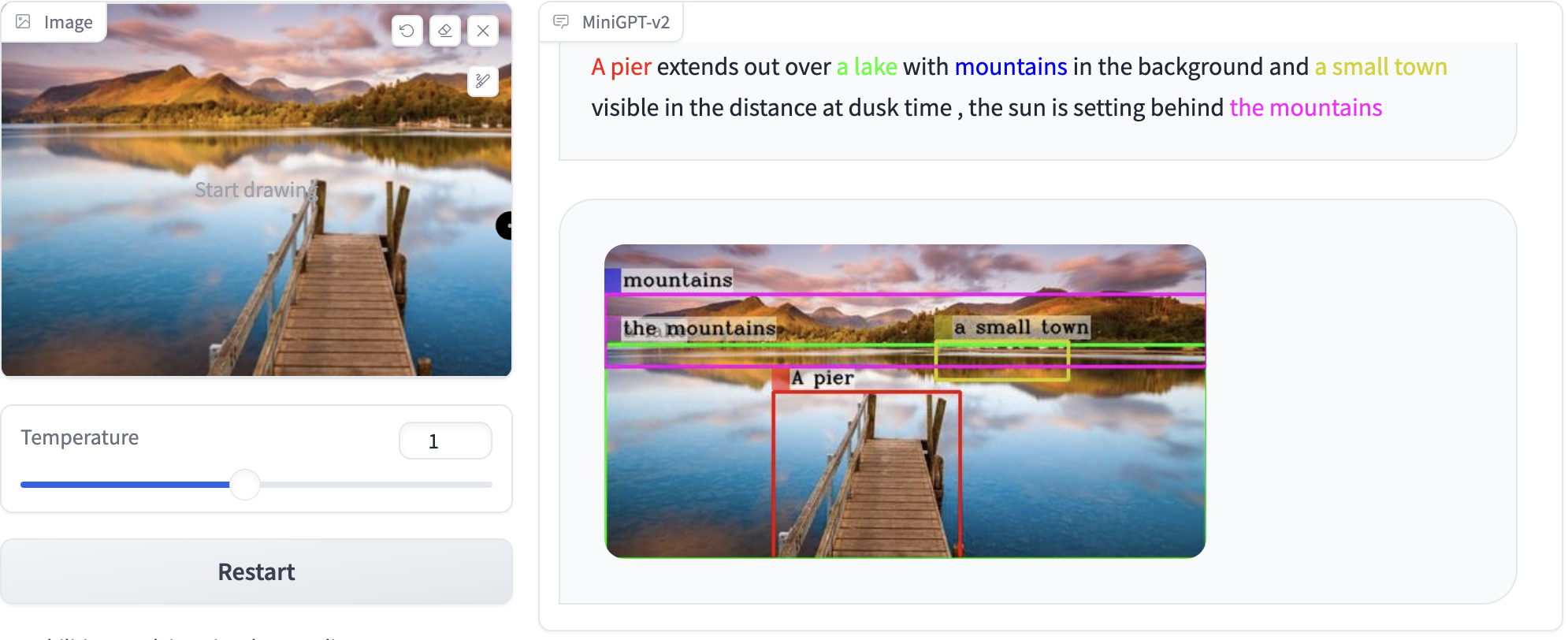
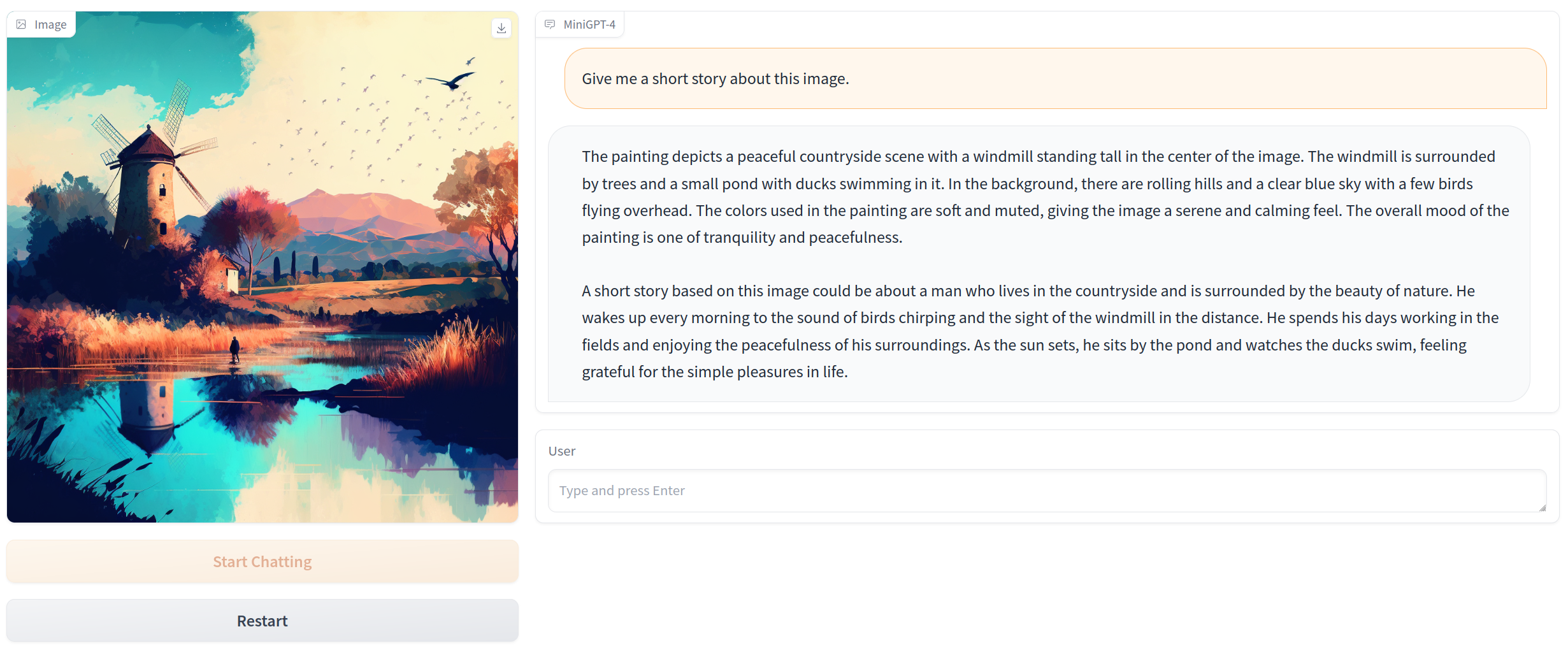
Click the image to chat with MiniGPT-v2 around your images
Click the image to chat with MiniGPT-4 around your images
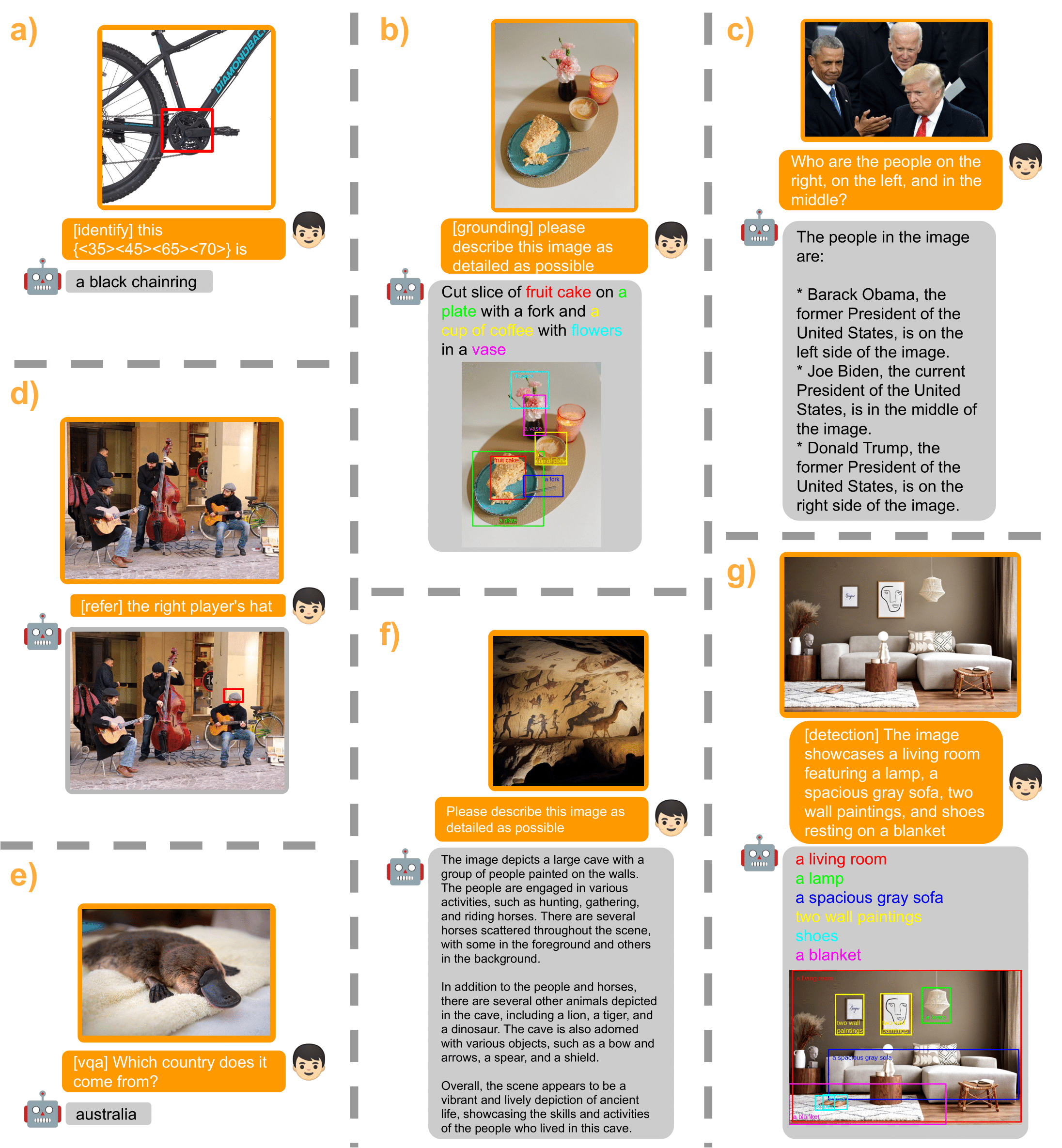
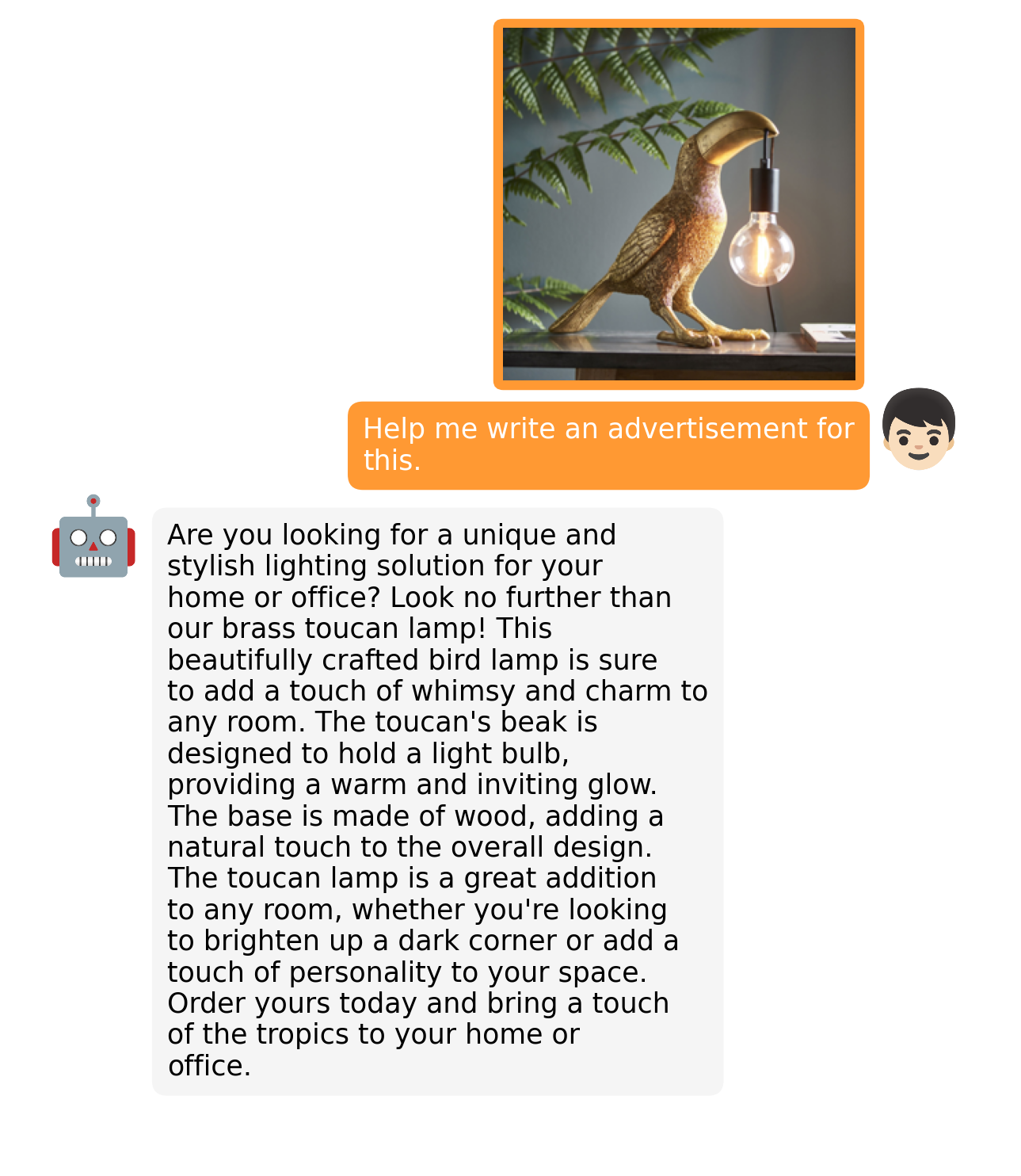
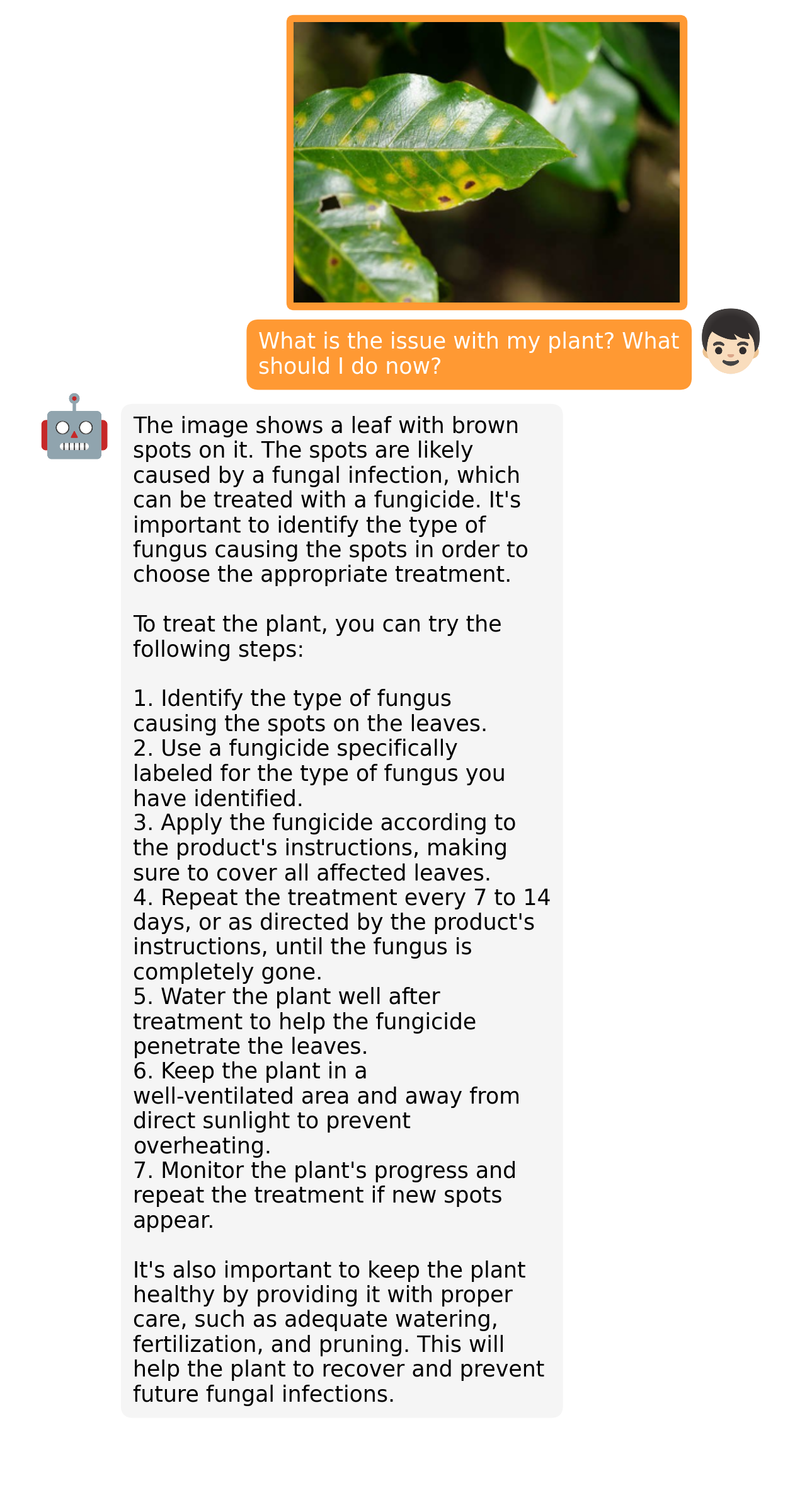
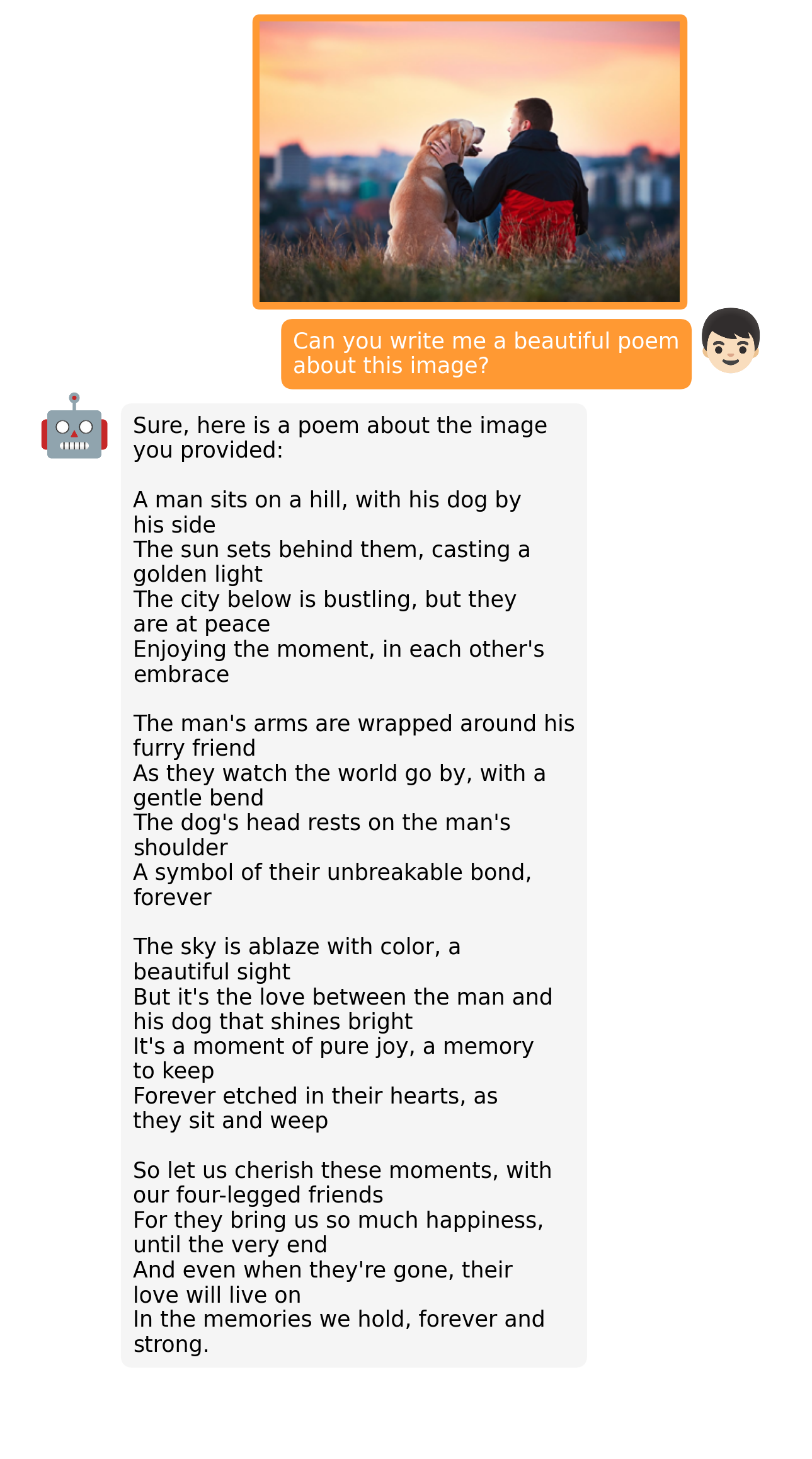
MiniGPT-v2 Examples
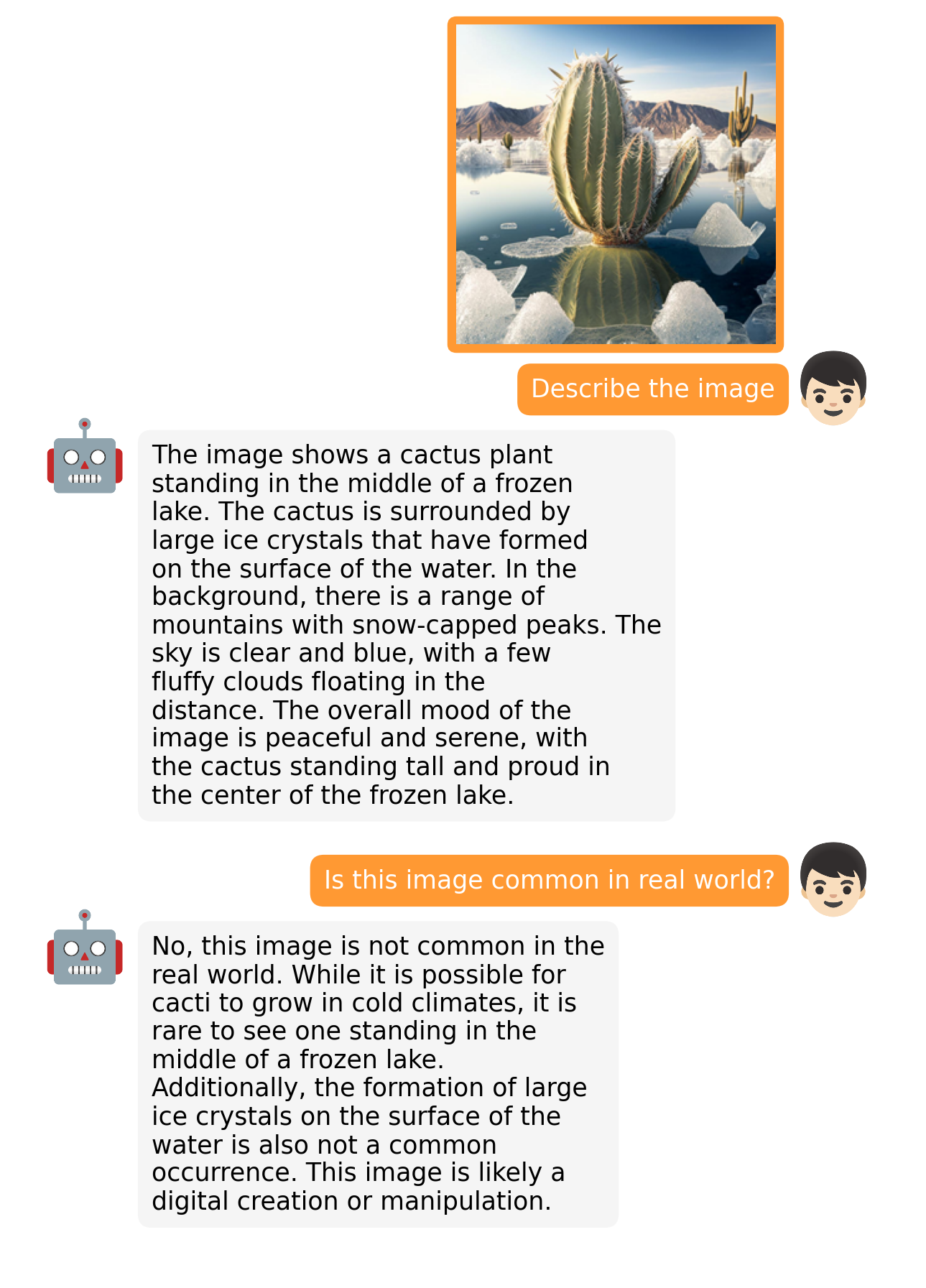
MiniGPT-4 Examples
More examples can be found in the project page.
Getting Started
Installation
1. Prepare the code and the environment
Git clone our repository, creating a python environment and activate it via the following command
git clone https://github.com/Vision-CAIR/MiniGPT-4.git
cd MiniGPT-4
conda env create -f environment.yml
conda activate minigptv
2. Prepare the pretrained LLM weights
MiniGPT-v2 is based on Llama2 Chat 7B. For MiniGPT-4, we have both Vicuna V0 and Llama 2 version.
Download the corresponding LLM weights from the following huggingface space via clone the repository using git-lfs.
Then, set the variable llama_model in the model config file to the LLM weight path.
For MiniGPT-v2, set the LLM path
here at Line 14.
For MiniGPT-4 (Llama2), set the LLM path
here at Line 15.
For MiniGPT-4 (Vicuna), set the LLM path
here at Line 18
3. Prepare the pretrained model checkpoints
Download the pretrained model checkpoints
For MiniGPT-v2, set the path to the pretrained checkpoint in the evaluation config file
in eval_configs/minigptv2_eval.yaml at Line 8.
For MiniGPT-4, set the path to the pretrained checkpoint in the evaluation config file
in eval_configs/minigpt4_eval.yaml at Line 8 for Vicuna version or eval_configs/minigpt4_llama2_eval.yaml for LLama2 version.
Launching Demo Locally
For MiniGPT-v2, run
python demo_v2.py --cfg-path eval_configs/minigptv2_eval.yaml --gpu-id 0
For MiniGPT-4 (Vicuna version), run
python demo.py --cfg-path eval_configs/minigpt4_eval.yaml --gpu-id 0
For MiniGPT-4 (Llama2 version), run
python demo.py --cfg-path eval_configs/minigpt4_llama2_eval.yaml --gpu-id 0
To save GPU memory, LLMs loads as 8 bit by default, with a beam search width of 1.
This configuration requires about 23G GPU memory for 13B LLM and 11.5G GPU memory for 7B LLM.
For more powerful GPUs, you can run the model
in 16 bit by setting low_resource to False in the relevant config file:
Thanks @WangRongsheng, you can also run MiniGPT-4 on Colab
Training
For training details of MiniGPT-4, check here.
For finetuning details of MiniGPT-v2, check here
Evaluation
For finetuning details of MiniGPT-v2, check here
Acknowledgement
- BLIP2 The model architecture of MiniGPT-4 follows BLIP-2. Don't forget to check this great open-source work if you don't know it before!
- Lavis This repository is built upon Lavis!
- Vicuna The fantastic language ability of Vicuna with only 13B parameters is just amazing. And it is open-source!
- LLaMA The strong open-sourced LLaMA 2 language model.
If you're using MiniGPT-4/MiniGPT-v2 in your research or applications, please cite using this BibTeX:
@article{chen2023minigptv2,
      title={MiniGPT-v2: large language model as a unified interface for vision-language multi-task learning},
      author={Chen, Jun and Zhu, Deyao and Shen, Xiaoqian and Li, Xiang and Liu, Zechu and Zhang, Pengchuan and Krishnamoorthi, Raghuraman and Chandra, Vikas and Xiong, Yunyang and Elhoseiny, Mohamed},
      year={2023},
      journal={arXiv preprint arXiv:2310.09478},
}

@article{zhu2023minigpt,
  title={MiniGPT-4: Enhancing Vision-Language Understanding with Advanced Large Language Models},
  author={Zhu, Deyao and Chen, Jun and Shen, Xiaoqian and Li, Xiang and Elhoseiny, Mohamed},
  journal={arXiv preprint arXiv:2304.10592},
  year={2023}
}
License
This repository is under BSD 3-Clause License.
Many codes are based on Lavis with
BSD 3-Clause License here.

 这是 MiniGPT-4 和 MiniGPT-v2 的开源研究代码。这两个视觉-语言模型都以大语言模型作为接口,用于理解图片并就图片进行对话。