Awesome Astra Prompts


A starting point for your next game, scene or interactive world.
Explore GPT-6 Astra prompts and 3D examples for Blender, Three.js, Unreal Engine, Unity and the browser.
201 examples · 14 languages · 6 examples with source code
Featured projects
Latest Astra prompts
Browse examples
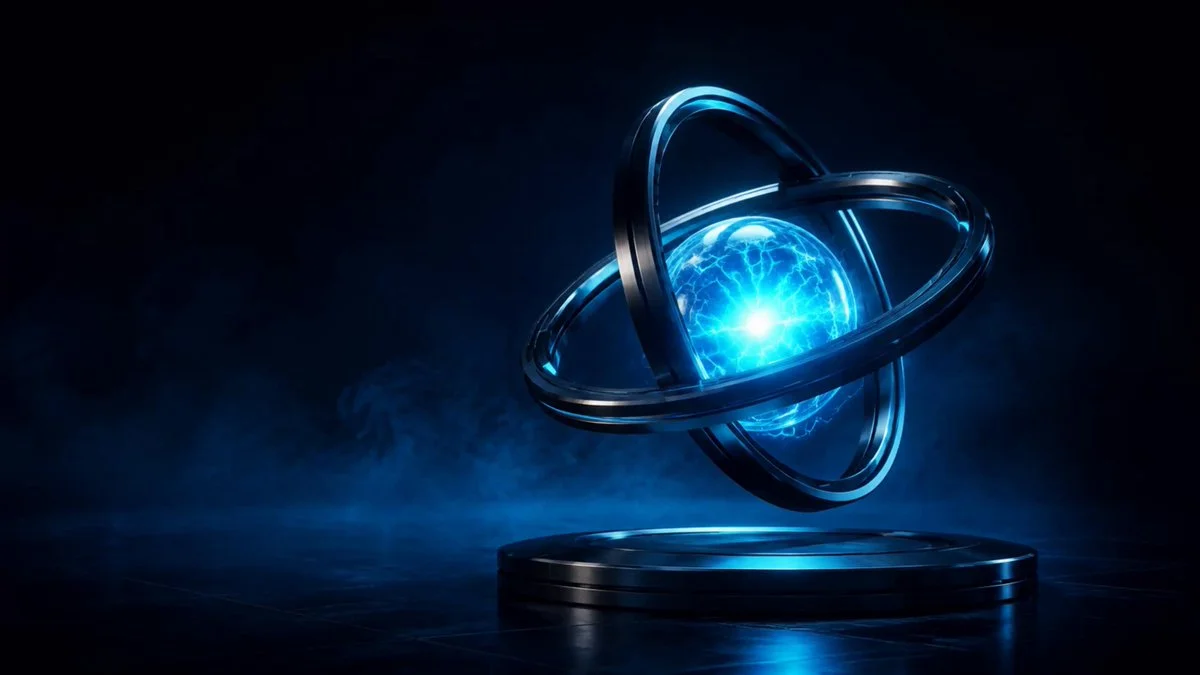
Interactive dual-ring energy core
ruofeng · 2026-09-06
Prompt
Model an energy core, two rings and a metal base in Blender. Export the materials to a Three.js viewer with rotation, zoom, automatic orbit and pulse controls.
View detail ↗ · Watch video ↗ · Original post · Source code · Live demo · Back to examples
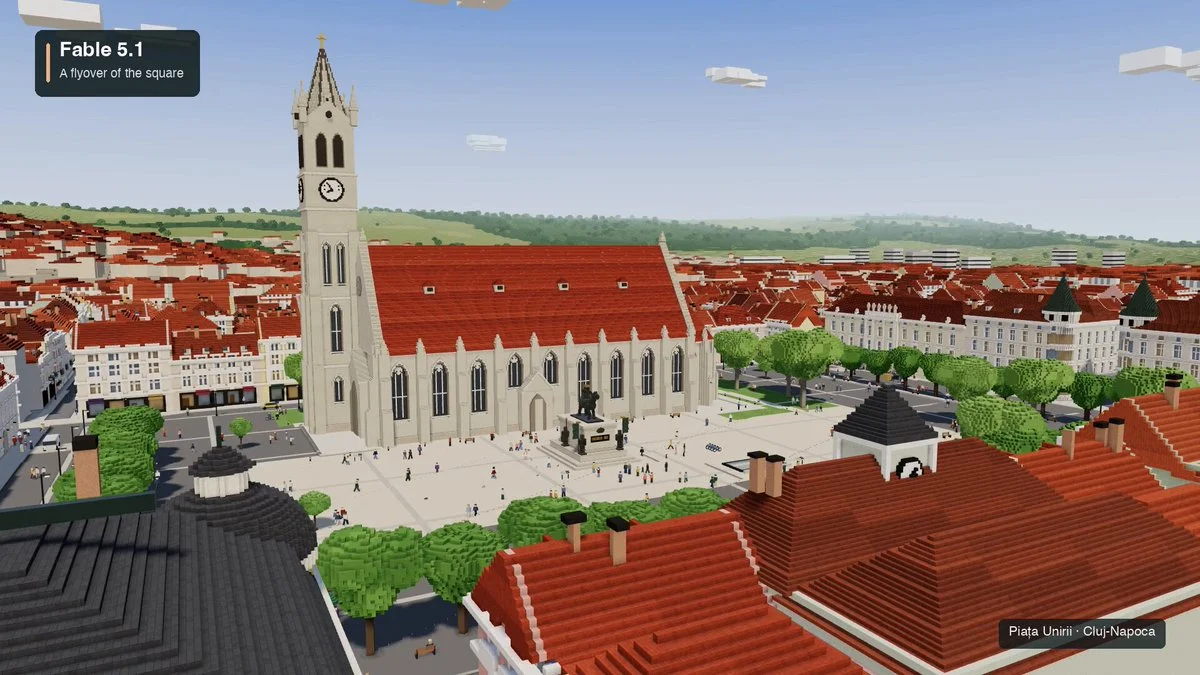
Cluj-Napoca Union Square in voxels
Dan Manastireanu · 2026-09-05
Prompt
Create an interactive voxel world of Piața Unirii in Cluj-Napoca. Adapt the square's recognizable layout and landmarks into an explorable miniature.
View detail ↗ · Watch video ↗ · Original post · Source code · Live demo · Back to examples
Interactive Pelican Riding a Bicycle
AI Builder Club · 2026-09-05

Create a browser-based 3D pelican cycling on a mint-green bicycle, with natural pedaling, orbit controls, zoom and adjustable speed.
Prompt
Create a stylish, interactive 3D scene of a pelican riding a bicycle, and display it in the browser.
The pelican should wear a red-and-white cycling cap and sunglasses. Give the bicycle a mint-green vintage frame, and add animated speed lines to emphasize motion.
Let me rotate the scene, zoom in, and adjust the cycling speed. Pay close attention to bicycle geometry, character proportions, and natural pedaling motion. Keep the animation smooth as the speed changes.
Make the page polished and ready for a public demo, with thoughtful lighting, a cohesive color palette, and clean controls.
Test it in the browser yourself and fix any visual or interaction bugs before finishing.
Watch video ↗ · Original post · Back to examples
Playable Roblox Kart Racer with Custom 3D Assets
Givros · 2026-09-05

Create a complete Roblox kart race with custom assets, drifting, AI opponents, checkpoints, lap tracking and a restartable results screen.
Prompt
Build a finished, polished kart racer in Roblox Studio via Roblox MCP. Create cohesive, detailed assets using Blender and Three.js procedural generation; finalize meshes, UVs, and baked textures in Blender, then import as optimized Roblox MeshParts with compatible PBR textures. Verify scale, pivots, materials, and collisions in-game. Use Roblox-native rendering and Luau gameplay; Three.js is an asset-generation tool, not the runtime. Prioritize one beautiful, fully dressed circuit with responsive driving/drifting, AI opponents, checkpoints, lap tracking, and a complete countdown-to-results loop with restart. Polish lighting, VFX, audio, and UI. Playtest full races, inspect actual gameplay screenshots, and iterate until broken imports, visual defects, and gameplay bugs are fixed while maintaining smooth performance. No placeholders, crude assets, or prototype visuals. Deliver the fully assembled, playable Roblox experience—not just scripts or exported assets.
Watch video ↗ · Original post · Back to examples
Browser Flight Simulator with a Complete Flight Loop
aditya · 2026-09-05

Build a controllable 3D passenger aircraft, airport, flight instruments and a full takeoff-to-landing game loop, using the complete author-shared prompt.
Prompt
Build a polished, playable browser-based 3D flight simulator game from scratch.

The goal is to create a small but genuinely playable flight-sim experience, not a static 3D scene.

GAMEPLAY
- Create an airport with a detailed runway, taxiway, terminal/buildings, grass/terrain, runway markings/lights, sky and clouds.
- Place a recognizable passenger airplane at the airport.
- The player must be able to control the aircraft with the keyboard.
- Implement throttle, pitch, roll, yaw and braking.
- The aircraft must have basic believable flight physics, momentum and acceleration.
- The player should be able to accelerate down the runway, take off, fly around the airport, approach the runway and land.
- Add a simple objective: take off, complete a short flight around the airport and land safely.
- Include crash/failure detection and a restart option.

CONTROLS
Display controls clearly:
- W/S: Pitch
- A/D: Roll
- Q/E: Yaw
- Shift/Ctrl: Throttle
- Space: Brake

CAMERA
- Use a smooth third-person chase camera behind the aircraft.
- Keep the aircraft clearly visible during flight.
- Camera should smoothly follow movement and respond subtly to acceleration.

HUD
Create a polished aviation-style HUD showing:
- Airspeed
- Altitude
- Heading
- Throttle
- Vertical speed
- Flight status
- Current objective

Include a compact controls/help panel that can be hidden.

START + RESULTS
Create a start screen with:
"FLIGHT SIMULATOR"
and a prominent "START FLIGHT" button.

After a successful landing, show:
- Flight completed
- Landing quality
- Flight time
- Final score
- Play Again

VISUAL QUALITY
Make it feel like a real game:
- Cohesive stylized 3D visuals
- Detailed aircraft
- Attractive airport environment
- Good lighting, shadows and materials
- Clouds/atmosphere
- Airport buildings, vehicles, signs, trees and other environmental details where appropriate
- Avoid an empty or obviously unfinished scene

FEEDBACK
Add useful feedback for:
- Throttle/engine state
- Takeoff
- Landing
- Speed warnings
- Altitude
- Crashes
- Successful landing

TECHNICAL
- Build the complete working game in the browser.
- Do not leave placeholder buttons or fake interactions.
- Prioritize responsive controls and smooth performance.
- Use whatever appropriate web/3D technologies are available.

IMPORTANT:
Do not spend the entire task making a beautiful static scene. The aircraft MUST actually be controllable and the complete loop must work:

START → ACCELERATE → TAKE OFF → FLY → APPROACH → LAND → SCORE → PLAY AGAIN

Before finishing, run the game in the browser and test the entire gameplay loop yourself. Fix broken controls, physics, visual bugs and interaction issues you find.
Watch video ↗ · Original post · Back to examples
Photorealistic Editable Dragon Reconstruction in Blender
Sarang Borude · 2026-09-05
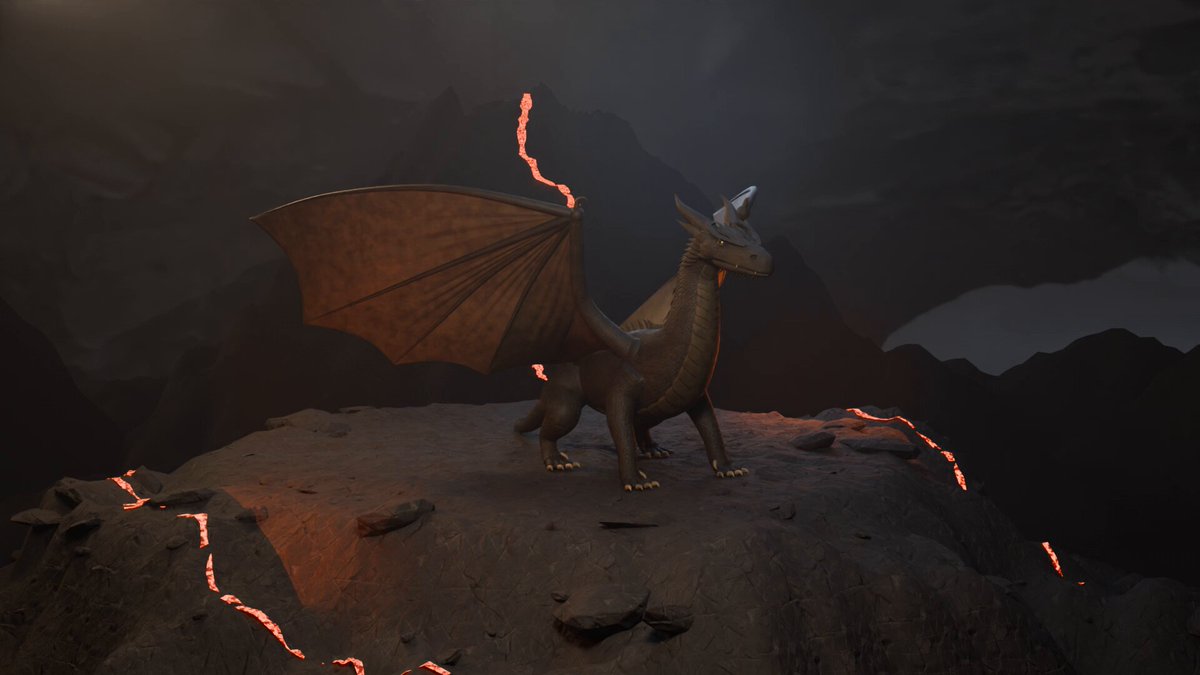
A verbatim Blender prompt for reconstructing a photorealist


 一个精选且定期更新的合集,收录 200 多条 GPT-6 Astra 提示词和 3D 示例,用于构建游戏、Blender 场景、Three.js/Unity/Unreal 项目及其他交互式世界,每条都带预览和来源链接。