


4.1K ·GitHub
What is this?
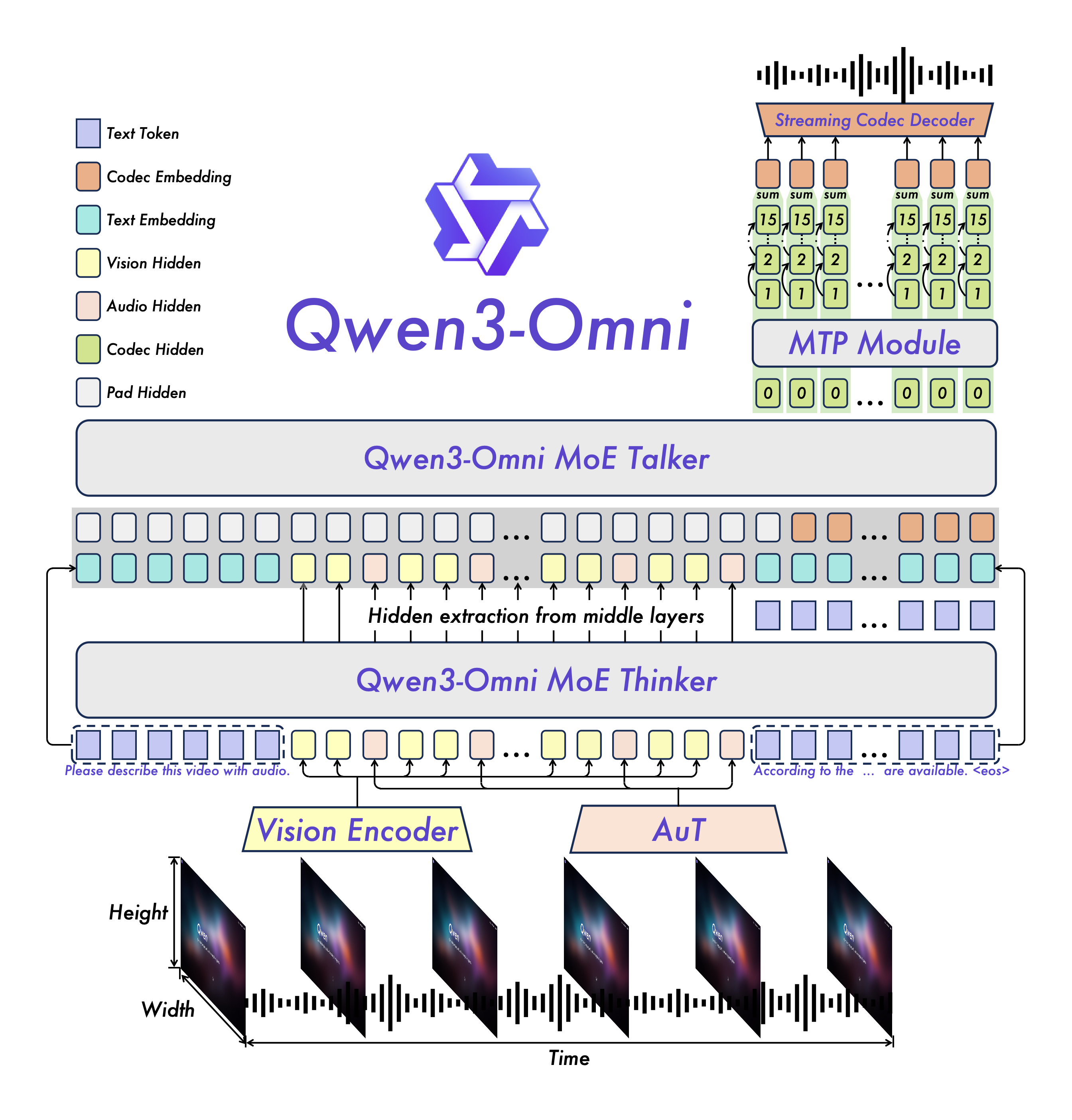
 Qwen3-Omni is a family of open, natively end-to-end omni-modal LLMs from Alibaba's Qwen team: they take text, images, audio and video as input and stream back answers as text or natural speech in real time.
Qwen3-Omni is a family of open, natively end-to-end omni-modal LLMs from Alibaba's Qwen team: they take text, images, audio and video as input and stream back answers as text or natural speech in real time.Is this something I download and run myself, or an online service?Both. You can download the open weights from Hugging Face and run the model yourself with Transformers or vLLM, or skip the hardware and call it through Alibaba's DashScope API.
Both. You can download the open weights from Hugging Face and run the model yourself with Transformers or vLLM, or skip the hardware and call it through Alibaba's DashScope API.How do I get it running?The recommended path is the provided Docker image, which bundles a complete runtime for both Transformers and vLLM; after that you just load a checkpoint such as Qwen/Qwen3-Omni-30B-A3B-Instruct and the weights download automatically.
The recommended path is the provided Docker image, which bundles a complete runtime for both Transformers and vLLM; after that you just load a checkpoint such as Qwen/Qwen3-Omni-30B-A3B-Instruct and the weights download automatically.What do I need installed first?Transformers 5.2.0 or later — older versions like 4.57.x are weaker and less accurate — plus the qwen-omni-utils toolkit for handling base64, URLs and interleaved audio, image and video inputs, which requires ffmpeg on the system.
Transformers 5.2.0 or later — older versions like 4.57.x are weaker and less accurate — plus the qwen-omni-utils toolkit for handling base64, URLs and interleaved audio, image and video inputs, which requires ffmpeg on the system.What is the catch with running it locally?Speed on the Transformers path: because the model is Mixture-of-Experts, plain Hugging Face Transformers inference can be very slow, so the authors steer you to vLLM for low-latency or large-scale use.
Speed on the Transformers path: because the model is Mixture-of-Experts, plain Hugging Face Transformers inference can be very slow, so the authors steer you to vLLM for low-latency or large-scale use.Can it run without a GPU?Not really: it is a 30B-parameter MoE model, so GPU inference is the expectation. With Transformers the README recommends FlashAttention 2 (fp16 or bf16 only) to reduce GPU memory use, and vLLM includes FlashAttention 2 by default.
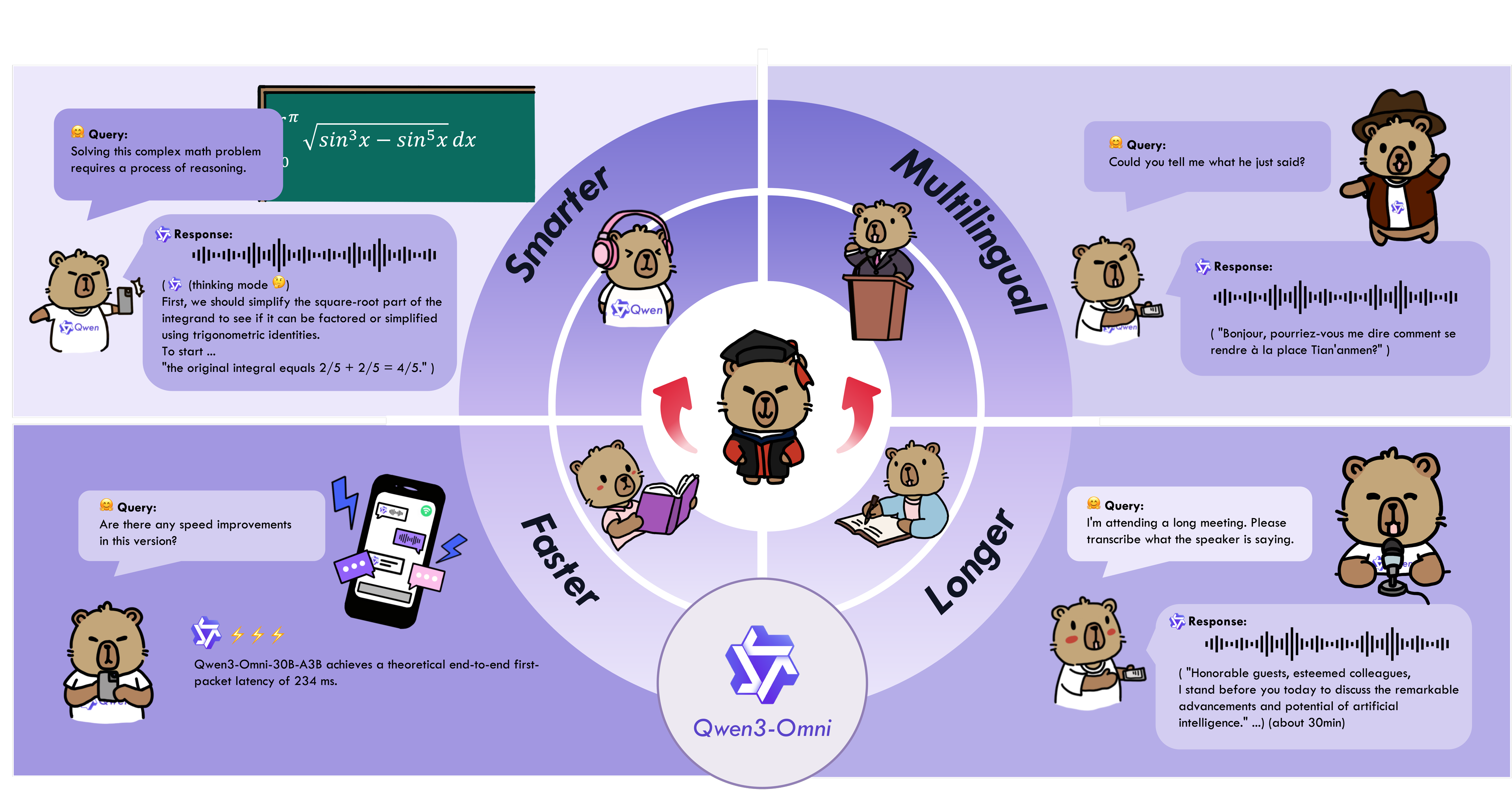
Not really: it is a 30B-parameter MoE model, so GPU inference is the expectation. With Transformers the README recommends FlashAttention 2 (fp16 or bf16 only) to reduce GPU memory use, and vLLM includes FlashAttention 2 by default.Which languages does it understand and speak?Text in 119 languages. It accepts speech input in 19 languages — English, Chinese, Japanese, Korean, German, Russian, French, Spanish, Cantonese, Arabic and more — and speaks back in 10, including English, Chinese, French, German, Russian, Italian, Spanish, Portuguese, Japanese and Korean.
Text in 119 languages. It accepts speech input in 19 languages — English, Chinese, Japanese, Korean, German, Russian, French, Spanish, Cantonese, Arabic and more — and speaks back in 10, including English, Chinese, French, German, Russian, Italian, Spanish, Portuguese, Japanese and Korean.How good is it compared to closed models like Gemini?It is state of the art on 22 of 36 audio and video benchmarks and open-source SOTA on 32 of 36, with ASR, audio understanding and voice conversation comparable to Gemini 2.5 Pro. Days after release it also reached top-1 on Hugging Face Trending.
It is state of the art on 22 of 36 audio and video benchmarks and open-source SOTA on 32 of 36, with ASR, audio understanding and voice conversation comparable to Gemini 2.5 Pro. Days after release it also reached top-1 on Hugging Face Trending.What is the difference between the Instruct, Thinking and Captioner variants?All three are 30B-A3B MoE models. Instruct has both thinker and talker components and answers with audio and text; Thinking adds chain-of-thought reasoning but replies in text only; Captioner is fine-tuned to produce detailed, low-hallucination captions for arbitrary audio input.
All three are 30B-A3B MoE models. Instruct has both thinker and talker components and answers with audio and text; Thinking adds chain-of-thought reasoning but replies in text only; Captioner is fine-tuned to produce detailed, low-hallucination captions for arbitrary audio input.What kinds of tasks do the cookbooks cover?Speech recognition and speech-to-text or speech-to-speech translation, music and sound-effect analysis, audio captioning, image OCR and math problems in images, video description and navigation from first-person footage, audio-visual chat, and voice-driven function calls for agent-like behavior — each with actual execution logs.
Speech recognition and speech-to-text or speech-to-speech translation, music and sound-effect analysis, audio captioning, image OCR and math problems in images, video description and navigation from first-person footage, audio-visual chat, and voice-driven function calls for agent-like behavior — each with actual execution logs.What are similar projects?Qwen3-ASR, Speech, Hy-MT2, seamless_communication, WhisperLiveKit, verl, VibeVoice, airllm
Qwen3-ASR, Speech, Hy-MT2, seamless_communication, WhisperLiveKit, verl, VibeVoice, airllmWhich topics is it in?conversational-ai, moe, speech-to-text, transformers, speech-recognition, vllm, text-to-speech, translation, qwen, jupyter notebook, multimodal, multilingual
conversational-ai, moe, speech-to-text, transformers, speech-recognition, vllm, text-to-speech, translation, qwen, jupyter notebook, multimodal, multilingual