
Pika H3 Flex
Built for professional iteration.
Six-step generation · Omni-reference · Native 480p / 768p · Up to 4K via Pika API





Try it now ·
Model weights ·
Watch samples ·
Quickstart ·
Prompt guide ·
Pika API extensions
Pika H3 Flex is a post-trained H3 model, designed to give professional creators the flexibility and speed to explore with precision. Optimized for greater control, it generates video with synchronized audio in six sampling steps and supports up to 12 reference inputs, with shot direction through references and prompts.
Pika’s hosted API extends this workflow with 1080p, 2K and 4K video generation, audio stems and prompt enhancement. Local open-weight inference supports native 480p / 768p video with mixed stereo audio.
Ideal for multi-shot storytelling · Motion graphics · Product films · Reference-guided animation
Watch the model
Explore camera choreography, cinematic storytelling, graphic design and reference-guided animation. Click a preview to watch with sound.
Prompts and input assets for these six showcases
These are creative showcases, not release-validation renders or throughput benchmarks. Exact reproduction with the released package is not guaranteed.
System overview
Pika H3 Flex is one video-and-audio model family with two task adapters: FL2VA for text and endpoint-frame conditioning, and Ref2VA for multimodal references. It builds on MiniMax-H3 and generates video with synchronized stereo audio in six sampling steps.
The inference pipeline encodes the prompt and input media, generates video and audio latents with the selected Pika H3 Flex adapter, then decodes and combines them into an MP4. The package downloads the pinned base components and adapter automatically. Use the prompt guide to describe scenes, motion, dialogue, ambience and music; optional prompt enhancement is available through the Pika API.
| Category |
Specification |
| Input modalities |
Text; first/last images; image, video and audio references, depending on the selected mode |
| Native output resolution |
480p / 768p across all 11 supported aspect ratios; exact pixel dimensions follow the selected aspect-ratio bucket |
| Output duration |
Requested integer durations of 5–15 seconds; actual length follows the model frame grid |
| Output aspect ratios |
21:9, 16:9, 3:2, 4:3, 5:4, 1:1, 4:5, 3:4, 2:3, 9:16, 9:21; dimensions use the packaged resolution buckets |
| Output frame rate |
24 fps |
| Output audio |
32 kHz stereo, mixed into the generated video |
| Output files |
MP4 with H.264 video and AAC audio, plus JSON generation metadata |
| Prompt input |
Text or a UTF-8 prompt file; 1–8,000 characters |
| Sampling |
Six generator evaluations using the released adapter's sampling schedule |
Durations are rounded up to the supported frame grid: a 5-second request produces 124 frames (about 5.17 seconds), and a 15-second request produces 362 frames (about 15.08 seconds). Native resolution and aspect ratio jointly determine the actual canvas dimensions.
Generation modes and reference limits
| Mode |
Inputs |
Adapter / CLI task |
| Text to video and audio |
Prompt, without input media |
FL2VA / t2va |
| First-frame conditioning |
Prompt and one opening frame |
FL2VA / i2va |
| Last-frame conditioning |
Prompt and one ending frame |
FL2VA / l2va |
| First-and-last-frame conditioning |
Prompt and both endpoint frames |
FL2VA / fl2va |
| Multimodal references |
Prompt and ordered image/video references, optionally with audio references |
Ref2VA / ref2va |
Ref2VA accepts up to 9 images, 3 videos and 3 standalone audio clips, with 12 reference files total. At least one image or video is required. Each video or standalone audio clip must be 2–15 seconds; combined video duration and combined standalone-audio duration must each be at most 15 seconds. A video's embedded soundtrack stays with that video and does not count as an additional standalone audio file.
These are accepted input limits, not a guarantee that every maximum-size combination fits GPU memory. The package runs one request on one GPU, with optional CPU offload. See hardware requirements and tested configurations for representative H100 results and memory guidance.
Pika API extensions
Extend your generation workflow with Pika’s hosted endpoints:
| Feature |
Support |
Endpoint |
| Higher-resolution video |
Generate 1080p, 2K and 4K video from a draft video |
Draft to video |
| Audio stems |
Obtain separate audio stems |
Audio stems |
| Prompt enhancement |
Enhance generation prompts |
Prompt enhancement |
These optional hosted services are separate from the downloadable adapters and local inference package. The specifications above describe local model inference; see each endpoint’s documentation for its API capabilities and usage.
Install
The command and Python distribution are named pika-h3-pro.
Clone the repository, then enter its directory:
git clone https://github.com/Pika-Labs/Pika-H3-Flex.git
cd Pika-H3-Flex
For pip installation, install system git, patch, ffmpeg and a C compiler with development headers first (for example, build-essential on Debian/Ubuntu). Triton needs the compiler at runtime. Docker and Conda recipes supply these prerequisites.
Use Python 3.12, an NVIDIA GPU and a compatible driver. Representative cases are tested on one H100 80GB per request; H200 and B300 remain untested. Longer clips and large reference sets can exceed GPU memory. Downloading both tasks acquired approximately 210 GB of base files plus 5.5 GB of adapters; allow additional space for dependencies and download staging. See tested cases and memory measurements.
GPU selection: the current package runs one request on one GPU. The examples expose a single GPU with --gpus 'device=0'; exposing eight GPUs does not shard or accelerate a request. Multiple idle GPUs can run independent processes. Start qualification at 480p / 5 seconds. Multi-GPU inference within one request is not implemented in this package.
python -m pip install -r requirements.txt
python tools/apply_diffusers_patches.py
python -m pip install --no-deps -e .
pika-h3-pro --help
Alternatively, create the Conda environment, then install the package:
conda env create -f environment.yml
conda activate pika-h3-pro
python tools/apply_diffusers_patches.py
python -m pip install --no-deps -e .
For Docker:
docker build -t pika-h3-pro .
docker run --rm --gpus 'device=0' pika-h3-pro --help
The three recipes share requirements.txt. Authentication, when required, is passed at runtime using HF_TOKEN or the Hugging Face cache; never put tokens into image layers.
Generate
The released adapter pair and immutable HF pin are recorded in release.json. Use the pinned release with:
export MODEL_REPO=Pika-Labs/Pika-H3-Flex
export MODEL_REVISION=0ddf55ad7067ca1e76812253bd7b4600df87f759
pika-h3-pro --task t2va --prompt-file examples/prompts/t2va.txt \
  --model-repo "$MODEL_REPO" --revision "$MODEL_REVISION" \
  --resolution 480p --aspect 16:9 --duration 5 --seed 42 --output outputs/sample.mp4
Use --task i2va --first-image first.png, --task l2va --last-image last.png, or --task fl2va --first-image first.png --last-image last.png for endpoint conditioning. Ref2VA accepts ordered --ref image:subject.png inputs with a reference prompt:
pika-h3-pro --task ref2va --prompt-file examples/prompts/ref2va.txt \
  --ref image:subject.png --model-repo "$MODEL_REPO" --revision "$MODEL_REVISION" \
  --resolution 480p --duration 5 --output outputs/reference.mp4
The downloader acquires the selected adapter and its pinned MiniMax-H3 components. Local snapshot overrides exist for validation, but are not required by the public workflow. The package validates adapter hashes and sampling parameters before loading the transformer. Adapter files remain FP32; resident LoRA computation uses BF16, preserving native mixed-precision model boundaries.
See prompt guidance. Prompt files are read verbatim; no prompt rewriting service is required. The output JSON records the final prompt, seed, artifact identity, geometry, offload setting and timings. Do not publish a metadata file containing a private prompt without reviewing it.
For requests that exceed GPU memory, add --cpu-offload. This keeps transformer weights on the CPU and prefetches blocks to the GPU; it trades substantial host RAM and additional transfer time for lower sampling VRAM. It does not offload the text encoder or VAEs, so the reduced sampling peak is not a minimum GPU requirement. The default keeps the transformer on the GPU. Consult the verification table before choosing clip length and resolution.
For example, this 768p/15s configuration passed on a single H100 80GB with offload:
pika-h3-pro --model-repo "$MODEL_REPO" --revision "$MODEL_REVISION" \
  --task t2va --prompt-file examples/prompts/t2va.txt --resolution 768p \
  --duration 15 --seed 42 --cpu-offload --output outputs/long-768p.mp4
Requested durations are 5–15 integer seconds. The model uses a 17n+5 frame grid at 24fps, so actual duration differs slightly from the request. The verification table records tested cases; it does not qualify every aspect/duration/reference combination. Raw video and audio references use --ref video:clip.mp4 and --ref audio:sound.wav. Video soundtracks are included automatically. Limits: 9 images, 3 videos, 3 audio references, 12 references total. Each video/audio source must be 2–15 seconds; video durations and standalone audio durations separately sum to at most 15 seconds. Input order is preserved. Mixed image/video/audio input has passed a 480p/5s H100 test; maximum reference counts remain unqualified on GPU.
Reproducibility
Both adapters use six denoising forwards with knots 1000/750/500/250/100/40/0, video shift12 and audio shift3, with fresh intermediate noise. Generic six-step Euler sampling is not equivalent. Results may differ across attention kernels, devices and library versions even with identical seeds.
Model components are provided by MiniMax-H3, Diffusers and Transformers; adapter injection uses PEFT.
Hardware requirements and tested configurations
License
These adapters are Model Derivatives of MiniMax H3 and are distributed under the
MiniMax H3 Community License Agreement.
See NOTICE for the required MiniMax notice and Mellis, Inc. copyright statement.
Attribution
If you use these adapters in research or a product, we'd appreciate a credit to Pika
and a citation:
@misc{pika2026flex,
  title  = {Pika H3 Flex Technical Deep Dive},
  author = {{Pika Research}},
  year   = {2026},
  howpublished = {\url{https://pika.art/blog/pika-h3-flex-research}}
}
Code license
The inference and loader code is licensed under Apache-2.0. The model license applies to the adapters. Upstream code attribution is retained in THIRD_PARTY_NOTICES.md.
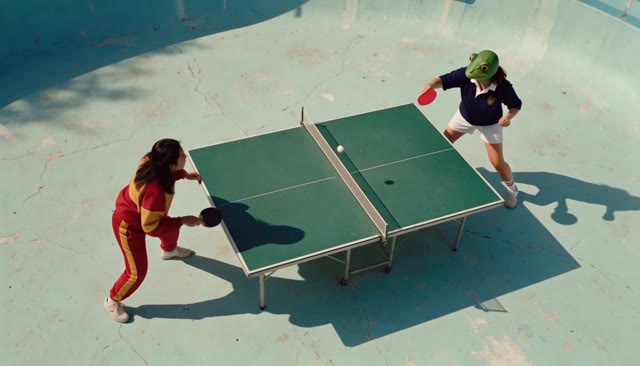
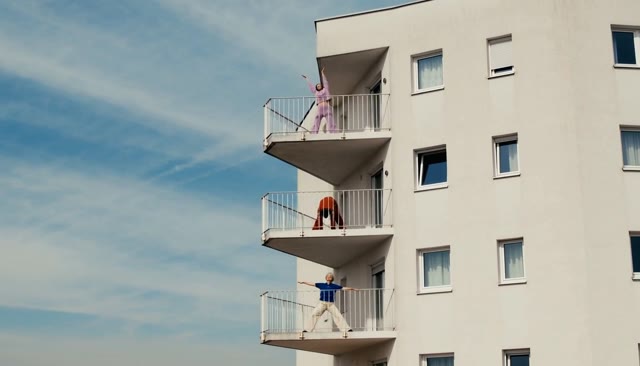


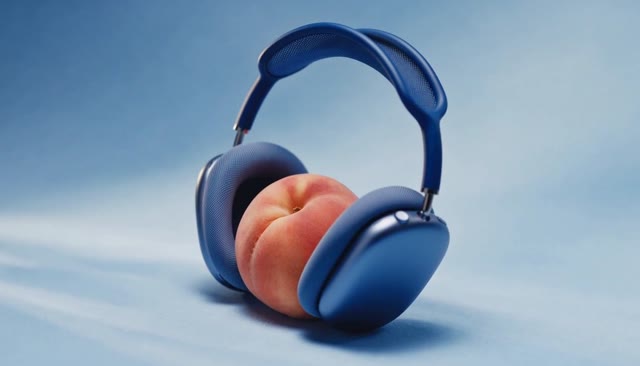


 Pika H3 Flex is an open model that generates video with synchronized stereo audio. This repo ships the inference code to run it on your own NVIDIA GPU.