P.T. for PC
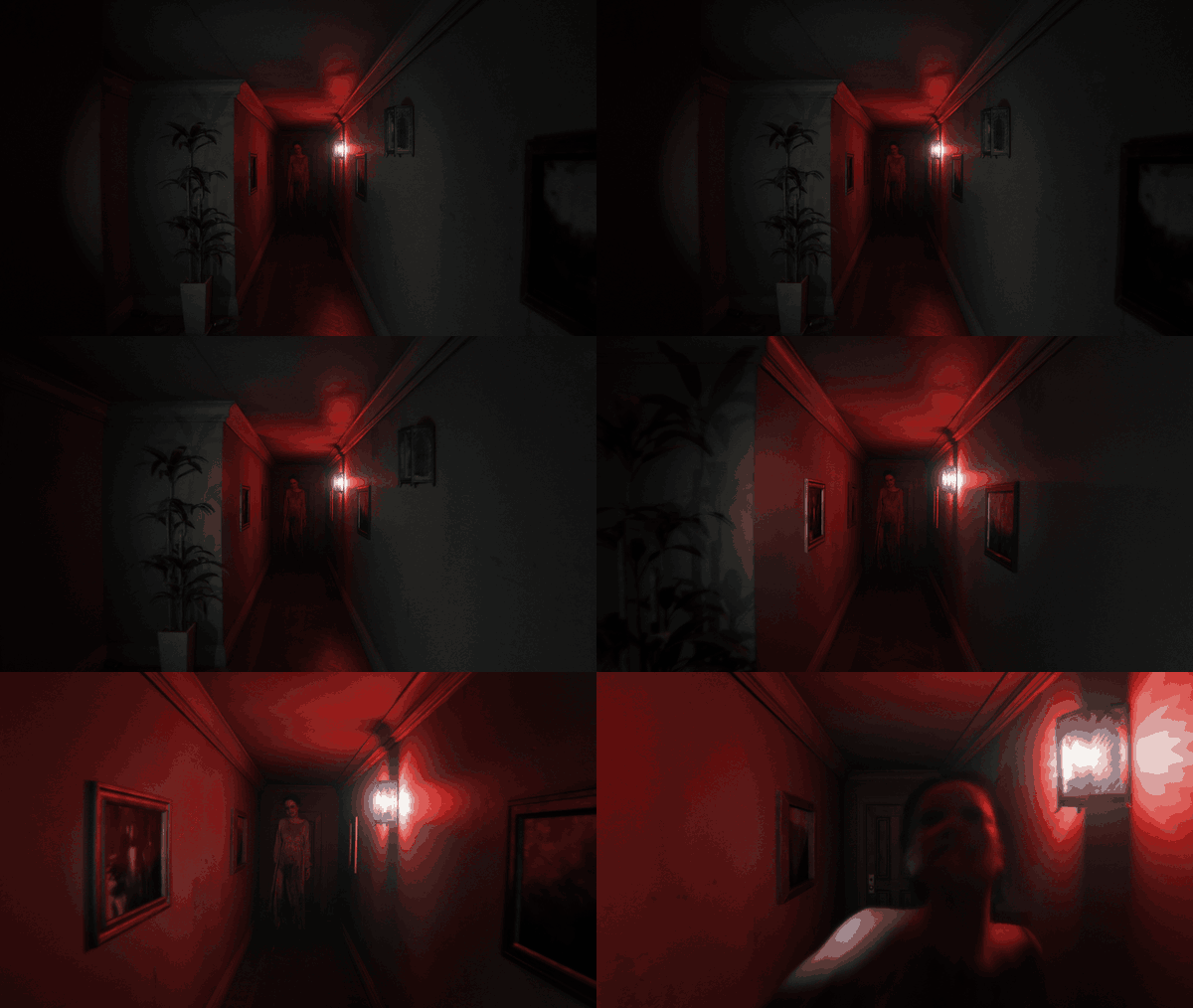
If the port is worth something to you, you can support me on Patreon: patreon.com/loreanxavier. It keeps the testing hardware and the releases coming.
This is a native PC port of P.T., the 2014 PS4 teaser by Kojima Productions. It is not an emulator. The game logic was
rebuilt in C++ from the original's behaviour and the renderer is written on Vulkan; every level, model, texture, sound,
script and cutscene is read at run time from your own copy of the PS4 game. There is no game data in this repository
and none in the installer.
I made this on my own, in my spare time, because P.T. deserved to keep existing somewhere other than on consoles that
still have it installed. It plays the whole teaser from the first wake-up to the street, with the voice part included.
What you need
- Your own copy of P.T. The port is built and tested with the US release, CUSA01127, as a dump folder from your console
or a fake PKG made from that dump. The European and Japanese releases install too, with a note, but I have not seen
their data myself. A store PKG cannot be used: it is encrypted for the console that owns it, and nothing here
decrypts it.
- Windows 10 or 11 (x64), or Linux x86-64 with glibc 2.38 or newer (Ubuntu 24.04, Debian 13, Fedora 39, current Arch
and SteamOS).
- A GPU and driver with Vulkan 1.3. The optional ray-traced shadows, ambient occlusion and reflections need a GPU with
Vulkan ray queries. DLSS needs a GeForce RTX card; FSR and XeSS run on any recent GPU. The settings page greys out
what your machine cannot run and says why.
- A microphone for one part of the game, as on the PS4. If you have none,
key = J under [voice] in pt.ini lets a
key stand in for the spoken word.
Installing
Download the installer from the Releases page: P.T.PC.Port.Setup.exe on Windows, the Linux setup binary on Linux.
Point it at your dump folder or fake PKG and at a destination folder (the default on Windows is
%LocalAppData%\Programs\P.T. PC Port). It copies the three game archives it needs (chunk1.psarc,
texture.qar, pathid_list_ps4.bin) next to the port and makes a shortcut if you want one. The eboot, modules and
system files are not used.
Linux: chmod +x the setup and run it from a terminal. The game needs only glibc and the system's Vulkan driver. On a Steam Deck
install from desktop mode and add pt as a non-Steam game; it runs on SteamOS as it is.
There is also a portable zip on the Releases page if you prefer to put the game files in place yourself: unpack it,
then start pt.exe --game <your CUSA01127 folder> once, or put the folder next to the executable as game/CUSA01127.
Settings go to %APPDATA%\pt-port\pt\pt.ini on Windows and ~/.local/share/pt-port/pt/ on Linux, together with the
save, the log (pt.log) and crash dumps. The game checks the Releases page for a newer version once at start; [network] check_updates = 0 turns that off.
Playing
Mouse and WASD, right mouse button to zoom, left button, Enter or E to interact, Esc for the pause menu, Alt+Enter for
fullscreen, F10 for the PC settings. Any gamepad works as the PS4 pad; the button prompts follow whatever you used
last (keyboard, PlayStation, Xbox or Switch). Vibration follows the original's patterns. The in-game options
(brightness, subtitles, camera inversion) are the original ones, and as on the PS4 the option screen and the preface
only play on a first start.
What the port adds
Everything below is off or set to the original's behaviour by default. The PS4 look is the baseline; the extras are
there if you want them.
Display and image
- Window, borderless or fullscreen, any resolution, v-sync on or off.
- Upscalers: AMD FSR 3.1, NVIDIA DLSS 4.5 (with a choice of model) and Intel XeSS, in the usual quality steps or a
custom scale, plus native-resolution anti-aliasing (FSR native AA, DLAA).
- Frame generation: AMD FSR 3 on Radeon RX 5000 or newer, NVIDIA DLSS Frame Generation on RTX 40 or newer.
- Graphics presets Low, Medium, Original (PS4), High, Ultra and Custom. The individual controls cover shadow map size,
ray-traced shadows (sharp like the original or soft), contact shadows, ray-traced ambient occlusion, ray-traced floor
reflections, anisotropic filtering, enhanced textures (2x upscaled once from your own files with Real-ESRGAN, cached
on disk), film grain, motion blur, depth of field, the original's lens flare ghosts and the curved lens with colour
fringing. Each one can go back to the PS4 setting on its own.
Extras
- Photo mode (F7): pause, fly the camera, set field of view, roll, aperture and the flashlight, save to Pictures/PT
Photos.
- Free camera (F6).
- Loop browser: jump to any loop of the house once you have finished the game.
- Museum: the game's subliminal images, radio and voice lines with transcripts, photo pieces, cutscenes, models and
unused content, as you reach them in play.
- Game+: the content a finished game unlocks.
- Speedrun timer with a split at every loop, real time and game time, personal bests, and a LiveSplit server
connection (Control > Start TCP Server in LiveSplit).
- Third person view (experimental).
- VR through OpenXR (experimental: I have no headset, so it has only run against a simulated runtime). See
docs/vr.md before trying it.
Languages
- The original's English, French, German, Spanish, Italian, Portuguese and Japanese, plus Turkish, Simplified Chinese,
Arabic, Russian and Ukrainian added by the port: menus, the PC settings and all subtitle lines. Voice audio stays the
original English, and the word the microphone listens for is always "Jack".
Mods
- A
mods folder next to the executable can replace game files, textures and sounds, and run Lua scripts that react
to game events. See docs/modding.md and docs/lua_api.md.
Building from source
Windows: Visual Studio 2022 Build Tools, LLVM (clang-cl), the Vulkan SDK, CMake 3.28 and Ninja. Then
tools\build_pt.bat release
gives build\release\pt.exe. CMake fetches the dependencies (SDL3, zlib, volk, VMA, glm, Dear ImGui, stb, Lua 5.1,
libogg, libvorbis, whisper.cpp) and downloads the Whisper and Silero models and the upscaler SDK files, each checked by
SHA-256. A failed SDK download leaves that upscaler out; -DPT_UPSCALERS=OFF builds without any. python tools\package.py turns the build into the portable folder and zip.
Linux: cmake -G Ninja -B build/linux -DCMAKE_BUILD_TYPE=RelWithDebInfo && cmake --build build/linux --target pt.
GCC 13 or clang 17, the Vulkan headers and glslc. The upscalers are Windows-only SDKs and are left out there.
tools/linux/ has the cross build I use from Windows. More in docs/linux.md.
The unit tests are CMake targets (pt_tests, pt_mods_test and the others in CMakeLists.txt). python tools/walkthrough.py --exe build/release/pt.exe --game <folder> plays the whole game without a window through the
scripted routes in tests/walkthrough/ and checks the log; it is how I make sure a change did not break a loop.
The installer is installer/: a native C++ setup (pt_setup, built when a payload exists) and a small LGPL extraction
helper in C# that reads fake PKGs with LibOrbisPkg. docs/installer.md describes how it decides what it accepts.
Other docs: docs/upscaling.md, docs/vr.md, docs/updates.md, and the file format notes in docs/formats/ that came out of
reverse engineering the game data, with the tools in tools/ that read those formats.
Thanks
P.T. is the work of Kojima Productions and is owned by Konami. This project is not affiliated with, endorsed by or
connected to either of them. It contains none of their assets and does nothing without your own copy of the game.
The shadPS4 emulator was my reference for how the original behaves on the PS4 and for checking the port's frames
against it. Thanks to its developers.
The port is built on SDL3, Vulkan (volk, VMA), glm, Dear ImGui, stb, Lua 5.1, libogg and libvorbis, whisper.cpp with
OpenAI's Whisper model and the Silero VAD for the voice part, Real-ESRGAN with ncnn for the enhanced textures, AMD
FidelityFX, NVIDIA DLSS and Intel XeSS for the upscalers, the Khronos OpenXR loader for VR, HarfBuzz on Linux and the
Noto fonts for the added languages, and LibOrbisPkg in the installer. Their notices ship in licenses/ next to the
executable.
License
The port's own code is under the MIT license (see LICENSE). The third-party pieces listed above keep their own
licenses.

 小岛工作室 2014 年 PS4 预告作《P.T.》的原生 PC 移植版。它不是模拟器:游戏逻辑用 C++ 重建,渲染器用 Vulkan 编写,而所有资源(关卡、模型、纹理、音效、脚本、过场动画)都在运行时从你自己的 PS4 游戏副本中读取。