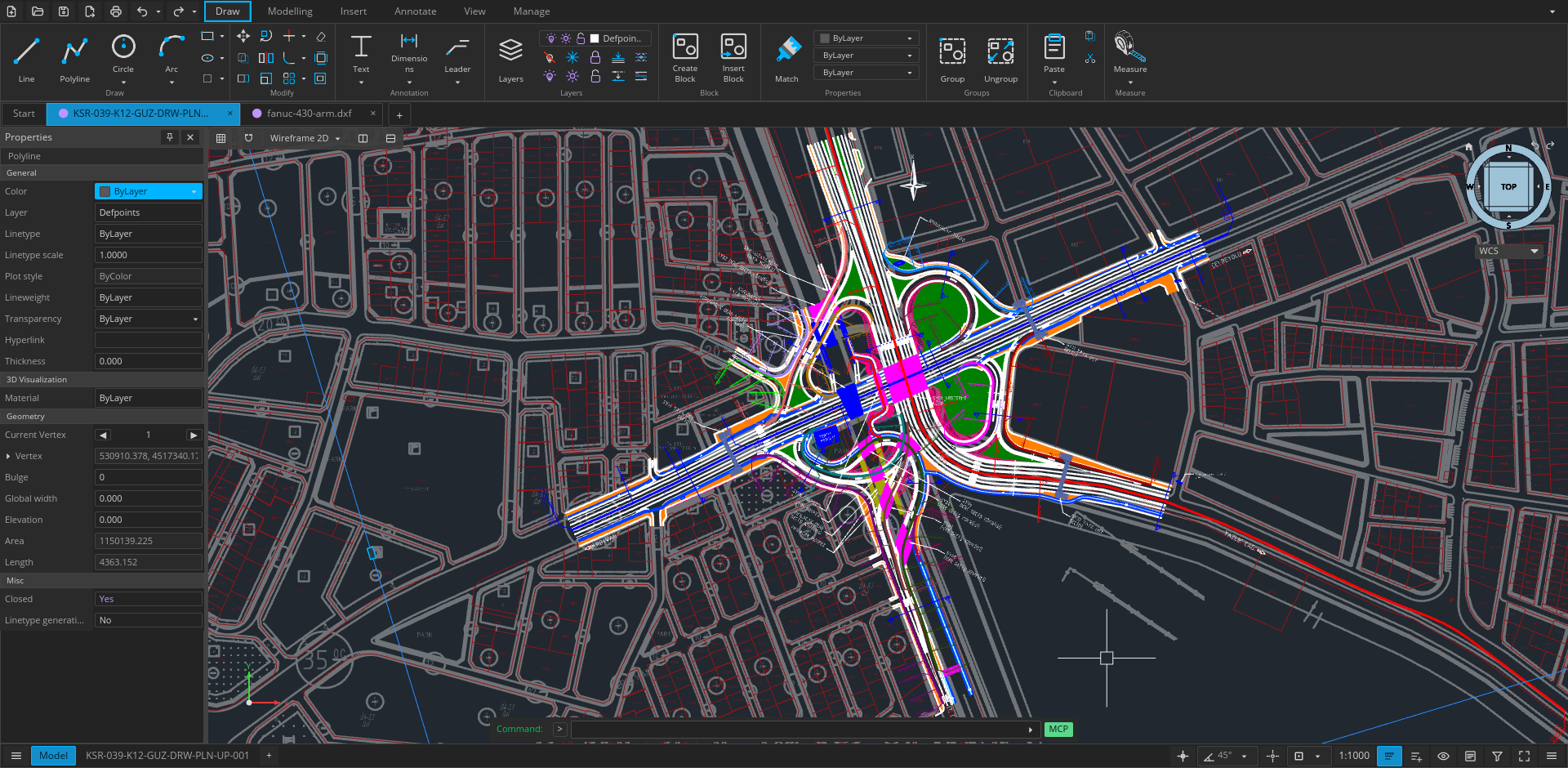
Open CAD Studio is a cross-platform application for technical drawing, layout work, and solid modeling. It reads and writes DWG and DXF drawings natively, with a shared editing core across the desktop and browser versions.
The project is under active development. Keep backups of important production drawings and report reproducible problems through GitHub Issues.
Highlights
Native drawing workflow — open, edit, recover, and save DWG and DXF files without a conversion service.
Documentation tools — text, dimensions, leaders, tolerances, tables, model space, paper space, viewports, and plot styles.
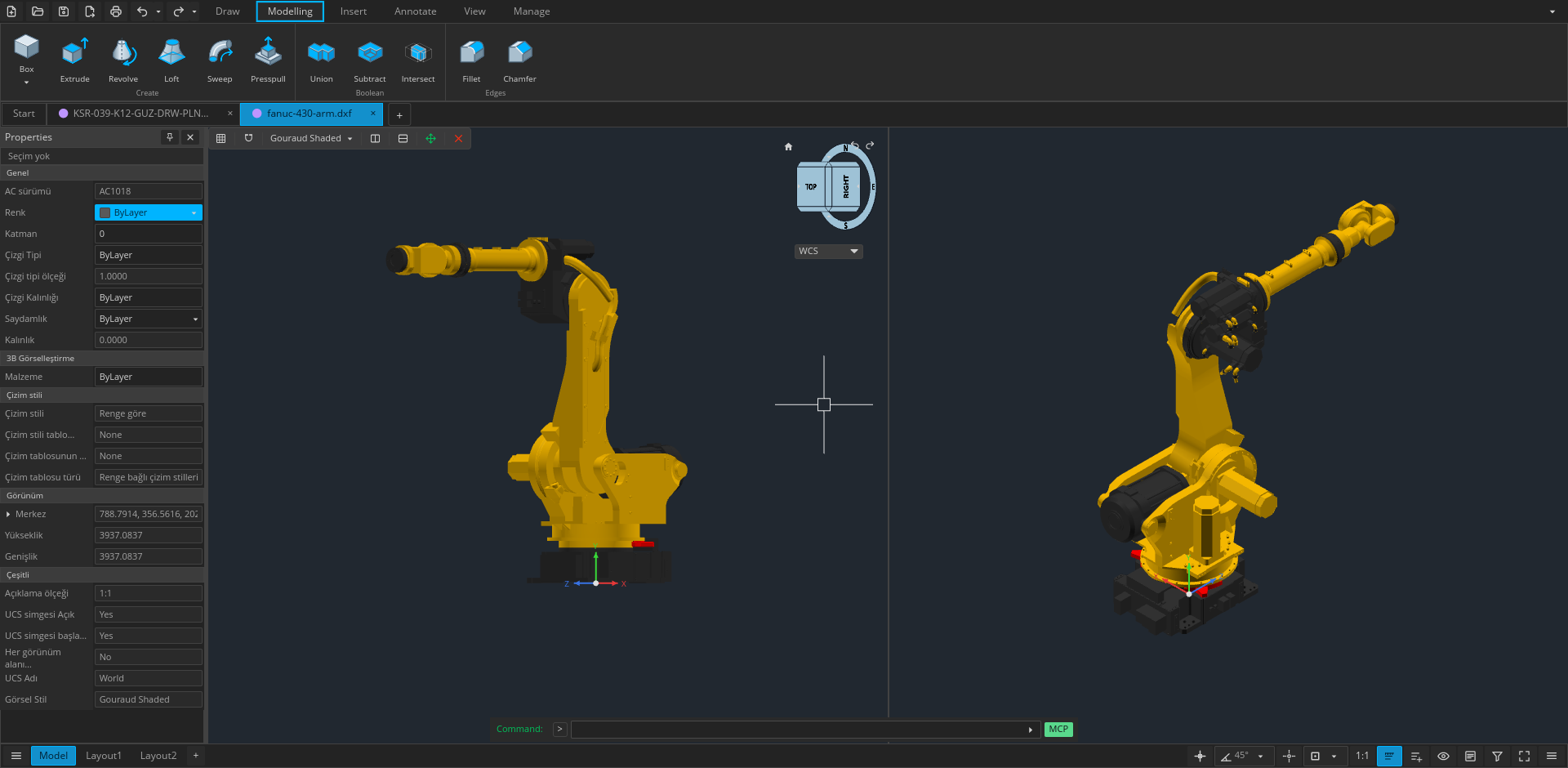
Kernel-backed 3D modeling — solid primitives, extrusion, revolution, sweep, loft, Boolean operations, and ACIS entity tessellation.
GPU rendering — accelerated 2D and 3D viewports through wgpu, with orthographic and perspective cameras.
Extensible workflows — native plugins, command scripts, headless conversion, and a line-based JSON automation API.
File workflows
Format or workflow
Support
DWG
Read and write; versioned save targets from R14 through 2018
DXF
Read and write; versioned save targets from R14 through 2018
BAK / SV$
Open drawing backups and autosave files
OBJ
Import polygon meshes
LandXML
Import CgPoint survey points
STL
Export 3D mesh data
STEP AP203
Export 3D mesh data
PDF
Plot layouts and selected geometry on desktop
CSV
Extract entity property data
CTB / STB
Load and edit plot style tables
Desktop or web
Use the web app for immediate access with no installation. Drawings are selected through the browser and saved as local downloads.
Use the desktop application for native file associations, file-manager thumbnails, system printing, PDF output, external plugins, command scripts, and headless automation. Release builds are available for Windows, Linux, and Apple Silicon macOS.
The published macOS package supports Apple Silicon:
Download OpenCADStudio-*-macos-arm64.dmg.
Open the image and drag OpenCADStudio.app into Applications.
If Gatekeeper blocks the first launch, approve the app from System Settings → Privacy & Security.
The application is ad-hoc signed but is not currently notarized by Apple.
Languages
Open CAD Studio can follow the system language or use any of these 22 interface languages:
Arabic · Brazilian Portuguese · Bulgarian · Czech · Dutch · English · Finnish · French · German · Greek · Hindi · Hungarian · Italian · Japanese · Korean · Lao · Polish · Russian · Simplified Chinese · Spanish · Traditional Chinese · Turkish
Change the language from the application settings. The browser version also uses the browser's preferred locale when System is selected.
Build from source
Desktop
Requirements:
Git
Current stable Rust toolchain
Platform graphics and font development libraries
On Ubuntu or Debian, install the native dependencies with:
The automation server exchanges one JSON object per line over standard input/output or a local TCP socket. The self-contained MCP endpoint exposes the live desktop editor through the same tools to every compatible client. Its audit and save_verified operations check an explicit DWG/DXF target version, lossy records, raw DXF handle references, reopen the output, compare its semantic manifest, and return a SHA-256 hash. To connect a client, configure it to launch OpenCADStudio --mcp. See the MCP control guide.
Plugins
Desktop plugins run in separate processes and communicate with the host through the versioned plugin API. The browser build does not load native plugins.
Report vulnerabilities privately by following the security policy.
Application translations live in locales/*/opencadstudio.ftl; source labels map through
src/locale_catalog.rs. After editing translations, run python3 scripts/export-locales.py
to refresh web and desktop packaging labels. Validate with python3 scripts/test_site.py
and cargo test --lib i18n::tests.
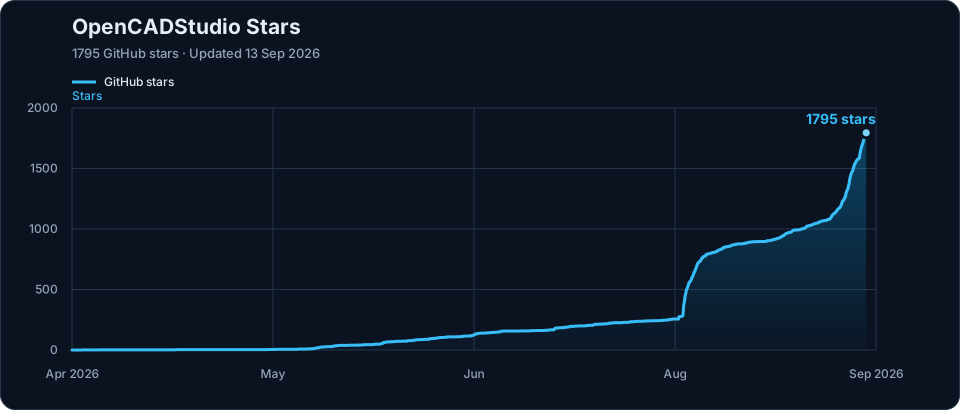
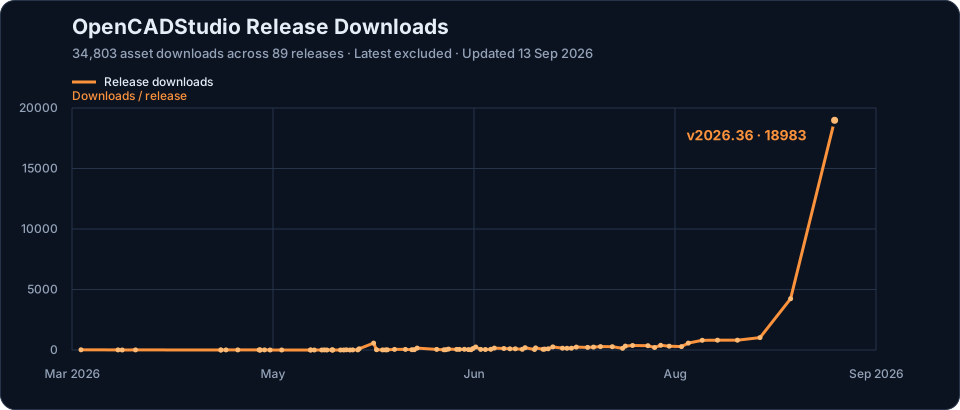
Project growth
Stars
Release downloads
Support the project
If Open CAD Studio helps your work, support continued development through GitHub Sponsors or Patreon.






 Open CAD Studio 是一个用 Rust 构建的开源 2D 制图和 3D 建模 CAD 应用,同时提供原生桌面应用和基于浏览器的网页版,两者共享同一编辑内核,并原生支持 DWG/DXF 读写。