
What is this?
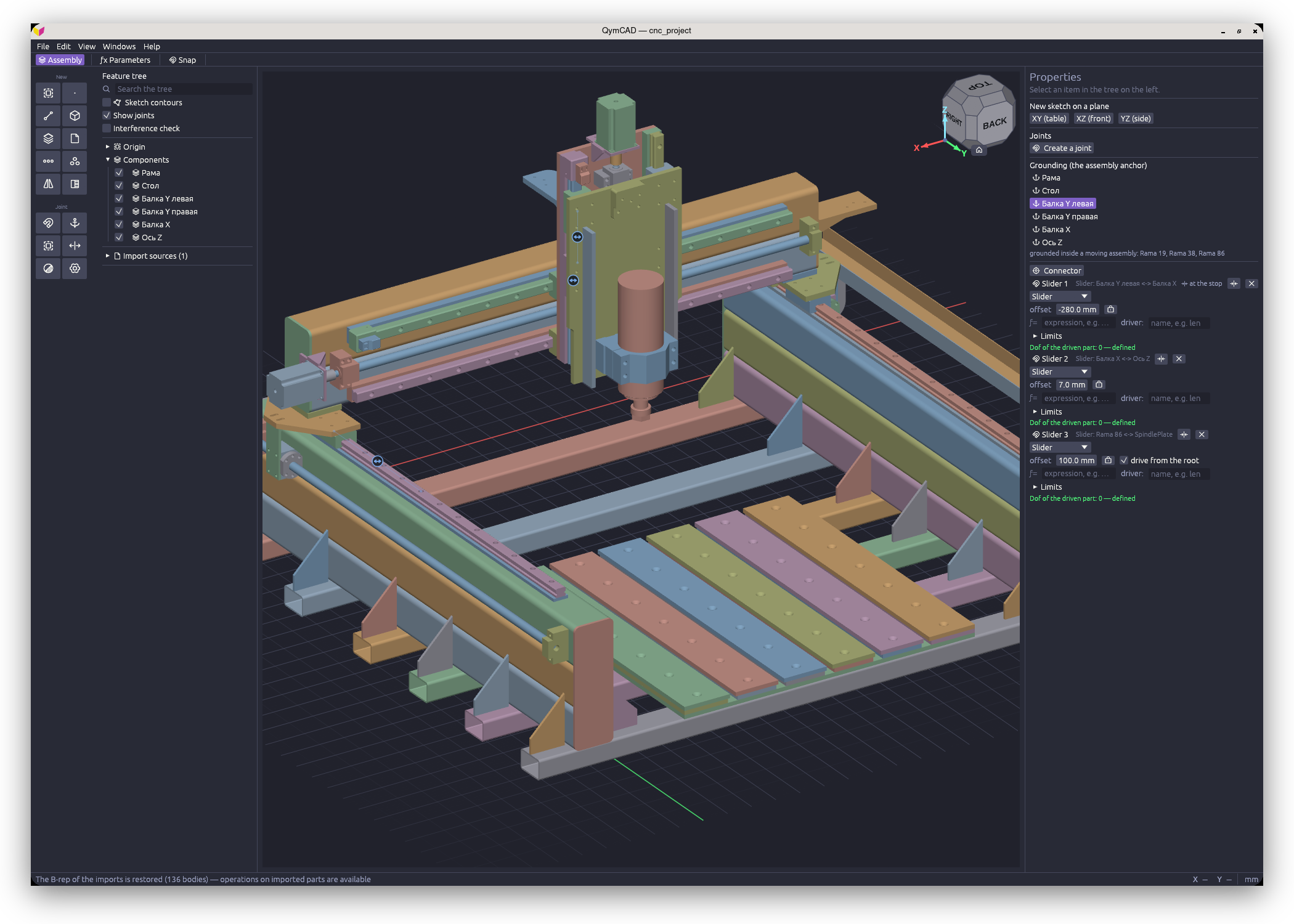
 QymCAD is a desktop parametric CAD application for mechanical parts and assemblies, built on a real B-rep kernel (OpenCASCADE). Sketches become solids via extrude, revolve or sweep, and parts combine into assemblies through joints.
QymCAD is a desktop parametric CAD application for mechanical parts and assemblies, built on a real B-rep kernel (OpenCASCADE). Sketches become solids via extrude, revolve or sweep, and parts combine into assemblies through joints.How is this different from a mesh-based modeler?It computes exact, solid B-rep geometry with the OpenCASCADE kernel - the same engine FreeCAD uses - giving precise surfaces, correct fillets, and real STEP exchange, instead of working with meshes.
It computes exact, solid B-rep geometry with the OpenCASCADE kernel - the same engine FreeCAD uses - giving precise surfaces, correct fillets, and real STEP exchange, instead of working with meshes.Are there any OS version requirements?Windows needs 10/11 x64. Linux needs glibc 2.35 or newer (Ubuntu 22.04+, Debian 12+, Fedora 36+, Arch). macOS requires version 12+ and Apple Silicon only, since there is no Intel build.
Windows needs 10/11 x64. Linux needs glibc 2.35 or newer (Ubuntu 22.04+, Debian 12+, Fedora 36+, Arch). macOS requires version 12+ and Apple Silicon only, since there is no Intel build.Is this stable enough for everyday work?It is a development build updated daily: the .qcad file format changes without backward compatibility (old files need the bundled convertqcad.py script), and the CAM/Machining module shown in settings does not actually work yet.
It is a development build updated daily: the .qcad file format changes without backward compatibility (old files need the bundled convertqcad.py script), and the CAM/Machining module shown in settings does not actually work yet.Does the macOS build run on Intel Macs?No. The macOS build only supports Apple Silicon and carries no Apple signature, so macOS quarantines it on first download; the quarantine mark is cleared with one terminal command documented in the archive.
No. The macOS build only supports Apple Silicon and carries no Apple signature, so macOS quarantines it on first download; the quarantine mark is cleared with one terminal command documented in the archive.What file formats can I use to exchange models with other CAD systems?STEP for full import/export with other CAD tools, STL for 3D printing, and DXF/SVG for importing and exporting sketches.
STEP for full import/export with other CAD tools, STL for 3D printing, and DXF/SVG for importing and exporting sketches.Can parts stay linked to each other inside an assembly?Yes: a sketch can be placed on the face of a neighbouring part as an associative reference, so the dependent part rebuilds automatically when that neighbour changes.
Yes: a sketch can be placed on the face of a neighbouring part as an associative reference, so the dependent part rebuilds automatically when that neighbour changes.What part-modeling operations does it support?Extrude, revolve, sweep, loft, variable-radius fillet, chamfer, shell, draft, several hole types, booleans, linear/circular patterns, mirror, and real helical threads with run-outs.
Extrude, revolve, sweep, loft, variable-radius fillet, chamfer, shell, draft, several hole types, booleans, linear/circular patterns, mirror, and real helical threads with run-outs.Does it check whether assembled parts collide?Yes, assemblies support joints (revolute, slider, rigid, and more), degrees-of-freedom tracking, and a built-in interference check.
Yes, assemblies support joints (revolute, slider, rigid, and more), degrees-of-freedom tracking, and a built-in interference check.What are similar projects?FreeCAD, text-to-cad, ingetrazo, solidcraft, microduck-replica, OpenCADStudio, MANPADS-System-Launcher-and-Rocket, openscad
FreeCAD, text-to-cad, ingetrazo, solidcraft, microduck-replica, OpenCADStudio, MANPADS-System-Launcher-and-Rocket, openscadWhich topics is it in?mechanical-engineering, stl, manufacturing, 3d-modeling, 3d-printing, cad, engineering, appimage, offline-first, svg, graphics, app
mechanical-engineering, stl, manufacturing, 3d-modeling, 3d-printing, cad, engineering, appimage, offline-first, svg, graphics, app