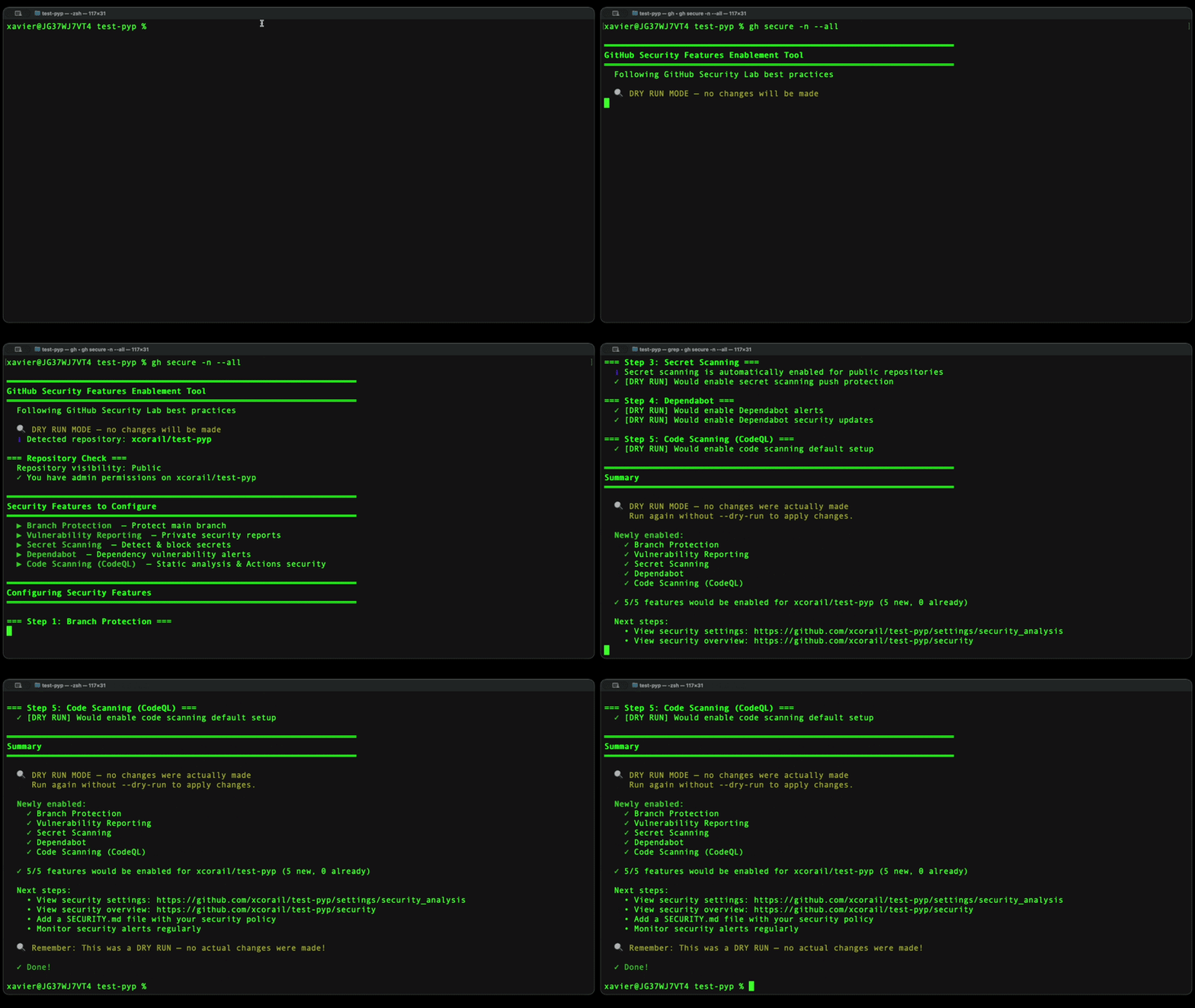
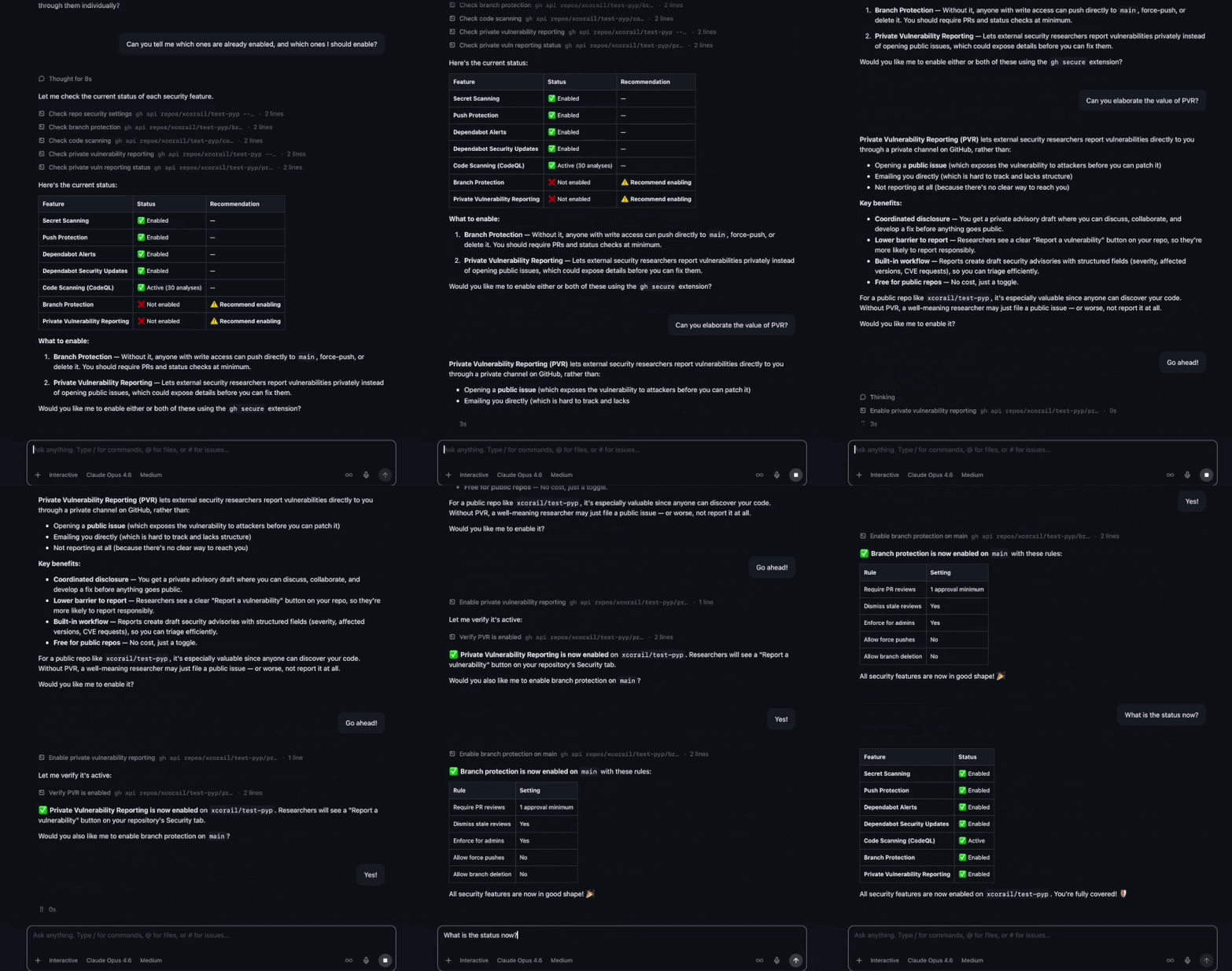
Что это такое?
 gh-secure — расширение GitHub CLI, которое примерно за 2 минуты включает пять рекомендуемых функций безопасности репозитория: защиту веток, приватные отчёты об уязвимостях, сканирование секретов, Dependabot и сканирование кода.
gh-secure — расширение GitHub CLI, которое примерно за 2 минуты включает пять рекомендуемых функций безопасности репозитория: защиту веток, приватные отчёты об уязвимостях, сканирование секретов, Dependabot и сканирование кода.Это отдельное приложение или плагин для чего-то ещё?Это расширение gh, поэтому оно работает как подкоманда GitHub CLI (gh), а не как отдельная самостоятельная программа.
Это расширение gh, поэтому оно работает как подкоманда GitHub CLI (gh), а не как отдельная самостоятельная программа.Как его установить и запустить?Установите GitHub CLI, авторизуйтесь через gh auth login, затем установите и запустите расширение из своего терминала (интерактивный режим или неинтерактивный режим -y) в репозитории, который хотите защитить.
Установите GitHub CLI, авторизуйтесь через gh auth login, затем установите и запустите расширение из своего терминала (интерактивный режим или неинтерактивный режим -y) в репозитории, который хотите защитить.Что нужно перед запуском?Нужен установленный и авторизованный GitHub CLI (gh), плюс права администратора или мейнтейнера на целевом репозитории; для репозиториев организации может дополнительно понадобиться OAuth-скоуп admin:org.
Нужен установленный и авторизованный GitHub CLI (gh), плюс права администратора или мейнтейнера на целевом репозитории; для репозиториев организации может дополнительно понадобиться OAuth-скоуп admin:org.Что может пойти не так при включении этих функций?Можно получить ошибки 403 Forbidden, если нет прав администратора/мейнтейнера (организациям может понадобиться скоуп admin:org), сканирование кода может не заработать, если языки репозитория не поддерживаются, а у некоторых организаций есть политики, блокирующие включение защиты веток.
Можно получить ошибки 403 Forbidden, если нет прав администратора/мейнтейнера (организациям может понадобиться скоуп admin:org), сканирование кода может не заработать, если языки репозитория не поддерживаются, а у некоторых организаций есть политики, блокирующие включение защиты веток.Работает ли он на любой ОС?Это расширение gh на основе shell, поэтому работает всюду, где работает GitHub CLI — Windows, macOS и Linux.
Это расширение gh на основе shell, поэтому работает всюду, где работает GitHub CLI — Windows, macOS и Linux.Он трогает мой исходный код или отправляет данные куда-то?Нет — он лишь меняет настройки репозитория (правила веток, переключатели сканирования, Dependabot) через GitHub API, используя ваш существующий сессионный токен gh; исходный код он не изменяет.
Нет — он лишь меняет настройки репозитория (правила веток, переключатели сканирования, Dependabot) через GitHub API, используя ваш существующий сессионный токен gh; исходный код он не изменяет.Можно включить только отдельные функции вместо всех пяти?Да, можно передать конкретные имена функций или их сокращения (например, bp, vr, ss, dep, cs), чтобы включить только их; если ничего не указано, включаются все пять.
Да, можно передать конкретные имена функций или их сокращения (например, bp, vr, ss, dep, cs), чтобы включить только их; если ничего не указано, включаются все пять.Можно ли использовать его с ИИ-ассистентами вместо терминала?Да — в README сказано, что им можно пользоваться из GitHub Copilot CLI, приложения GitHub Copilot App или любого другого ИИ-ассистента с доступом к этому инструменту.
Да — в README сказано, что им можно пользоваться из GitHub Copilot CLI, приложения GitHub Copilot App или любого другого ИИ-ассистента с доступом к этому инструменту.Можно ли посмотреть изменения до их применения?Да, флаг -n/--dry-run имитирует изменения без реального применения, а все изменения позже можно откатить из настроек репозитория.
Да, флаг -n/--dry-run имитирует изменения без реального применения, а все изменения позже можно откатить из настроек репозитория.Не сломает ли включение защиты веток мои существующие rulesets?Инструмент сначала проверяет активные rulesets и предупреждает перед включением классической защиты веток, чтобы избежать пересекающихся или конфликтующих правил.
Инструмент сначала проверяет активные rulesets и предупреждает перед включением классической защиты веток, чтобы избежать пересекающихся или конфликтующих правил.What are similar projects?cynative, bashka, codex-security, Anthropic-Cybersecurity-Skills, gh-dash, 0, Myrqen, just
cynative, bashka, codex-security, Anthropic-Cybersecurity-Skills, gh-dash, 0, Myrqen, justWhich topics is it in?security-automation, application-security, devsecops, infosec, github, cli-tool, security-tools, shell, command-line, devops, command-line-tool, security
security-automation, application-security, devsecops, infosec, github, cli-tool, security-tools, shell, command-line, devops, command-line-tool, security