1.1K ·GitHub
Что это такое?
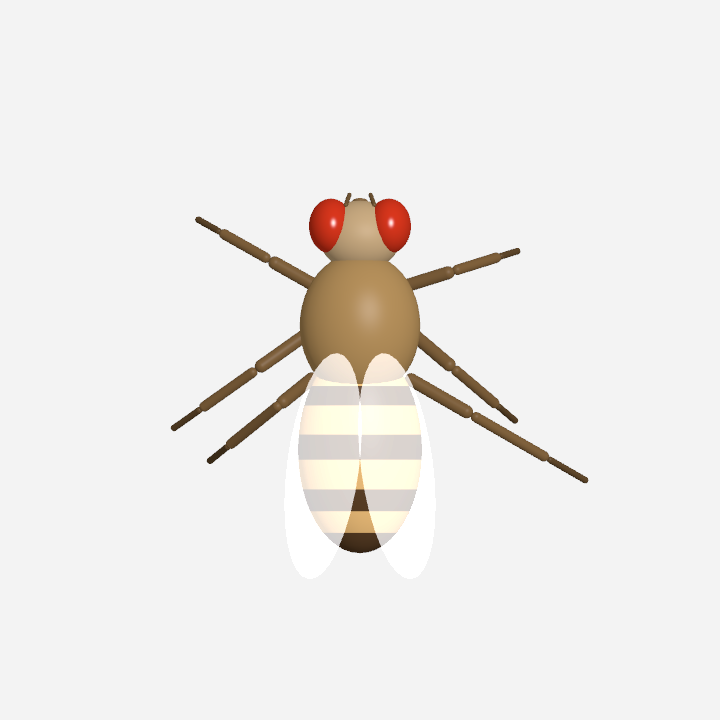
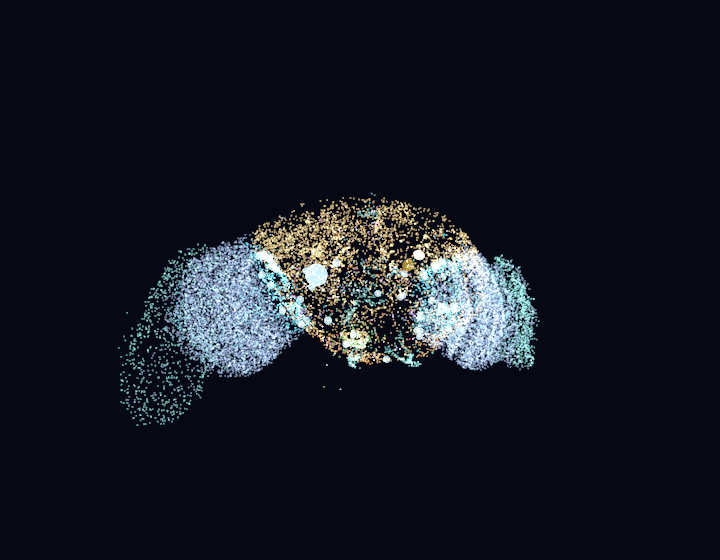
 DesktopFly — это 3D плодовая мушка, живущая на рабочем столе macOS и анимируемая живой спайковой симуляцией, построенной на реальном коннектоме мозга мушки из FlyWire (и моторной цепи из датасета MaleCNS).
DesktopFly — это 3D плодовая мушка, живущая на рабочем столе macOS и анимируемая живой спайковой симуляцией, построенной на реальном коннектоме мозга мушки из FlyWire (и моторной цепи из датасета MaleCNS).Это настоящая симуляция мозга или просто анимированный талисман?Это гибрид: цепь из 668 нейронов FlyWire работает как настоящая симуляция leaky-integrate-and-fire на частоте 1 кГц по измеренным связям, а движения тела, механика мышц и настройка сенсорики — смоделированные приближения, наложенные поверх этих реальных данных.
Это гибрид: цепь из 668 нейронов FlyWire работает как настоящая симуляция leaky-integrate-and-fire на частоте 1 кГц по измеренным связям, а движения тела, механика мышц и настройка сенсорики — смоделированные приближения, наложенные поверх этих реальных данных.Как его запустить?На macOS 13+ соберите его с Xcode Command Line Tools (Swift 5.9+); иконка мушки появится в строке меню. Отдельный порт Electron + three.js в папке windows/ работает на Windows 10/11 с Node.js 18+.
На macOS 13+ соберите его с Xcode Command Line Tools (Swift 5.9+); иконка мушки появится в строке меню. Отдельный порт Electron + three.js в папке windows/ работает на Windows 10/11 с Node.js 18+.Нужны ли Xcode или Node.js, прежде чем пробовать?Для нативного macOS-приложения нужны Xcode Command Line Tools со Swift 5.9+; для порта на Windows — Node.js 18+. API-ключи или специальные разрешения не требуются.
Для нативного macOS-приложения нужны Xcode Command Line Tools со Swift 5.9+; для порта на Windows — Node.js 18+. API-ключи или специальные разрешения не требуются.Биологически ли точны ходьба на ногах и поведение мозга?Нет — данные о связях реальны, но динамика LIF, знаки/задержки синапсов, механика мышц и поведенческие пороги — настраиваемые модельные решения, и проект прямо заявляет, что это не полноценная ЦНС и не биологически откалиброванная симуляция ходьбы.
Нет — данные о связях реальны, но динамика LIF, знаки/задержки синапсов, механика мышц и поведенческие пороги — настраиваемые модельные решения, и проект прямо заявляет, что это не полноценная ЦНС и не биологически откалиброванная симуляция ходьбы.Работает ли это и на Windows, или только на Mac?Нативное приложение — только для macOS, но внесённый сообществом порт Electron + three.js с теми же данными коннектома и нейронными моделями работает на Windows 10/11; опциональная замена тела на жука-оленя пока остаётся эксклюзивом macOS.
Нативное приложение — только для macOS, но внесённый сообществом порт Electron + three.js с теми же данными коннектома и нейронными моделями работает на Windows 10/11; опциональная замена тела на жука-оленя пока остаётся эксклюзивом macOS.Нужны ли ему специальные разрешения, чтобы отслеживать курсор и окна?Нет — всё, что чувствует мушка (позиция курсора, рамки окон, клики, тепловое состояние), читается без запроса каких-либо разрешений или entitlements macOS.
Нет — всё, что чувствует мушка (позиция курсора, рамки окон, клики, тепловое состояние), читается без запроса каких-либо разрешений или entitlements macOS.Что такое Giant Fiber и почему это важно для мушки?DNp01, Giant Fiber, — это настоящий командный нейрон побега мушки; когда его смоделированный спайк срабатывает (от надвигающегося курсора или клика), мушка на рабочем столе взлетает.
DNp01, Giant Fiber, — это настоящий командный нейрон побега мушки; когда его смоделированный спайк срабатывает (от надвигающегося курсора или клика), мушка на рабочем столе взлетает.Может ли мушка реально ходить, используя настоящую анатомию ног?Да, частично — фрагмент MaleCNS из 1045 нейронов с измеренными нисходящими, VNC и моторными/сенсорными нейронами ног управляет сочленёнными суставами ног, хотя механика мышц, преобразующая эти сигналы в движение, смоделирована, а не измерена.
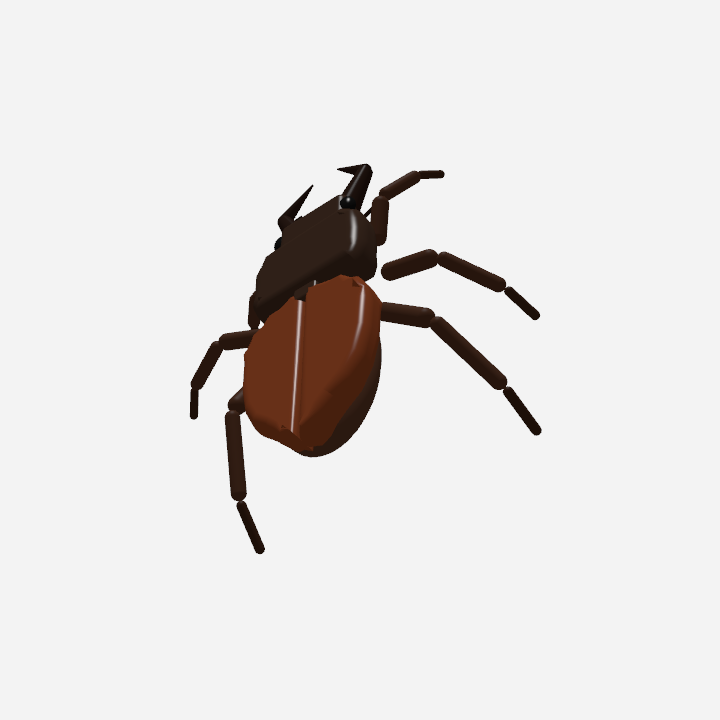
Да, частично — фрагмент MaleCNS из 1045 нейронов с измеренными нисходящими, VNC и моторными/сенсорными нейронами ног управляет сочленёнными суставами ног, хотя механика мышц, преобразующая эти сигналы в движение, смоделирована, а не измерена.Можно изменить, как выглядит настольный питомец?Да, в строке меню можно переключить тело между плодовой мушкой и жуком-оленем; лежащее в основе нейронное поведение остаётся прежним, поскольку тело подключается через единую общую структуру-интерфейс.
Да, в строке меню можно переключить тело между плодовой мушкой и жуком-оленем; лежащее в основе нейронное поведение остаётся прежним, поскольку тело подключается через единую общую структуру-интерфейс.Реагирует ли мушка на температуру в комнате или время суток?Да — она симулирует циркадный ритм (активность на рассвете/закате, полуденная сиеста, ночной сон) и ведёт себя как холоднокровное существо, двигаясь быстрее, когда ваш Mac сильнее нагревается.
Да — она симулирует циркадный ритм (активность на рассвете/закате, полуденная сиеста, ночной сон) и ведёт себя как холоднокровное существо, двигаясь быстрее, когда ваш Mac сильнее нагревается.What are similar projects?fly-paradise, SCM, dsh_desktop, Mineradio-paused, vistep, lolPing, GDevelop, deepseek-harness-desktop
fly-paradise, SCM, dsh_desktop, Mineradio-paused, vistep, lolPing, GDevelop, deepseek-harness-desktopWhich topics is it in?desktop-pet, science, menu-bar, threejs, simulation, macos-app, app, data-visualization, 3d, windows-app, academic-research, electron
desktop-pet, science, menu-bar, threejs, simulation, macos-app, app, data-visualization, 3d, windows-app, academic-research, electron