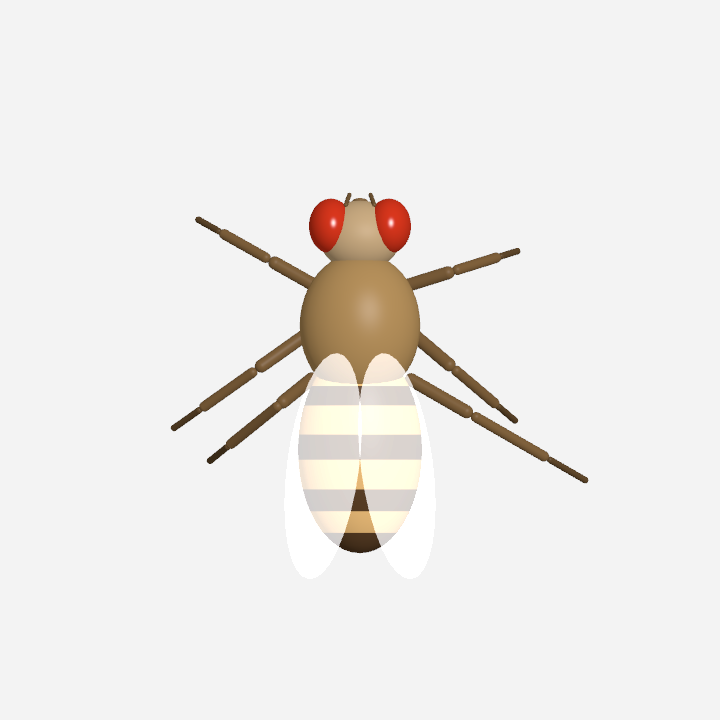
DesktopFly 🪰
A 3D fruit fly that lives on your macOS desktop, with spiking simulations
built from FlyWire brain wiring and
the MaleCNS brain-to-leg network.
It combines identified neural circuits with modeled senses, joints and behavior.
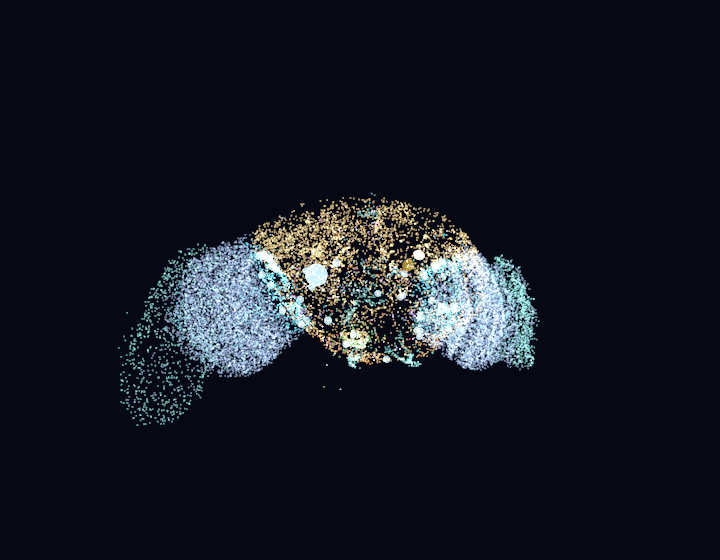
The fly's brain window: 23,210 real neuron soma positions from FlyWire v783,
with live spikes flashing at real neuron locations. The two glowing yellow
markers are the Giant Fibers — the escape command neurons. Click any region
to stimulate it.
Changelog
1.1.0 — 2026-09-05
- Motor-driven legs: added a MaleCNS v1.0 extract with 1,045 neurons and
17,224 measured connections. Simulated motor activity drives articulated
joints, forward/backward stepping and steering, with joint and foot-contact
feedback. The existing FlyWire brain connects through a modeled interface.
- Smooth behavior changes: walking, grooming, sleep and flight preserve the
current joint pose. Returning to walking carries that pose and its velocity
into the mechanics. Body turns, landing pitch and wing folding now ease
between states instead of snapping.
- Wing and ledge fixes: raised and reshaped wing hinges prevent body
clipping. Moving a window out from under the fly triggers takeoff instead of
teleporting it to the window's new edge; threat turns stop overriding later
steering once the dart ends.
- Consistent timing and Windows support: the full neural/body feedback loop
runs at 120 Hz independently of display refresh. The Electron port shares the
motor mechanics and transition fixes; the beetle body remains macOS-only.
- Validation and provenance: added reproducible extraction, source hashes,
separate MaleCNS data licensing and 18 locomotor checks on each platform.
All native and JavaScript suites pass. Native motion sequences were visually
reviewed; Windows-native sensing still needs verification on Windows.
The new circuit adds measured anatomy; neural physiology, sensory tuning and
muscle mechanics remain modeled. See evaluation and limitations
and data provenance.
What's real
- 23,210 neuron soma positions (of 139,255 in FlyWire v783) render the
rotating brain window, colored by super-class (FlyWire's coarse cell-type
grouping).
- A 668-neuron female FlyWire circuit with 18,968 real connection rows (synapse
counts, signed by neurotransmitter prediction) runs as a 1 kHz
leaky-integrate-and-fire (LIF) simulation:
- LC4 (104) + LPLC2 (210) looming-detector visual neurons
- DNp01 / Giant Fiber (GF) (2) — the escape command neuron
- DNa01 + DNa02 (4) steering neurons · DNp09 (2) forward walking
- DNg11 (6) grooming · MDN (4) backward walking ("moonwalker")
- DNp02/DNp04/DNp11 (6) escape-maneuver (wing) neurons
- their 330 strongest partners, including ascending (proprioceptive) and
sensory (wind) neurons
- A 1,045-neuron MaleCNS locomotor circuit adds 16 descending neurons,
622 VNC interneurons, 220 identified leg motor neurons, 153 leg sensory
neurons and 34 ascending neurons. Its 17,224 real directed connections
represent 708,689 synaptic contacts, with actual paths from descending
neurons through the ventral nerve cord (VNC) to all six legs.
- The escape trigger uses simulated Giant Fiber spikes. Cursor approach
drives the LC4/LPLC2 pathway, and a GF spike requests takeoff. Sensory gain,
electrical-coupling approximation and delays are configured model parameters;
the resulting reaction time is not a measurement of a living fly.
The body is procedural. The experimental MaleCNS path drives articulated leg
joints and receives joint/contact feedback. Flight, wing-beat, grooming and
sleep retain modeled animation and state rules. This is not a full CNS or a
biologically calibrated walking simulation.
Installation
Requirements: macOS 13+, Xcode Command Line Tools (Swift 5.9+).
No permissions or entitlements needed — everything it senses
(cursor, window frames, clicks-as-taps, thermal state) is permission-free.
git clone https://github.com/DenisSergeevitch/desktop-fly.git
cd desktop-fly
./build.sh
./DesktopFly
A 🪰 item appears in the menu bar; quit from there. The fly wanders your
desktop on a transparent, click-through overlay — it never intercepts your
mouse or keyboard.
Windows
An Electron + three.js port with the same connectome extracts, neural models, and
the same test suites lives in windows/ (contributed by
@MikeMike88). Requires Windows 10/11 and
Node.js 18+:
cd desktop-fly/windows
npm install
npm start          # tray icon 🪰; quit from there
npm test           # all three suites, headless
See windows/README.md for the macOS→Windows mapping
table and platform notes (the fly there roams all monitors on its own).
The optional stag-beetle body is macOS-only for now.
| item |
effect |
| Pause / Resume |
freeze the world |
| Show/Hide Brain |
toggle the live brain window |
| Escape Test (loom) |
inject a looming stimulus, watch the GF fire |
| Move to Next Display |
hop the fly across monitors (shown when >1 display) |
| Add / Remove Fly |
extra flies (only fly #1 carries the brain) |
| Scare Flies |
startle everyone |
| Body: Fruit Fly / Stag Beetle |
swap the body geometry — behavior is unchanged |
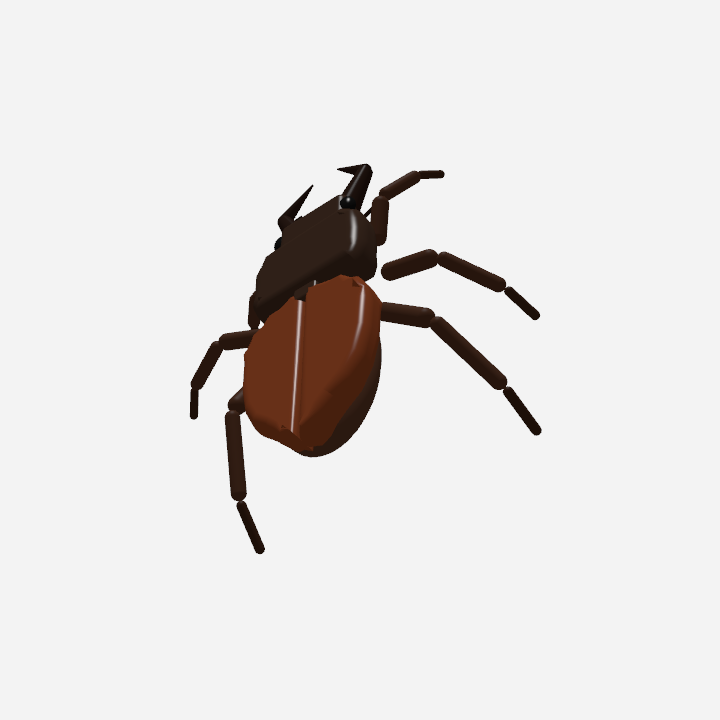
The same connectome, the same state machine, a different shell. The behavior
layer only ever touches the body through one struct, so a second geometry drops
in without a line of behavior code: the elytra open when it flies or when the
escape descending neurons fire a grounded threat posture, and the membranous
hindwings underneath are the surfaces that actually beat.
The brain window is interactive: hovering pauses the rotation; clicking a
region "optogenetically" stimulates the ~60 nearest circuit neurons for
400 ms. Spikes propagate through the extracted FlyWire graph and the configured
body interface: the Giant Fiber requests escape, DNg11 requests grooming, and
an asymmetric DNa01/02 stimulus changes the steering drive.
How real neurons drive the body
| body behavior |
driven by |
| escape takeoff |
DNp01 giant fiber spike |
| walk vs. rest |
DNp09 rate through a modeled state threshold |
| leg activation and grounded movement |
MaleCNS motor rates → modeled joints and foot contacts |
| steering drive |
DNa01+DNa02 activity passed to the male descending populations |
| grooming |
DNg11 rate |
| backward scoot |
MDN burst |
| nervous darting |
LC4/LPLC2 population rate |
| wing-beat effort, threat wing-raise |
DNp02/04/11 rate |
| spontaneous takeoff |
whole-population arousal |
FlyWire population rates drive corresponding male descending cell types through
an explicit modeled interface between two specimens. Within MaleCNS,
published connections link descending neurons, VNC interneurons, motor neurons,
leg sensory neurons and ascending feedback. There are no invented
cross-specimen synapses in the data.
Motor channels use named tibial and trochanteral flexors/extensors, sternal
anterior/posterior coxal rotators, and named promotor/remotor groups. Body joint angles, velocities and contact/load estimates
feed leg-local sensory inputs. Peripheral nerve and receptor-class identities
are measured annotations; joint tuning, muscle forces and the conversion of
those measurements into current are modeling choices. Fast cursor motion
continues to stimulate the original FlyWire sensory pathway.
Desktop ecology (all permission-free macOS senses)
- Window terrain: window top edges are ledges — the fly lands on them,
walks along them, follows nearby edge movement, and takes off when its
supporting edge moves away or closes.
- Window looms: a window appearing near the fly feeds the looming
pathway; the circuit decides whether to flee your dialogs.
- Clicks are substrate taps; clicking next to the fly startles it through
the wind→GF pathway. Typing is vibration (idle-time API — knows when
keys were pressed, never which).
- Circadian rhythm: dawn/dusk activity peaks, midday siesta, night
quiescence. Sleep: idle at night → it sleeps, breathing slowly, with
raised arousal threshold; it grooms after waking.
- Temperature: flies are ectotherms — a hot Mac is a faster fly.
Regenerating the data
data/ ships with compact derived files. To rebuild them from the raw
FlyWire Codex dumps (~60 MB download):
mkdir -p /tmp/flywire && cd /tmp/flywire
B=https://storage.googleapis.com/flywire-data/codex/data/fafb/783
curl -O "$B/classification.csv.gz" -O "$B/coordinates.csv.gz" \
     -O "$B/connections.csv.gz" -O "$B/consolidated_cell_types.csv.gz"
cd - && python3 etl.py /tmp/flywire
The separate MaleCNS extractor downloads three public Feather tables (~1.11 GB)
into a temporary directory and regenerates the compact locomotor graph:
python3 -m pip install numpy pandas pyarrow
python3 etl_malecns.py /tmp/fly-male-cns --download
It writes data/locomotor_circuit.json and data/locomotor_report.json.
The circuit records exact source URLs, SHA-256 hashes, native body IDs and
annotations. The report records real descending-to-motor paths and omitted
input coverage. See data/LOCOMOTOR_PROVENANCE.md
for the extraction rules and data/model boundary. Keep raw downloads outside
the repository; the original FlyWire files are not changed by this extractor.
Diagnostics
./DesktopFly --simtest        # circuit invariants and stimulus responses
./DesktopFly --behaviortest   # end-to-end neural/body checks
./DesktopFly --locomotortest  # actual MaleCNS closed loop, direction, lesions, frame-rate checks
./DesktopFly --snapshot f.png  # offscreen body render (3/4 perspective)
./DesktopFly --snapshot f.png --top [--flying] [--beetle]   # the overlay's own
                               # top-down orthographic view, the one users see
./DesktopFly --brainshot b.png # offscreen brain render
./DesktopFly --snapshot walk.png --top --walking # pose from the live motor circuit
What's modeled vs. measured
The connectomes supply anatomy and contact counts, not a working physiological
simulation. LIF dynamics, excitability, synaptic signs/delays, electrical-coupling
boosts, rate normalization, the interface between specimens, sensory tuning,
muscle mechanics and behavioral thresholds are configured models.
MaleCNS retains original neurotransmitter predictions and raw counts. The
current sign convention is ACh+, GABA− and Glu−; unresolved/modulatory edges
have zero direct current while retaining their source contacts. Motor channels
retain only part of their full incoming contacts; the report provides exact
coverage by leg and channel. Other inputs and much of the complete nervous
system are omitted.
Connectivity alone does not establish alternating gait, stable balance or
realistic muscle recruitment: a network may co-contract or settle under tonic
drive. The motor evaluation requires sustained stepping after startup, physical
backward motion, causal steering and loss of propulsion after motor silencing.
The complete sensor/neuron/body feedback loop runs at 120 Hz independently of
render refresh, with 1 kHz neurons and 600 Hz mechanical substeps. Muscle force
and relaxation parameters are calibrated model choices; see evaluation.
Anatomical path checks and software behavior tests do not demonstrate
agreement with measured fly locomotion. The brain window continues to show
the FlyWire visualization rather than all 1,713 simulated cells together.
License & citation
Code is MIT. The original FlyWire-derived brain_points.json and circuit.json
are CC BY-NC 4.0. The MaleCNS-derived locomotor_circuit.json and
locomotor_report.json are CC BY 4.0 — see
data/DATA_LICENSE.md.
If you use this, cite:

 DesktopFly is a 3D fruit fly that lives on your macOS desktop, animated by a live spiking simulation built from the real FlyWire fly-brain connectome (and a motor circuit from the MaleCNS dataset).