





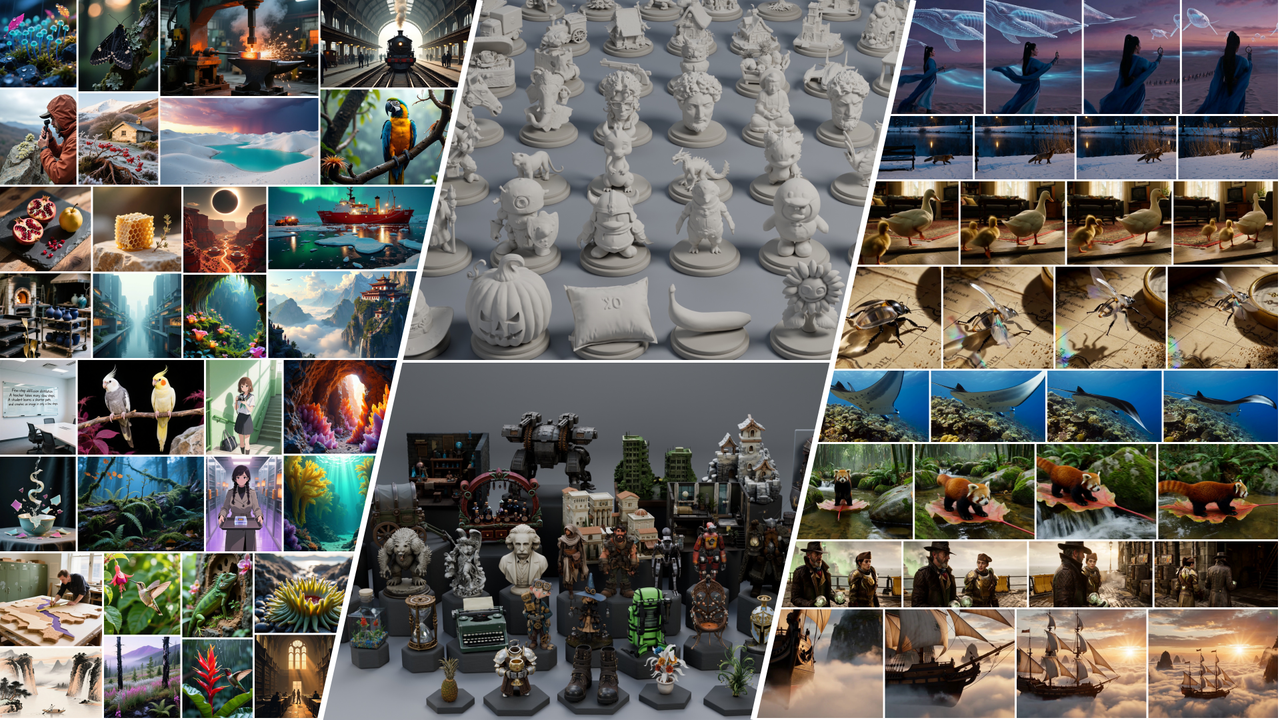
What is this?
 SMD is a research method and codebase for distilling diffusion models into fast few-step generators, covering image, video, audio-video and 3D generation tasks.
SMD is a research method and codebase for distilling diffusion models into fast few-step generators, covering image, video, audio-video and 3D generation tasks.Is this a ready-made app or a research codebase?It is a research codebase of training and inference scripts with configs, not a packaged application — you run Python scripts against configs and exported checkpoints.
It is a research codebase of training and inference scripts with configs, not a packaged application — you run Python scripts against configs and exported checkpoints.How do I get it running?On a Linux x86_64 machine with Conda, run the provided setup script from the repository root to build a Python 3.12 / PyTorch 2.7.1 / CUDA 12.6 environment with FlashAttention compiled from source; a separate extra environment is needed for Hunyuan3D and TRELLIS.2.
On a Linux x86_64 machine with Conda, run the provided setup script from the repository root to build a Python 3.12 / PyTorch 2.7.1 / CUDA 12.6 environment with FlashAttention compiled from source; a separate extra environment is needed for Hunyuan3D and TRELLIS.2.Do I need an NVIDIA GPU and CUDA toolkit?Yes — an NVIDIA GPU with a CUDA 12.6-compatible driver is required, plus the CUDA toolkit and a C++ compiler to build FlashAttention from source.
Yes — an NVIDIA GPU with a CUDA 12.6-compatible driver is required, plus the CUDA toolkit and a C++ compiler to build FlashAttention from source.Can I run this on Windows or Mac?No — the README requires Linux x86_64 with Conda, and there is no mention of Windows or macOS support.
No — the README requires Linux x86_64 with Conda, and there is no mention of Windows or macOS support.Is everything here under Apache-2.0?The SMD code itself is Apache-2.0, but model weights, teacher adapters and datasets keep their own upstream licenses.
The SMD code itself is Apache-2.0, but model weights, teacher adapters and datasets keep their own upstream licenses.Which models can I use out of the box?Released student weights on Hugging Face cover text-to-image (FLUX.1-dev, Qwen-Image, SD3.5-Medium, FLUX.2 Klein 4B, Lens), image editing (Qwen-Image-Edit-2511), text-to-video (Wan2.1), audio-video (MiniMax H3), and image-to-3D (Hunyuan3D-2.1, TRELLIS.2).
Released student weights on Hugging Face cover text-to-image (FLUX.1-dev, Qwen-Image, SD3.5-Medium, FLUX.2 Klein 4B, Lens), image editing (Qwen-Image-Edit-2511), text-to-video (Wan2.1), audio-video (MiniMax H3), and image-to-3D (Hunyuan3D-2.1, TRELLIS.2).How do I train SMD on my own data?Pick a training configuration and prepare a Parquet file with a prompt column following the data guide, then launch training across your GPUs (e.g. Qwen-Image on two GPUs); SMD_OUTPUT_ROOT sets where checkpoints and previews land, and W&B logging defaults to offline.
Pick a training configuration and prepare a Parquet file with a prompt column following the data guide, then launch training across your GPUs (e.g. Qwen-Image on two GPUs); SMD_OUTPUT_ROOT sets where checkpoints and previews land, and W&B logging defaults to offline.Is inference the same for every model?Mostly: export student weights plus sampling metadata and run the inference script with --weights and --output. MiniMax H3 is an exception — it uses a student LoRA with cached conditions instead of a fused checkpoint.
Mostly: export student weights plus sampling metadata and run the inference script with --weights and --output. MiniMax H3 is an exception — it uses a student LoRA with cached conditions instead of a fused checkpoint.What are the agent skills for?The skills directory contains agent skills for environment setup, training, inference and model integration, written so you or a coding assistant can follow them to use and extend SMD more easily.
The skills directory contains agent skills for environment setup, training, inference and model integration, written so you or a coding assistant can follow them to use and extend SMD more easily.What are similar projects?EasyWAM, DiffSynth-Studio, kohya_ss, CodeVideoModel, ai-toolkit, vdn-minimax-h3, generative-models, hyperflow
EasyWAM, DiffSynth-Studio, kohya_ss, CodeVideoModel, ai-toolkit, vdn-minimax-h3, generative-models, hyperflowWhich topics is it in?flash-attention, knowledge-distillation, 3d-generation, stable-diffusion, text-to-video, text-to-image, diffusion-models, lora, training, fine-tuning, multimodal, video-generation
flash-attention, knowledge-distillation, 3d-generation, stable-diffusion, text-to-video, text-to-image, diffusion-models, lora, training, fine-tuning, multimodal, video-generation