Control what your AI can see — and what it costs. LeanCTX is an AI Value
Gate for coding agents: it understands tasks, routes and compresses context,
remembers what it learns, and measures cost against accepted outcomes.
Token savings are the receipt. Intelligence is the product. Works with Cursor, Claude Code, Copilot, Windsurf, Codex, Gemini and 30+ other agents — no config needed.
See it in action:
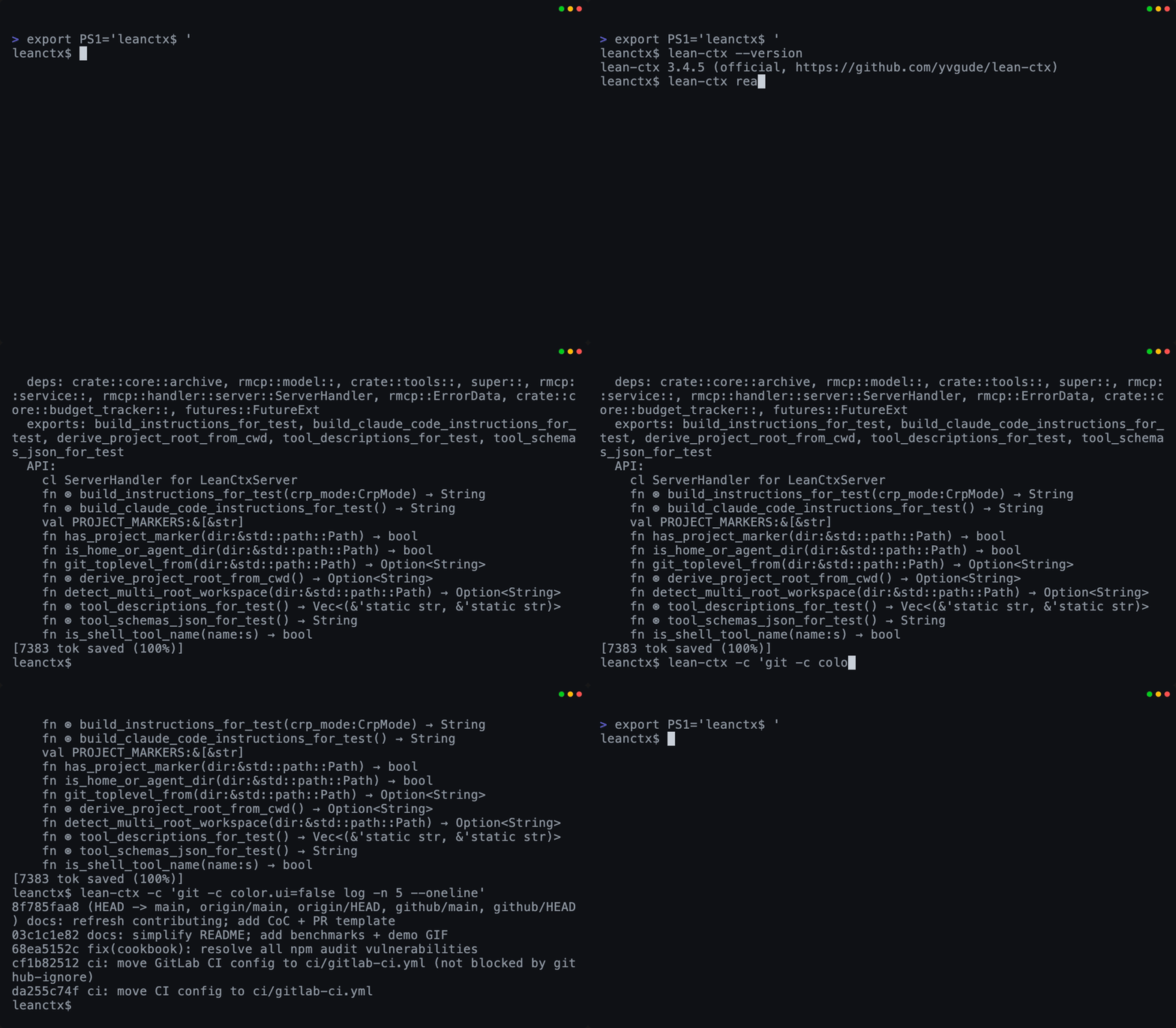
Read + Shell
Map-mode reads + compressed CLI output
|
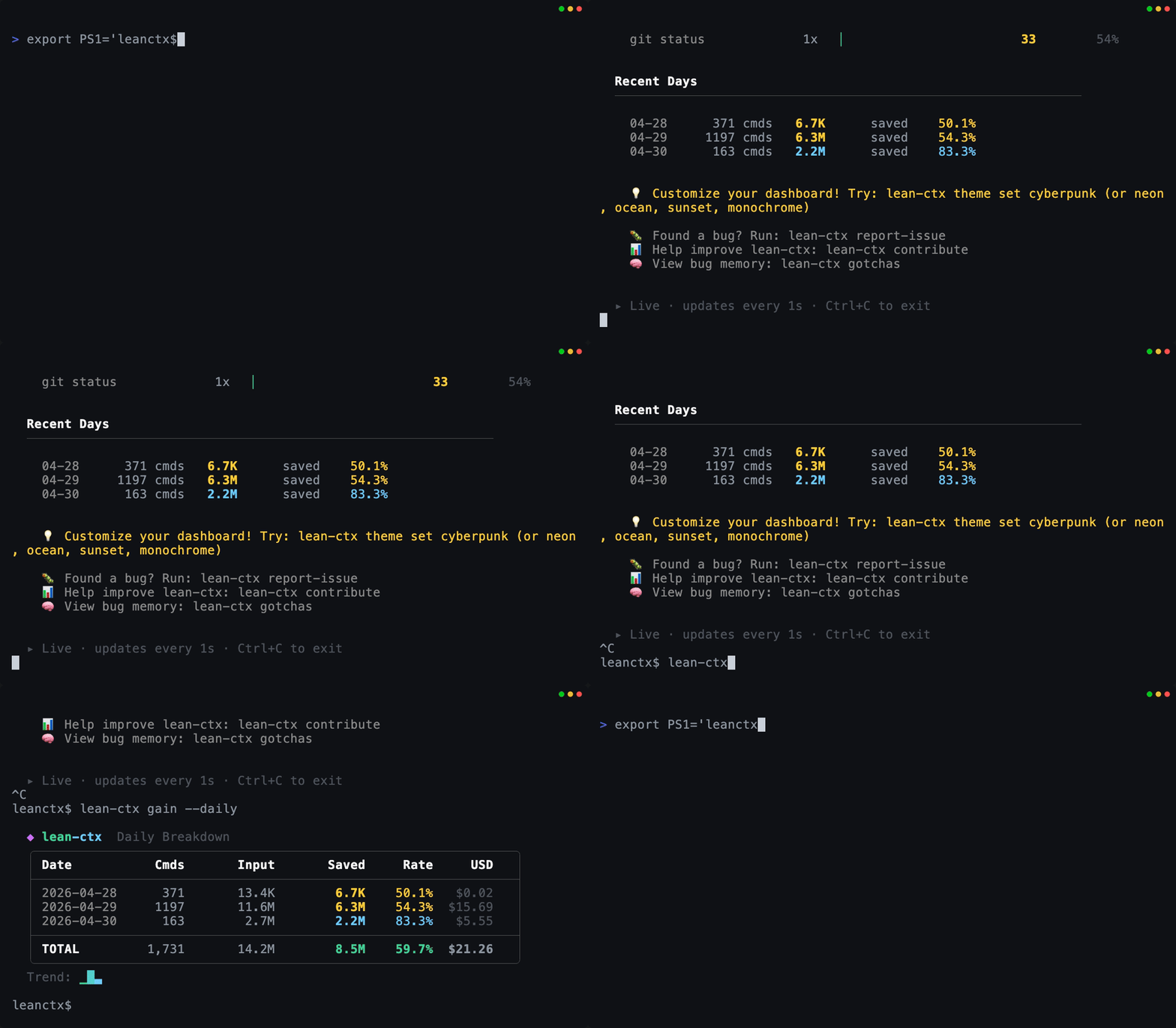
Gain (live)
Tokens + USD savings in real time
|
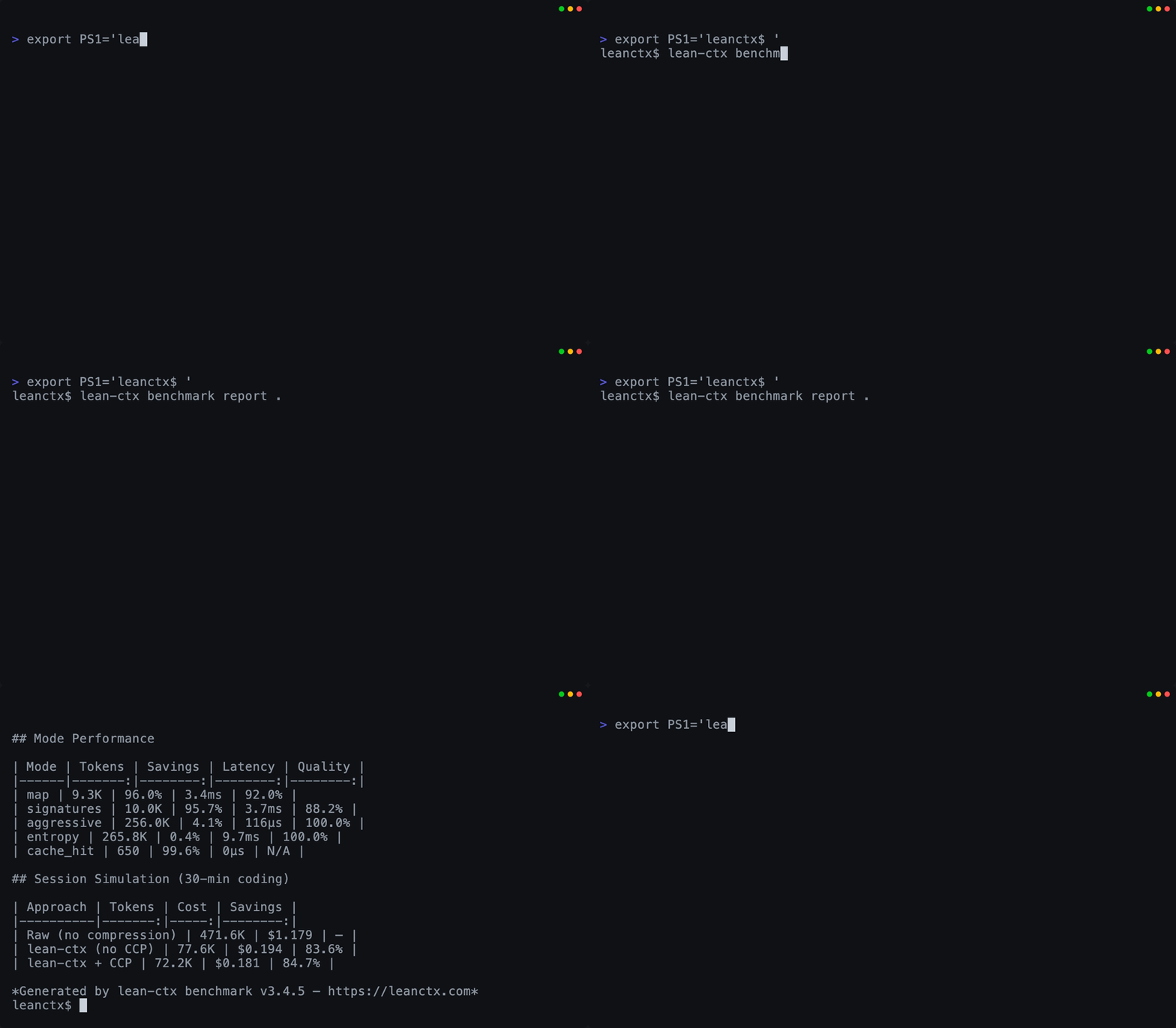
Benchmark proof
Measure compression by language + mode
|
All GIFs are generated from reproducible VHS tapes in demo/.
Why developers use LeanCTX
- Longer useful coding sessions — less context waste = more room for actual code reasoning
- Lower API costs — reduce repeated context on reads and shell output; inspect the local savings ledger and Shadow Mode baseline for your workload
- No more "I already showed you this file" — session memory persists across chats
- Works with your existing setup — one
lean-ctx setup command, no config changes needed
- Full visibility — see exactly where your context window budget goes
- Model-agnostic & yours — swap OpenAI/Anthropic/Gemini freely; your context and memory stay local and portable, never locked in a vendor's black box
Saves you tokens? Give it a star — it helps others discover LeanCTX.
Why now — own your context
Models are converging on commodity. The durable edge isn't which model you call — it's your context: what your agents read, what they remember, and what you can prove. And the layer that optimizes and owns that context can't come from the vendor that bills per token or keeps your memory in a black box — it has to sit on your side.
That's the shift behind "agent entities" that live in your chat and remember your company (Claude in Slack, ClickUp Brain): a context login, not a model login — you end up renting your own company knowledge back. LeanCTX is the opposite layer. It keeps the moat yours: local-first, portable (.ctxpkg), and model-agnostic — swap OpenAI, Anthropic or Gemini without losing context or cache. Own your context; don't rent it back.
What it does — five capabilities of an AI Value Gate
LeanCTX treats context and AI spend as managed resources, not afterthoughts.
One binary covers the capabilities that decide how well an AI agent performs:
1. Context Compression — input efficiency
Your AI agent reads files and runs commands. LeanCTX compresses both automatically.
Workload-specific token reduction on eligible context, with recovery paths
and a local Shadow Mode baseline for measurement
File reads: 10 read modes (full, map, signatures, diff, lines:N-M, density:X, …) — cached re-reads cost ~13 tokens
Target density (density:0.4): SDE-style budget compression — keeps the highest-entropy lines until ~40% of the original tokens remain, deterministic
JIT disclosure: signatures carries line spans and points at lines:N-M for targeted expansion — outline first, bodies on demand
Shell output: 95+ shell-output patterns compress git, npm, cargo, docker, kubectl, terraform and more (270 passthrough rules)
Tree-sitter AST: structural understanding for 27 languages — not just text compression
Reversible by design (CCR): compression never discards content — pruned or truncated payloads move to a content-addressed store with a deterministic handle, so the model can pull the original bytes back on demand via ctx_expand, ctx_retrieve, an in-band marker, or GET /v1/references/{id}. Five recovery paths →
2. Intelligent Triage — task understanding
Not every task or file needs the same depth. LeanCTX classifies the task, then
sends the signal rather than the noise.
- 10 read modes: from full content down to AST signatures and entropy-filtered views
- Adaptive
ModePredictor: learns the optimal read mode per file type from past sessions
IntentEngine: classifies query complexity so simple lookups stay cheap
3. Knowledge Routing — cross-source context
Relevant code, sessions, and connected sources become focused context instead of
a larger prompt.
- Session memory (CCP): persist task/facts/decisions across chats — structured recovery queries survive compaction
- Knowledge graph: temporal facts with validity windows, episodic + procedural memory
- Property Graph: multi-edge code graph (imports, calls, exports, type_ref) powers impact analysis and search ranking
- Yours, not the vendor's: memory stays local and portable — export it as a
.ctxpkg package and move it across machines or models, instead of locking it in a vendor's black box
4. AI Value Gate — cost and outcome tracking
Performance is the cost of a useful result, not just speed. LeanCTX records
costs and outcomes locally; CPAO (Cost per Accepted Outcome) is the north-star
metric for comparing useful AI work.
- Context Manager: browser dashboard with real-time token tracking, compression stats, utilization gauge
- Budgets & SLOs: profiles, roles, per-agent budgets, and throttling policies
- Context Proof (
ctx_proof, ctx_verify): 4-layer verification engine with CI drift gates
5. Shadow Recommendations — savings proof
Shadow Mode compares LeanCTX treatment with a configured baseline without
changing the active workflow. Its reports show cost, tokens, CPAO, and whether
quality held, then recommend savings only when the comparison supports them.
Cost Intelligence
LeanCTX automatically tracks local cost and outcome signals; it does not add
those reports to agent context. CPAO — cost per accepted outcome — is the
north-star metric, while Shadow Mode provides a baseline comparison for savings.
lean-ctx savings --period week                 # costs, token savings, and CPAO
lean-ctx value-report --format markdown --last 20  # recent outcome quality
lean-ctx shadow --latest                       # latest baseline comparison
Quick start: value tracking
# Enable shadow mode for savings comparison
echo '[shadow]\nenabled = true' >> ~/.config/lean-ctx/config.toml

# After using LeanCTX for a while:
lean-ctx savings
lean-ctx shadow --latest
Full feature list (complete MCP tool set)
- Web & Research (
ctx_url_read): pull a public web page, PDF, or YouTube transcript into context as compressed, citation-backed text — facts/quotes return claims with a confidence score + source URL, relevance-ranked research-compression distils to a token budget, SSRF-guarded (http/https only)
- Graph-Powered Intelligence: hybrid search (BM25 + embeddings + graph proximity via RRF), incremental git-diff updates
- LSP Refactoring (
ctx_refactor): language-server-powered rename, references, go-to-definition via rust-analyzer, typescript-language-server, pylsp, gopls
- Multi-Agent (
ctx_agent, ctx_handoff): agent handoff with context transfer bundles, diary system, synchronized shared state
- Archive Full-Text Search (
ctx_expand search_all): FTS5-powered cross-archive search over all previously archived tool outputs
- PR Context Packs:
lean-ctx pack --pr builds a PR-ready context pack (changed files, related tests, impact, artifacts)
- Context Packages:
lean-ctx pack create bundles Knowledge + Graph + Session into portable .ctxpkg files with SHA-256 integrity
- Context Time Machine:
lean-ctx snapshot create|list|show|verify|restore|publish|import — git-anchored, ed25519-signed snapshots of the layer state (lineage, ledger Φ, ROI, session) on an append-only timeline; replay them in the dashboard, restore to resume a session (and --git to check out the commit), or publish/import a signed snapshot to share it (concept →)
- Observability:
lean-ctx gain --live for real-time savings, lean-ctx wrapped for weekly/monthly summaries (gain --svg/--share for a shareable card or self-hostable page), lean-ctx watch for TUI monitoring
- Verified savings:
lean-ctx savings is an auditable, per-event ledger (tokenizer transparency, bounce-netting, tamper-evident SHA-256 chain) — local-only, on by default
- HTTP mode:
lean-ctx serve for Streamable HTTP MCP + /v1/tools/call (used by the Cookbook and external clients)
Addons — extend the engine, or run the ecosystem through one gateway
You don't have to choose between LeanCTX and the other context tools you already
like. An addon is a signed package carrying either a sandboxed WASM module
that runs inside the context pipeline, or an [mcp] declaration that wires an
external MCP server into the gateway — after which LeanCTX treats what it returns
like your own reads instead of just proxying it.
lean-ctx addon release ./my-addon   # build a signed .ctxpkg — no artifact host, no CI
lean-ctx addon add ./my-addon-1.0.0.ctxpkg   # verify, disclose, ask, install
lean-ctx addon list                 # what's installed, what loads, what's wired
- Publish it yourself — the module travels inside the signed package, so
the signature covers the executable bytes. Nothing external to host, hash or
serve, and no pipeline of your own.
- Verified locally, then asked —
add re-checks the signature on your
machine rather than trusting its source, checks every module against its
pinned SHA-256, prints the publisher key and the exact command any declared
server would run, and only then prompts.
- LeanCTX never installs the server for you — no
uv tool install, no
npx. Fetching a declared tool stays your step, where your own package
manager's trust model applies. The manifest says how to run it.
- Folded in, not just proxied — opt-in post-processing runs addon output through the same pipeline as your code: compress to a budget, spill oversized blobs to a
ctx_expand handle, index into BM25 / graph / knowledge. A typed integration routes specific tools straight into ctx_expand, ctx_callgraph and ctx_knowledge.
- Untrusted by default — every addon's output is scrubbed for secrets and tagged untrusted before it reaches the model. Always on, not a flag.
There is deliberately no marketplace and no addon search: LeanCTX does not
host, curate or rank addons. A package is a file you install, or one you fetch
from a registry you name. See the
addon guide for the full walkthrough.
Where it's going
LeanCTX is growing from a single context layer into a full cognitive context
layer for whole teams: version-controlled context strategy, one unified graph, and a
governance layer across many agents.
- Context Time Machine → hosted history — the snapshot engine, dashboard replay, restore, and signed file-based share/import have shipped (see above); next is a
ctxpkg.com registry for hosted, versioned context history and a side-by-side model-view | git-diff replay. The temporal axis through everything LeanCTX does — it decides, remembers, guards, proves, and replays. (concept →)
- Context as Code — declarative pipelines, profiles, and policies in TOML, versioned like infrastructure
- Unified Context Graph — code, tests, commits, CI runs, and knowledge entries in a single semantic graph
- Agent Harness — roles, budgets, and tool permissions for multi-agent governance
- Context Observability — SLOs on context consumption, anomaly detection, OpenTelemetry / Prometheus export
The full roadmap lives in VISION.md.
How it works (30 seconds)
LeanCTX works on two planes — what your agents read and what they send to the model:
read path:   AI tool  →  (MCP tools + shell)  →  lean-ctx  →  your repo + CLI
wire path:   AI tool  →  lean-ctx proxy        →  model provider   (every request, compressed)
- MCP server (read path): exposes
ctx_* tools (read modes, caching, deltas, search, memory, multi-agent)
- Shell hook (read path): transparently compresses common commands so the LLM sees less noise
- Request proxy (wire path, opt-in):
lean-ctx proxy enable puts a local proxy between your agent and the model that compresses every request — system prompt, full history and tool results — prompt-cache-safe, with measured USD spend. It can also pin one reasoning-effort level across OpenAI, Anthropic & Gemini (proxy.effort) without breaking that cache, cut output tokens with a cache-safe verbosity steer plus a measured holdout, and relocate volatile fields (dates, UUIDs, commit SHAs) out of the cacheable prefix so a stable system prompt finally caches. Every rewrite is reversible (content-addressed recovery) and byte-stable by contract. Same layer as a standalone request-compression proxy (e.g. Headroom) — you don't need one on top.
- Property Graph: multi-edge code graph powers impact analysis, related file discovery, and search ranking
- Session memory: persists state with structured recovery so long-running work never "cold starts"
- Context Manager: browser dashboard for real-time visibility into what's in your context window
Get started (30 seconds)
# 1) Install (pick one)
curl -fsSL https://leanctx.com/install.sh | sh      # universal (no Rust needed)
brew tap yvgude/lean-ctx && brew install lean-ctx    # macOS / Linux
npm install -g lean-ctx-bin                          # Node.js
cargo install lean-ctx                               # Rust

# 2) One-command setup for your agent
lean-ctx wrap cursor      # or: wrap claude / wrap codex

# Done. Savings appear after your AI's first lean-ctx call.
lean-ctx gain
lean-ctx wrap registers the MCP server and configures the supported local
transport for that agent. Undo anytime with lean-ctx unwrap cursor.
Claude Pro/Max: subscription OAuth cannot use a custom
ANTHROPIC_BASE_URL. lean-ctx wrap claude therefore adds no proxy redirect
while enabling the ctx_* tools and shell-output compression; an existing
custom endpoint remains untouched.
Claude wire-level request compression requires ANTHROPIC_API_KEY. See
advanced proxy setup.
Alternative: full control
lean-ctx onboard          # connect all detected AI tools (zero prompts)
lean-ctx setup            # interactive wizard with every option
**Building from so







 LeanCTX is a 'Context Gateway' that runs locally alongside your AI coding agent, deciding what context the model actually sees, compressing it, and tracking the cost and outcome of that work.