Terminal-first coding agent, desktop-ready on macOS — explore, plan, edit, and verify with your model of choice.
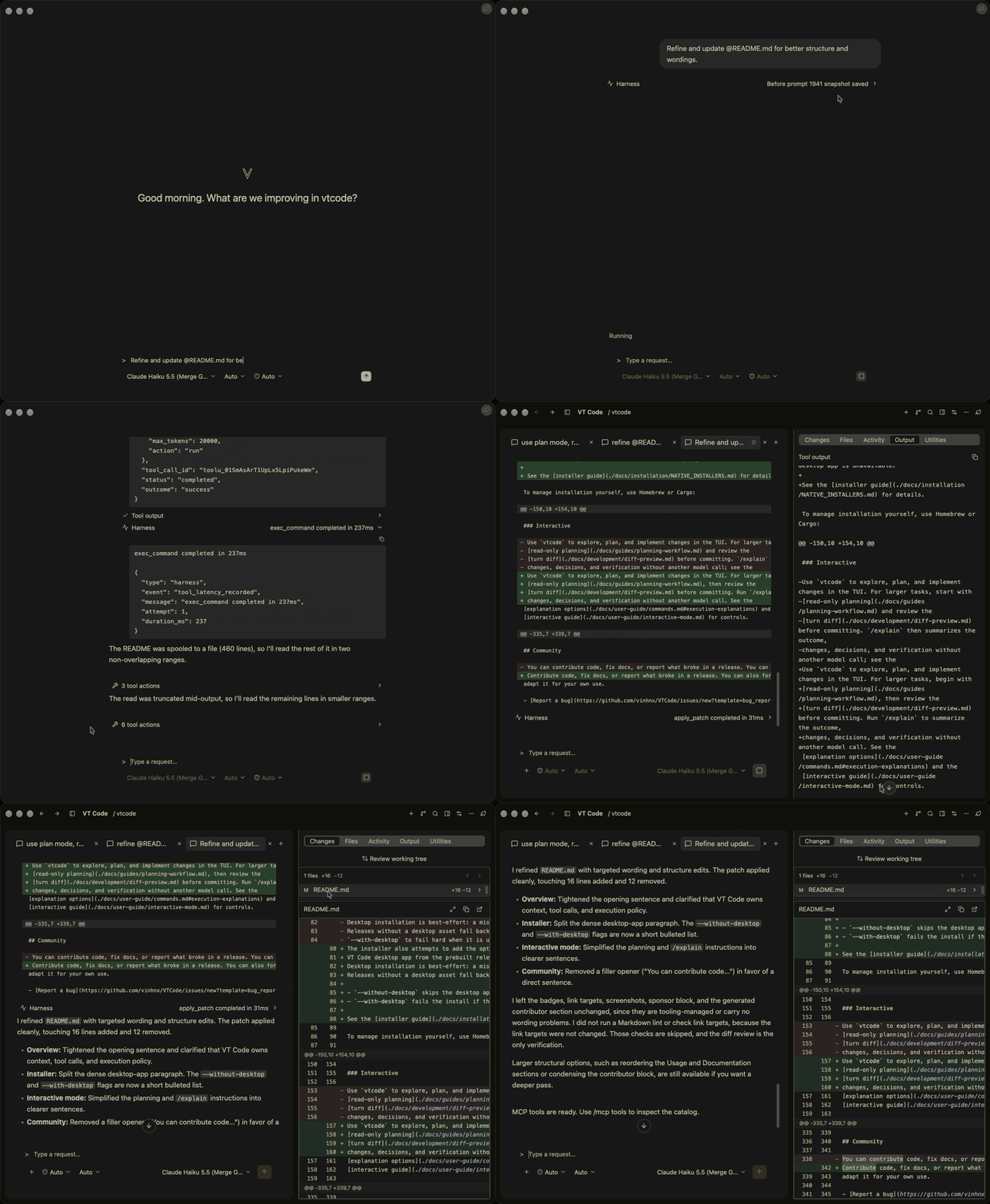
Desktop app
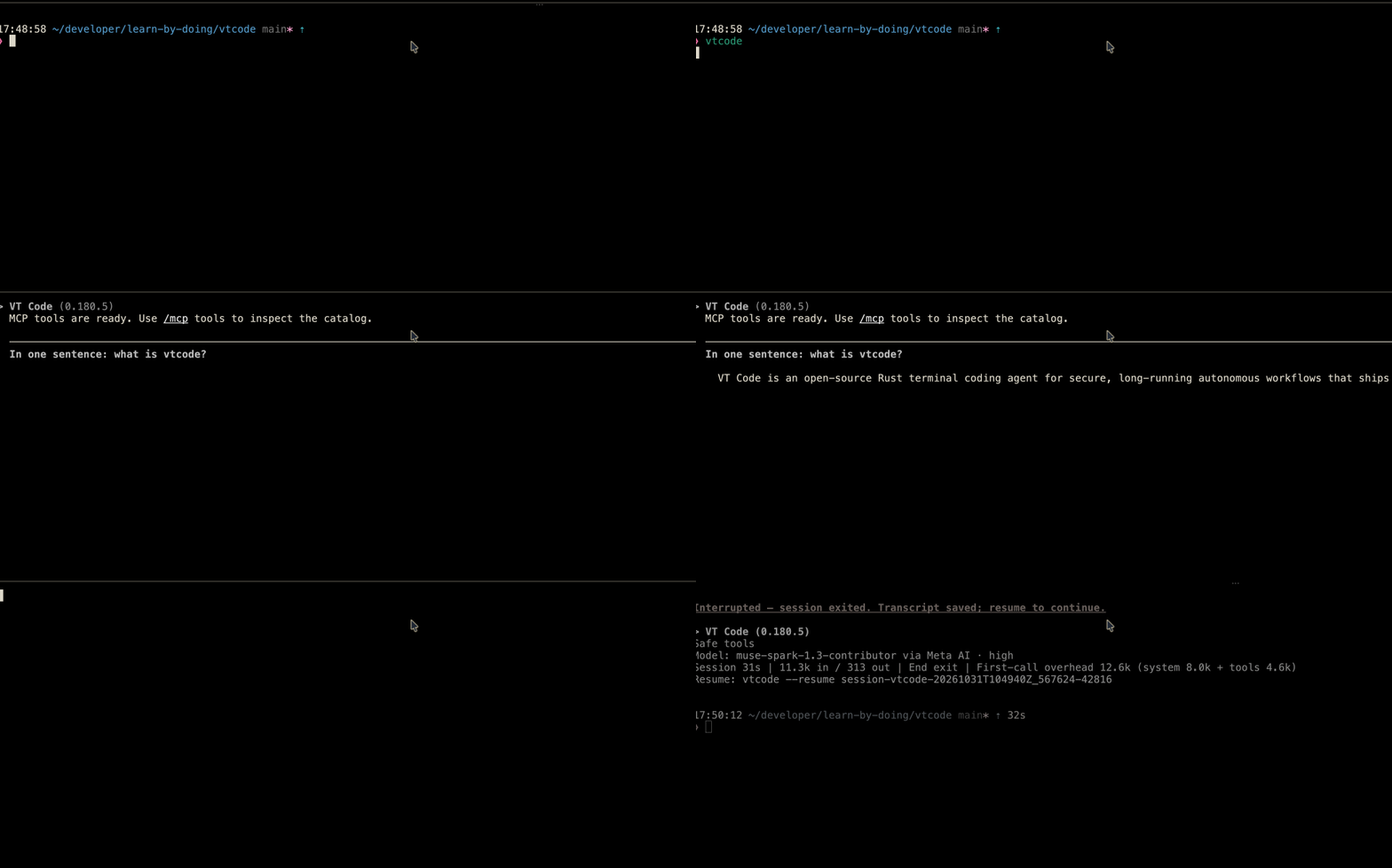
Terminal TUI
Overview
VT Code is an auditable, resumable agentic coding loop — terminal TUI plus native macOS app,
open source under MIT OR Apache-2.0 (see Contributing and License).
Start with Quick start; the full map is in Documentation.
Install on macOS, Linux, or Windows/WSL, configure once, and run. Source builds need Rust
1.100.0+ (edition 2024); the installation guide covers every method.
1. Install
# Review the installer script before running it: https://github.com/vinhnx/vtcode/blob/main/scripts/install.sh
curl -fsSL https://raw.githubusercontent.com/vinhnx/vtcode/main/scripts/install.sh | bash
Same-guide alternatives: brew install vinhnx/tap/vtcode, cargo install vtcode, Windows
irm https://raw.githubusercontent.com/vinhnx/vtcode/main/scripts/install.ps1 | iex, or
Desktop app. Verify with vtcode --version.
2. Configure your project
From your project directory:
cd path/to/your/project
vtcode init # scaffolds vtcode.toml, .vtcode/, and AGENTS.md; review before committing
vtcode secret add openai # replace `openai` with your provider
Keys stay in secure storage (OS keyring or encrypted file); env vars, workspace .env, or vtcode login
work where supported. See getting started and
provider guides. ChatGPT: vtcode login openai (or --from-codex);
Copilot uses the official copilot CLI — see OAuth authentication.
Caution: Keep API keys out of Git and vtcode.toml, and never commit a workspace .env file.
3. Run your first task
vtcode # open the interactive TUI
Ask one focused question, review the changes and test results, then commit. See Usage for automation
and session commands.
ask is tool-free; exec runs the full tool loop and needs workspace trust (approve the TTY prompt, or set
VTCODE_TRUST_WORKSPACE=full-auto for non-TTY runs; deny refuses instead). review inspects uncommitted
changes without the agent loop. For larger tasks, start read-only, review the turn diff, and use /explain
without another model call. See interactive mode,
exec mode, and full automation.
Desktop app
Native macOS app (macOS 15+) sharing the CLI runloop, providers, tool policy, sandboxing, sessions, config,
and credentials. Configure a provider first (Quick start).
Install (macOS 15+)
brew install --cask vinhnx/tap/vtcode-desktop
Update cask installs with brew upgrade --cask vinhnx/tap/vtcode-desktop. Without Homebrew, download the
latest release or run vtcode desktop --install,
then launch with vtcode desktop or from Finder. The cask ships Apple Silicon builds; Intel Macs install
from source with vtcode desktop --install (see installation guide).
[!WARNING]
First launch needs one-time approval for ad hoc-signed builds (Homebrew cask included):
open the app once from Applications, click Open Anyway in System Settings › Privacy & Security,
then reopen from Finder (or vtcode desktop). The button expires about an hour after a blocked launch —
reopen the app to bring it back. Notarized releases skip this. See desktop workspace.
Documentation
Start from the documentation index or Wiki.
The index is canonical; this section keeps one link per task.
26-crate workspace sketch at version 0.183.1 (full list in the architecture guide;
default-members builds only the root binary, vtcode-core, vtcode-skills, vtcode-tui-runtime, and
vtcode-ui):
Build with Rust 1.100.0+ (edition 2024; workspace version 0.183.1):
git clone https://github.com/vinhnx/vtcode.git
cd vtcode
./scripts/run-debug.sh     # build and launch a debug binary
./scripts/check-dev.sh     # fast gate: clippy, fmt, check (add --test for tests)
cargo nextest run          # tests via nextest (see testing guide)
CI uses --locked and RUSTFLAGS="-D warnings"; match locally with
RUSTFLAGS="-D warnings" cargo check --locked. See development and
testing.
VT Code is open source and community-driven. Code, docs, evals, and fixes are welcome —
include vtcode trajectory output in bug reports where possible. Before a PR, read
contributing and pick a good first
issue or help
wanted item. Forks: keep license and third-party notices
intact (see License).
If you like VT Code, please star the repo and share it — starring helps discovery and brings in new users,
contributors, and sponsors. Thank you for growing the community.
License
First-party code is MIT OR Apache-2.0, available under either LICENSE-MIT or
LICENSE (Apache-2.0). You are welcome to fork, use, copy, modify, merge, publish, distribute,
sublicense, and sell copies of the code, for personal or commercial use, under either license. Keep the
license and copyright notices when you distribute copies. Third-party code keeps its original licenses,
listed in THIRD-PARTY-NOTICES.






 Desktop app


 VT Code 是一个基于 Rust 的开源编程智能体,可在终端中运行,让你在代码仓库中探索、规划、编辑和验证修改,并可使用托管或本地的 AI 模型。