


What is this?
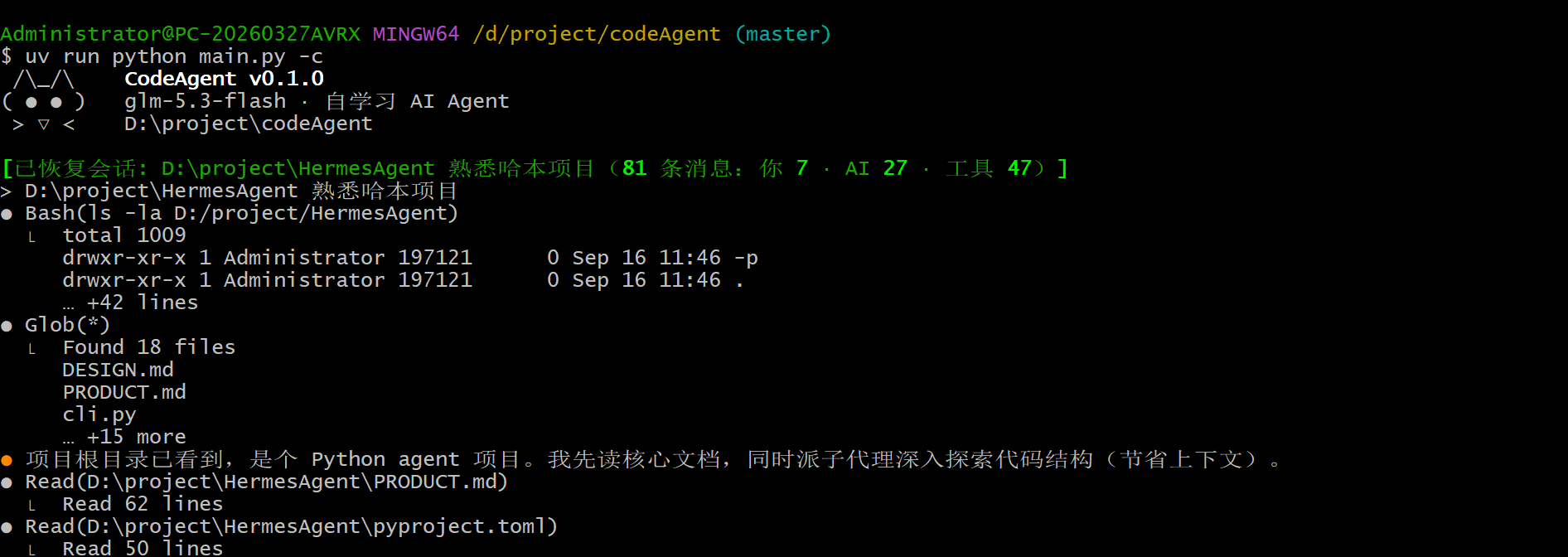
 CodeAgent is an open-source AI coding assistant that lives in your terminal: you give it natural-language instructions and it reads your code, edits files, runs commands, searches for information, and finishes the task.
CodeAgent is an open-source AI coding assistant that lives in your terminal: you give it natural-language instructions and it reads your code, edits files, runs commands, searches for information, and finishes the task.Is this just a wrapper around Claude Code, or a separate implementation?It is not a wrapper or translation — the whole interaction loop and agent core were hand-written line by line, with fully Chinese-commented source code, explicitly built to mirror the Claude Code experience from scratch.
It is not a wrapper or translation — the whole interaction loop and agent core were hand-written line by line, with fully Chinese-commented source code, explicitly built to mirror the Claude Code experience from scratch.How do I get it running?You need Python 3.11+ and the uv package manager installed first; once running, you configure your model provider inside a session with /model or by editing ~/.codeAgent/settings.json.
You need Python 3.11+ and the uv package manager installed first; once running, you configure your model provider inside a session with /model or by editing ~/.codeAgent/settings.json.Does it work on macOS and Linux, or is it Windows-only?It is developed and validated Windows-first; Linux is supported (including an optional bwrap sandbox), while macOS is expected to work in theory but hasn't been fully tested yet.
It is developed and validated Windows-first; Linux is supported (including an optional bwrap sandbox), while macOS is expected to work in theory but hasn't been fully tested yet.Do I need a DeepSeek API key, or can I use other providers?DeepSeek is just the default — any OpenAI-compatible endpoint or Anthropic-protocol endpoint works, switchable via /model or settings.json, with keys supported through environment variables or config files.
DeepSeek is just the default — any OpenAI-compatible endpoint or Anthropic-protocol endpoint works, switchable via /model or settings.json, with keys supported through environment variables or config files.What is the self-learning skill system?CodeAgent observes its own conversation traces and distills reusable 'skills' from them, either heuristically or via an auxiliary model, so it gets better at your codebase and workflows the more you use it.
CodeAgent observes its own conversation traces and distills reusable 'skills' from them, either heuristically or via an auxiliary model, so it gets better at your codebase and workflows the more you use it.What safety guardrails are built in?It requires approval for destructive commands and writes outside a whitelist, detects shell injection patterns, scans for secrets before they get written to files or memory, guards against SSRF, and on Linux can run commands inside a bwrap sandbox.
It requires approval for destructive commands and writes outside a whitelist, detects shell injection patterns, scans for secrets before they get written to files or memory, guards against SSRF, and on Linux can run commands inside a bwrap sandbox.Can it coordinate multiple agents on bigger tasks?Yes — it supports synchronous or background subagent delegation with git-worktree isolation, plus a full coordinator/worker team mode with a message bus and mailboxes for larger jobs.
Yes — it supports synchronous or background subagent delegation with git-worktree isolation, plus a full coordinator/worker team mode with a message bus and mailboxes for larger jobs.What are similar projects?Baize, lean-ctx, bareloop, KiroCrew, Raven, DeepCode, qwen-code, superpowers-zh
Baize, lean-ctx, bareloop, KiroCrew, Raven, DeepCode, qwen-code, superpowers-zhWhich topics is it in?subagents, context-engineering, ai-coding, agent-memory, sandbox, openai-compatible, model-context-protocol, skills, deepseek, multi-agent, coding-agent, ai-agent
subagents, context-engineering, ai-coding, agent-memory, sandbox, openai-compatible, model-context-protocol, skills, deepseek, multi-agent, coding-agent, ai-agent