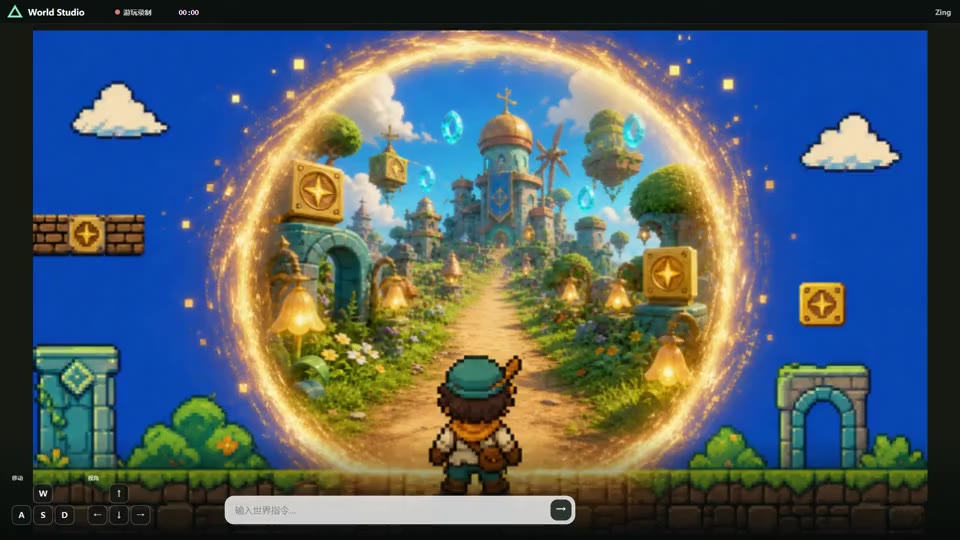
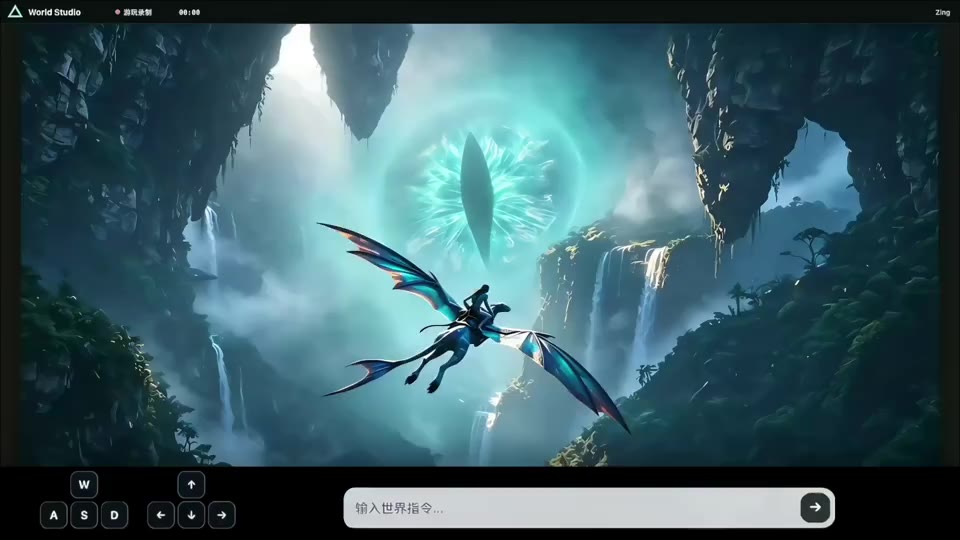
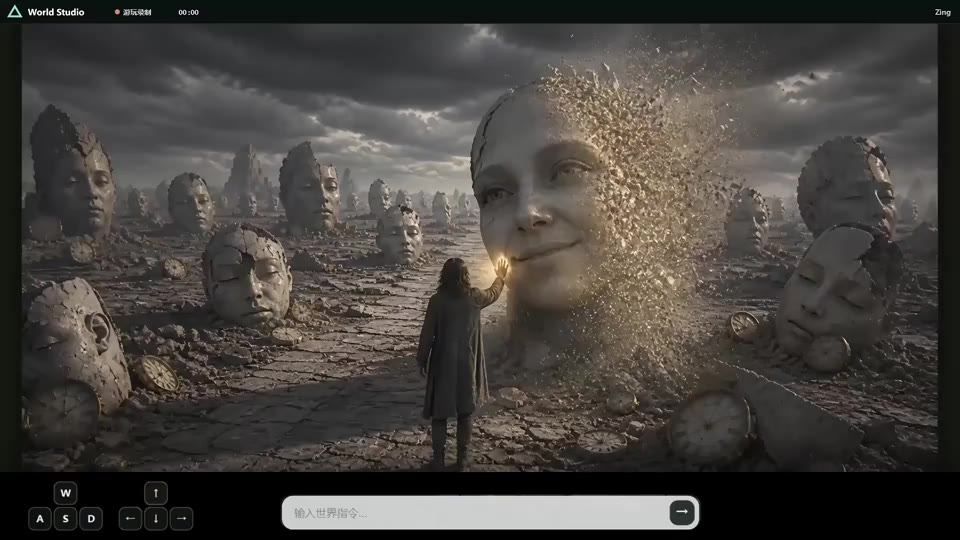
Developed by the Seedleap.ai team (涌跃智能), Zing 0.5 is an efficient causal world model built for real-time interaction. It continuously rolls out a visual world from its current state while text prompts and keyboard actions alter the world's semantics, motion, and future state as it unfolds.
Text prompts can initialize the world or change it during a rollout. Continuous W/A/S/D/I/J/K/L keyboard actions steer movement and interaction. A causal KV cache and four-step DMD sampling support responsive, long-horizon world rollouts in a compact single-GPU pipeline.
This inference release represents an interaction session as timestamped prompt and keyboard controls in JSONL. The model consumes those controls causally and records the resulting world rollout as video; interactive applications can map their prompt and keyboard events to the same control schema.
The runtime expects a model directory with this layout:
Zing-0.5/
├── generator/
│   └── model.pt
└── pretrained/
    ├── text_encoder/
    ├── tokenizer/
    └── vae/
generator/model.pt must directly contain the generator state dict. Parameter names and shapes are matched strictly; wrapped checkpoints, renamed parameter prefixes, adapters, and partial state dicts are not accepted.
News
- [Aug 26, 2026]: Zing-0.5 ranks No. 2 overall on the WBench leaderboard and No. 1 among real-time world models. 🏆
- [Aug 26, 2026]: Zing-0.5 is released. 🎉
Requirements
- Linux
- A CUDA-capable NVIDIA GPU
- Python 3.11
- Dependencies matching requirements.txt
Quick Start
Run commands from the repository root:
CUDA_VISIBLE_DEVICES=0 \
ZING_PYTHON=/path/to/python \
bash run.sh \
  --pretrained-dir /path/to/Zing-0.5/pretrained \
  --checkpoint /path/to/Zing-0.5/generator/model.pt \
  --messages examples/case3_action_t2v.jsonl \
  --output-dir outputs/case3 \
  --seed 0
ZING_PYTHON defaults to python3. The runtime configuration is loaded from config/zing.yaml.
Ready-to-Run World Rollouts
Every JSONL file under examples/ defines a complete world rollout and can be passed directly to run.sh. Image-initialized examples use their bundled reference images under examples/assets/.
| Example |
Input |
Command |
| Long action T2V rollout |
case3_action_t2v.jsonl |
bash run.sh ... --messages examples/case3_action_t2v.jsonl --output-dir outputs/case3 |
| Action TI2V rollout |
case4_action_ti2v.jsonl |
bash run.sh ... --messages examples/case4_action_ti2v.jsonl --output-dir outputs/case4 |
| Prompt-switched T2V rollout |
case6_prompt_switch_t2v.jsonl |
bash run.sh ... --messages examples/case6_prompt_switch_t2v.jsonl --output-dir outputs/case6 |
| Combined action + prompt-switch T2V rollout |
case7_action_prompt_switch_t2v.jsonl |
bash run.sh ... --messages examples/case7_action_prompt_switch_t2v.jsonl --output-dir outputs/case7 |
Replace ... with the same --pretrained-dir and --checkpoint arguments shown in Quick Start.
The input is a JSONL interaction timeline with one independent world rollout per line. The user/text message defines the initial world, while the target/video message defines the rollout and its controls.
{"sample_id":"demo","messages":[{"role":"user","type":"text","content":"A quiet lake at sunrise"},{"role":"target","type":"video","reference_frame_count":0,"output":{"frames":31,"height":480,"width":832},"controls":[]}]}
Text-Prompt Rollout
Set reference_frame_count to 0 and omit uri. The text prompt initializes the visual world.
Image-Initialized Rollout
Set reference_frame_count to 1 and provide a local image path in uri. The image initializes the world state. output.frames excludes the reference image, while the recorded rollout includes it as its first frame.
Keyboard Action Control
Add one keyboard_direction_frame_interval control to steer the world as it runs. actions must have shape [N, 8], with values in [0, 1] ordered as W/A/S/D/I/J/K/L. For a text-initialized rollout, N = output.frames - 1; for an image-initialized rollout, N = output.frames.
Prompt-Driven State Changes
Add one text_prompt_interval control to change the world's semantics and future evolution during a rollout. It uses [start, end) pixel-frame intervals. Intervals must be ordered, gap-free, non-overlapping, and valid after conversion to the latent timeline.
Height and width must be divisible by 32. The reference frame count plus generated frame count must follow the 1 + 4N temporal structure.
Sliding-Window Inference
The default sliding-window configuration is 97/9. It is recommended for offline inference on an NVIDIA H100 or a GPU with at least 80 GB of memory. Both values follow the VAE's 4N+1 temporal structure:
bash run.sh ... --local-attn-size 97 --sink-size 9
For GPUs with less memory or for online real-time inference, use the 33/5 configuration:
bash run.sh ... --local-attn-size 33 --sink-size 5
Use full-history attention with:
bash run.sh ... --local-attn-size -1 --sink-size 0
The sink remains visible throughout the rollout. After a prompt-driven state change, the first block of the new prompt is pinned when it leaves the regular tail window. These options affect only runtime cache behavior and do not change checkpoint parameter names.
License
Zing is released under the Apache License 2.0.
Acknowledgements
We thank the teams behind Wan2.2 TI2V-5B, minWM, WBench, and LongLive for their open-source work.


 Project Page
 GitHub
 Hugging Face
 ModelScope
 Technical Report (Coming soon)




 Zing-0.5 是一个高效的因果世界模型,可生成实时视频世界,让你用文本提示和 W/A/S/D/I/J/K/L 键盘操作实时操控它。