


 Project Page
 GitHub
 Hugging Face
 ModelScope
 Technical Report (Coming soon)



What is this?
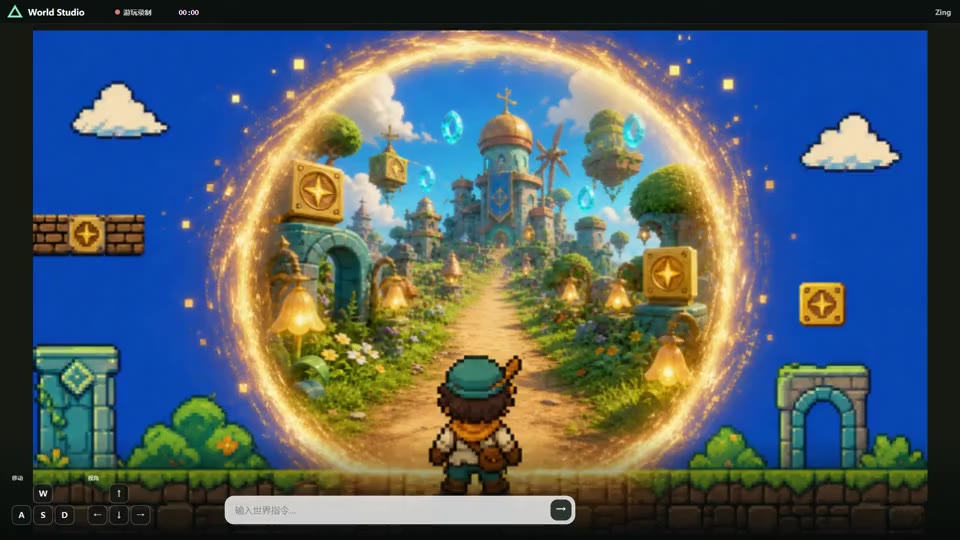
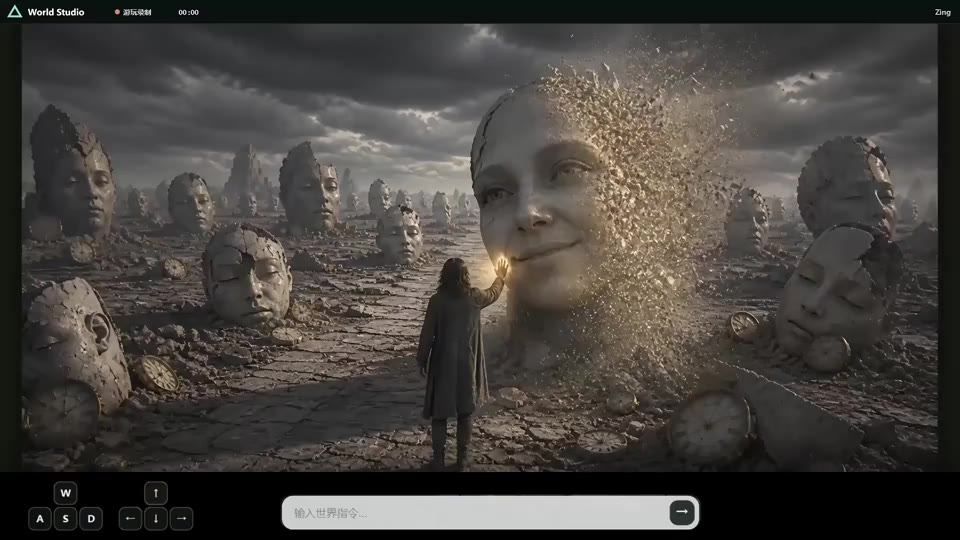
 Zing-0.5 is an efficient causal world model that generates a real-time video world, letting you steer it live with text prompts and W/A/S/D/I/J/K/L keyboard actions.
Zing-0.5 is an efficient causal world model that generates a real-time video world, letting you steer it live with text prompts and W/A/S/D/I/J/K/L keyboard actions.Is this a trained model with inference code, or a full training framework?It is an inference release: you load a pretrained generator checkpoint and run rollouts, there's no training code included.
It is an inference release: you load a pretrained generator checkpoint and run rollouts, there's no training code included.How do I run a world rollout?Run bash run.sh from the repo root pointing to a JSONL file under examples/ (e.g. case3-action-t2v.jsonl) along with --pretrained-dir and --checkpoint, and it writes output video to --output-dir.
Run bash run.sh from the repo root pointing to a JSONL file under examples/ (e.g. case3-action-t2v.jsonl) along with --pretrained-dir and --checkpoint, and it writes output video to --output-dir.What hardware and software do I need to run it?You need Linux, a CUDA-capable NVIDIA GPU, Python 3.11, and the packages listed in requirements.txt; the default offline config needs an H100-class 80GB GPU, while a lighter 33/5 sliding-window config works on smaller GPUs for real-time use.
You need Linux, a CUDA-capable NVIDIA GPU, Python 3.11, and the packages listed in requirements.txt; the default offline config needs an H100-class 80GB GPU, while a lighter 33/5 sliding-window config works on smaller GPUs for real-time use.Does it accept any checkpoint format?No, the generator checkpoint must be an unwrapped state dict with exactly matching parameter names and shapes; wrapped checkpoints, renamed prefixes, adapters, or partial state dicts are rejected.
No, the generator checkpoint must be an unwrapped state dict with exactly matching parameter names and shapes; wrapped checkpoints, renamed prefixes, adapters, or partial state dicts are rejected.Does it really need a high-end GPU?For offline inference the default config needs an NVIDIA H100 or GPU with at least 80GB memory, but a smaller 33/5 sliding-window configuration is provided for lower-memory GPUs and real-time use.
For offline inference the default config needs an NVIDIA H100 or GPU with at least 80GB memory, but a smaller 33/5 sliding-window configuration is provided for lower-memory GPUs and real-time use.How does the input JSONL format work?Each line is one rollout: a user/text message sets the initial world (text prompt or reference image), and a target/video message defines the output frames plus optional keyboard-direction and text-prompt-interval controls that steer or change the world mid-rollout.
Each line is one rollout: a user/text message sets the initial world (text prompt or reference image), and a target/video message defines the output frames plus optional keyboard-direction and text-prompt-interval controls that steer or change the world mid-rollout.How fast and long-running is the model?It uses a causal KV cache and four-step DMD sampling for responsive, long-horizon rollouts on a single GPU, and currently ranks No. 2 overall and No. 1 among real-time world models on the WBench leaderboard.
It uses a causal KV cache and four-step DMD sampling for responsive, long-horizon rollouts on a single GPU, and currently ranks No. 2 overall and No. 1 among real-time world models on the WBench leaderboard.What are the keyboard controls?Continuous W/A/S/D/I/J/K/L actions steer movement and interaction, encoded as an [N, 8] array with values between 0 and 1 for each key.
Continuous W/A/S/D/I/J/K/L actions steer movement and interaction, encoded as an [N, 8] array with values between 0 and 1 for each key.Is there a consumer app that uses this model?Yes, the team offers a companion app called Loopit that you can scan a QR code to download, built on the same 'Make Everything Playable' concept.
Yes, the team offers a companion app called Loopit that you can scan a QR code to download, built on the same 'Make Everything Playable' concept.What are similar projects?SolarWM, TalkLikeYou-Streaming-RealTime-Demo, PersonaLive, vllm-omni, H3-World, Evoke, FreeVideo, ComfyUI-Ref2VA-VSA
SolarWM, TalkLikeYou-Streaming-RealTime-Demo, PersonaLive, vllm-omni, H3-World, Evoke, FreeVideo, ComfyUI-Ref2VA-VSAWhich topics is it in?world-models, diffusion, pretrained-models, gpu-acceleration, video-generation, real-time, inference, nvidia, generative-ai, cuda, deep-learning, research
world-models, diffusion, pretrained-models, gpu-acceleration, video-generation, real-time, inference, nvidia, generative-ai, cuda, deep-learning, research